
1. Introduction
Thank you for choosing NineHorse Silicone Smartwatch Bands. These replacement bands are designed to provide a comfortable, durable, and stylish option for your compatible smartwatch. Made from soft, high-quality silicone, they are suitable for daily wear, exercise, and various activities, offering sweat and water resistance.

Image 1.1: An assortment of NineHorse silicone smartwatch bands in red, black, grey, white, pink, and light blue, showcasing the variety of available colors and the textured design.
2. Compatibility
These NineHorse smartwatch bands are compatible with the following models:
- tamispit Q9 Pro Smartwatch
- Amazfit Bip 6 Smartwatch
- Amazfit Bip 5 Smartwatch
- Amazfit Balance Smartwatch
Please ensure your smartwatch model matches one of the listed compatible devices for proper fit and function.
3. Package Contents
Your package includes:
- 6 x NineHorse Silicone Smartwatch Bands (various colors)

Image 3.1: Six individual NineHorse silicone smartwatch bands laid flat, displaying the two sections of each band (one with the buckle, one with adjustment holes) in white, black, grey, pink, red, and light blue.
4. Setup: Band Installation
The NineHorse smartwatch bands feature a quick-release pin mechanism for easy installation and removal. No additional tools are required.
- Prepare Your Smartwatch: If a band is currently attached, gently slide the quick-release pin lever inwards to detach the existing band from your smartwatch.
- Identify Band Sections: Each replacement band consists of two sections: one with the metal buckle and one with the adjustment holes.
- Attach the First Section:
- Insert one end of the quick-release pin into the lug hole on one side of your smartwatch.
- While holding that end in place, slide the quick-release pin lever inwards.
- Align the other end of the pin with the opposite lug hole and release the lever. The pin should snap securely into place.
- Gently tug on the band to ensure it is firmly attached.
- Attach the Second Section: Repeat step 3 for the other section of the band.

Image 4.1: A close-up view of a light blue NineHorse smartwatch band, highlighting the quick-release pins at each end, which facilitate easy attachment and detachment from the smartwatch.

Image 4.2: A side view of a light blue NineHorse smartwatch band, illustrating the quick-release pin mechanism and the textured surface of the silicone material.
5. Adjustment and Wearing
These bands are designed to fit most adult wrists, with an adjustable size range suitable for wrists measuring 5.5 inches to 7.5 inches in circumference.
- Fasten the Buckle: Place the smartwatch on your wrist. Insert the metal pin of the tang buckle into one of the adjustment holes on the other side of the band.
- Secure the Band: Thread the excess band through the two loops to secure it in place.
- Adjust for Comfort: Choose an adjustment hole that allows the smartwatch to sit comfortably and securely on your wrist. The band should be snug enough to prevent excessive movement but not so tight as to restrict circulation or cause discomfort.
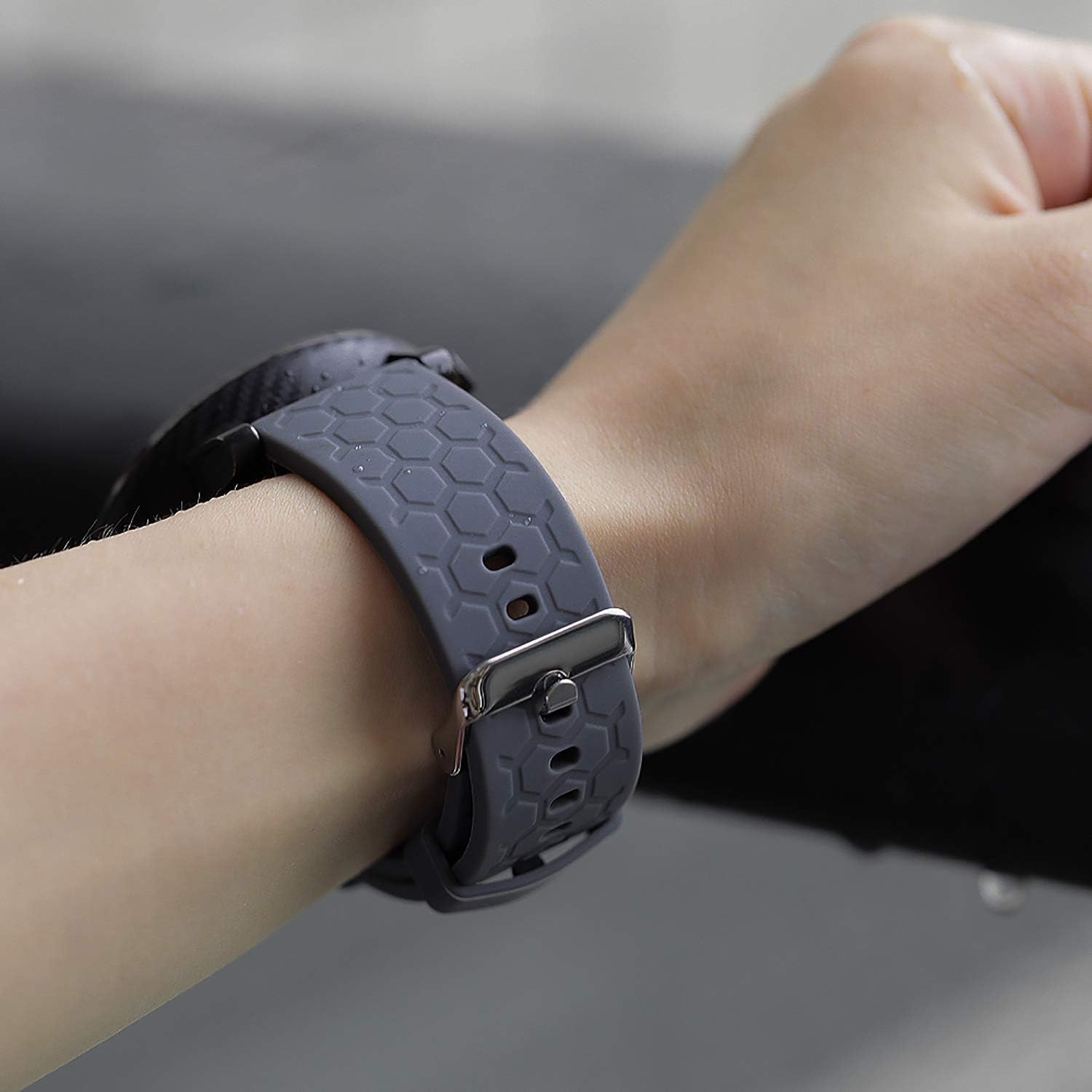
Image 5.1: A pink NineHorse smartwatch band being worn on a wrist, demonstrating how the band sits comfortably and is secured by the buckle and loops.

Image 5.2: A grey NineHorse smartwatch band being worn on a wrist, showing the fit and the textured pattern of the silicone material.
6. Maintenance and Care
To ensure the longevity and cleanliness of your NineHorse silicone smartwatch bands, follow these care instructions:
- Cleaning: The bands are waterproof and sweat-resistant. Clean them regularly with mild soap and water. Rinse thoroughly and dry with a soft cloth.
- Avoid Harsh Chemicals: Do not expose the bands to strong chemicals, solvents, or abrasive cleaners, as these can damage the silicone material.
- Storage: Store bands in a cool, dry place away from direct sunlight when not in use to prevent discoloration or degradation of the material.
- Inspection: Periodically inspect the bands for any signs of wear, tear, or damage, especially around the quick-release pins and buckle.
7. Troubleshooting
| Issue | Possible Cause / Solution |
|---|---|
| Band does not attach securely to smartwatch. | Ensure the quick-release pins are fully engaged in the lug holes. The pins should snap into place. Gently tug the band to confirm it is secure. |
| Band feels too loose or too tight. | Adjust the tang buckle to a different adjustment hole. The band should be snug but comfortable. Refer to the "Adjustment and Wearing" section. |
| Skin irritation or discomfort. | Ensure the band is clean and dry. Avoid wearing the band too tightly. If irritation persists, discontinue use and consult a medical professional. |
| Band appears dirty or discolored. | Clean the band with mild soap and water as described in the "Maintenance and Care" section. Regular cleaning helps prevent buildup. |
8. Specifications
- Material: High-quality Soft Silicone
- Clasp Type: Tang Buckle (Steel)
- Adjustable Wrist Size: 5.5 inches - 7.5 inches (140mm - 190mm)
- Package Dimensions: 7.44 x 4.65 x 0.79 inches (approx. 18.9 x 11.8 x 2 cm)
- Item Weight: 4.16 ounces (approx. 118 grams)
- Compatibility: tamispit Q9 Pro, Amazfit Bip 6, Amazfit Bip 5, Amazfit Balance
9. Warranty and Support
For specific warranty information regarding your NineHorse smartwatch bands, please refer to the retailer's purchase policy or the manufacturer's official website. If you encounter any issues not covered in this manual or require further assistance, please contact the seller or manufacturer's customer support.
Contact Information: Please refer to your purchase documentation or the product listing for the most current customer support contact details.