
OKP OKP L1 Robot Vacuum Cleaner
OKP L1 Robot Vacuum User Manual
Model: OKP L1 Robot Vacuum Cleaner | Brand: OKP
Product Overview
The OKP L1 Robot Vacuum is an advanced cleaning device designed for efficient and thorough floor maintenance. It features upgraded LDS laser radar technology and SLAM navigation for precise mapping and obstacle avoidance. With powerful 4000Pa suction, it effectively cleans various floor types, including hard floors and carpets, making it suitable for homes with pets. The vacuum offers smart control via the OKP app and voice assistants like Alexa and Google Assistant, providing customizable cleaning modes and real-time monitoring. Its slim design allows it to access hard-to-reach areas, and a long battery life with auto-recharging ensures continuous cleaning.
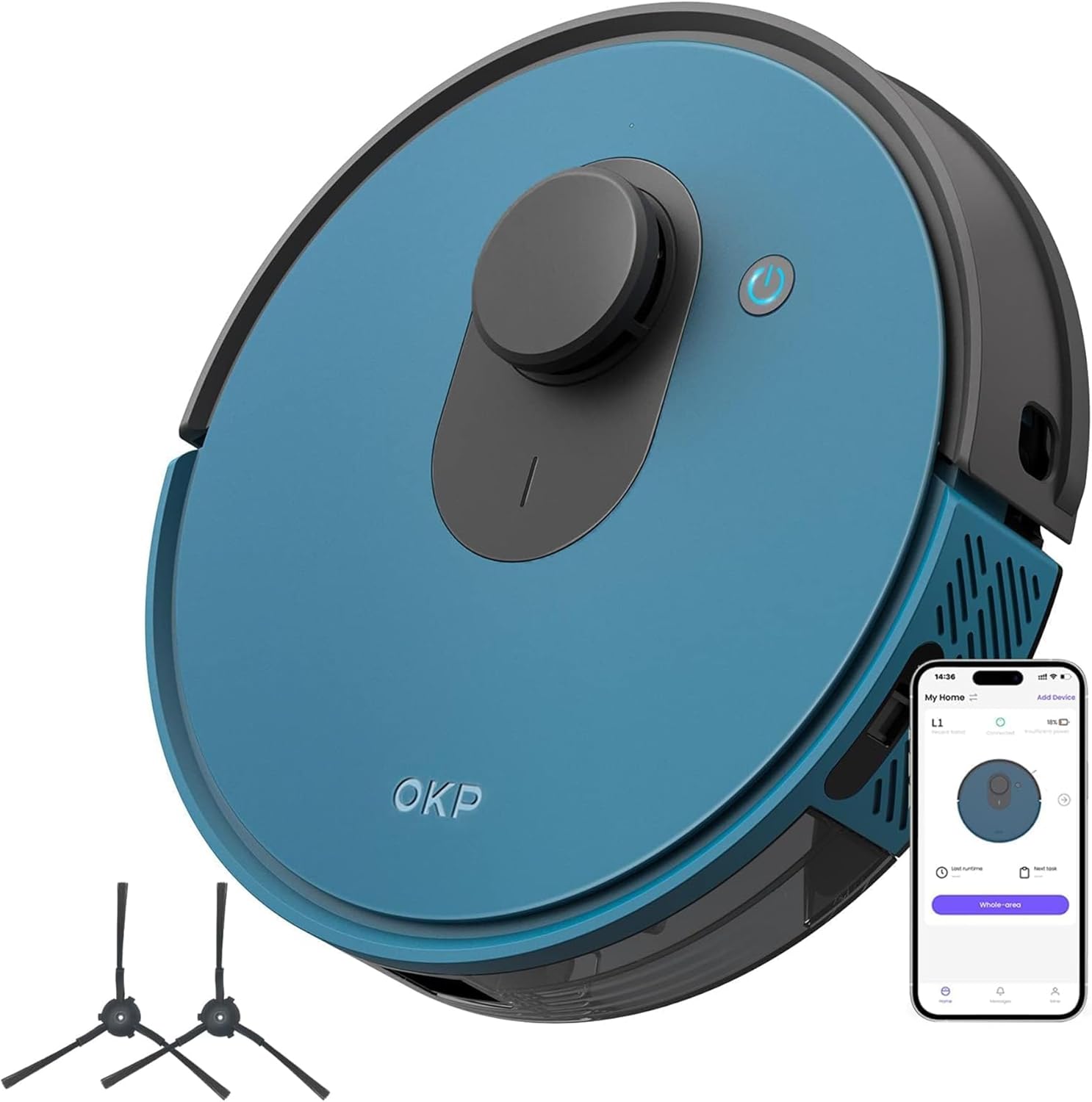
The OKP L1 Robot Vacuum, shown with its charging dock and two side brushes, ready for operation.
What's in the Box
Upon unboxing your OKP L1 Robot Vacuum, please verify that all components are present:

An illustration showing the contents of the OKP L1 Robot Vacuum package, including the robot, charging dock, side brushes, filter sponge, HEPA filter, user manual, and adapter.
- 1 x L1 Robot Vacuum
- 1 x Charging Dock
- 2 x Side Brushes
- 1 x Filter Sponge
- 1 x HEPA Filter
- 1 x User Manual
- 1 x Power Adapter
Setup and Initial Use
1. Unboxing and Assembly
Carefully remove all components from the packaging. Attach the side brushes to the designated slots on the underside of the robot vacuum. Ensure the dustbin and filters are correctly installed before first use.
This video demonstrates the unboxing, assembly of side brushes, and initial setup of the OKP L1 Robot Vacuum, including filter installation.
2. Charging the Robot Vacuum
Place the charging dock against a wall in an open area, ensuring there are no obstacles within 1 meter (3 feet) to the sides and 1.5 meters (5 feet) in front. Connect the power adapter to the charging dock and plug it into a wall outlet. Place the robot vacuum onto the charging dock, aligning its charging contacts with those on the dock. The indicator light on the robot will show its charging status. Fully charge the robot before its first use.
3. Connecting to the OKP App
Download the "OKP" app from your smartphone's app store. Follow the in-app instructions to add your OKP L1 Robot Vacuum. This will enable smart features such as scheduling, mode selection, and real-time mapping.

The OKP L1 Robot Vacuum being controlled and monitored via the OKP smartphone application, showing various settings and mapping features.
This video illustrates the process of connecting the OKP L1 Robot Vacuum to the mobile application and demonstrates basic app controls.
Operating the Robot Vacuum
Cleaning Modes
The OKP L1 offers four distinct cleaning modes to suit various needs:
- Auto Mode: The robot intelligently navigates and cleans your entire home.
- Spot Mode: Focuses on a specific dirty area for intensive cleaning.
- Edge Mode: Cleans along walls and furniture edges.
- Zigzag Mode: Follows a systematic zigzag path for efficient coverage.

The OKP L1 Robot Vacuum is shown cleaning a rug in a systematic zigzag pattern, illustrating its efficient cleaning path.
Navigation and Obstacle Avoidance
Equipped with LDS laser radar technology and SLAM navigation, the L1 creates an accurate map of your home, ensuring efficient route planning and minimizing missed areas. The Freemove 3.0 obstacle avoidance system helps the vacuum navigate smoothly around furniture, stairs, and other objects.

The OKP L1 Robot Vacuum is depicted navigating around table legs and approaching a step, demonstrating its obstacle avoidance and anti-fall capabilities.

A diagram showing the robot vacuum avoiding a designated "No-Go Zone" area, highlighting its smart mapping capabilities.

A diagram illustrating the robot vacuum's cliff sensors detecting a drop-off, preventing falls down stairs or ledges.
Voice Control Integration
The OKP L1 is compatible with Amazon Alexa and Google Assistant, allowing you to start, stop, or send the robot back to its charging dock using simple voice commands.

The OKP L1 Robot Vacuum is shown in a living room setting, highlighting its compatibility with voice assistants like Amazon Alexa and Google Assistant for convenient control.
This video demonstrates the OKP L1 Robot Vacuum's ability to clean various types of debris, including hair and dirt, and its smooth navigation around furniture.
Maintenance
Regular maintenance ensures optimal performance and extends the lifespan of your OKP L1 Robot Vacuum.
1. Emptying the Dustbin
After each cleaning cycle, or when the dustbin full indicator appears, remove and empty the dustbin. Press the release button to detach the dustbin from the robot, open its lid, and discard collected debris.

A diagram illustrating the internal components of the dustbin, including the filter sponge and HEPA filter, and how to access them for cleaning.
2. Cleaning Filters
The dustbin contains a filter sponge and a HEPA filter. These should be cleaned regularly to maintain suction power. Tap the HEPA filter to remove loose dirt. The filter sponge can be rinsed with water, but ensure it is completely dry before reinstallation. Replace filters as recommended in the full user manual.
3. Cleaning Side Brushes and Main Cleaning Component
Periodically check the side brushes for tangled hair or debris. Remove any obstructions to ensure effective cleaning. The side brushes can be easily detached for cleaning or replacement. This model features a brushless suction port, which minimizes hair tangles, and its main cleaning component should also be checked for any blockages.

A diagram highlighting the brushless suction port of the robot vacuum, which minimizes hair tangles and simplifies maintenance.
Troubleshooting
If your OKP L1 Robot Vacuum encounters an issue, refer to the following common solutions:
| Problem | Possible Cause | Solution |
|---|---|---|
| Robot not charging | Charging contacts are dirty or misaligned. Power adapter not connected. | Clean the charging contacts on both the robot and the dock. Ensure the power adapter is securely plugged into the dock and wall outlet. |
| Robot gets stuck frequently | Obstacles like cables, rugs, or low furniture. | Clear the cleaning area of loose cables and small objects. Use No-Go Zones in the app for problematic areas. Ensure furniture is high enough for the robot to pass under (3.15 inches clearance needed). |
| Reduced suction power | Full dustbin or clogged filters. | Empty the dustbin and clean or replace the filter sponge and HEPA filter. |
| "I am suspended" voice prompt | Robot is lifted off the ground or on an uneven surface. | Place the robot back on a flat, stable surface. Check for any debris obstructing the cliff sensors on the underside. |
Specifications
| Feature | Detail |
|---|---|
| Brand | OKP |
| Model Name | L1 |
| Special Features | Smart Mapping, LiDAR Navigation, Anti-Fall, No-Go Zone, 360-Degree Swivel |
| Color | Deep Blue |
| Product Dimensions | 11"L x 11"W x 2.99"H |
| Included Components | Floor Brush (Note: This model features a brushless suction port, which minimizes hair tangles, and includes a main cleaning component that is not a traditional bristle brush roll.) |
| Filter Type | HEPA |
| Battery Life | Up to 180 minutes |
| Voltage | 19.6 Volts |
| Dustbin Capacity | 500 Milliliters |
| Power Source | Battery Powered |
| Control Method | App |
| Compatible Devices | Smartphones, Google Home |
| Form Factor | Robotic |
| UPC | 780627998231 |
| Item Weight | 9.63 pounds |
| Manufacturer | OKP |
| Country of Origin | China |
Warranty and Support
The OKP L1 Robot Vacuum typically comes with a manufacturer's warranty. Please refer to the warranty card included in your product packaging or visit the official OKP website for detailed warranty terms and conditions. For technical support, troubleshooting assistance, or to inquire about replacement parts, please contact OKP customer service through the contact information provided in your user manual or on the official OKP website.
You can visit the OKP Store on Amazon for more product information and support resources.
Related documentsOKP L1 Robot Vacuum Cleaner


Ask a question about this manual
Ask about setup, troubleshooting, compatibility, parts, safety, or missing instructions. Manuals+ will review the question and use this page’s manual context to help answer it.