
1. Introduction
This manual provides detailed instructions for the proper use and care of your DISCOVERYOPT HD GEN-II 5-30x56 SFIR MRAD Rifle Scope. Please read this manual thoroughly before attempting to mount or operate the scope to ensure safe and effective use. This rifle scope features an upgraded optical system for enhanced brightness and clarity, a 5-30x magnification range, a 56mm objective lens, and a robust 34mm main tube. It is designed for precision long-range applications.
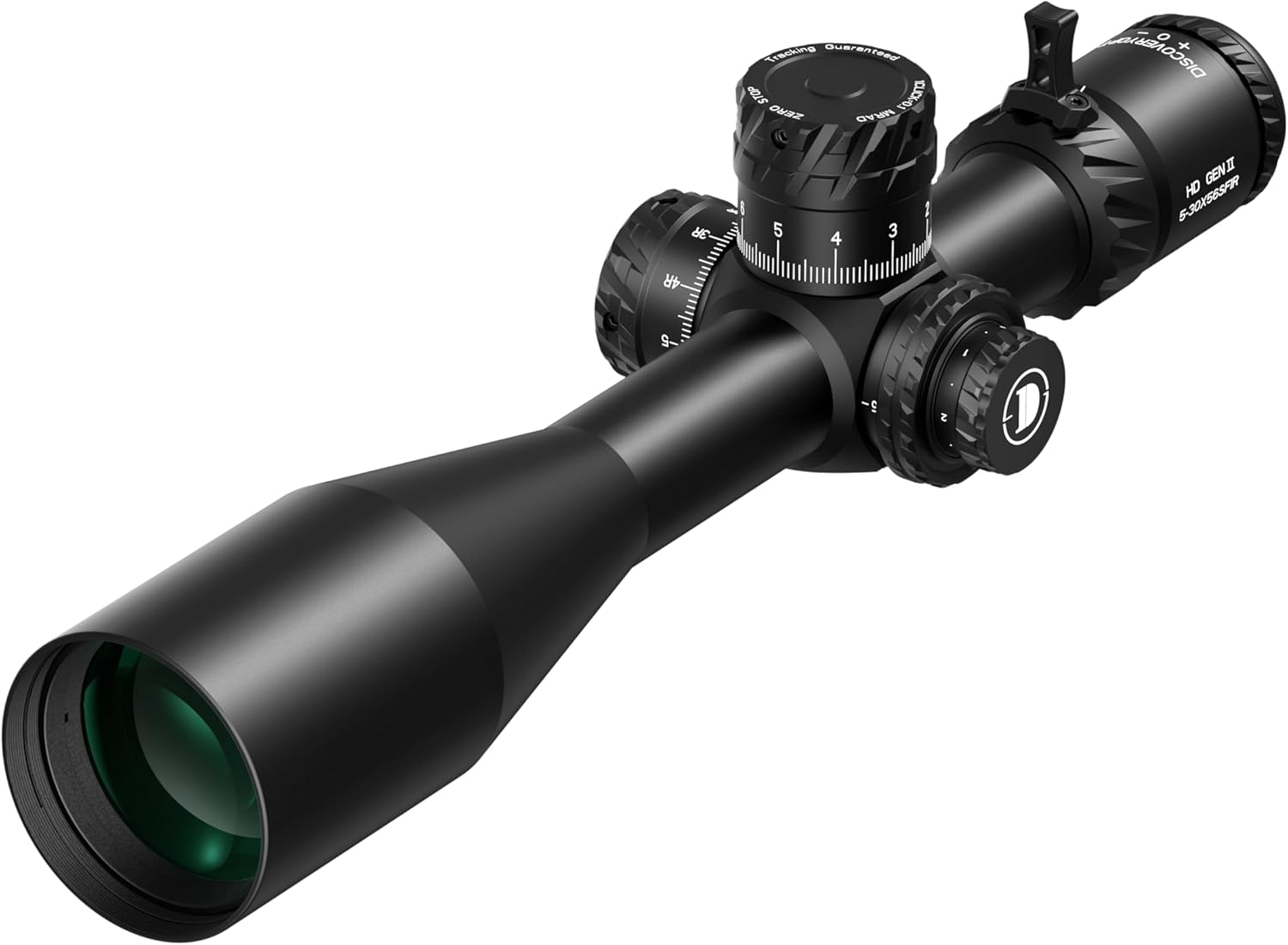
Image 1.1: Overview of the DISCOVERYOPT HD GEN-II 5-30x56 SFIR MRAD Rifle Scope.
2. Product Overview and Components
Familiarize yourself with the various parts of your rifle scope before proceeding with installation and operation.

Image 2.1: Key components of the rifle scope, including the objective lens, windage turret, magnification adjustment ring, fast focus eyepiece, locking elevation turret, side parallax adjustment, and illumination turret.
Included Components:
- 1x DISCOVERYOPT 5-30X56 MRAD Rifle Scope (Scope Rings are not included)
- 1x Sunshade
- 1x Silicone Cover
- 1x Cleaning Cloth
- 1x Specification Card
- 1x QC Check List
- 1x User Manual

Image 2.2: The accessories included with your rifle scope, such as the sunshade, silicone cover, cleaning cloth, and documentation.
3. Setup
3.1 Mounting the Scope
Securely mount the rifle scope to your firearm using appropriate 34mm scope rings (not included). Ensure the rings are properly aligned and tightened according to the manufacturer's specifications for the rings and your firearm. Incorrect mounting can affect accuracy and scope integrity.
3.2 Fast Focus Eyepiece Adjustment
To achieve a clear reticle image, look through the scope at a plain, bright background (like a clear sky). Rotate the fast focus eyepiece (located at the rear of the scope) until the reticle appears sharp and in focus. This adjustment is critical for preventing eye strain and ensuring accurate aiming.
3.3 Zero Stop Function
The zero stop feature allows you to return to your established zero setting quickly and reliably without looking at the turret. After zeroing your rifle scope, set the zero stop according to the instructions provided with the scope's turret system. This typically involves lifting the elevation turret cap, rotating a ring to the zero position, and then securing it. Refer to the specific mechanism on your scope for precise steps.

Image 3.1: Illustration of the Zero Stop mechanism, indicating how to set the zero position on the elevation turret.
4. Operating the Scope
4.1 Magnification Adjustment
Rotate the magnification adjustment ring, located forward of the fast focus eyepiece, to change the magnification from 5x to 30x. The numbers on the ring indicate the current magnification setting. Adjust to your desired level for target acquisition or precision aiming.

Image 4.1: The magnification adjustment ring and fast focus eyepiece for optical tuning.
4.2 Side Parallax Adjustment
The side parallax adjustment turret, typically located on the left side of the scope, allows for sharper focus of the target image and elimination of parallax error. Rotate this turret until the target appears clear and the reticle does not shift relative to the target when you move your head slightly. This also aids in range estimation.
4.3 Illuminated Reticle
The glass-etched First Focal Plane (FFP) reticle features red illumination with six-gear adjustment. Rotate the illumination turret (often integrated with the parallax turret) to turn the illumination on/off and adjust its brightness. This feature assists in targeting during low-light conditions.
4.4 Elevation and Windage Adjustments
The elevation turret (top) and windage turret (right) are used to adjust the point of impact. Each click provides a 0.1 MRAD adjustment. Rotate the turrets to make corrections. The turrets are designed with tactile and audible clicks for precise adjustments. Remember to reset your zero stop after making significant elevation adjustments.
4.5 First Focal Plane (FFP) Reticle
This scope features a First Focal Plane (FFP) reticle. This means the reticle's size changes proportionally with the magnification. The subtensions (the spacing of the reticle markings) remain accurate at all magnification settings, which is beneficial for range estimation and holdovers/holds under varying magnifications.

Image 4.2: Detailed diagram of the MRAD First Focal Plane reticle, showing various subtension values for precise measurements.
5. Maintenance
5.1 Cleaning
To clean the lenses, use the provided cleaning cloth or a high-quality lens cleaning kit. Gently wipe away dust and debris. For stubborn smudges, apply a small amount of lens cleaning solution to the cloth, not directly to the lens. Avoid using harsh chemicals or abrasive materials, as these can damage the lens coatings. Keep the scope body clean by wiping it with a soft, damp cloth.
5.2 Environmental Protection
Your DISCOVERYOPT HD GEN-II 5-30x56 SFIR MRAD Rifle Scope is designed to be waterproof, fog-proof, and shockproof. It is dry nitrogen purged and o-ring sealed to prevent internal fogging and water ingress. While robust, avoid unnecessary impacts and always use the silicone cover when the scope is not in use to protect the lenses from dust and scratches.
6. Troubleshooting
If you encounter issues with your rifle scope, consider the following common troubleshooting steps:
- Unclear Image/Reticle: Ensure the fast focus eyepiece is correctly adjusted for your eye. Check the parallax adjustment for proper focus at your target distance.
- Reticle Illumination Not Working: Verify that the battery is correctly installed and has sufficient charge. Adjust the illumination turret to a higher setting.
- Inaccurate Point of Impact: Confirm that the scope is securely mounted and that all rings and bases are tightened to specification. Check for any loose components on the firearm or scope. Ensure proper zeroing procedures were followed.
- Fogging: While the scope is fog-proof, extreme temperature changes can sometimes cause external condensation. Allow the scope to acclimate or wipe external surfaces with a dry cloth. If internal fogging occurs, contact customer support.
For persistent issues not resolved by these steps, please refer to the warranty and support section for contact information.
7. Specifications
Detailed technical specifications for the DISCOVERYOPT HD GEN-II 5-30x56 SFIR MRAD Rifle Scope.

Image 7.1: Product specification card detailing key features and dimensions.
| Feature | Specification |
|---|---|
| Model | HD GEN-II 5-30x56 SFIR MRAD |
| Magnification | 5x-30x |
| Focal Plane | First Focal Plane (FFP) |
| Objective Lens Diameter | 56 mm |
| Tube Diameter | 34 mm |
| Reticle Type | MRAD FFP (Red Illuminated) |
| Click Value | 0.1 MRAD |
| Total Adjustment Elevation | 33 MRAD |
| Total Adjustment Windage | 17 MRAD |
| Field of View | 25 FT (7.6m) ~ 4.0 FT (1.2m) / 100 YDS |
| Eye Relief | 3.5 in (9.0 cm) ~ 3.4 in (8.6 cm) |
| Exit Pupil | 9.3 mm ~ 1.9 mm |
| Length | 15.0 in (380 mm) |
| Weight | 38.1 oz (1080 g) |
| Material | Aluminum |
| Waterproof | Yes |
| Fog-proof | Yes |
| Shockproof | Yes |
| Nitrogen Filled | Yes |
8. Warranty and Support
DISCOVERYOPT products are protected by a lifetime warranty. This warranty covers defects in materials and workmanship. If you experience any dissatisfaction or issues with your product, please contact DISCOVERYOPT customer support. Our professional team is dedicated to assisting you and resolving any problems promptly. Your feedback helps us continuously improve our products.

Image 8.1: Information regarding the DISCOVERYOPT Lifetime Warranty.
For support, please visit the official DISCOVERYOPT store or contact their customer service department through the retailer where the product was purchased.