
Introduction
Thank you for purchasing the YOPSTAR LED Floor Lamp. This manual provides detailed instructions for the assembly, operation, maintenance, and troubleshooting of your new lamp. Please read this manual thoroughly before use and retain it for future reference.
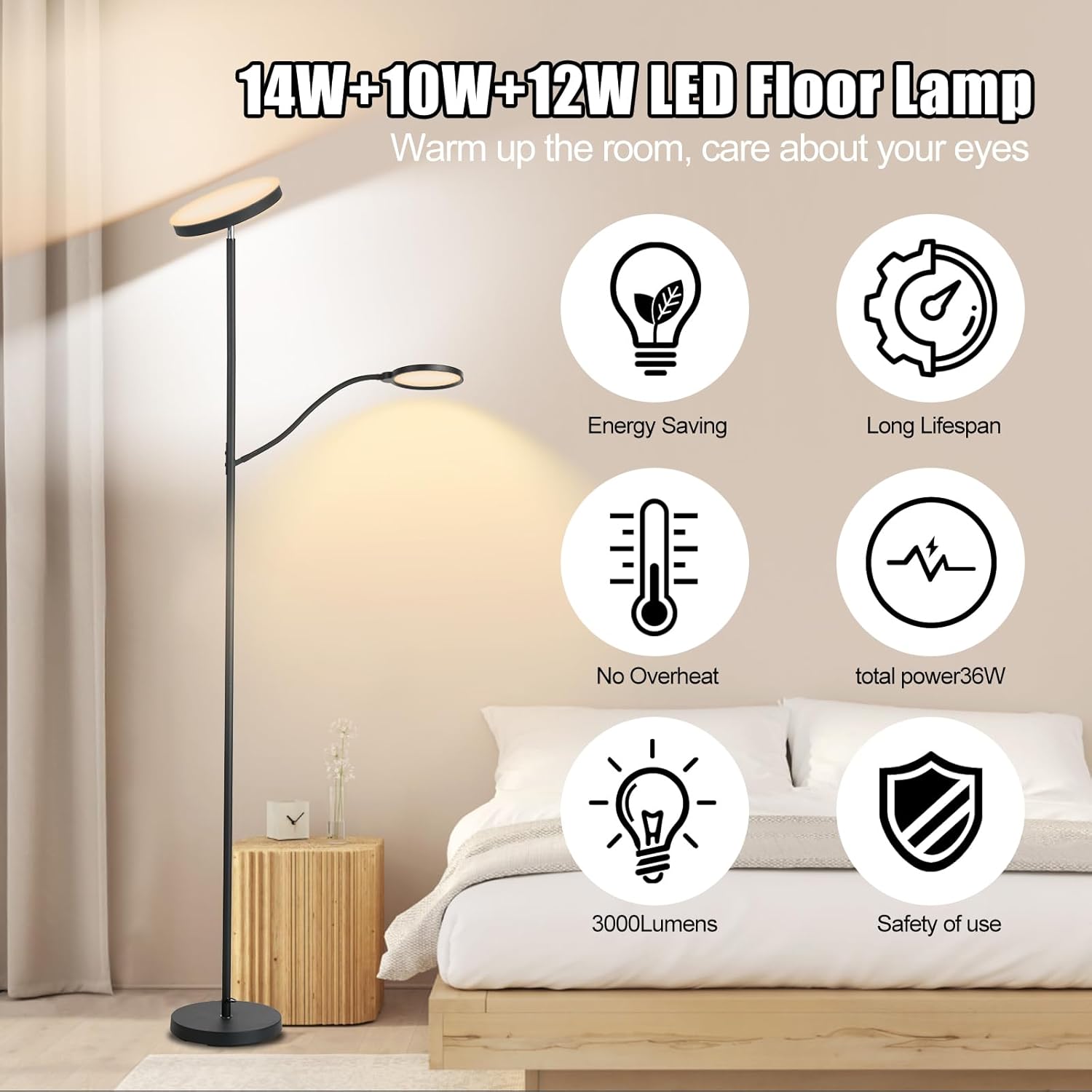
This floor lamp features a dual-light design, including a main torchiere light and an adjustable reading light. It offers multiple color temperatures, stepless dimming, and convenient control options via remote and touch.
Safety Instructions
- Ensure the lamp is unplugged before assembly, cleaning, or maintenance.
- Do not operate the lamp with a damaged cord or plug.
- Avoid placing the lamp in unstable locations where it could easily tip over. The weighted base is designed for stability, but caution is advised, especially around children and pets.
- This lamp is designed for indoor use only.
- Do not attempt to modify or repair the lamp yourself. Contact customer support for assistance.
- Keep the remote control away from water and extreme temperatures.
Package Contents
- Main Lamp Pole (multiple sections)
- Lamp Base
- Main Light Head
- Reading Light Arm with Head
- Power Adapter
- Remote Control
- User Manual (this document)
Setup and Assembly
Assembly of the YOPSTAR LED Floor Lamp is designed to be straightforward and typically takes less than 3 minutes.
- Unpack Components: Carefully remove all components from the packaging and place them on a flat, clean surface.
- Attach Base: Screw the lowest pole section into the lamp base until secure.
- Assemble Pole: Connect the remaining pole sections by screwing them together clockwise. Ensure each section is tightly fastened to prevent wobbling.
- Attach Main Light Head: Screw the main light head onto the top pole section.
- Attach Reading Light: Connect the reading light arm to the designated port on the main lamp pole. Ensure it clicks securely into place or is screwed on as per design.
- Connect Power: Plug the power adapter into the lamp's power input, then plug the adapter into a standard wall outlet.

Operating Instructions
The YOPSTAR LED Floor Lamp can be controlled via the included remote control or the integrated touch controls on the lamp pole.
Remote Control Operation
The remote control allows for convenient adjustment of the lamp's settings from a distance of up to 49 feet. The remote is magnetic and can be stored on the lamp pole or other metal surfaces.

- Power On/Off: Press the Power button to turn the lamp on or off.
- Main Light Control: Use the dedicated buttons to control the main torchiere light.
- Reading Light Control: Use the dedicated buttons to control the adjustable reading light.
- Brightness Adjustment (Stepless Dimming):
- Press the Brightness + or Brightness - buttons for quick adjustments (e.g., 5% to 100%).
- Press and hold the Brightness + or Brightness - buttons for stepless dimming, allowing fine-tuned brightness levels.
- Color Temperature Adjustment: Press the Color Temperature button (often labeled with a sun icon or 'K' values) to cycle through the 3 available color temperatures:
- Warm White (2700K-3000K): For a cozy and relaxing ambiance.
- Natural White (4000K-4500K): For friendly and balanced lighting.
- Cool White (6000K-6500K): For efficient and focused tasks.
- Timer Function: Some remotes may include timer buttons (e.g., 10min, 30min) to automatically turn off the lamp after a set period.
- Smart Memory Function: The lamp will remember your last brightness and color temperature settings when turned off and on again.

Touch Control Operation
In case the remote control is unavailable or out of battery, the lamp can be operated using the touch switch located on the lamp pole.
- Power On/Off: Tap the touch switch to turn the lamp on or off.
- Adjust Brightness/Color Temperature: Tap or press and hold the touch switch to cycle through brightness levels and color temperatures. The exact functionality may vary; refer to the specific markings on your lamp's touch panel.
Adjusting Light Sources
- Main Light Head: The main head can rotate 350° horizontally and tilt 180° vertically, allowing you to direct ambient light as needed.
- Reading Light: The secondary reading light arm is flexible and can be bent 360° to focus light precisely for reading or tasks.

Maintenance
Proper maintenance ensures the longevity and optimal performance of your YOPSTAR LED Floor Lamp.
- Cleaning: Disconnect the power before cleaning. Use a soft, dry cloth to wipe the lamp's surfaces. Do not use abrasive cleaners, solvents, or polishes, as these may damage the finish or electrical components.
- Bulb Replacement: The LED light sources are integrated and not user-replaceable. If the LEDs fail, please contact customer support.
- Remote Control Battery: If the remote control stops responding, replace its battery (typically a CR2025 or similar coin cell battery). Refer to the remote's back for battery type and replacement instructions.
Troubleshooting
If you encounter issues with your YOPSTAR LED Floor Lamp, please refer to the following common solutions:
- Lamp does not turn on:
- Ensure the power adapter is securely plugged into both the lamp and a working wall outlet.
- Check if the wall outlet is receiving power by testing it with another device.
- Remote control is not working:
- Ensure there are no obstructions between the remote and the lamp.
- Replace the remote control battery.
- Try operating the lamp using the touch control on the pole to confirm the lamp itself is functional.
- Light flickers or is dim:
- Ensure the power connection is stable.
- Adjust the brightness settings using both the remote and touch controls to see if the issue persists.
- Lamp is unstable:
- Ensure all pole sections are tightly screwed together and the base is securely attached.
- Place the lamp on a flat, level surface.
If these steps do not resolve the issue, please contact YOPSTAR customer support for further assistance.
Specifications
| Feature | Detail |
|---|---|
| Model Number | KS.FF.A3.036W.FC.001 |
| Power Consumption | 36W (Total: 14W Main Light + 10W Lower Light + 12W Reading Light) |
| Luminous Flux | 3000 Lumens |
| Color Temperatures | 2700K-6500K (Warm White, Natural White, Cool White) |
| Dimming Range | 5% - 100% Stepless Dimming |
| Control Methods | Remote Control (RF, ~49ft range), Touch Control |
| Material | Metal Base, Acrylic Housing |
| Product Dimensions | 41 x 10.8 x 27.18 cm (packaged); 170 cm (67 inches) height assembled |
| Item Weight | 4.08 kg (9 Pounds) |
| Certifications | FCC, CE, RoHS (UL listed plug) |

Warranty and Support
YOPSTAR offers a 5-year quality commitment for this product. This warranty covers manufacturing defects and ensures the product meets its stated quality standards.
For any questions, concerns, or warranty claims, please contact YOPSTAR customer support through the retailer's platform or the contact information provided with your purchase. Please have your model number (KS.FF.A3.036W.FC.001) and purchase date ready when contacting support.