
Mexin B0BZS144CY
Mexin 47-Inch Rustic Brown Console Table Instruction Manual
Model: B0BZS144CY
Introduction
Thank you for choosing the Mexin 47-Inch Rustic Brown Console Table. This manual provides detailed instructions for assembly, operation, maintenance, and troubleshooting to ensure safe and efficient use of your new furniture. This console table is designed to offer versatile storage and display options for various spaces in your home, including entryways, living rooms, and kitchens.

Image: The Mexin 47-Inch Rustic Brown Console Table, showcasing its rustic brown finish and black metal frame, with various decorative items and books arranged on its three tiers of shelves and top surface.
Important Safety Information
Caution: Ensure stability after assembly. Do not use as a climbing surface or for any purpose other than intended. Follow all instructions provided.
- Always assemble the unit on a soft, clean surface to prevent scratches.
- Ensure all screws and fasteners are securely tightened before use.
- Do not overload shelves. Refer to specifications for weight limits.
- Keep small parts away from children during assembly.
- If any parts are missing or damaged, contact customer service immediately.
Package Contents
Before beginning assembly, verify that all parts are present and accounted for. The package should include:
- Top Panel with integrated drawer and open compartments
- Side Frames (Metal)
- Middle and Bottom Shelf Panels
- Drawer Components (Front, Back, Sides, Bottom)
- Drawer Knob
- Adjustable Foot Pads
- All necessary screws, bolts, and an Allen wrench for assembly.
- Detailed instruction manual (this document).
If any items are missing or damaged, please contact Mexin customer service for assistance.
Setup and Assembly
Assembly of the Mexin Console Table is designed to be straightforward. It is recommended that one person performs the assembly, which typically takes around 30 minutes. Please follow the steps carefully.
Assembly Video Guide
For a visual guide, please refer to the official Mexin assembly video. Note: This video demonstrates assembly for a 39-inch Gray Oak model, but the general steps are applicable to your 47-inch Rustic Brown table.
Video: Official Mexin assembly guide for a 39-inch console table. Shows step-by-step construction of the table frame, shelves, and drawer.
Step-by-Step Instructions
- Unpack and Identify Parts: Carefully unpack all components and lay them out on a soft, clean surface. Identify each part using the provided labels (e.g., L, M, N for panels, E for metal frames, K for screws).
- Assemble Side Panels: Attach the designated side panels (L, M, N) to the top panel using the appropriate screws. Ensure they are aligned correctly.
- Attach Metal Frames: Secure the metal side frames (E) to the wooden panels using the provided screws and Allen wrench. The X-shaped crossbars should face outwards for stability and aesthetic.
- Install Shelves: Slide and secure the middle and bottom shelf panels into the designated slots on the metal frame. Fasten them with screws as indicated in the diagram.
- Assemble Drawer: Construct the drawer by attaching the front, back, and side panels. Insert the drawer bottom. Attach the drawer knob.
- Insert Drawer: Carefully slide the assembled drawer into its designated compartment on the top panel.
- Adjust Foot Pads: Screw in the adjustable foot pads to the bottom of the metal legs. Adjust them to ensure the table is level and stable on uneven floors.
Tip: Some users have noted that the visual instructions can be challenging. Pay close attention to the orientation of each piece and the type of screw used for each step. If you encounter difficulties, refer to the video guide or contact customer support.
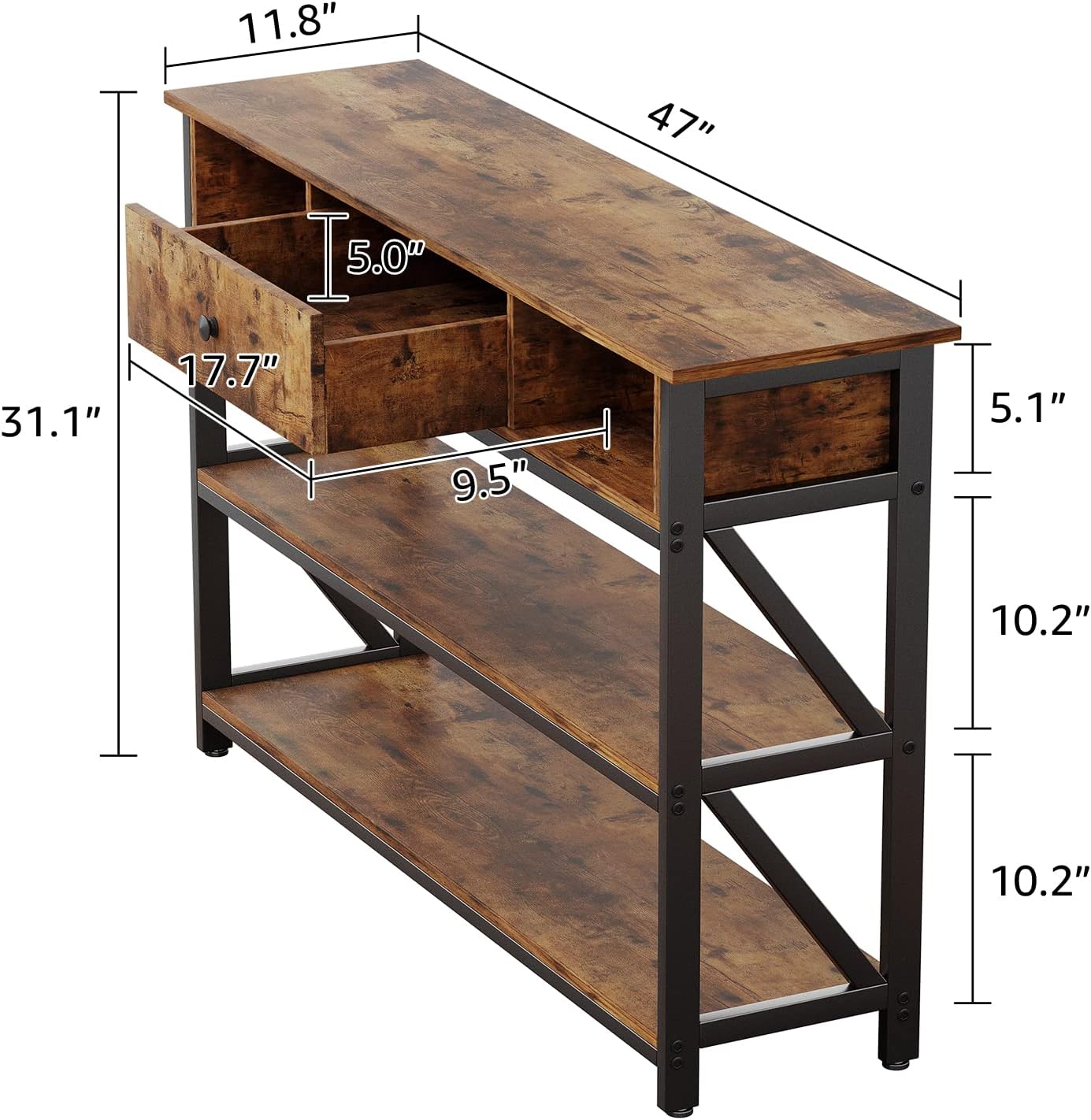
Image: A detailed diagram illustrating the dimensions of the console table, including its overall length (47 inches), depth (11.8 inches), height (31.1 inches), and the internal dimensions of the drawer and shelf heights.
Operating Instructions
Storage and Display
- Top Surface: Use the spacious top surface for decorative items, lamps, or as a convenient spot for keys and small essentials upon entering your home.
- Drawer: The integrated drawer provides concealed storage for items you wish to keep out of sight, such as remote controls, stationery, or personal belongings. The drawer features pull-out stops to prevent accidental removal.
- Open Compartments: The two open compartments flanking the drawer are ideal for smaller books, media devices, or decorative accents.
- Lower Shelves: The two lower shelves offer ample space for larger books, storage baskets, plants, or other display items.
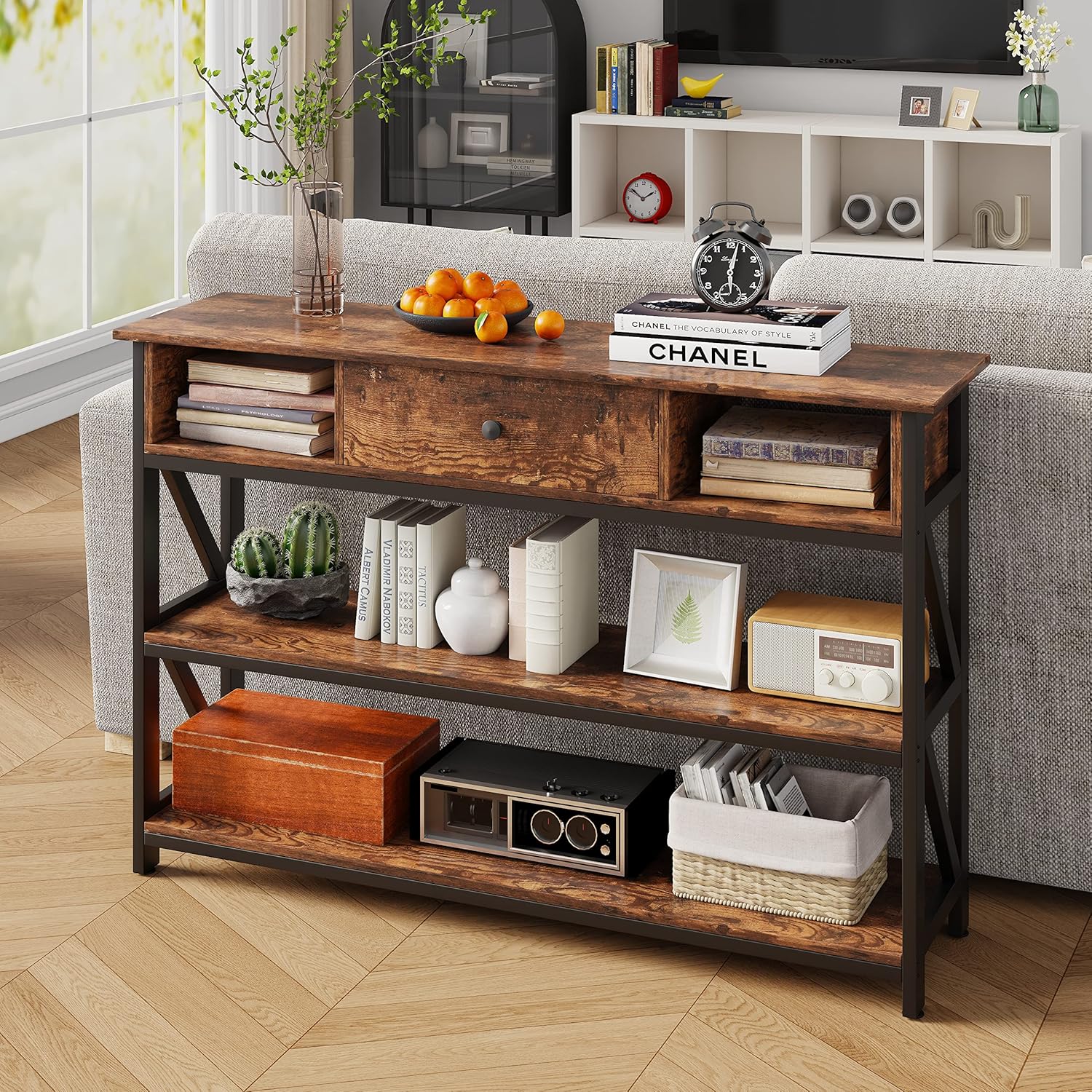
Image: The console table positioned behind a light-colored sofa, demonstrating its use as a sofa table with various items neatly arranged on its shelves and top.
Integrated Charging Ports (if applicable to your model)
Some models of the Mexin Console Table include integrated power outlets and USB ports on the top surface for convenient charging of electronic devices. If your model includes this feature:
- Locate the power cord extending from the back of the table.
- Plug the power cord into a standard wall outlet.
- Use the 2 standard AC outlets for larger electronics or chargers.
- Use the 2 USB ports to charge smartphones, tablets, or other USB-powered devices.
Ensure the power cord is not pinched or damaged during placement.
Maintenance
To maintain the appearance and longevity of your Mexin Console Table:
- Cleaning: Wipe the surfaces with a damp cloth. Avoid harsh chemicals or abrasive cleaners that could damage the finish.
- Spills: Promptly wipe up any spills to prevent staining or water damage.
- Heat and Moisture: Avoid placing hot items directly on the surface. Use coasters or protective pads. Protect from excessive moisture.
- Tighten Fasteners: Periodically check and tighten all screws and fasteners to ensure the table remains stable.
Troubleshooting
| Problem | Possible Cause | Solution |
|---|---|---|
| Table is wobbly. | Uneven floor; loose fasteners. | Adjust the foot pads at the bottom of the legs. Tighten all assembly screws. |
| Drawer does not slide smoothly. | Improper assembly; obstruction. | Ensure drawer components are correctly aligned and screws are not overtightened. Check for any obstructions in the drawer slides. |
| Charging ports not working. | Power cord not plugged in; faulty outlet. | Verify the table's power cord is securely plugged into a working wall outlet. Test the wall outlet with another device. |
| Parts do not fit during assembly. | Incorrect orientation; wrong parts used. | Double-check the part labels and diagrams in the manual. Ensure pieces are oriented correctly before fastening. Do not force parts. |
Specifications
- Brand: Mexin
- Model Name: Console Table
- ASIN: B0BZS144CY
- Color: Rustic Brown
- Product Dimensions (D x W x H): 11.81"D x 47.24"W x 31.1"H
- Item Weight: 20.19 Kilograms
- Material Type: Engineered Wood, Metal
- Number of Drawers: 1
- Number of Shelves: 3
- Recommended Number of People for Assembly: 1
- Tools Recommended For Assembly: Screw Driver (not included)
- Indoor/Outdoor Usage: Indoor
- Style Name: Rustic
Warranty and Customer Support
The Mexin Console Table comes with a Limited Warranty. For specific details regarding warranty coverage, please refer to the documentation included with your purchase or contact Mexin customer service.
Customer Service: Professional after-sales team will respond to your message within 24 hours. Your satisfaction is our top priority and we are willing to solve any problem for you.
For support, questions, or to report missing/damaged parts, please visit the Mexin Store on Amazon or contact their customer service directly.
Ask a question about this manual
Ask about setup, troubleshooting, compatibility, parts, safety, or missing instructions. Manuals+ will review the question and use this page’s manual context to help answer it.