
Orteen 9INCH-04
Orteen Rechargeable 9-Inch Portable Table Fan
Model: 9INCH-04
User Instruction Manual
Product Overview
The Orteen 9-Inch Portable Table Fan is a versatile and powerful cooling solution designed for both indoor and outdoor use. Equipped with a high-capacity 20000mAh rechargeable battery, it offers extended operation times, making it perfect for camping, RV trips, office use, bedrooms, and emergency situations during power outages.
Key features include:
- 20000mAh Rechargeable Battery: Provides 14 to 60 hours of continuous operation depending on speed setting.
- Automatic Oscillation: Features 90° or 45° auto swing for wider air distribution.
- 270° Swivel Head: Allows for precise airflow direction.
- Remote Control: Conveniently operate the fan from up to 26 feet away.
- Integrated LED Light: 12 LED beads with 3 dimmable brightness levels for illumination.
- Sleep Timer: Set the fan to turn off automatically after 1H, 2H, 4H, or 8H.
- Ultra-Quiet Operation: Operates at less than 28dB for minimal disturbance.
- USB Charging Ports: Includes Type-C input/output and USB output for charging the fan or other devices.
- Hanging Hook: A 360° rotating hidden hook allows for versatile placement.

The Orteen 9-Inch Portable Table Fan, showcasing its remote control and phone charging capability.
Setup and Initial Use
- Unpacking: Carefully remove the fan and all accessories from the packaging. Verify that all components listed in the 'Package Includes' section are present.
- Initial Charge: Before first use, fully charge the fan using the provided USB charger cable and a compatible power adapter (not included). The battery indicator lights will show charging progress.
- Remote Control Preparation: The remote control comes with an insulating strip to preserve battery life. Please remove this strip from the battery compartment before attempting to use the remote.
- Placement: Place the fan on a stable, flat surface or utilize the integrated hanging hook for elevated placement. Ensure adequate clearance around the fan for optimal airflow.
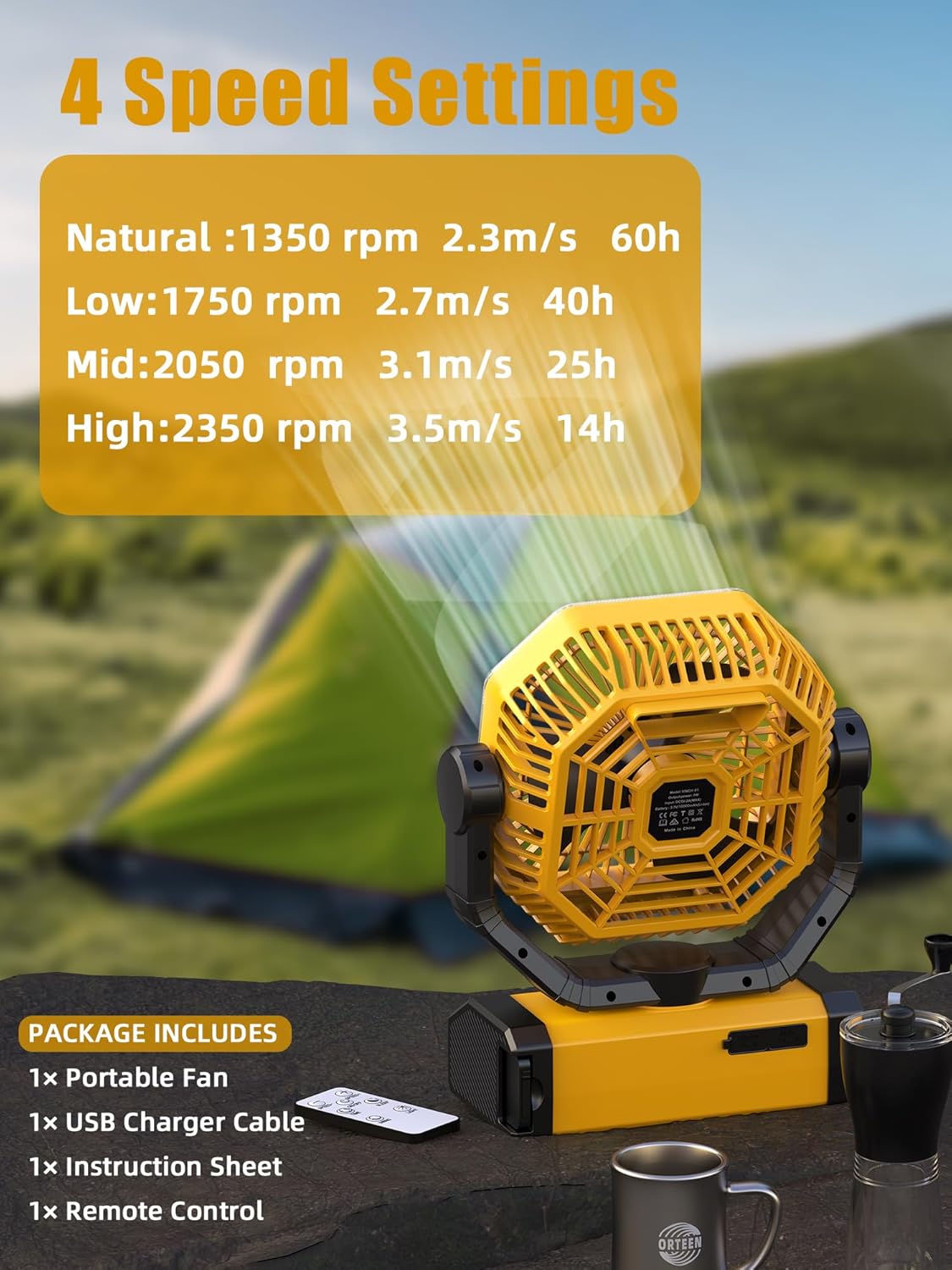
Package contents and fan speed settings with corresponding battery life.

The fan's USB and Type-C charging ports, allowing for power input and output.
Operating Instructions
The fan can be operated using the control panel buttons on the base or the included remote control.

Detailed view of the fan's control panel buttons and their respective indicator lights.
Fan Speed Control
- Press the 'Wind Speed Button' on the control panel or the 'Speed +/-' buttons on the remote to cycle through 4 adjustable fan speeds: Natural, Low, Mid, and High.
- The corresponding indicator lights (1, 2, 3, 4) will illuminate to show the current speed.

Visual representation of the fan's different speed settings.
Oscillation and Swivel
- Automatic Oscillation: Press the 'Shake Head Button' on the control panel or the 'Oscillation' button on the remote to activate automatic oscillation. Choose between 45° or 90° swing angles.
- Manual Swivel: The fan head can be manually swiveled up to 270° to direct airflow precisely where needed.

The fan's remote control functionality, auto oscillation, and 270-degree manual swivel.
LED Light Operation
- Press the 'LED Light Button' on the control panel or the 'Light' button on the remote to turn the light on/off and cycle through 3 dimmable brightness levels (Lv.1, Lv.2, Lv.3).
- The light can operate independently of the fan.
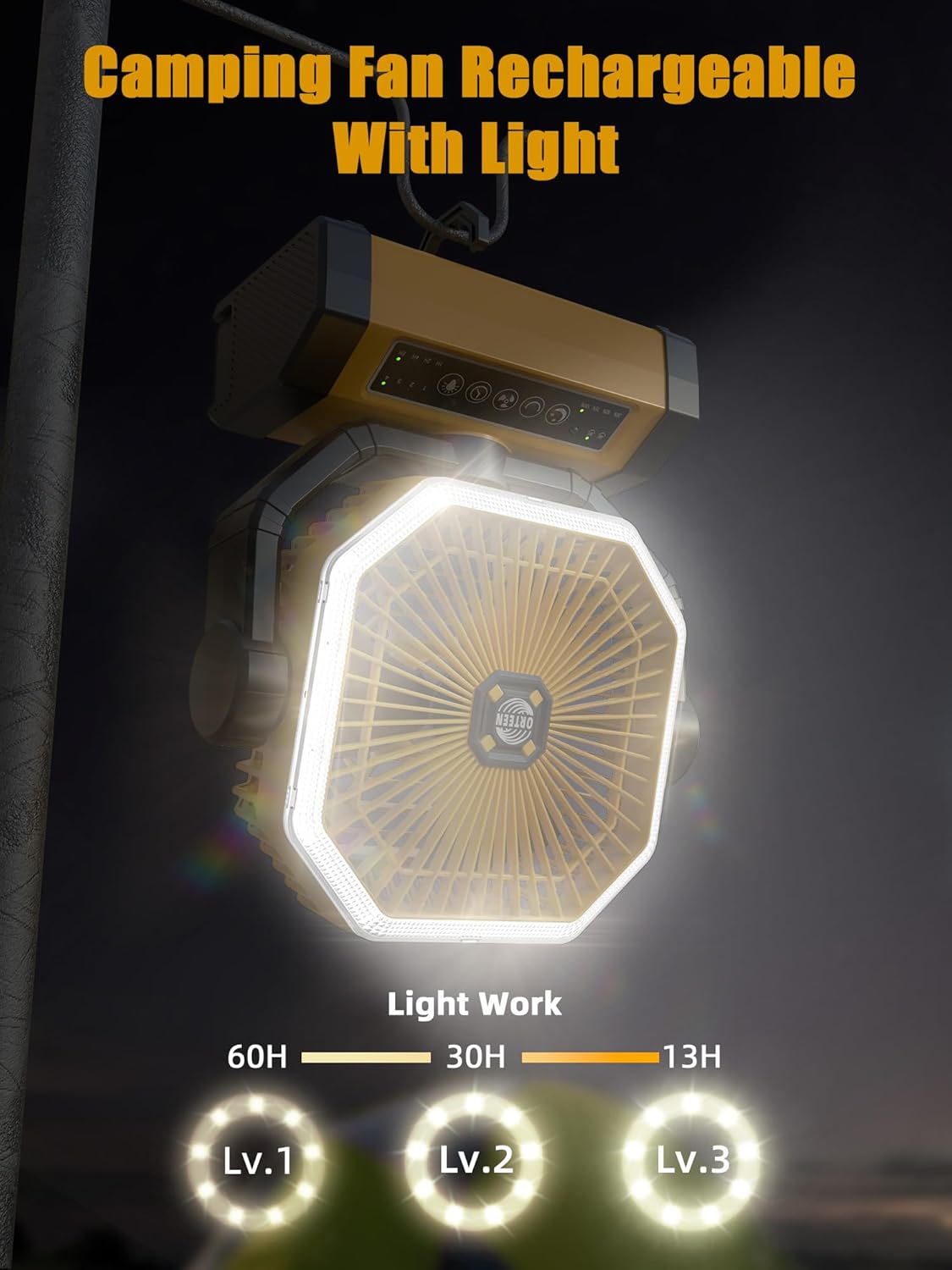
The fan's integrated LED light with three adjustable brightness levels.
Sleep Timer and Mode
- Timer: Press the 'Timer Button' on the control panel or the 'Timer' button on the remote to set the fan to automatically turn off after 1H, 2H, 4H, or 8H. The corresponding indicator light will illuminate.
- Sleep Mode: Press the 'Sleep Mode Button' on the control panel or the 'Sleep' button on the remote to activate sleep mode. This mode ensures ultra-quiet operation and turns off all indicator lights for a dark sleeping environment.
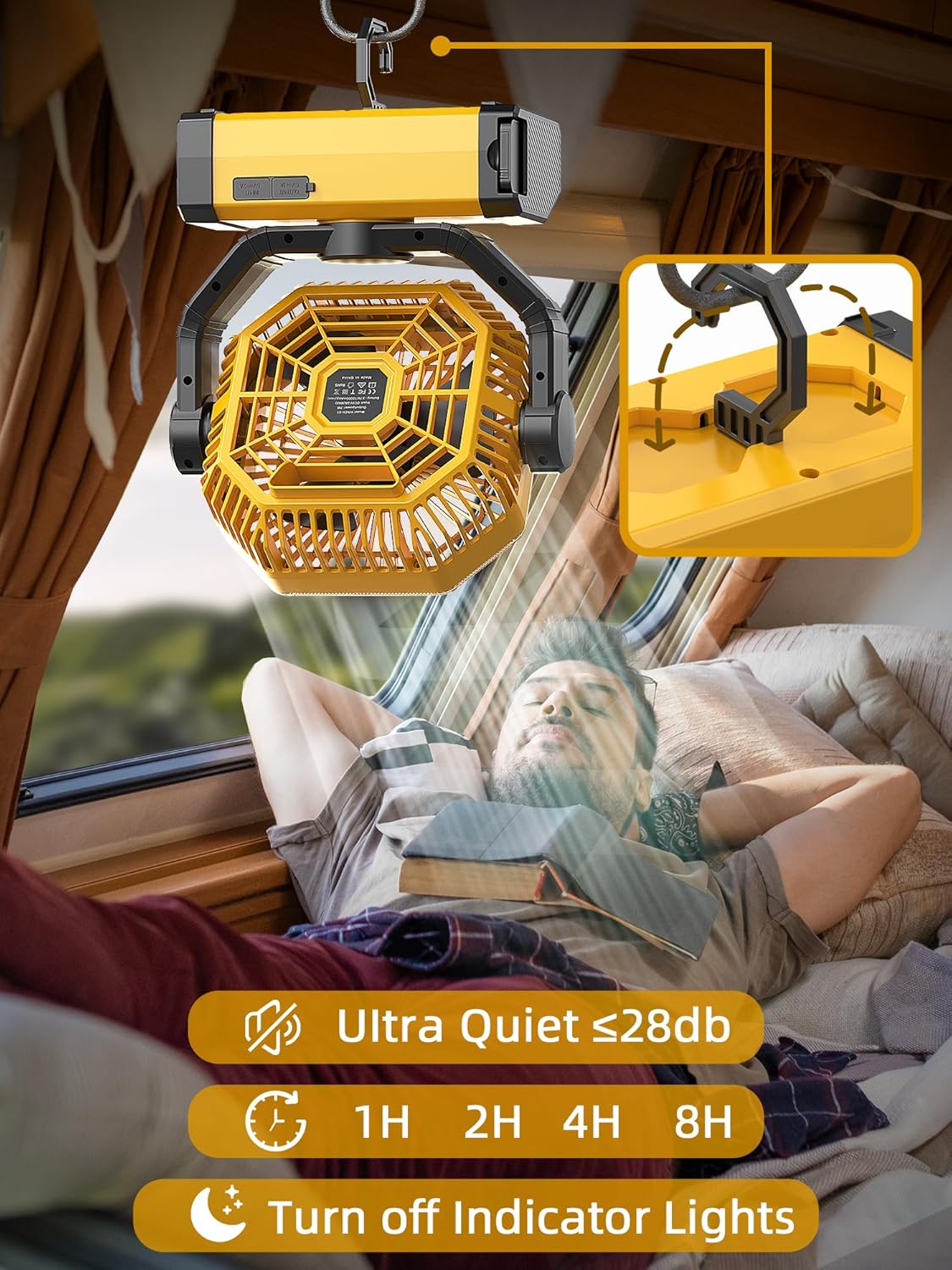
Features such as ultra-quiet operation, sleep timer, and the ability to turn off indicator lights for undisturbed rest.
Power Bank Function
- The fan's 20000mAh battery can also serve as a power bank. Connect your mobile devices to the USB output port (5V/2A) or Type-C output port (5V/2A) on the fan base to charge them.
Official product video demonstrating the Orteen rechargeable camping fan in use, highlighting its features and portability.
Maintenance
Proper maintenance ensures the longevity and optimal performance of your Orteen fan.
- Cleaning: Regularly wipe the exterior of the fan with a soft, dry cloth. For stubborn dirt, a slightly damp cloth can be used, but ensure the fan is completely dry before operation. Do not immerse the fan in water or use abrasive cleaners.
- Blade Cleaning: If dust accumulates on the fan blades, use a soft brush or compressed air to gently clean them. Ensure the fan is turned off and unplugged before cleaning the blades.
- Storage: When not in use for extended periods, store the fan in a cool, dry place, away from direct sunlight and extreme temperatures. It is recommended to charge the battery to about 50-70% before storage to prolong battery life.
- Battery Care: To maintain battery health, avoid completely draining the battery frequently. Recharge the fan when the battery indicator shows low power.
Troubleshooting
If you encounter issues with your Orteen fan, refer to the following common solutions:
| Problem | Possible Cause | Solution |
|---|---|---|
| Fan does not turn on. | Battery is depleted. | Charge the fan fully. |
| Fan does not turn on. | Power button not pressed correctly. | Ensure the power button is pressed firmly. |
| Remote control not working. | Insulating strip not removed. | Remove the insulating strip from the remote's battery compartment. |
| Remote control not working. | Remote battery is low or dead. | Replace the remote control battery. |
| Weak airflow. | Fan speed set too low. | Increase the fan speed. |
| Weak airflow. | Obstruction in front or behind the fan. | Ensure clear space around the fan for proper air circulation. |
| LED light not working. | Light function not activated. | Press the LED Light Button to turn on the light. |
If the problem persists after trying these solutions, please contact customer support.
Specifications
| Feature | Specification |
|---|---|
| Brand | Orteen |
| Model Name | Orteen Rechargeable 9-Inch Portable Table Fan |
| Item Model Number | 9INCH-04 |
| Product Dimensions | 4"D x 9.5"W x 11"H |
| Item Weight | 2.35 pounds |
| Power Source | Battery Powered |
| Battery Capacity | 20000mAh |
| Battery Life (approx.) | 14h (High) - 60h (Natural) |
| Charging Ports | Type-C Input/Output, USB Output |
| Number of Fan Speeds | 4 |
| Max Speed | 2400 RPM |
| Oscillation Angle | 45°, 90° Automatic |
| Swivel Angle | 270° Manual |
| Noise Level | <28 dB |
| LED Light | 12 LED beads, 3 Dimmable Brightness Levels |
| Timer Settings | 1H, 2H, 4H, 8H |
| Control Method | Remote, Push Button |
| Blade Material | Nylon |
| Certifications | CE, FCC, RoHS |
Warranty and Customer Support
Orteen is committed to providing high-quality products and excellent customer service. Your Orteen Rechargeable 9-Inch Portable Table Fan comes with a standard warranty.
For any questions, concerns, or assistance with your product, please do not hesitate to contact our customer support team. We aim to respond quickly within 24 hours to address all inquiries.
Please refer to your purchase documentation or the official Orteen website for specific warranty terms and contact information.
Ask a question about this manual
Ask about setup, troubleshooting, compatibility, parts, safety, or missing instructions. Manuals+ will review the question and use this page’s manual context to help answer it.