
1. Introduction
This manual provides essential information for the setup, operation, and maintenance of your TJ Media P3 Karaoke Machine System. The P3 system is designed to deliver an immersive karaoke experience with its 2TB HDD, 10.1-inch LCD display, and support for multiple languages and song genres.
Please read this manual thoroughly before using the product to ensure proper function and longevity.
2. What's in the Box
Verify that all components listed below are included in your package:
- TJ Media P3 Karaoke Machine
- TMW 100 Wireless Microphone (TMW-100B) - Note: The system includes a set of two wireless microphones and their receiver.
- Songbook (Korean Song List Book + Foreign Song List Book)
- Remote Control
- Keyboard Remote Controller
- Cable
- Power Cord
- US Conversion Plug (for US buyers)
- User's Manual (this document)

Image: TMW 100B Wireless Microphones and Receiver. This image displays two wireless microphones and their charging/receiver base unit.
3. Setup Instructions
- Unpacking: Carefully remove all components from the packaging. Retain packaging for future transport or storage.
- Placement: Place the P3 Karaoke Machine on a stable, flat surface with adequate ventilation.
- Power Connection: Connect the power cord to the P3 unit and then to a suitable power outlet (110V ~ 220V). If in the US, use the provided US conversion plug.
- Audio/Video Connection:
- Connect the P3 Karaoke Machine to your television or display using an HDMI cable. The P3 supports HDMI digital output.
- Connect the P3 unit to a separate amplifier and speakers for audio output. This system requires external amplification.
- Microphone Setup:
- Connect the TMW 100B wireless microphone receiver to the P3 unit.
- Ensure the wireless microphones are charged and powered on.
- Initial Power On: Press the power button on the P3 unit. The 10.1-inch LCD display will illuminate.

Image: Front view of the TJ Media P3 Karaoke Machine. This image shows the main unit with its 10.1-inch LCD display and control knobs.

Image: Side view of the TJ Media P3 Karaoke Machine. This image highlights the side panel, likely containing various input/output ports for connectivity.
4. Operating Instructions
4.1. Basic Navigation and Song Selection
The P3 system features a 10.1-inch LCD display for easy navigation. You can control the system using the included Remote Control or the Keyboard Remote Controller.
- Language Settings: The system supports English language settings. Navigate to the system settings menu to change the display language if needed.
- Song Search: Use the Keyboard Remote Controller to search for songs by title, artist, or genre. The system's 2TB HDD contains over 20,000 foreign songs in addition to Korean songs.
- Song Books: Refer to the provided Korean and Foreign Song List Books to browse available songs and their corresponding codes for quick selection.
- Selection: Enter the song code using the remote or keyboard, then press the 'Start' button to begin.

Image: TJ Media P3 Remote Control. This image shows the standard remote control with various function buttons for song selection, volume, and effects.
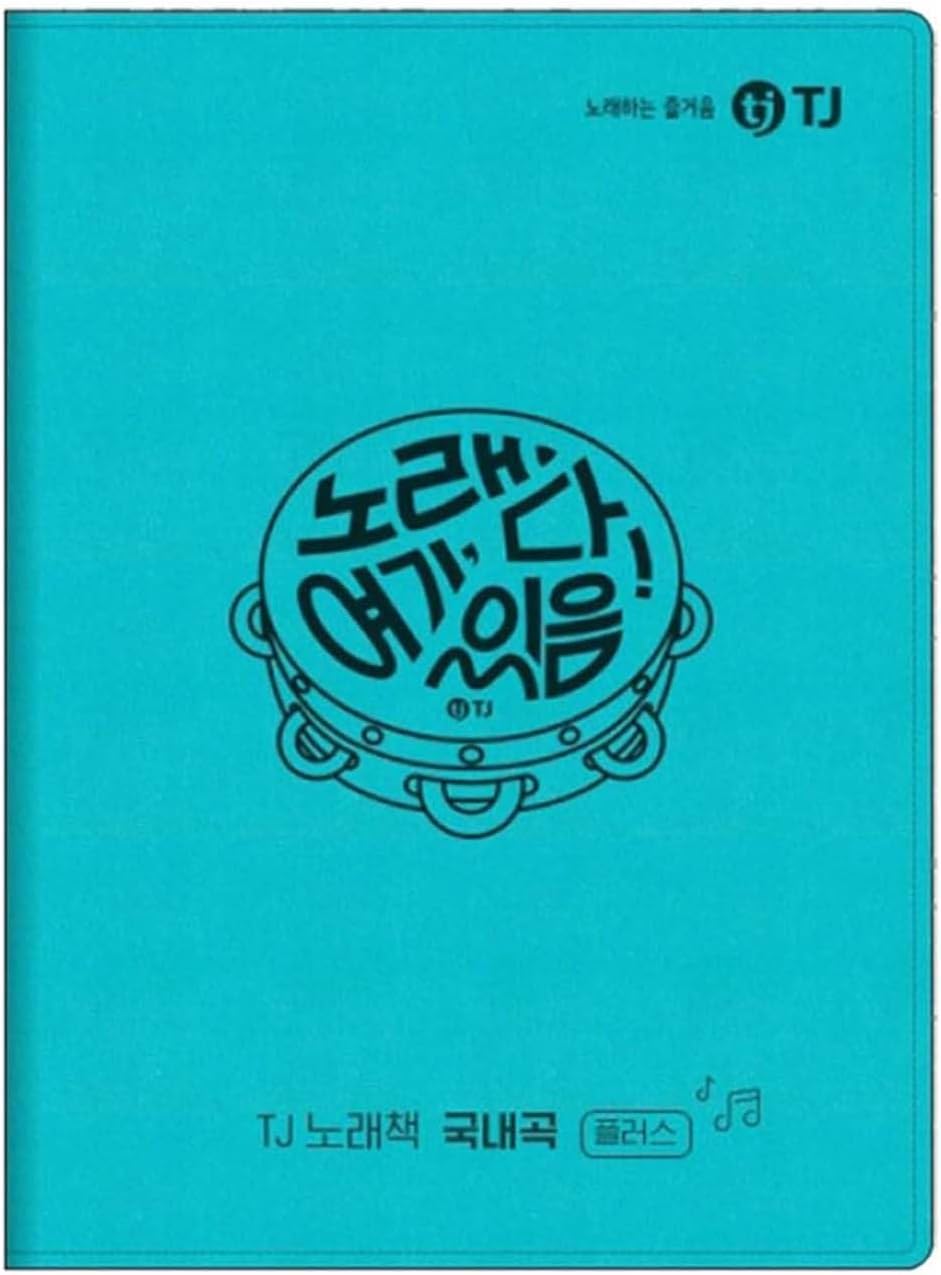
Image: TJ Media P3 Keyboard Remote Controller. This image displays a full QWERTY keyboard layout integrated with karaoke function buttons, facilitating easy song search and text input.

Image: TJ Media Korean Song List Book. This image shows the cover of the songbook containing a list of Korean songs available on the system.

Image: TJ Media Foreign Song List Book. This image shows the cover of the songbook containing a list of foreign songs available on the system.
4.2. Microphone Usage
The TMW 100B Wireless Microphones provide clear audio input. Ensure they are paired with the receiver and have sufficient battery life.
- Volume Control: Adjust microphone volume using the dedicated 'MIC' knob on the P3 unit or the remote control.
- Echo Effect: Use the 'ECHO' knob on the P3 unit or the remote control to add or reduce echo effects for vocal enhancement.
4.3. Audio and Display Controls
- Music Volume: Adjust the background music volume using the 'MUSIC' knob on the P3 unit or the remote control.
- Tempo and Melody: The remote control provides options to adjust song tempo and melody pitch to suit your preference.
- Perfect Score Feature: Engage the 'Perfect Score' feature for real-time performance feedback, as displayed on the screen.
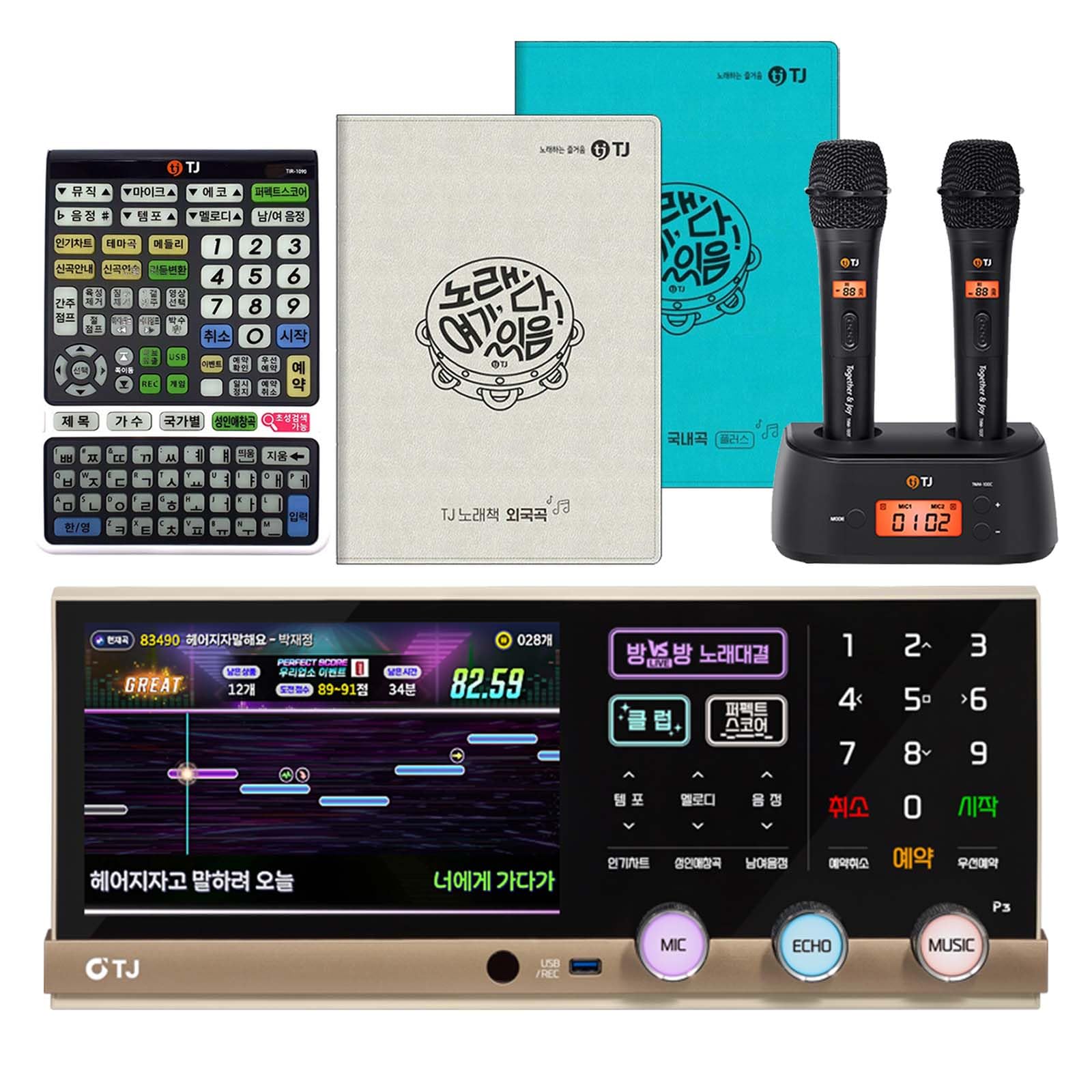
Image: TJ Media P3 Karaoke Machine display during a song. This image shows the 10.1-inch LCD screen actively displaying lyrics, a scoring system, and various control options during a karaoke session.
5. Maintenance
- Cleaning: Use a soft, dry cloth to clean the exterior of the P3 unit and microphones. Do not use liquid cleaners or abrasive materials.
- Ventilation: Ensure the ventilation openings on the unit are not blocked to prevent overheating.
- Storage: When not in use for extended periods, store the system in a cool, dry place, away from direct sunlight and extreme temperatures.
- Microphone Batteries: Regularly charge the wireless microphones. If using disposable batteries, replace them as needed.
6. Troubleshooting
If you encounter issues with your TJ Media P3 Karaoke Machine System, refer to the following common solutions:
- No Power:
- Check if the power cord is securely connected to both the unit and the power outlet.
- Verify the power outlet is functional.
- No Sound:
- Ensure the P3 unit is connected to an amplifier and speakers.
- Check the volume levels on the P3 unit, amplifier, and television.
- Verify all audio cables are securely connected.
- No Picture on TV:
- Confirm the HDMI cable is properly connected between the P3 and your TV.
- Ensure your TV input source is set to the correct HDMI port.
- Microphone Not Working:
- Check if the wireless microphone receiver is connected and powered on.
- Ensure the microphones are charged and powered on.
- Adjust the microphone volume knob on the P3 unit.
- Remote Control Not Responding:
- Replace the batteries in the remote control.
- Ensure there are no obstructions between the remote and the P3 unit's IR receiver.
7. Specifications
| Brand | TJ |
| Model Name | TJ Media P3 Karaoke Machine |
| Storage | 2TB HDD |
| Voltage | 110V ~ 220V (AC) |
| Power Consumption | 48W |
| Item Weight | 5.49 kg / 12.1 lbs |
| Dimensions (D x W x H) | 458 x 199 x 223.5 mm / 18"D x 8.9"W x 7.8"H (with Foot) |
| Display | 10.1" LCD display |
| Connectivity Technology | HDMI (Digital Output), USB, Bluetooth |
| Connector Type | HDMI |
| Compatible Devices | Smartphone, Tablet, Laptop, Television |
| Included Components | P3 Karaoke Machine, TMW 100 Wireless Mic (TMW-100B), Songbook, Remote Control, Cable, Power cord |
| Language Support | Korean, English |
8. Warranty and Support
8.1. Warranty Information
The TJ Media P3 Karaoke Machine System comes with a 1 Year Manufacturer Warranty. Please retain your proof of purchase for warranty claims. The warranty covers defects in materials and workmanship under normal use.
8.2. Customer Support
For technical assistance, troubleshooting beyond this manual, or warranty inquiries, please contact TJ customer support. Refer to the product packaging or the official TJ website for the most current contact information.


