
1. Introduction
Thank you for choosing the Philips Azur 7000 Series Steam Iron. This manual provides essential information for the safe and efficient use of your appliance. Please read it thoroughly before first use and keep it for future reference.
2. Important Safety Instructions
- Always ensure the voltage indicated on the iron corresponds to your mains voltage.
- Do not leave the iron unattended while it is connected to the mains.
- Keep the iron and its cord out of reach of children.
- Never immerse the iron in water or any other liquid.
- Do not use the iron if it has been dropped, if there are visible signs of damage, or if it is leaking.
- Always unplug the iron before filling it with water, emptying it, or cleaning it.
- Use the iron only for its intended household purpose.
3. Product Overview
Familiarize yourself with the components of your Philips Azur 7000 Series Steam Iron.
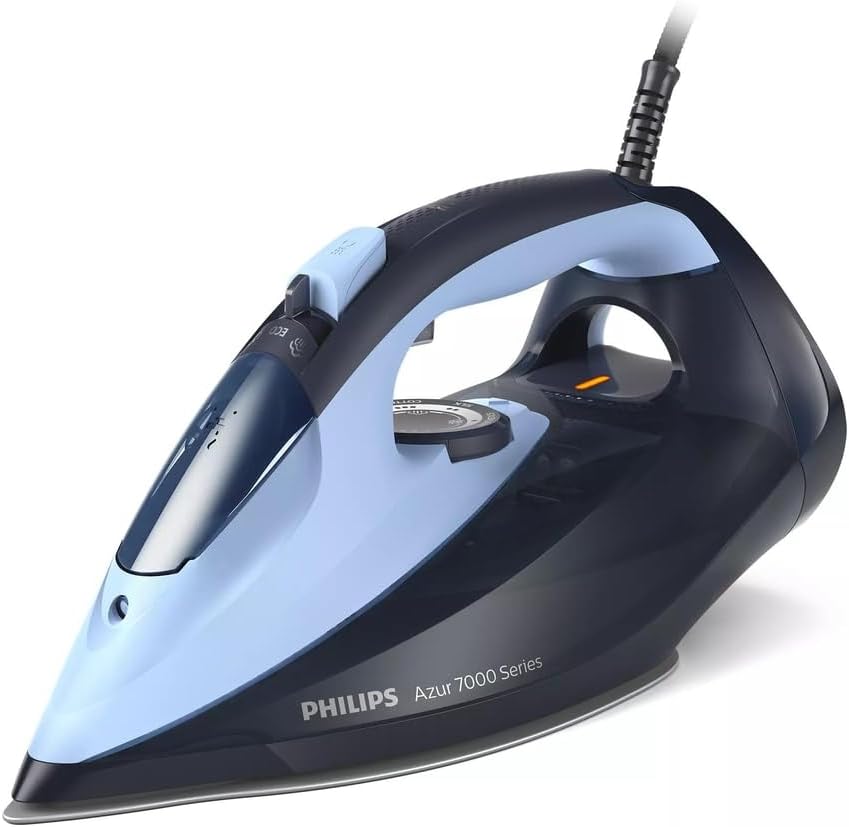
Figure 1: Philips Azur 7000 Series Steam Iron from a front-side angle, highlighting its dark blue and light blue color scheme, ergonomic handle, and the water tank.

Figure 2: A top-down view of the Philips Azur 7000 Series Steam Iron, illustrating the steam control dial, temperature settings, and the 'ECO' button for energy saving.
Key Components:
- Water tank filling inlet
- Spray nozzle
- Steam trigger / Steam boost button
- Temperature control dial
- Water tank
- Soleplate
- Quick Calc Release button
- Power cord
4. Setup
4.1 Unpacking
Carefully remove the iron from its packaging. Retain the packaging for storage or future transport. Remove any stickers or protective film from the soleplate.

Figure 3: The Philips Azur 7000 Series Steam Iron in its retail packaging, featuring the Philips logo, product series name, and key features.
4.2 Filling the Water Tank
- Ensure the iron is unplugged from the mains.
- Hold the iron in a slightly tilted position.
- Open the water tank filling inlet.
- Fill the water tank with tap water up to the 'MAX' indication. Do not overfill.
- Close the water tank filling inlet securely.
Note: For optimal performance and to prolong the life of your iron, it is recommended to use demineralized or distilled water, especially in areas with hard water.
5. Operating Instructions
5.1 Powering On and Temperature Setting
- Place the iron on its heel on a stable, heat-resistant surface.
- Plug the power cord into a grounded wall socket.
- Turn the temperature control dial to the desired setting for your fabric type. The indicator light will illuminate, indicating the iron is heating up.
- Wait until the indicator light turns off, signifying that the set temperature has been reached.
5.2 Steam Ironing
Once the iron has reached the desired temperature (suitable for steam, typically from 2 dots upwards), you can activate the steam function.

Figure 4: The soleplate of the Philips Azur 7000 Series Steam Iron actively emitting steam, demonstrating its powerful steam output for effective wrinkle removal.
- Continuous Steam: Adjust the steam control dial to the desired steam level.
- Steam Boost: Press the steam trigger button for an extra burst of steam to tackle stubborn creases.
- Vertical Steam: Hold the iron vertically, close to the garment (e.g., hanging clothes or curtains), and press the steam trigger button for vertical steaming.

Figure 5: A user holding the Philips Azur 7000 Series Steam Iron vertically, applying steam to a hanging garment, illustrating the vertical steam function.
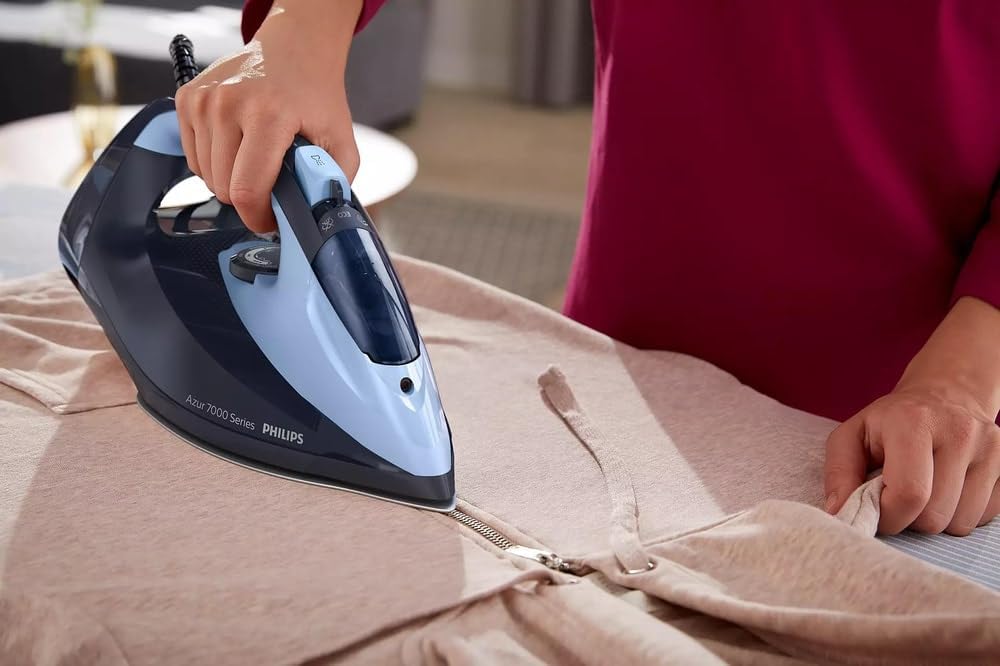
Figure 6: The Philips Azur 7000 Series Steam Iron being used to iron a light-colored garment on an ironing board, showcasing its smooth gliding action.
5.3 Dry Ironing
For dry ironing, ensure the steam control dial is set to the 'no steam' position. Select the appropriate temperature for your fabric.
5.4 After Ironing
- Turn the temperature control dial to the 'MIN' position.
- Unplug the iron from the mains socket.
- Allow the iron to cool down completely before storing.
6. Maintenance and Cleaning
6.1 Emptying the Water Tank
After each use, or before storing, empty any remaining water from the tank to prevent limescale buildup and leakage.
6.2 Cleaning the Soleplate
To clean the soleplate, wipe it with a damp cloth and a non-abrasive cleaner when the iron is cool. Do not use abrasive scouring pads or harsh chemicals.
6.3 Quick Calc Release
The Quick Calc Release system helps maintain optimal steam performance by collecting loose scale particles. It is recommended to clean this regularly.

Figure 7: A hand pressing the yellow Quick Calc Release button located at the rear of the Philips Azur 7000 Series Steam Iron, indicating the ease of maintenance.
- Ensure the iron is unplugged and completely cool.
- Place the iron on a flat surface.
- Pull out the Quick Calc Release collector (the yellow part at the back of the iron).
- Rinse the collector under running water to remove scale particles.
- Reinsert the collector into the iron until it clicks into place.
6.4 Storage
Store the iron upright on its heel, with the cord neatly wrapped, in a dry and safe place after it has cooled down completely.
7. Troubleshooting
| Problem | Possible Cause | Solution |
|---|---|---|
| Iron does not heat up. | Not plugged in; power outlet fault; temperature dial set to 'MIN'. | Check power connection; try another outlet; set temperature dial to desired heat. |
| No steam or insufficient steam. | Water tank empty; temperature too low for steam; steam vents blocked; calc buildup. | Fill water tank; set higher temperature; clean soleplate vents; perform Quick Calc Release. |
| Water leakage from soleplate. | Temperature too low for steam; water tank overfilled; iron left horizontal when hot. | Ensure iron is hot enough for steam; do not overfill; always store upright or on heel. |
| Brown stains on fabric. | Impurities in water; calc buildup; fabric not clean. | Use demineralized water; perform Quick Calc Release; ensure garments are clean. |
8. Specifications
- Brand: Philips
- Model Number: DST704120
- Color: Black / Light Blue
- Special Features: Large water tank capacity, easy cleaning with Quick Calc Release, durable steam performance, vertical steam function, variable steam settings for precision ironing.
- Voltage: 240 Volts
- Item Weight: 1.87 Kilograms
- Components Included: 1 package (Steam Iron)
9. Warranty and Support
This Philips Azur 7000 Series Steam Iron comes with a 2-year manufacturer's warranty from the date of purchase. Please retain your proof of purchase for warranty claims.
For further assistance, product registration, or to find more information, please visit the official Philips website or contact Philips customer support in your region.