
SoftStartRV By NetworkRV SoftStart Home
SoftStart Home Advanced Soft Starter User Manual
Brand: SoftStartRV By NetworkRV | Model: SoftStart Home (JP-M11G-RG34)
1. Introduction
The SoftStart Home advanced soft starter is designed to significantly reduce the startup power demand of your air conditioner or heat pump. This innovative technology helps eliminate loud thumps and flickering lights often associated with AC startup, ensuring a smoother and quieter operation. By reducing inrush current by up to 70%, it extends the life of your compressor and allows your AC unit to run efficiently even with limited power sources like generators, RV power, or solar systems. Its compact design and easy installation make it a practical upgrade for both residential and commercial HVAC units.
2. Key Features & Benefits
- Smooth, Quiet A/C Startup: Eliminates loud thumps and flickering lights by reducing inrush current up to 70%, ensuring seamless operation for your air conditioner or heat pump.
- Extended Compressor Life: Soft start technology lowers startup stress, reducing heat buildup in compressor windings and preventing premature motor failure.
- Reliable for Various Power Sources: Designed for off-grid, backup power, and low-amperage systems, allowing your AC to run efficiently even during blackouts or when using generators, RVs, or solar power.
- Universal Compatibility: Works with all major HVAC brands, supporting residential and commercial ACs and heat pumps operating on 110-240V power, up to 6 Tons (72,000 BTUs).
- Quick & Easy Installation: Features a 15-minute DIY installation process, complete with crimp-on connectors, zip ties, adhesive backing, and step-by-step instructions.
Video: Learn about the benefits of the SoftStart Home unit, including how it reduces strain on inverters and allows for operation of multiple appliances simultaneously, especially beneficial for solar and battery systems.
3. What's in the Box

Image: The SoftStart Home unit shown with various installation accessories including crimp-on connectors, zip ties, and screws.
Your SoftStart Home package includes everything needed for a complete installation:
- SoftStart Home Unit
- Assorted Crimp-on Connectors
- Zip Ties
- Adhesive Backing
- Mounting Screws
- Detailed Step-by-Step Installation Instructions (this manual)
4. Specifications
| Brand Name | SoftStartRV By NetworkRV |
| Model Info | SoftStart Home |
| Item Model Number | SoftStart Home |
| Part Number | JP-M11G-RG34 |
| Item Weight | 2.72 pounds |
| Package Dimensions | 9.25 x 6.54 x 4.72 inches |
| Voltage Compatibility | 110-240 Volts AC |
| Max AC Unit Size | Up to 6 Tons (72,000 BTUs) |

Image: Technical diagram showing the dimensions of the SoftStart Home unit in both inches and millimeters.
5. Safety Information
Please read and understand all safety warnings and instructions before installing or operating the SoftStart Home unit. Failure to do so may result in electric shock, fire, or serious injury.
- Disconnect Power: Always disconnect all power to the air conditioner or heat pump unit at the breaker before beginning any installation or maintenance.
- Qualified Personnel: Installation should ideally be performed by a qualified HVAC technician or electrician. If performing DIY installation, ensure you are comfortable and knowledgeable with electrical wiring.
- Proper Wiring: Ensure all wiring connections are secure and comply with local electrical codes.
- No External Capacitor: Do not use an external capacitor (built-in). The SoftStart Home unit is designed to manage startup current internally.
- Environmental Conditions: The unit has a waterproof design, but ensure it is installed in a location protected from direct heavy rain or standing water to prolong its lifespan.
6. Installation
The SoftStart Home unit is designed for a quick and easy 15-minute DIY installation. Follow these steps carefully:
- Power Disconnection: Turn off the circuit breaker that supplies power to your air conditioner or heat pump unit. Verify power is off using a voltage tester.
- Access Compressor Compartment: Open the electrical access panel on your outdoor AC or heat pump unit to expose the compressor and its wiring.
- Identify Wires: Locate the two wires leading to the compressor. These are typically the "Run" and "Start" wires. Consult your AC unit's wiring diagram if unsure.
- Connect SoftStart:
- Connect the SoftStart Home's wires to the compressor's "Run" and "Start" terminals using the provided crimp-on connectors.
- Ensure connections are tight and secure.
- Mount the Unit:
- Choose a suitable location inside the AC unit's electrical compartment, ensuring it does not obstruct any moving parts or vents.
- Use the adhesive backing and/or mounting screws and zip ties to secure the SoftStart Home unit firmly in place.
- Close Panel & Restore Power: Close the electrical access panel securely. Turn the circuit breaker back on to restore power to the AC unit.
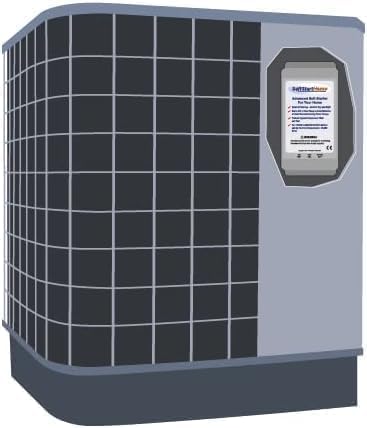
Image: An illustrative diagram demonstrating the placement of the SoftStart Home unit within the outdoor air conditioner unit's housing.
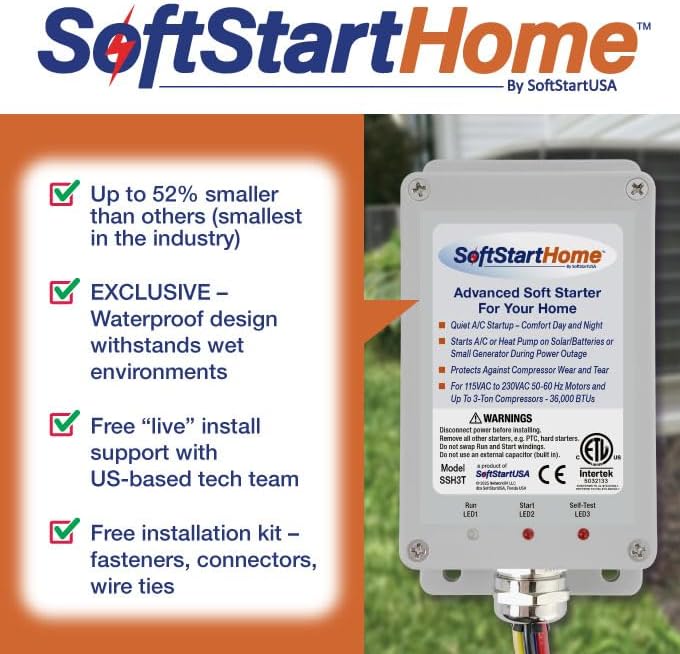
Image: The SoftStart Home unit displayed alongside the various components of the installation kit, including connectors and zip ties, highlighting the ease of setup.
7. Operating Instructions
Once installed, the SoftStart Home unit operates automatically. It intelligently manages the startup current of your air conditioner or heat pump, ensuring a smooth and efficient start every time.
- Normal Operation: Simply use your thermostat as you normally would. The SoftStart Home will engage during each compressor startup cycle.
- Reduced Inrush Current: Observe the reduction in flickering lights or dimming when your AC unit kicks on, indicating the soft start technology is effectively reducing the initial power surge.
- Generator/Solar Use: When operating your AC unit with a generator, RV power, or solar/battery system, the SoftStart Home allows for more efficient use of your limited power supply. This often enables you to run other appliances simultaneously without tripping breakers or overloading the system.
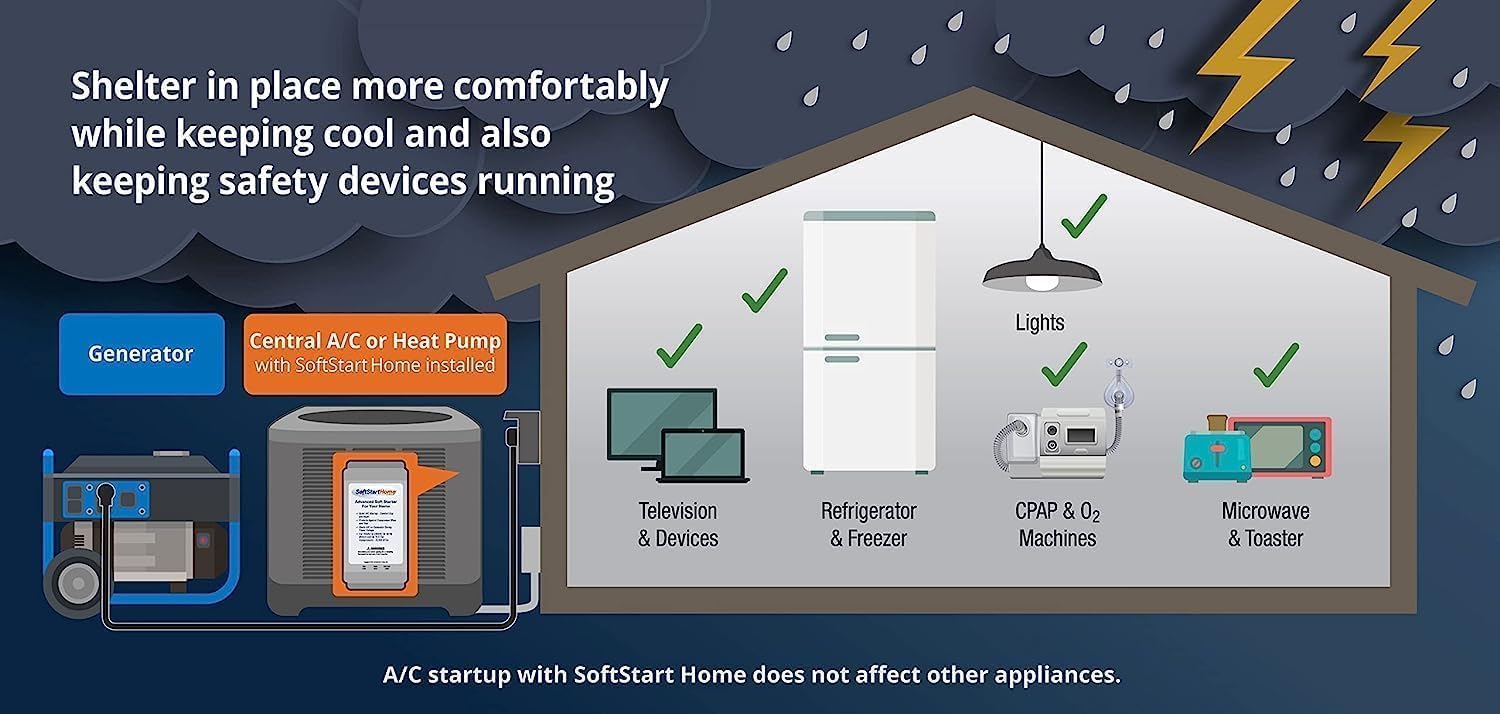
Image: An illustration depicting a home running central AC (with SoftStart Home installed) and other essential appliances like a refrigerator, TV, and microwave, all powered by a generator during an outage.

Image: An illustration showing a home utilizing solar panels and a battery storage system to power central AC (with SoftStart Home) and other household appliances, highlighting energy efficiency.
8. Maintenance
The SoftStart Home unit is designed to be maintenance-free. However, periodic checks of your HVAC system are always recommended.
- Annual Inspection: During your annual HVAC system maintenance, ask your technician to visually inspect the SoftStart Home unit and its connections for any signs of wear or damage.
- Keep Clear: Ensure the area around the SoftStart Home unit within the AC compartment remains clear of debris or obstructions.
- Cleaning: If necessary, gently wipe the exterior of the unit with a dry cloth. Do not use harsh chemicals or immerse the unit in water.
9. Troubleshooting
If you experience issues with your SoftStart Home unit or AC system after installation, refer to the following common troubleshooting steps:
| Problem | Possible Cause | Solution |
|---|---|---|
| AC not starting or tripping breaker | Incorrect wiring; unit not receiving power; AC unit issue unrelated to SoftStart. | Verify all wiring connections are correct and secure. Check the circuit breaker. If issues persist, consult a qualified HVAC technician. |
| No noticeable reduction in startup surge | Unit not properly installed; incompatible AC unit (unlikely for listed BTUs). | Double-check installation steps and wiring. Ensure your AC unit is within the 6-ton (72,000 BTU) compatibility range. |
| Unit LEDs not illuminating | No power to the unit; faulty unit. | Ensure power is supplied to the AC unit and SoftStart. If still no lights, contact customer support. |
For further assistance, please refer to the support section.
10. Warranty & Support
SoftStartRV By NetworkRV stands behind the quality of the SoftStart Home unit. For specific warranty details and to register your product, please visit our official website or contact customer support.
Customer Support:
- Website: SoftStartRV By NetworkRV Official Store
- Technical Support: Free "live" install support with US-based tech team (as per product features). Refer to the website for contact methods.
Related Documents - SoftStart Home
 |
Generac Generators: Portable, Residential, and Commercial Solutions Explore Generac's comprehensive range of generators, including portable, residential standby, and commercial standby systems. Learn about features, specifications, and applications for reliable power solutions. |
 |
Lifan Power USA Generators: Portable, Inverter, Commercial & Home Standby Models Explore the comprehensive range of Lifan Power USA generators, including Energy Storm residential, Digital Inverter, Pro Series commercial, and Home Standby models. Find detailed specifications, features, and warranty information for Lifan's power equipment. |
 |
Mastervolt Softstart 22kW Installation Manual Installation manual for the Mastervolt Softstart 22kW, detailing its general purpose, installation procedure, and technical specifications for reducing inrush current in isolation transformers. |
 |
A Guide to Energy-Efficient Heating and Cooling | ENERGY STAR Learn how to improve your home's heating and cooling efficiency with practical tips and guidance from ENERGY STAR. This comprehensive guide covers equipment maintenance, duct sealing, insulation, choosing the right HVAC products, and working with qualified contractors to save energy and reduce costs. |
 |
Micro-Air EasyStart Home AC Wiring Installation Guide Comprehensive guide for installing the Micro-Air EasyStart system in various home air conditioning units. Covers safety precautions, system identification, component identification, wiring instructions for different system types (including Comfort Alert and Emerson Comfort Control), and troubleshooting. |
 |
Warm Home Heating Ceramic Radiator Operating Instructions Comprehensive operating instructions for Warm Home Heating ceramic radiators, covering safety, installation, operation modes, programming, and maintenance. |
Ask a question about this manual
Ask about setup, troubleshooting, compatibility, parts, safety, or missing instructions. Manuals+ will review the question and use this page’s manual context to help answer it.