
Introduction
Thank you for choosing the iRUNTEK Rechargeable Fabric Shaver. This device is designed to efficiently remove lint, fuzz, and pilling from various fabrics, restoring them to a like-new condition. Please read this manual thoroughly before use to ensure safe and optimal performance.
Product Overview
What's in the Box
- Fabric Shaver x1
- Extra Blades x3
- Cleaning Brush x1
- Type-C Charging Cable x1
- User Manual x1

Image: Contents of the iRUNTEK Fabric Shaver package, showing the main unit, three replacement blades, a cleaning brush, a Type-C charging cable, and the user manual.
Key Features
- LED Digital Display: Clearly shows battery power (0-100%) and speed gear.
- 3 Speed Settings: Adjustable speeds (I/II/III) for various fabric types.
- 6-Leaf Blade System: Enhanced efficiency for quick and effective lint removal.
- Large Lint Bin: Ample storage capacity to reduce frequent emptying.
- Type-C Fast Charging: Built-in 2000mAh battery, fully charges in 3 hours for 120-180 minutes of use.
- Safety Protection Switch: Device stops automatically if the blade net cover is loose or opened.

Image: An exploded view illustrating the internal components of the fabric shaver, including the suction system, the 6-leaf blade, the protective cover, and the large capacity lint collection bin.

Image: A visual representation highlighting the shaver's efficient design, featuring a 5W powerful motor and upgraded 6-leaf blades for quick lint removal.
Setup
Charging the Device
- Connect the provided Type-C charging cable to the charging port on the device.
- Plug the other end of the cable into a 5V 1A charging head (not included), a laptop, car charger, or power bank.
- The LED display will show the battery percentage. It is recommended to fully charge the device before first use.
- A full charge takes approximately 3 hours and provides 120-180 minutes of use.
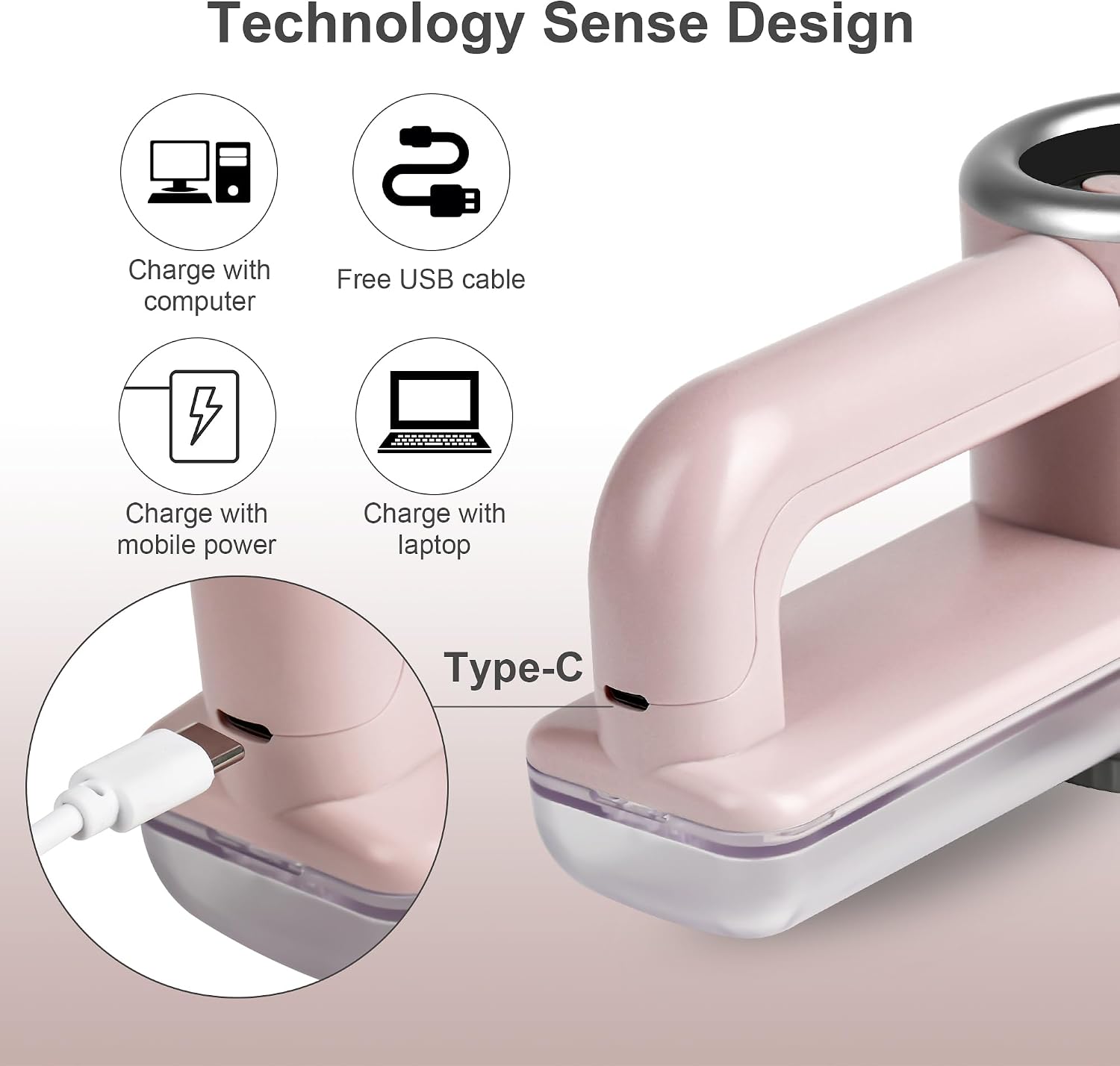
Image: The fabric shaver's Type-C port connected to a charging cable, illustrating its compatibility with various USB power sources such as computers, power adapters, and car chargers.

Image: The fabric shaver connected for charging via its Type-C port, highlighting its fast charging feature and long battery life.
Operating Instructions
Powering On/Off and Speed Adjustment
- Press the power button to turn the device on. The LED display will illuminate, showing battery level and current speed.
- Press the power button repeatedly to cycle through the 3 speed settings:
- Speed 1 (M1): Ideal for delicate fabrics like socks, scarves, and knitwear.
- Speed 2 (M2): Suitable for thicker clothes such as sweaters, cotton-padded clothes, and cotton-padded jackets.
- Speed 3 (M3): Recommended for more durable surfaces like wool coats, blankets, sofas, and bedding.
- To turn off the device, press and hold the power button.

Image: A visual guide to the three-speed settings (M1, M2, M3) of the fabric shaver, indicating which types of clothing and fabrics are best suited for each speed.

Image: The fabric shaver's LED display and speed adjustment buttons, with icons indicating recommended uses for each of the three speed settings.
Usage Tips
- Always place garments on a flat surface before using the lint remover.
- Ensure the fabric has no wrinkles, as this may damage the fabric.
- Be careful not to press too hard on the same part to avoid crushing or damaging clothes.
- Move the shaver gently and evenly across the fabric surface.

Image: The iRUNTEK Fabric Shaver in action, demonstrating its effectiveness with a 'before' and 'after' comparison on a fabric surface. Icons above suggest its use on socks, sweaters, coats, bedding sets, and cloth furniture.

Image: A collage of 'before' and 'after' photos showcasing the fabric shaver's ability to remove pilling from different textiles, including clothing and a couch.
Official Product Video
Video: An official iRUNTEK video demonstrating the Rechargeable Fabric Shaver with LED Display and its 3-speed settings in action on various fabrics.
Maintenance
Emptying the Lint Bin
- Ensure the device is turned off.
- Gently slide out the large transparent lint bin located on the handle.
- Discard the collected lint and fuzz.
- Slide the lint bin back into place until it clicks securely.
Cleaning the Blades and Unit
- Ensure the device is turned off and unplugged.
- Carefully twist and remove the blade net cover.
- Use the provided cleaning brush to remove any trapped lint or debris from the blades and the inner chamber.
- Clean the inside of the blade net cover.
- Reattach the blade net cover by twisting it back into place until it is secure. The safety protection switch will prevent operation if not properly secured.

Image: The fabric shaver disassembled, showing the large capacity lint bin removed and the cleaning brush being used to clear debris from the blades. The safety protection switch is also visible.
Replacing Blades
The iRUNTEK Fabric Shaver comes with 3 extra blades for replacement. When the blades become dull or damaged, follow these steps:
- Ensure the device is turned off and unplugged.
- Carefully remove the blade net cover.
- Gently lift the old blade assembly from its central pin.
- Place a new blade assembly onto the central pin, ensuring it sits flat and securely.
- Reattach the blade net cover by twisting it back into place until it is secure.
Troubleshooting
| Problem | Possible Cause | Solution |
|---|---|---|
| Device does not turn on. | Low battery or loose blade net cover. | Check LED display for battery level (recharge if below 10%). Ensure blade net cover is securely attached. |
| Not removing lint effectively. | Dull blades, full lint bin, or incorrect speed setting. | Replace blades, empty lint bin, or adjust to a higher speed setting suitable for the fabric. |
| Device stops unexpectedly during use. | Safety protection switch activated due to loose blade net cover. | Turn off the device, re-secure the blade net cover, and then turn it back on. |
Specifications
- Brand: iRUNTEK
- Model: B0BZPBZKD4
- Material: Plastic, Stainless Steel
- Color: Pinksilver
- Product Dimensions: 4.45"D x 7.17"W x 4.45"H
- Handle Material: Alloy Steel
- Operation Mode: Automatic
- UPC: 784300130031
- Item Weight: 14.4 ounces
- Batteries: 1 Lithium Ion battery required (included)
- Charging: Type-C port, 5V 1A recommended
Warranty & Support
iRUNTEK is committed to providing high-quality products and excellent customer service.
- Product Warranty: This product comes with a 1-year warranty from the date of purchase.
- Customer Service: We offer 7*24 customer service for any inquiries or support needs.
For assistance, please refer to the contact information provided with your purchase or visit the official iRUNTEK store.

Image: iRUNTEK's commitment to customer satisfaction, featuring 7*24 customer service availability and a 1-year product warranty.