
phonetone P50-PL

Phonetone P50-PL Home Cell Phone Signal Booster
User Manual
1. Introduction
The Phonetone P50-PL Home Cell Phone Signal Booster is designed to enhance 5G, 4G LTE, and 3G cellular signals within your home or small office environment. This device is compatible with all major Canadian carriers, including Bell, Rogers, and Telus, operating on bands 2, 4, 5, 12, 13, and 17. It aims to provide a more stable and reliable cellular connection, reducing dropped calls and improving data speeds for multiple users and devices.

Figure 1: The Phonetone P50-PL booster provides an ideal solution for weak signal areas, leading to fewer dropped calls, better voice quality, and faster data speeds for users.
2. Safety Information
Please read all safety instructions carefully before installing and operating the Phonetone P50-PL signal booster. Failure to follow these instructions may result in injury, damage to the device, or voiding of the warranty.
- Power Supply: Use only the power adapter provided with the booster. Using an unauthorized power supply may damage the device and pose a safety risk.
- Ventilation: Ensure the booster unit has adequate ventilation. Do not cover the unit or place it in an enclosed space that restricts airflow.
- Moisture: Keep the booster and its components away from water, moisture, and extreme temperatures. This device is intended for indoor use only, except for the outdoor antenna which is designed for outdoor conditions.
- Antenna Separation: Maintain sufficient separation between the outdoor antenna and the indoor antenna to prevent oscillation and ensure optimal performance. A minimum of 20 feet (6 meters) vertical separation is recommended.
- Lightning Protection: Consider installing a lightning surge protector for the outdoor antenna cable, especially in areas prone to lightning.
- Cable Management: Secure all cables to prevent tripping hazards and damage.
- ISED Compliance: This device is ISED approved. Any changes or modifications not expressly approved by the manufacturer could void the user's authority to operate the equipment.
3. Package Contents
Verify that all items listed below are included in your package. If any items are missing or damaged, please contact customer support.
- 1 x Phonetone P50-PL Booster Main Unit
- 1 x Indoor Antenna
- 1 x Outdoor Antenna
- 2 x Short Coaxial Cables
- 1 x Long Coaxial Cable
- 1 x Window Entry Cable (Flat)
- 1 x Power Supply
- 1 x User Manual

Figure 2: All components included in the Phonetone P50-PL signal booster package, ready for installation.
4. Setup & Installation
Proper installation is crucial for optimal performance of your signal booster. Follow these steps carefully:
4.1. Determine Outdoor Signal Strength and Direction
Before installation, identify the strongest outdoor signal and the direction of the nearest cell tower. The Phonetone Signal Advisor APP simplifies this process:
- Download the "Signal Advisor" app from your device's app store (available on App Store and Google Play).
- Use the app to pinpoint signal towers and strong signal spots. The app provides step-by-step guidance and a signal compass to help you orient the outdoor antenna.
- For iOS devices, you can also dial *3001#12345#* and press call to access Field Test Mode for detailed band information. For Android, download "Network Cell Info Lite" to check frequency bands. Ensure your booster supports the detected bands (2, 4, 5, 12, 13, 17).

Figure 3: The Signal Advisor App assists in finding the optimal direction for your outdoor antenna.

Figure 4: Methods for testing and confirming your device's frequency band compatibility.
4.2. Outdoor Antenna Installation
Mount the outdoor antenna in the location with the strongest signal, typically on a roof, pole, or exterior wall. Point it towards the nearest cell tower as indicated by the Signal Advisor App.
- Ensure the outdoor antenna is mounted securely and is as high as possible to minimize obstructions.
- Use the provided coaxial cable to connect the outdoor antenna to the 'OUTDOOR' port on the booster unit.
- Utilize the flat window entry cable to pass the coaxial cable through a window frame without drilling, if desired.
- Apply the included rubber tape to weatherproof all outdoor cable junctions to protect against rain and moisture.

Figure 5: Proper positioning of the outdoor antenna for optimal signal reception.
4.3. Indoor Antenna Installation
Install the indoor antenna in the area where you need improved signal coverage. This is typically a central location within your home or office.
- Connect the indoor antenna to the 'INDOOR' port on the booster unit using a coaxial cable.
- Maintain a minimum vertical separation of 20 feet (6 meters) between the outdoor and indoor antennas. This separation is critical to prevent signal feedback (oscillation) and ensure the booster functions correctly.
- The indoor antenna should be placed where it can broadcast the amplified signal effectively throughout the desired coverage area.

Figure 6: Example of an indoor antenna placement for effective signal distribution.
4.4. Power Connection
Once both antennas are connected, plug the power supply into the booster unit and then into a standard electrical outlet. The booster will power on automatically.

Figure 7: The complete Phonetone P50-PL system, including the booster, antennas, and power supply.
4.5. System Overview

Figure 8: The signal booster receives outdoor signal, amplifies it, and broadcasts it indoors. The system works optimally when the outdoor antenna receives at least 2 bars of signal.
5. Operation
The Phonetone P50-PL booster operates automatically once powered on. It continuously monitors and optimizes the signal to provide the best possible cellular experience.
5.1. Signal Coverage
The booster can provide signal coverage up to 5,500 sq ft, depending on the strength of the outdoor signal. The stronger the outdoor signal, the larger the indoor coverage area.
| Outdoor Signal Strength | Coverage Area |
|---|---|
| 5 bars | 5,500 sq ft |
| 3-4 bars | 3,500 sq ft |
| 1-2 bars | 1,000 sq ft |
| 0 bar | Does not work |

Figure 9: Estimated signal coverage based on outdoor signal strength.
5.2. Supported Frequencies and Technologies
The P50-PL booster supports a wide range of frequency bands used by Canadian carriers, ensuring compatibility with 3G, 4G LTE, and 5G signals.
- Supported Bands: Band 2, 4, 5, 12, 13, 17
- Supported Technologies: 3G, 4G LTE, 5G

Figure 10: The booster enhances 3G, 4G, and 5G signals across supported bands.
5.3. Smart Features
The booster incorporates intelligent features for optimized performance:
- Automatic Gain Control (AGC): The AGC feature automatically adjusts the booster's gain to prevent overload and ensure stable operation, even with fluctuating outdoor signal levels.
- Standby Mode: The booster can enter a standby mode to conserve energy when not actively boosting signals.
Figure 11: The booster's advanced AGC technology ensures optimal signal amplification.
5.4. Multi-Device Support
The P50-PL booster is designed to support over 40 users and devices simultaneously, making it suitable for busy households or small office environments.
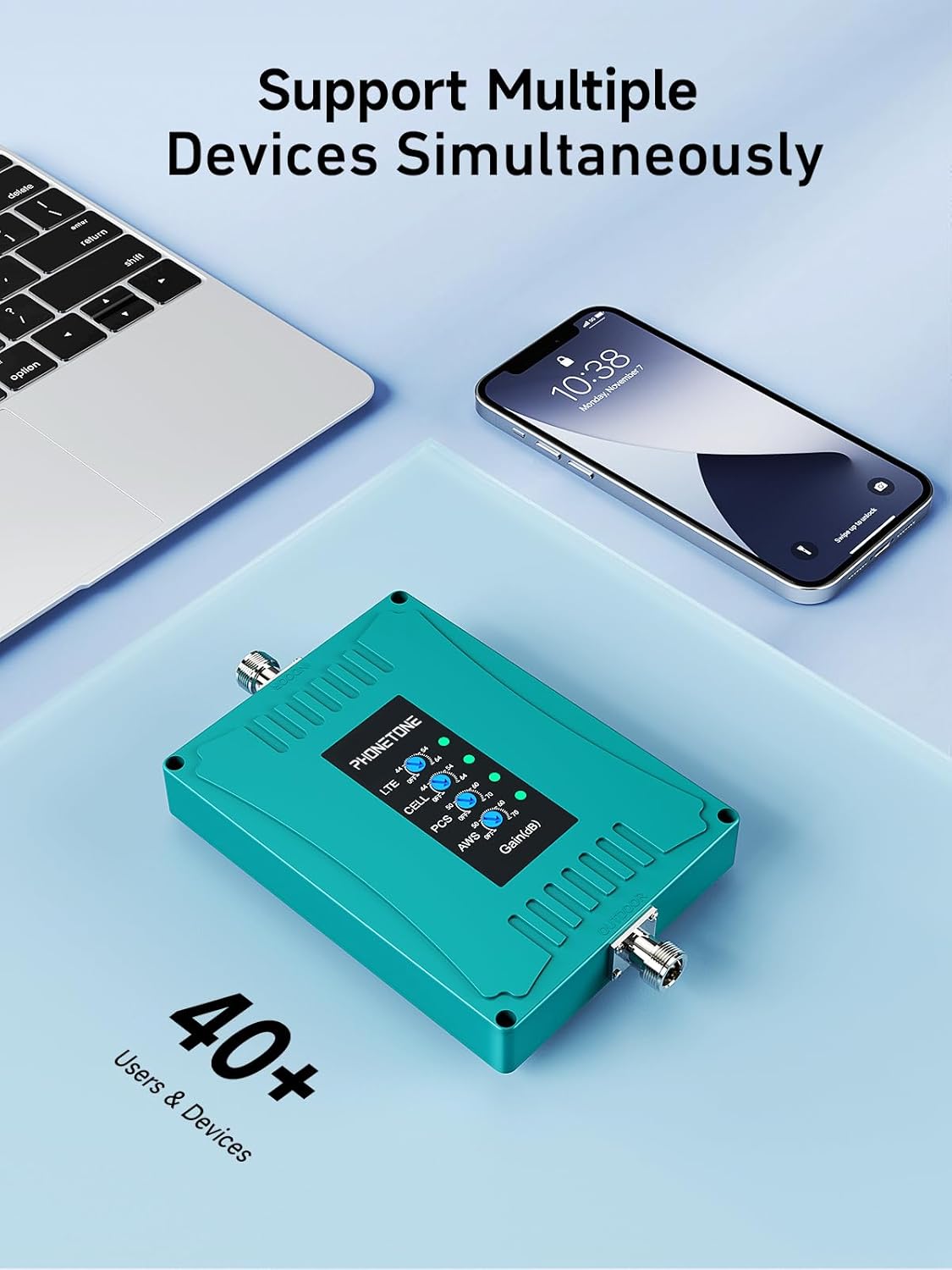
Figure 12: The booster can handle multiple devices concurrently, providing stable voice and fast data.
6. Maintenance
The Phonetone P50-PL signal booster requires minimal maintenance to ensure long-term performance.
- Cleaning: Periodically wipe the booster unit and indoor antenna with a soft, dry cloth to remove dust. Do not use liquid cleaners or abrasive materials.
- Cable Inspection: Regularly inspect all coaxial cables for any signs of damage, kinks, or loose connections. Ensure outdoor cable connections remain weatherproofed.
- Antenna Check: Ensure both indoor and outdoor antennas remain securely mounted and are not obstructed.
- Environmental Conditions: Ensure the booster unit is kept in a dry, well-ventilated area, away from direct sunlight and extreme temperatures.

Figure 13: Attention to detail in components like the flat window cable, waterproof connectors, and cable organizers aids in easy maintenance and longevity.
7. Troubleshooting
If you experience issues with your Phonetone P50-PL signal booster, refer to the following common problems and solutions:
| Problem | Possible Cause & Solution |
|---|---|
| No Signal Improvement |
|
| Fluctuating Signal / Dropped Calls |
|
| Booster Not Powering On |
|
| Limited Coverage Area |
|
If the problem persists after trying these solutions, please contact Phonetone customer support for further assistance.
8. Specifications
Detailed technical specifications for the Phonetone P50-PL Home Cell Phone Signal Booster:
| Feature | Detail |
|---|---|
| Model Number | P50-PL |
| Supported Frequency Bands | Band 2, 4, 5, 12, 13, 17 |
| Supported Technologies | 3G, 4G LTE, 5G |
| Coverage Area | Up to 5,500 sq ft (dependent on outdoor signal) |
| Gain | Automatic Gain Control (AGC) up to 72dB |
| Compatible Carriers (Canada) | Bell, Rogers, Telus & More |
| Compatible Devices | iOS, Android |
| Dimensions (L x W x H) | 38.1 x 17.78 x 25.4 cm |
| Weight | 2.67 kg |
| ISED Certification Number | 23915-CPAL7001 |
| Hardware Version Identification Number (HVIN) | AN-CPAL70-01 |
| Special Features | Directional Antenna, LED Indicator, Automatic Gain Control, Standby Mode |

Figure 14: The booster unit displaying its ISED approval and other regulatory information.
9. Warranty & Support
Phonetone stands behind the quality of its products.
9.1. Warranty Information
The Phonetone P50-PL Cell Phone Signal Booster comes with a 5-year warranty from the date of purchase. This warranty covers defects in materials and workmanship under normal use. Please retain your proof of purchase for warranty claims.
Figure 15: Phonetone offers a 5-year warranty on this product.
9.2. Customer Support
For technical assistance, troubleshooting, or warranty inquiries, please visit the official Phonetone store on Amazon or contact their customer service directly. You can find contact information and additional resources on the Phonetone brand store page: Phonetone Amazon Store.
Related Documents - P50-PL
 |
Phonetone P20 & P50 Series User Manual: Cell Phone Signal Booster User manual for the Phonetone P20 & P50 Series cell phone signal boosters, providing comprehensive installation guides, optimization tips, troubleshooting, and performance measurement for improved cellular reception. |
 |
Phonetone AN-CP65 Cell Phone Signal Booster User Manual User manual for the Phonetone AN-CP65 Cell Phone Signal Booster, covering features, safety warnings, package contents, installation instructions, troubleshooting, and warranty information. |
 |
Phonetone Cell Phone Signal Booster User Manual (F40PH-US59) Comprehensive user manual for the Phonetone Cell Phone Signal Booster. Includes installation instructions, app setup, troubleshooting, and technical specifications for model F40PH-US59. |
 |
Phonetone Cell Phone Signal Booster User Manual (F40-OL) User manual for the Phonetone F40-OL Cell Phone Signal Booster. Includes installation instructions, Signal Advisor app setup, troubleshooting, and regulatory information. |
 |
Phonetone YYOPTENC980D Industrial Booster FCC Filing Notice Notice regarding the FCC classification and sales control of the Phonetone YYOPTENC980D industrial signal booster, ensuring it is marketed only to professional users. |
 |
RF Exposure Evaluation Report for Phonetone N70AN-US59 Cell Phone Signal Booster This report details the RF exposure evaluation for the Phonetone N70AN-US59 Cell Phone Signal Booster, conducted by Shenzhen LCS Compliance Testing Laboratory Ltd. It includes product information, evaluation methods, limits, antenna details, conducted power, manufacturing tolerances, and measurement results according to FCC regulations. |
Ask a question about this manual
Ask about setup, troubleshooting, compatibility, parts, safety, or missing instructions. Manuals+ will review the question and use this page’s manual context to help answer it.