
Introduction
Thank you for choosing the DMOAO D3 10-inch Android 14 Tablet. This manual provides essential information to help you set up, operate, and maintain your device. Please read this manual thoroughly before using the tablet to ensure optimal performance and longevity.
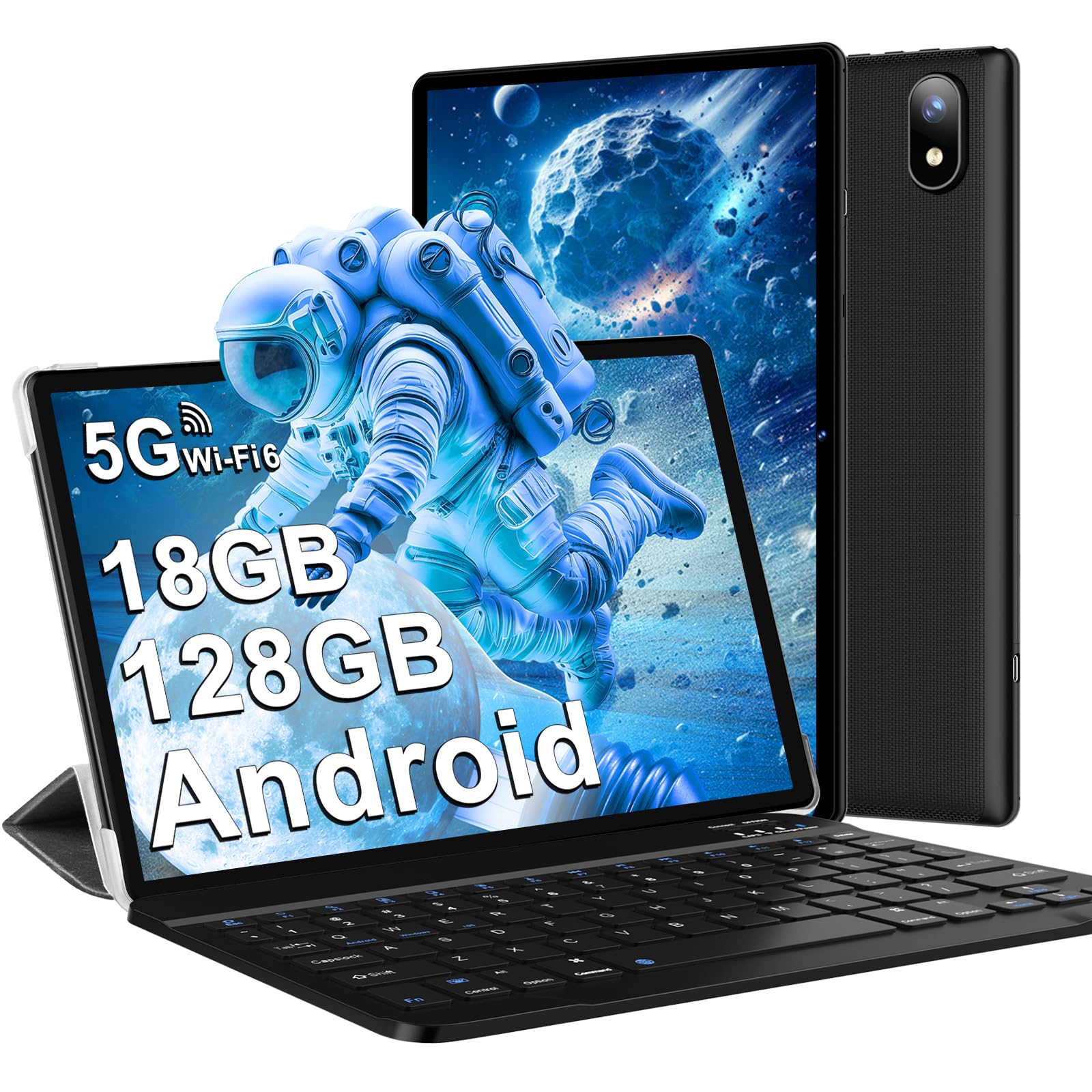
Image: DMOAO D3 Tablet, showcasing its sleek design and display.
Package Contents
Upon unboxing, please verify that all the following items are included in your package:
- 1 x DMOAO D3 Tablet
- 1 x Protective Case
- 1 x Bluetooth Keyboard
- 1 x Wireless Mouse
- 1 x User Manual
- 1 x Tablet Charger
- 1 x Tablet Charging Cable (USB-C)
- 1 x Screen Protector Film

Image: The DMOAO D3 Tablet displayed with its complete set of accessories, including the keyboard, mouse, and protective case.
Product Overview
The DMOAO D3 tablet features a slim and lightweight design, making it portable and comfortable to hold. It is equipped with various ports and components for a comprehensive user experience.
Physical Features:
- Display: 10.1-inch FHD screen with 1280 x 800 pixel resolution.
- Cameras: 5MP front camera and 5MP rear camera.
- Ports: USB Type-C interface for charging and data transfer, 3.5mm headphone jack.
- Audio: Dual speakers for stereo sound.
- Dimensions: Approximately 24 x 16 x 0.6 cm.
- Weight: Approximately 430 grams.

Image: A side profile of the DMOAO D3 Tablet, highlighting its slimness and the placement of its ports.
Setup
1. Initial Charging
Before first use, fully charge the tablet using the provided USB-C cable and charger. The battery indicator on the screen will show the charging status.

Image: The DMOAO D3 Tablet connected to its charger via the USB-C port, indicating the charging process.
2. Power On/Off
- To Power On: Press and hold the power button located on the side of the tablet until the DMOAO logo appears.
- To Power Off: Press and hold the power button, then select 'Power Off' from the options that appear on the screen.
- To Restart: Press and hold the power button, then select 'Restart' from the options.
3. Initial Configuration
Upon first power-on, the tablet will guide you through the initial setup process. This includes selecting your language, connecting to a Wi-Fi network, setting up your Google account, and configuring basic security settings.
Operating Instructions
Android 14 Operating System
The DMOAO D3 tablet runs on the Android 14 operating system, offering an optimized and privacy-focused user experience. Key features include:
- System Optimization: Enhanced performance and faster operation.
- Privacy Protection: Advanced controls for location information access and intelligent analysis of power-consuming applications.
- Parental Control: Features to manage and monitor usage for children.

Image: Visual representation of the Android 14 operating system, highlighting its core features and interface.
Memory and Storage
The D3 tablet comes with 4GB of original RAM, which can be expanded by an additional 14GB virtually, totaling up to 18GB of RAM for improved system performance. It includes 128GB of internal ROM, expandable up to 1TB via a TF (Micro-SD) card for storing your files, photos, and videos.

Image: Diagram illustrating the tablet's RAM and ROM specifications, including its expansion capabilities.
Connectivity
- Wi-Fi 6: Supports ultra-fast dual-band (2.4GHz and 5GHz) Wi-Fi 6 for stable and reliable internet connections, offering greater capacity and lower latency.
- Bluetooth 5.0: For connecting wireless accessories such as the included keyboard and mouse, headphones, and other compatible devices.

Image: Icons and text representing the tablet's Wi-Fi 6 and Bluetooth 5.0 connectivity options.
Widevine L1 Support
The DMOAO D3 tablet is compatible with Widevine L1, allowing you to enjoy Ultra HD video content from streaming services like Netflix, Amazon Prime, and Disney+ with high-definition playback.

Image: Logos of streaming services like Hulu, Prime Video, and YouTube, indicating Widevine L1 support for high-quality video playback.
Battery Management
The tablet is equipped with a 6000mAh battery. To maximize battery life, ensure regular charging and avoid fully draining the battery frequently. Adjust screen brightness and close unused applications to conserve power.

Image: Visual representation of the tablet's 6000mAh battery and its USB Type-C charging port.
Usage Scenarios
The DMOAO D3 tablet is versatile for various activities:
- Learning: Ideal for educational apps and e-books.
- Video Playback: Enjoy movies and shows with Widevine L1 support.
- Video Chat: Utilize the front camera for video calls.
- Gaming: Experience smooth gameplay with the Octa-Core processor.

Image: A collage depicting different ways the DMOAO D3 Tablet can be used, such as for learning, watching videos, video chatting, and gaming.
Maintenance
Proper maintenance ensures the longevity and optimal performance of your DMOAO D3 tablet.
- Cleaning: Use a soft, lint-free cloth to clean the screen and body. Avoid abrasive materials or harsh chemicals.
- Storage: Store the tablet in a cool, dry place away from direct sunlight and extreme temperatures.
- Protection: Use the provided protective case and screen protector to guard against scratches and minor impacts.
- Software Updates: Regularly check for and install system updates to ensure security and performance improvements.
Troubleshooting
If you encounter issues with your DMOAO D3 tablet, refer to the following common solutions:
- Tablet Not Turning On: Ensure the tablet is sufficiently charged. Connect it to the charger for at least 30 minutes before attempting to power it on again.
- Unresponsive Screen: Try restarting the tablet by holding the power button for approximately 10-15 seconds until it powers off and then on again.
- Wi-Fi Connectivity Issues: Check if Wi-Fi is enabled in settings. Restart your router and the tablet. Forget the network and reconnect.
- Slow Performance: Close unused applications running in the background. Clear cache data for apps. Consider performing a factory reset if issues persist (back up your data first).
- Apps Crashing: Ensure apps are updated to their latest versions. Clear the app's cache and data in settings.
For more complex issues, please refer to the warranty and support section for contact information.
Specifications
| Feature | Specification |
|---|---|
| Brand | DMOAO |
| Model Name | D3 |
| Series | D3 |
| Color | Black |
| Operating System | Android 14 |
| Hardware Platform | Android 14 |
| Processor Brand | MediaTek |
| Processor Speed | 2 GHz |
| Installed RAM Size | 18 GB |
| Storage Capacity | 128 GB |
| Maximum Memory | 8 GB |
| Screen Size | 10.1 Inches |
| Screen Resolution | 1280 x 800 pixels |
| Max Display Resolution | 1280*800 Pixels |
| Graphics Card Description | Integrated |
| Connectivity Type | WiFi 5 GHz + 2.4 GHz, WIFI 6 |
| Wireless Technology Type | 802.11ax |
| Hardware Interface | Audio 3.5 mm, Bluetooth 5, USB Type C |
| Connector Type | Bluetooth 5.0, WiFi 5 GHz + 2.4 GHz, WIFI 6, Widevine L1 |
| Device Compatibility | Keyboard, mouse |
| Battery Life (Years) | 5 years |
| Product Weight | 430 grams |
| Special Features | USB OTG support |
| Spare Parts Availability | Information not available |
| Software Updates Guaranteed Until | Information not available |
| Date First Available | 24 mars 2023 |
| Batteries | 1 Lithium-polymer - included |
| Package Dimensions | 33.1 x 18.4 x 4.4 cm; 430 grams |
| Manufacturer | DMOAO |
| Generation | 3rd generation |
Warranty and Support
The DMOAO D3 Tablet PC comes with a 24-month warranty service. Additionally, there is a limited-time offer for a free extended warranty.
To receive an additional 24 months of extended warranty service, please contact DMOAO customer service via Amazon within 7 days of your purchase. We are committed to resolving any tablet-related issues with the best service attitude and fastest response time.
For support, please visit the DMOAO store page on Amazon or contact their customer service directly through the Amazon platform.


