
purevox utv sound bar
purevox UTV Sound Bar Instruction Manual
Model: utv sound bar
1. Product Overview
The purevox UTV Sound Bar is a robust audio system designed for outdoor vehicles such as UTVs, ATVs, golf carts, and marine boats. It features powerful sound output, durable waterproof construction, versatile connectivity options, and dynamic LED lighting.


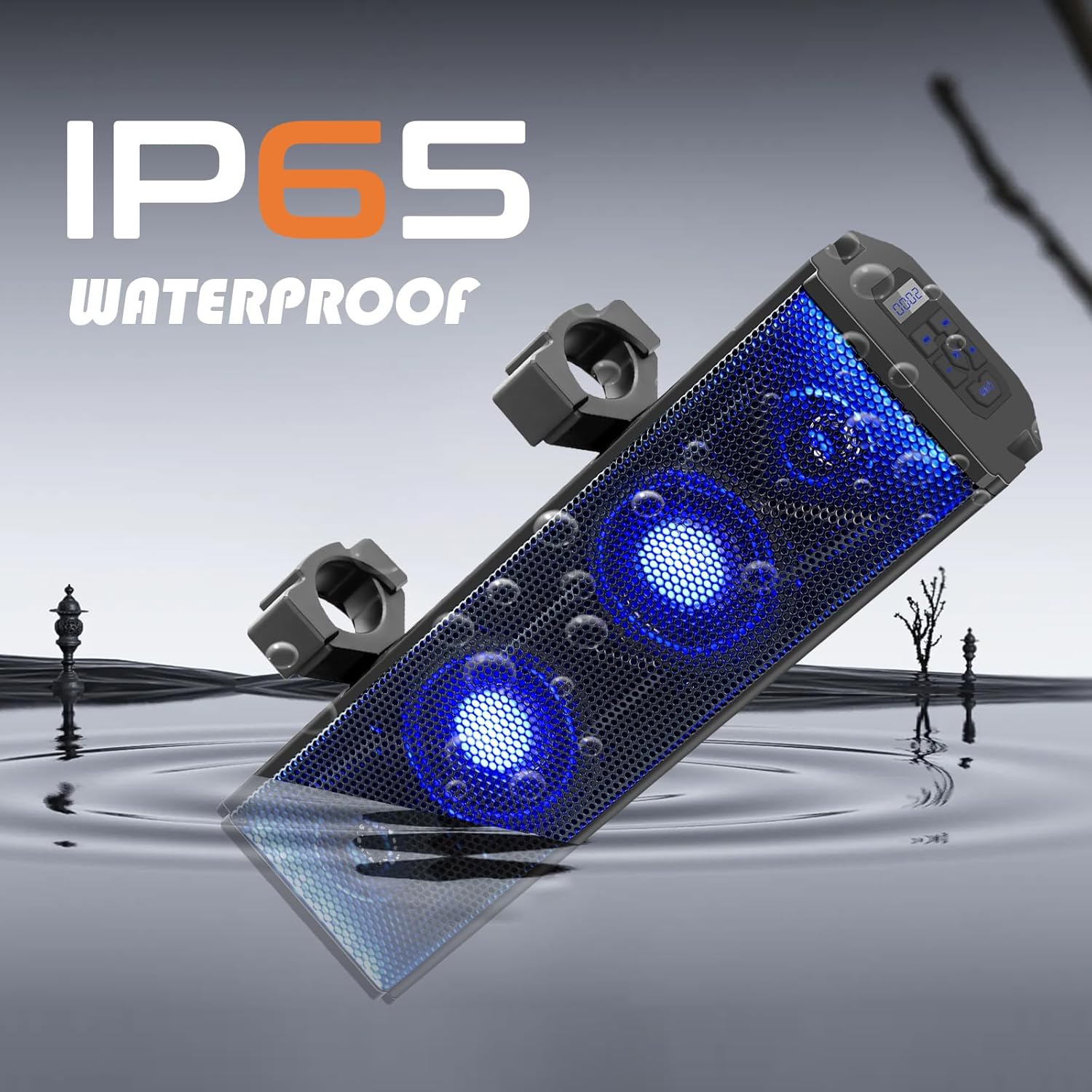
Key Features:
- RGB Multi-color LED Lighting: Lights beat with music, offering various illuminating modes (music sync, solid, fading, or off) controlled by wireless remote or onboard button.
- 400-Watt Powerful Audio: Features two 4-inch full-range speakers and two 1-inch soft dome tweeters, powered by a high-performance built-in Class A/B amplifier for optimized bass.
- IP65 Waterproof Rating: Provides complete protection from dust, oil, and non-corrosive materials, and a good level of protection against water.
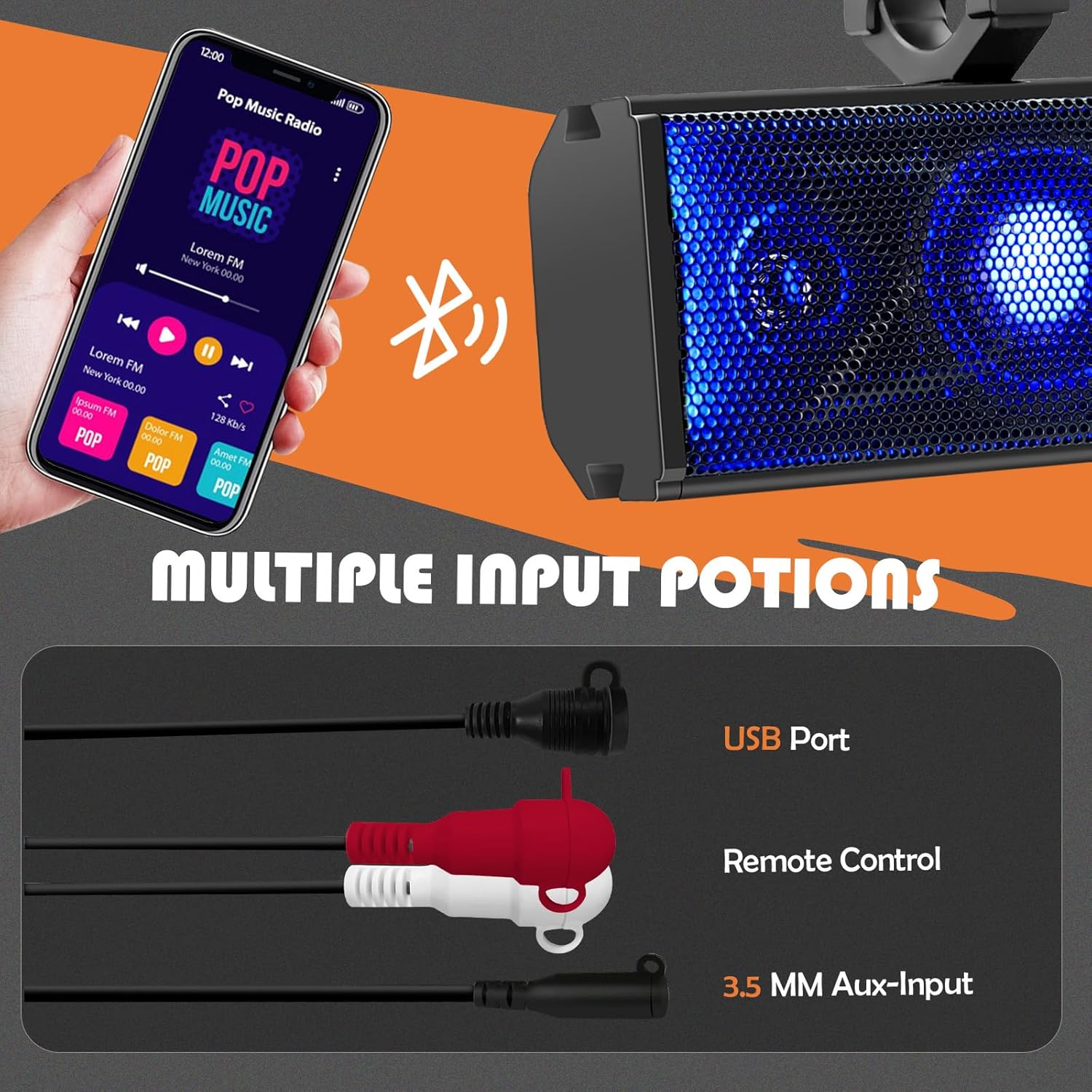
- Wireless & Wired Connectivity: Compatible with Bluetooth V5.0 Audio Streaming, 3.5mm aux input, and USB port for versatile music playback.
- Easy Installation: Designed for mounting on 1.75" to 2.25" roll cages of UTVs, ATVs, Golf Carts, Jeeps, and Marine Boats, requiring no drilling.
2. Specifications
| Feature | Specification |
|---|---|
| Brand | purevox |
| Model Name | UTV Sound Bar |
| Speaker Type | Soundbar |
| Speaker Maximum Output Power | 400 Watts |
| Woofer Diameter | 4 Inches |
| Tweeter Diameter | 1 Inches |
| Frequency Response | 100 Hz |
| Input Voltage | 300 Volts |
| Connectivity Technology | Auxiliary, Bluetooth, USB |
| Wireless Communication Technology | Bluetooth |
| Bluetooth Range | 100 Meters |
| Water Resistance Level | Waterproof (IP65) |
| Product Dimensions | 16.65"D x 4.96"W x 3.94"H |
| Item Weight | 6.3 Pounds |
| Mounting Type | Bar Mount, Plug Mount |
| Vehicle Service Type | UTV, ATV, Golf Cart, Marine Boat |
| Included Components | RGB Multi-color Lights, wireless remote control, built-in Class A/B amplifier |
3. Setup
3.1 Mounting the Sound Bar
The purevox UTV Sound Bar is designed for easy installation on various vehicle roll cages. It fits roll cages with diameters ranging from 1.75 inches to 2.25 inches (4.5 cm to 5.7 cm). No drilling is required for installation.

Use the provided adjustable clamps to secure the sound bar to your vehicle's roll cage. Ensure the clamps are tightened securely to prevent movement during operation.
3.2 Power Connection
Connect the sound bar to your vehicle's 12V power source using the provided cigarette lighter adapter or by wiring directly to the vehicle's electrical system if preferred (professional installation recommended for direct wiring).
4. Operating Instructions
4.1 Power On/Off
Press the power button on the sound bar or the remote control to turn the unit on or off. The LED lights will illuminate upon power-on.
4.2 Bluetooth Connectivity
- Ensure the sound bar is powered on and in Bluetooth mode. The display will show "bt".
- On your mobile device (smartphone, MP3 player), navigate to Bluetooth settings.
- Search for available devices and select "ADVEISE Soundbar" (or similar name) to pair.
- Once connected, you can stream audio wirelessly from your device to the sound bar.
This video demonstrates the features of the purevox UTV Sound Bar, including its adjustable clamps, 400-Watt peak power, full-range speakers, soft dome tweeters, Bluetooth V5.0 connectivity, IP65 waterproofing, and remote control for LED lighting adjustments. It also shows the AUX input and cigarette lighter adapter connections.
4.3 Music Playback and Controls
- Use the play/pause, next track, and previous track buttons on the sound bar or remote control to manage your music.
- Adjust volume using the volume up (+) and volume down (-) buttons.
4.4 LED Lighting Control
The sound bar features dynamic RGB LED lighting. Use the wireless remote control or the onboard button to cycle through different lighting modes:
- Music Sync: Lights flash and change color in rhythm with the music.
- Solid Color: Choose from various static colors.
- Fading: Colors smoothly transition.
- Off: Turn off the LED lights.
5. Maintenance
5.1 Cleaning
Due to its IP65 waterproof rating, the sound bar can withstand water splashes and dust. To clean, gently wipe the surface with a damp cloth. Avoid using harsh chemicals or abrasive cleaners that could damage the finish or internal components.
5.2 Storage
When not in use for extended periods, store the sound bar in a cool, dry place away from direct sunlight and extreme temperatures. Ensure all connections are clean and dry before storage.
6. Troubleshooting
6.1 No Sound Output
- Check if the sound bar is powered on and the volume is turned up.
- Ensure your audio source (e.g., smartphone) is playing music and its volume is also turned up.
- Verify Bluetooth connection. If using AUX, ensure the cable is securely connected to both the sound bar and the audio source.
- Confirm the correct input mode is selected on the sound bar.
6.2 Bluetooth Disconnection or Pairing Issues
- Ensure the sound bar and your device are within the 100-meter Bluetooth range.
- Turn off and on the Bluetooth function on your device and the sound bar.
- "Forget" the sound bar from your device's Bluetooth settings and attempt to re-pair.
- Ensure no other devices are actively connected to the sound bar.
6.3 LED Lights Not Working
- Check the remote control battery.
- Ensure the LED lights are not set to "Off" mode via the remote or onboard button.
- Power cycle the sound bar.
7. Warranty and Support
7.1 Warranty Information
This purevox UTV Sound Bar comes with a Limited Warranty. Please refer to the product packaging or the original purchase documentation for specific terms and conditions of the warranty.
7.2 Customer Support
For any questions, technical assistance, or warranty claims, please contact the manufacturer or the retailer from whom you purchased the product. Contact information can typically be found on the product packaging or the manufacturer's official website.
Related documentsutv sound bar

Ask a question about this manual
Ask about setup, troubleshooting, compatibility, parts, safety, or missing instructions. Manuals+ will review the question and use this page’s manual context to help answer it.