
1. Introduction
The Simket Faraday Bag is designed to provide comprehensive signal blocking for electronic devices such as mobile phones, car keys, and other small electronics. Utilizing the principle of a Faraday cage, this bag creates an electromagnetic shield that prevents all wireless signals from reaching or leaving the enclosed device. This ensures privacy, protects against unauthorized tracking, and prevents digital theft.

Image 1.1: Simket Faraday Bags for phones and car keys.
2. Product Features
- Strong Signal Shielding: Constructed with a double layer of super-shielded metal fiber, the Simket Faraday Bag effectively blocks all types of signals including WiFi, Bluetooth, RFID, GPS, cellular (phone calls, SMS), and NFC. This ensures 100% signal isolation.
- Privacy Protection: Provides immediate signal isolation for personal data security, preventing telecommunications crimes, unauthorized tracking, and interference with sensitive electronic devices.
- Optimized Size (Model M): Measuring 21cm in length and 12cm in width, this bag is designed to accommodate most mobile phones, handheld walkie-talkies, GPS units, transponders, and other small devices, while remaining portable for pocket or bag storage.
- Durable Construction: Made from high-quality materials designed for longevity and effective signal blocking.

Image 2.1: Internal layered material for signal blocking and protection.
3. Setup and Usage
3.1 Inserting a Device
- Open the flap of the Simket Faraday Bag.
- Ensure the interior of the bag is clean and free from any debris that could compromise the seal.
- Place your mobile phone, car key, or other electronic device completely inside the main compartment of the bag. Ensure the device is fully enclosed by the signal-blocking material.
3.2 Sealing the Bag
- Fold the top flap of the bag down securely.
- Press firmly along the Velcro closure to ensure a tight and complete seal. A proper seal is crucial for effective signal blocking.
3.3 Testing Signal Blocking
To verify the bag's functionality, perform a simple test:
- Place your active mobile phone inside the sealed Faraday bag.
- Using another phone, call the number of the phone inside the bag.
- If the bag is properly sealed and functioning, the call should not connect, and the phone inside the bag should not ring or vibrate. It should go directly to voicemail or indicate that the subscriber is unreachable.

Image 3.1: Device placement and signal blocking illustration.
Video 3.1: A demonstration of the Simket Faraday bag blocking phone signals, showing a phone placed inside the bag and an attempt to call it failing.
4. Operating Principles
The Simket Faraday Bag operates on the principle of a Faraday cage, an enclosure used to block electromagnetic fields. When an electronic device is placed inside the bag and sealed, the conductive material of the bag redistributes electric charges, canceling out external electromagnetic fields. This prevents radio waves (cellular, WiFi, Bluetooth, GPS, RFID, NFC) from penetrating the bag, effectively isolating the device from all wireless communication.
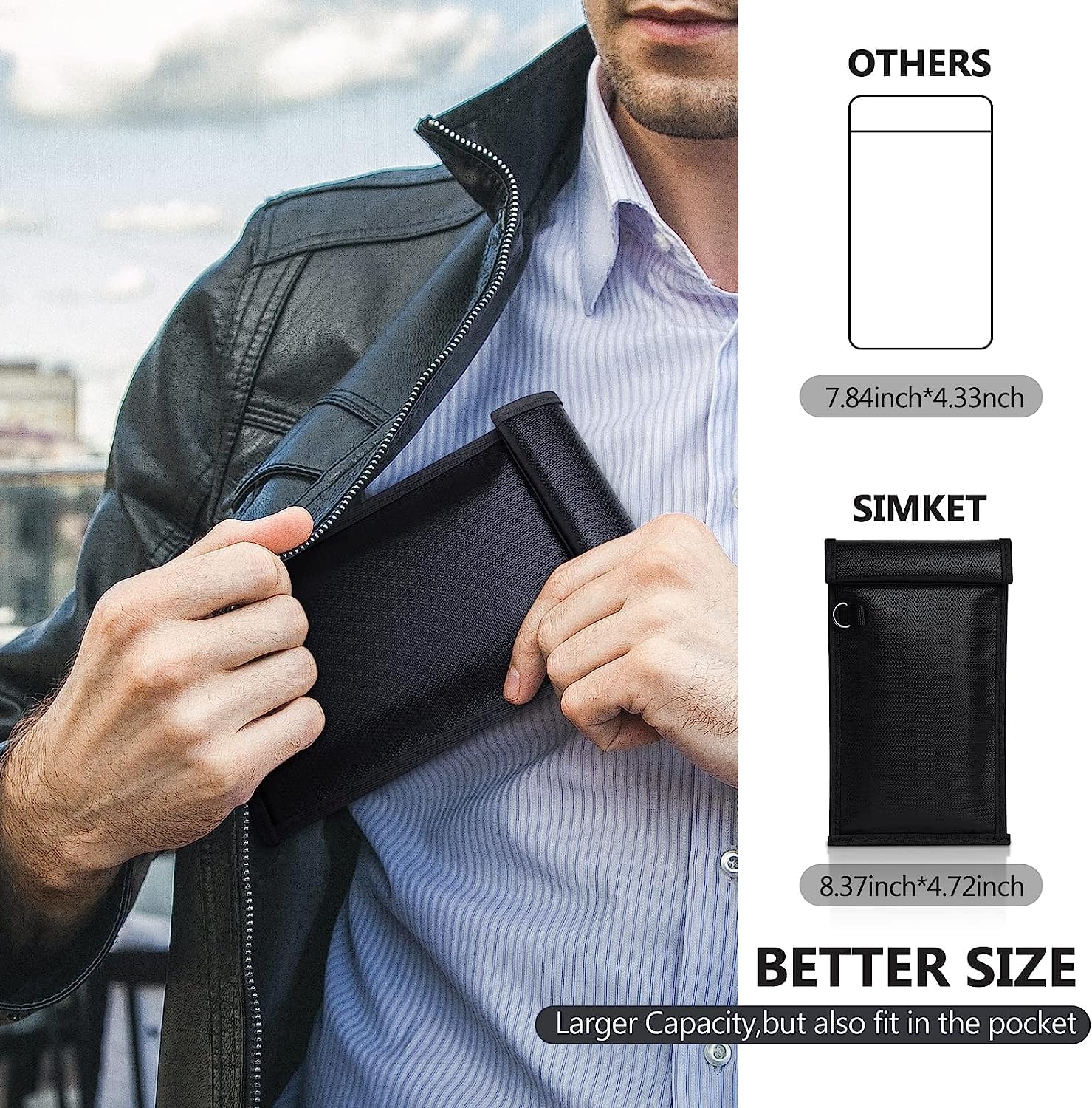
Image 4.1: The compact size of the Faraday bag allows for easy portability in a pocket.
5. Maintenance
- Cleaning: Wipe the exterior of the bag with a damp cloth. Do not use harsh chemicals or abrasive cleaners, as these may damage the material.
- Storage: Store the bag in a cool, dry place away from direct sunlight and extreme temperatures.
- Avoid Punctures: Do not expose the bag to sharp objects, as punctures can compromise the signal-blocking integrity.
- Inspect Regularly: Periodically check the bag for any signs of wear, tear, or damage to the material or Velcro closure.

Image 5.1: The Faraday bag can accommodate various small electronic devices like walkie-talkies.
6. Troubleshooting
6.1 Signals Not Being Blocked
- Check Seal: Ensure the Velcro closure is completely and firmly sealed along its entire length. Any gap can allow signals to pass through.
- Device Placement: Verify that the entire device is fully enclosed within the signal-blocking compartment of the bag.
- Bag Integrity: Inspect the bag for any visible damage, holes, or tears that might compromise its shielding capabilities. If damaged, the bag may need to be replaced.
7. Specifications
| Attribute | Detail |
|---|---|
| Brand | Simket |
| Model | M (Up to Phone) |
| Package Dimensions | 12.13 x 6.14 x 0.87 inches |
| Item Weight | 5.6 ounces |
| Color | Black |
| Special Features | RFID Blocking, Signal Blocking (WiFi, Bluetooth, GPS, Cellular, NFC) |
| Material | Double layer super shielded metal fiber |
8. Warranty and Support
Simket is committed to customer satisfaction. If for any reason you are not satisfied with your signal blocking case, please contact our customer service team. We are available to assist you and ensure 100% satisfaction with your purchase.
Please ensure to check the model and size of the Faraday bag before purchasing to ensure it meets your specific needs.