Introduction
Welcome to the Amazfit GTS 4 Mini Smart Watch instruction manual. This guide provides essential information to help you set up, operate, and maintain your device, ensuring you get the most out of its advanced features.
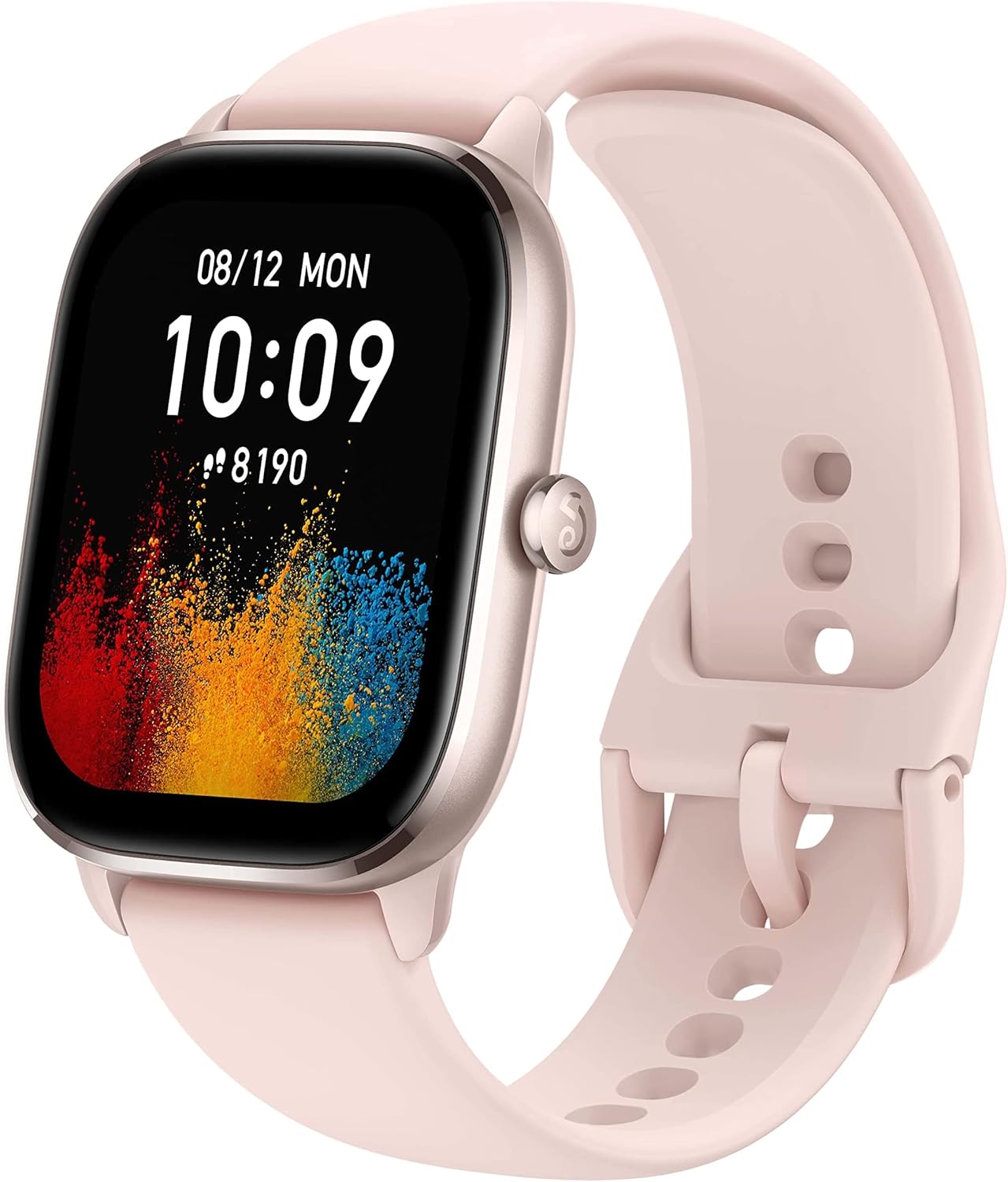
Image: The Amazfit GTS 4 Mini Smart Watch in pink, showcasing its sleek design and vibrant display.
Setup
What's in the Box
- Amazfit GTS 4 Mini Smart Watch
- User Manual
- Charging Cable
Initial Charging
Before first use, fully charge your Amazfit GTS 4 Mini. Connect the charging cable to the watch's charging port and a USB power source. The watch display will indicate charging status.
Pairing with the Zepp App
To unlock the full potential of your smart watch, pair it with the Zepp App on your smartphone (compatible with Android and iPhone).
- Download and install the Zepp App from your phone's app store.
- Open the Zepp App and create an account or log in.
- Tap 'Profile' > 'My device' > '+Add' > 'Watch' > 'Watch with QR code'.
- Scan the QR code displayed on your watch face using the Zepp App.
- Confirm pairing on your watch when prompted.
Video: A step-by-step guide on how to pair your Amazfit GTS 4 Mini with the Zepp App using a QR code.
System Update
Ensure your watch's software is up to date for optimal performance and new features.
- Open the Zepp App.
- Tap 'Profile' > 'My device' > 'Amazfit GTS 4 Mini' > 'System Update'.
- Keep the watch close to your phone while updating.

Image: Visual representation of the Amazfit GTS 4 Mini undergoing a system update, showing the watch and phone interface.
Operating Your Smart Watch
Basic Navigation
- Swipe Down: Access the Control Center for quick settings.
- Swipe Up: View notifications.
- Swipe Left/Right: Access shortcut cards or switch watch faces.
- Press Side Button: Go to the App list or return to the home screen.
Customizing the Watch Face
Personalize your watch face to display the information you need most.
- Tap and hold the watch face.
- Swipe left or right to choose a watch face.
- Tap the "Edit" icon to customize.
- Choose the highlighted area and swipe up or down to switch the displayed function, or click the interface to change the watch face color.

Image: A collage of various customizable watch faces available for the Amazfit GTS 4 Mini.
Control Center
Swipe down from the home page to access quick settings like Battery, Do Not Disturb, Lock Screen, Torch, Calendar, Brightness, Theater Mode, Always On, and Find My Phone.
View Notifications
Swipe up on the home page to view incoming notifications from your paired smartphone.
Shortcut Cards
Swipe right on the home page to view customizable shortcut cards. These can be configured in the Zepp App under 'Profile' > 'My device' > 'Amazfit GTS 4 Mini' > 'Shortcut Cards' > 'Resident Application Settings'.
App List Management
Press the watch button or swipe left on the home page to access the App list. To set app lists, go to 'Profile' > 'My device' > 'Amazfit GTS 4 Mini' > 'App list management' in the Zepp App.
Starting Sports Modes
The Amazfit GTS 4 Mini supports more than 120 sport modes.
- Go to the App list and tap 'Workout'.
- Choose your desired sports mode and tap 'GO'.
Alternatively, press the "SEL" button to directly access the Workout list.
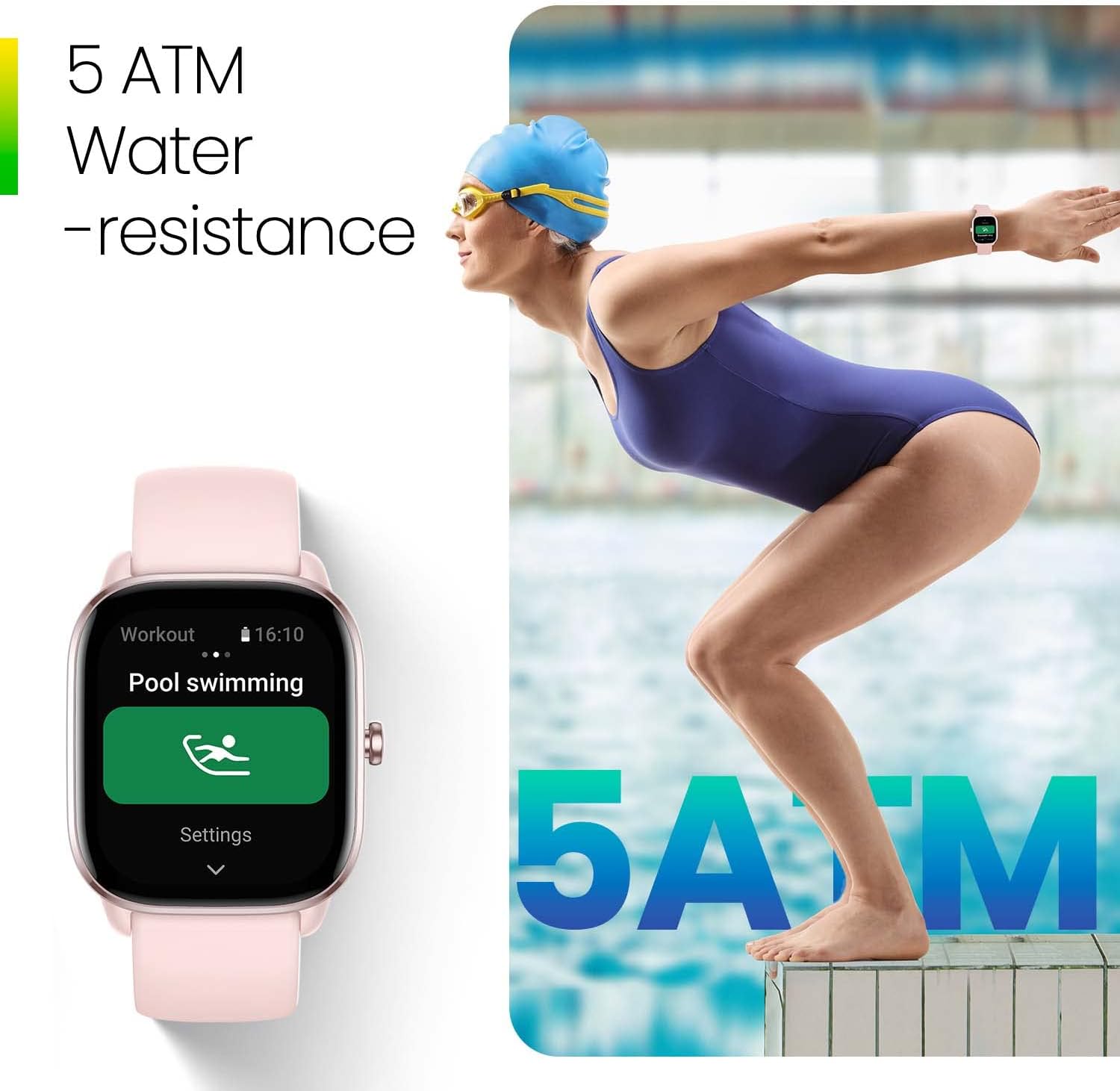
Image: The Amazfit GTS 4 Mini showing a skateboarding sports mode, tracking calories and GPS.
Workout Detection
The Amazfit GTS 4 Mini supports smart recognition of 7 sports.
- Go to 'Settings' > 'Workout' > 'Workout Detection'.
- Choose the sport you want the watch to auto-detect.
Health Monitoring
Your watch provides comprehensive health tracking features:
- Heart Rate Measurement: From the homepage, press the watch button to go to the App list. Choose 'Heart Rate' to start measurement.
- Blood Oxygen & Stress: One-tap measuring for blood oxygen saturation and stress levels can be started using the same method as heart rate measurement.
- Sleep Monitoring: The watch provides in-depth monitoring of sleep quality, tracking REM, deep sleep, and light sleep phases.
- PAI Health Assessment System: This system converts heart rate data into a single, personalized score to help you understand your overall health.
- Female Cycle Tracking: Track your menstrual cycles directly from your watch.

Image: The Amazfit GTS 4 Mini showing multiple health data points including blood oxygen, heart rate, training effect, stress, and sleep phases.
Alexa Built-in
Easily set alarms, ask questions, get translations, and more with the integrated Amazon Alexa feature.

Image: The Amazfit GTS 4 Mini displaying an Alexa reminder, with a person interacting with the watch.
GPS Functionality
The watch supports 5 satellite positioning systems and circularly-polarized antenna technology for improved accuracy. You can pre-load maps and receive turn-by-turn navigation directly on your wrist via the Zepp App.
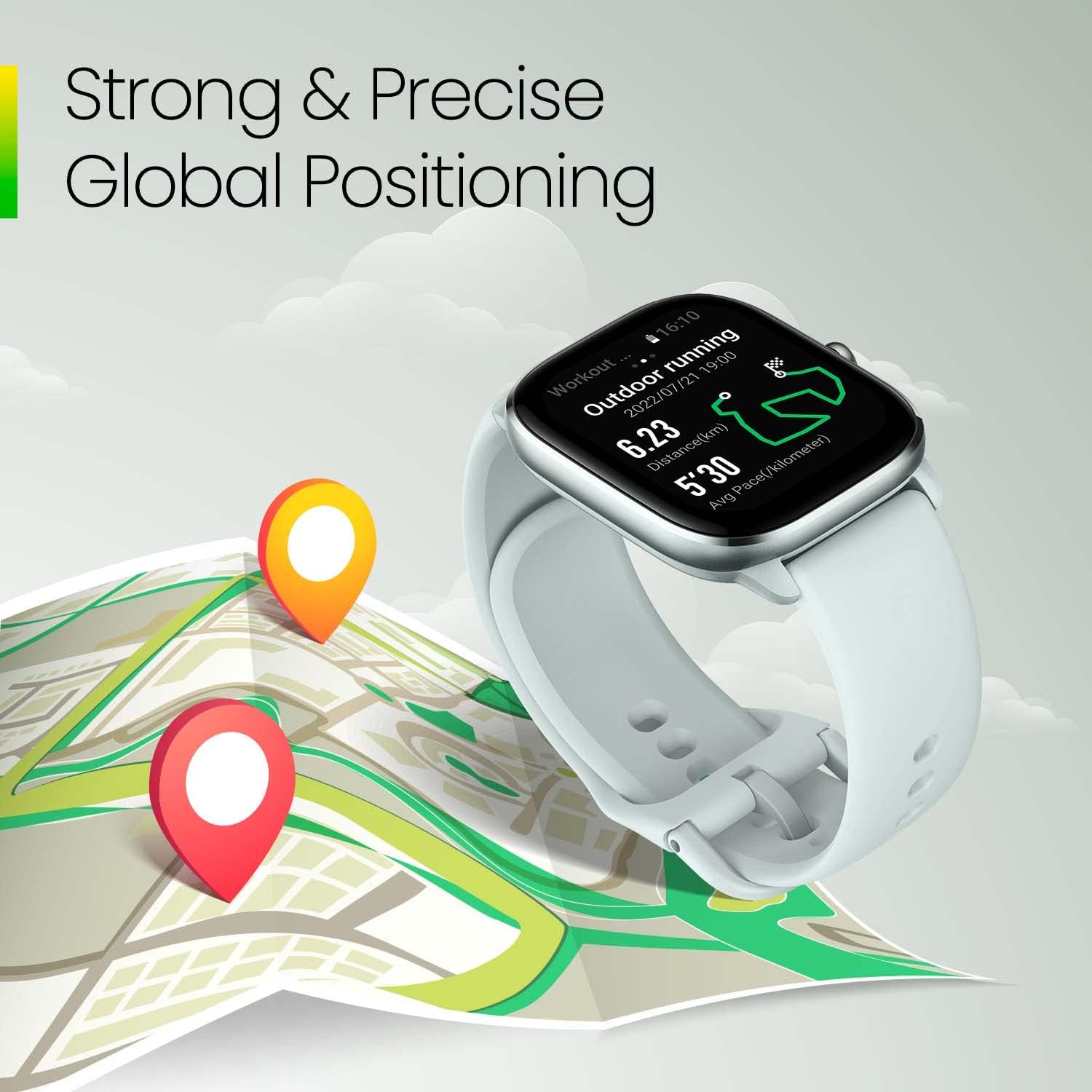
Image: The Amazfit GTS 4 Mini displaying an outdoor running route on a map, highlighting its strong and precise global positioning capabilities.
Find My Phone
If you misplace your phone, use the 'Find My Phone' feature on your watch to make your phone ring or vibrate.
Maintenance
Charging
The Amazfit GTS 4 Mini features a powerful 270 mAh battery, offering up to 15 days of endurance on typical usage and up to 45 days in battery saver mode. Charge your device using the provided magnetic charging cable.
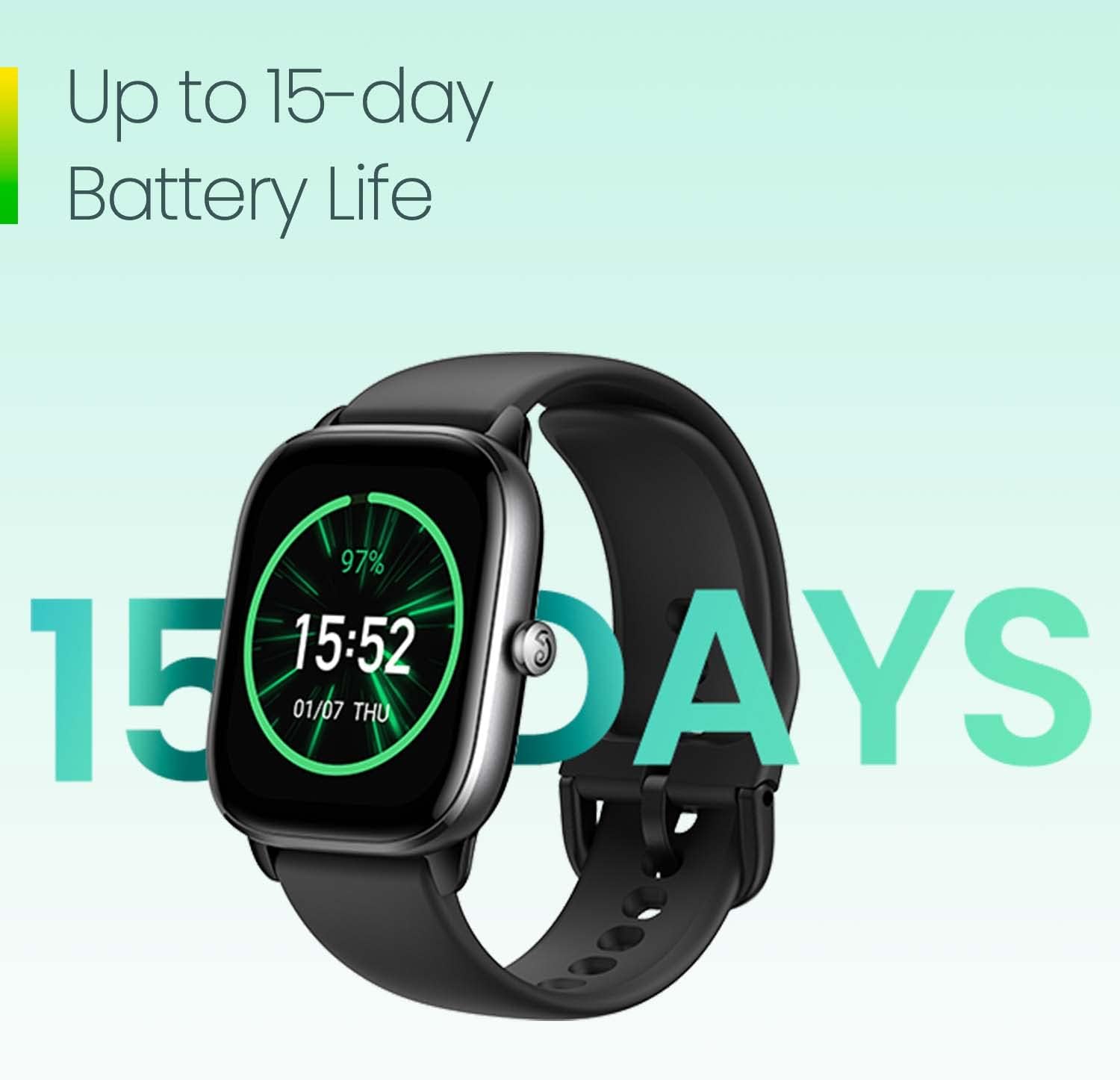
Image: The Amazfit GTS 4 Mini displaying its battery life, indicating up to 15 days of usage.
Water Resistance
The watch has a water resistance depth of 50 meters (5 ATM), making it suitable for swimming and other water activities. Avoid using it in hot showers or saunas, as steam can affect the seals.

Image: The Amazfit GTS 4 Mini highlighting its 5 ATM water resistance feature, suitable for swimming.
Cleaning
Regularly clean your watch and band to prevent skin irritation and maintain functionality. Use a soft, damp cloth to wipe the watch face and sensors. Ensure the watch is dry before charging.
Band Replacement
The watch bands are interchangeable. Use the quick-release pins to remove the current band and attach a new one. Ensure the new band is securely fastened before wearing.
Troubleshooting
- Watch not turning on: Ensure the watch is fully charged.
- Pairing issues: Make sure Bluetooth is enabled on your phone and the watch is within range. Restart both devices and try pairing again.
- Inaccurate data: Ensure the watch is worn snugly on your wrist, not too tight or too loose. Keep the sensors clean.
- Notifications not appearing: Check notification settings in the Zepp App and your phone's system settings to ensure permissions are granted.
For further assistance, refer to the Zepp App's help section or contact Amazfit customer support.
Specifications
| Feature | Detail |
|---|---|
| Product Dimensions | 1.64 x 1.44 x 0.36 inches |
| Item Weight | 0.96 ounces |
| Screen Size | 1.65 Inches AMOLED |
| Battery Capacity | 270 Milliamp Hours |
| Battery Life (Typical) | Up to 15 days |
| Battery Life (Saver Mode) | Up to 45 days |
| Water Resistance | 50 meters (5 ATM) |
| Positioning Systems | 5 Satellite Systems (GPS Enabled) |
| Connectivity | Bluetooth |
| Operating System | Zepp OS (Compatible with Android & iPhone) |
Warranty and Support
For warranty information and customer support, please refer to the official Amazfit website or contact your retailer. Keep your proof of purchase for any warranty claims.


