
1. Introduction
This manual provides detailed instructions for the installation, operation, and maintenance of the YAVIS RFID Access Control System. This standalone system offers secure access management for various environments, utilizing RFID card, password, or a combination of both for entry. It is designed for ease of use and independent operation without requiring a computer connection for programming.
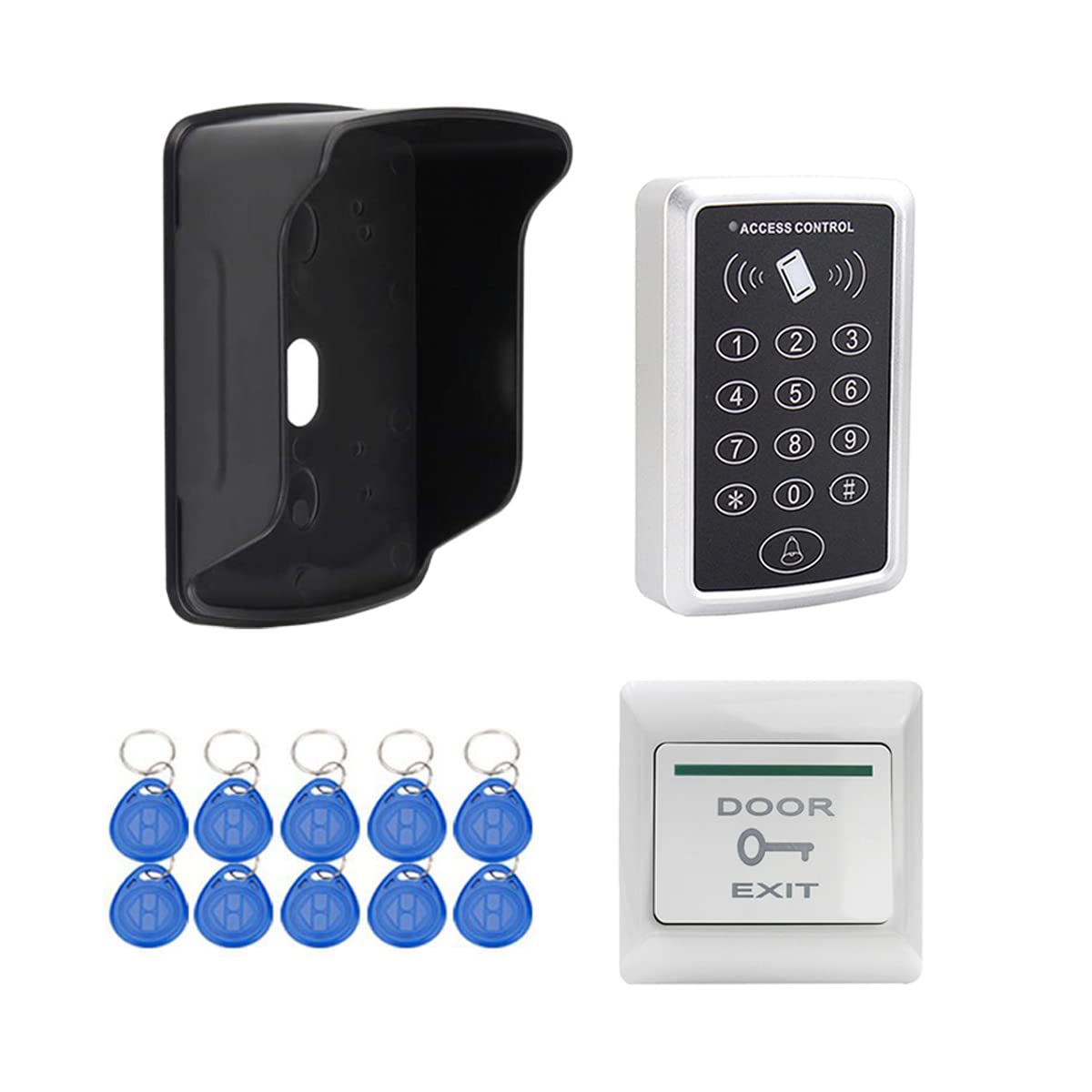
Figure 1: YAVIS RFID Access Control Keypad demonstrating three access methods: card, password, and card + password.
2. Package Contents
Verify that all items listed below are included in your package:
- 1 x RFID Access Control Keypad
- 1 x Rain Cover
- 1 x Door Exit Release Button
- 10 x EM4100 RFID Key Fobs (Blue)
- 1 x User Manual (this document)
3. Product Overview
3.1 RFID Access Control Keypad
The keypad features a robust design for secure access. It supports up to 1000 users and offers three distinct door opening modes: using an RFID card, entering a password, or a combination of both card and password.
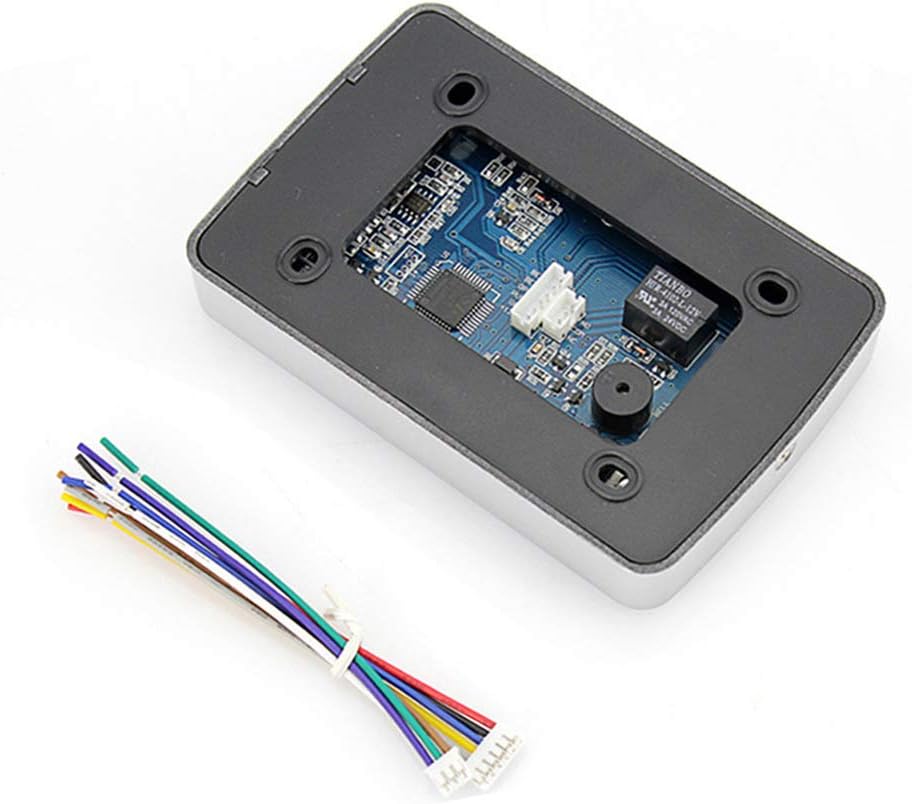
Figure 2: Dimensions of the YAVIS RFID Access Control Keypad (120mm length, 78mm width, 22mm thickness).

Figure 3: Internal circuit board of the YAVIS RFID Access Control Keypad, showing wiring terminals and electronic components.
3.2 Rain Cover
The included rain cover provides protection for the access control keypad, making it suitable for outdoor installations. It is designed to fit keypads with dimensions less than 130mm in length and 80mm in width.

Figure 4: Dimensions of the rain cover for the access control keypad. External: 150mm x 104mm x 90mm (LxWxH). Internal: 135mm x 89mm x 84mm (LxWxH).
3.3 Door Exit Release Button
This push-to-exit button provides a convenient way to unlock the door from the inside. It is made from flame-retardant ABS plastic.

Figure 5: Dimensions of the door exit button (86mm x 86mm x 8mm), showing front and rear views with wiring terminals.
3.4 RFID Key Fobs
The system includes 10 blue EM4100 RFID key fobs operating at 125 KHz. These fobs are waterproof and provide a reading distance of 3-10 cm. They are read-only type fobs.

Figure 6: Ten blue EM4100 RFID key fobs with metal keyrings, used for access control.
4. Setup and Installation
Careful installation is crucial for the proper functioning of the access control system. Ensure all power is disconnected before beginning installation.
4.1 Wiring Diagram
Refer to the following diagram for correct wiring connections. The system requires a DC 12V power supply. Connect the access controller to your electric lock (recessed or electronic) or magnetic lock, and the exit button as shown.

Figure 7: Wiring diagram for the YAVIS RFID Access Control System, illustrating connections to power, electric lock, magnetic lock, and exit button.
- Power Input: Connect to a stable DC 12V power source.
- Lock Connections: Connect to your chosen electric or magnetic lock. Ensure correct polarity.
- Exit Button: Connect the exit button to the designated terminals for door release.
- Rain Cover Installation: Mount the rain cover securely over the keypad if installing outdoors.
5. Operating Instructions
5.1 Access Modes
The system supports three methods for gaining access:
- Card Only: Present a registered RFID card to the keypad reader.
- Password Only: Enter a valid password on the keypad.
- Card + Password: Present a registered RFID card, then enter the associated password.
5.2 Programming
The YAVIS RFID Access Control System is designed for independent programming directly from the keypad. No computer connection is required. Refer to the specific programming section in the included quick start guide for detailed steps on:
- Changing the master password.
- Adding new user cards or passwords.
- Deleting existing user cards or passwords.
- Adjusting door open time.
6. Maintenance
To ensure the longevity and optimal performance of your YAVIS RFID Access Control System, follow these maintenance guidelines:
- Cleaning: Use a soft, dry cloth to clean the keypad surface. Avoid abrasive cleaners or solvents.
- Environmental Protection: If installed outdoors, regularly check the rain cover for any damage or obstructions that might compromise its protective function.
- Wiring Inspection: Periodically inspect all wiring connections for signs of wear, corrosion, or loose connections.
- Functionality Check: Test all access methods (card, password, card+password) and the exit button regularly to ensure they are working correctly.
7. Troubleshooting
If you encounter issues with your access control system, refer to the following common problems and solutions:
-
Problem: The keypad emits a continuous beeping sound immediately after power-up.
Solution: This often indicates a wiring issue or a short circuit. Double-check all power and lock connections according to the wiring diagram (Figure 7). Ensure no bare wires are touching. Disconnect and reconnect power to reset the unit after checking connections. -
Problem: RFID cards are not being read or recognized.
Solution: Ensure the cards are EM or EM compatible (not compatible with encrypted cards like HID, Cobra, APCiK). Verify the card is presented within the reading distance (10-20 cm). If the card is new, ensure it has been properly programmed into the system. -
Problem: Door does not unlock after entering a correct password or presenting a valid card.
Solution: Check the power supply to the lock. Ensure the lock itself is functioning correctly. Verify the door open time setting in the programming. Inspect the wiring between the keypad and the lock for any disconnections. -
Problem: Exit button does not release the door.
Solution: Check the wiring of the exit button to the access controller. Ensure the button itself is not faulty by testing its continuity if possible.
8. Specifications
| Feature | Specification |
|---|---|
| Brand | YAVIS |
| Model Number | B03+FSK+10K |
| Operating Voltage | DC 12V |
| Operating Current | 120 mA |
| User Capacity | 1000 users |
| Password Length | 4 digits |
| Proximity Frequency | 125 KHz |
| Compatible Cards | EM or EM compatible cards (not compatible with encrypted cards like HID, Cobra, APCiK) |
| Card Reading Distance | 10 - 20 cm |
| Keypad Dimensions (LxWxH) | 12 x 7.7 x 2.2 cm |
| Rain Cover External Dimensions (LxWxH) | 15 x 10.4 x 9 cm |
| Rain Cover Internal Dimensions (LxWxH) | 13.5 x 8.9 x 8.4 cm |
| Exit Button Dimensions | 86 x 86 x 8 mm |
| Exit Button Material | Flame-retardant ABS plastic |
| Exit Button Output Contact | NO / COM |
| RFID Key Fob Frequency | 125 KHz |
| RFID Key Fob Material | Waterproof ABS plastic |
| Recommended Use | Access management and protection for buildings or rooms. |
| Smart Home Compatibility | Not smart home compatible |
9. Warranty Information
YAVIS products are manufactured to high-quality standards. For specific warranty terms and conditions, please refer to the warranty card included with your product or contact YAVIS customer support. Keep your purchase receipt as proof of purchase for any warranty claims.
10. Support
If you require further assistance or have questions not covered in this manual, please contact YAVIS customer support through the retailer where you purchased the product or visit the official YAVIS website for contact information.