Introduction
This manual provides instructions for the Generic replacement remote control designed for use with the Britz BR-5100T Powerful 5.1ch Desktop Theater Speaker. This remote is an aftermarket replacement and may not offer all functions of the original remote. Please read this manual carefully before use.
Package Contents
- 1 x Replacement Remote Control (Batteries not included)
Setup
Installing Batteries
- Locate the battery compartment on the back of the remote control.
- Slide open the battery compartment cover.
- Insert two (2) AAA batteries, ensuring the positive (+) and negative (-) terminals align correctly with the markings inside the compartment.
- Close the battery compartment cover until it clicks securely into place.
Note: 2 AAA batteries are required for operation. Batteries are not included with this product.
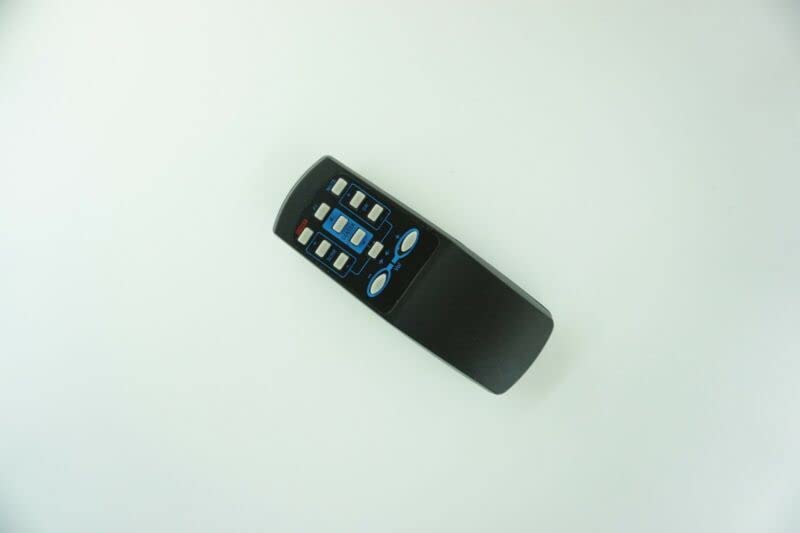
Image: Front view of the replacement remote control. It is black with various gray and blue buttons for functions like power, volume, input selection, and speaker channel adjustments.
Operating Instructions
This remote control is pre-programmed and requires no additional setup. Simply point the remote towards your Britz BR-5100T speaker system and press the desired function button.
- Power Button: Turns the speaker system on or off.
- Volume Up/Down: Adjusts the master volume level.
- Input/Source: Cycles through available audio input sources (e.g., AUX, Optical).
- Mute: Silences the audio output.
- Channel Level Adjustments: Buttons for adjusting individual speaker levels (e.g., Front, Rear, Center, Subwoofer) if supported by the speaker system.
Important Note: As this is a replacement remote, some advanced or specific functions of your original Britz BR-5100T remote may not be available or may operate differently. This is not indicative of a defective product.
Maintenance
- Battery Care:
- Remove batteries if the remote will not be used for an extended period to prevent leakage.
- Do not mix old and new batteries, or different types of batteries.
- Dispose of used batteries responsibly according to local regulations.
- Cleaning: Wipe the remote control with a soft, dry cloth. Do not use liquid cleaners or abrasive materials.
- Storage: Store the remote in a cool, dry place away from direct sunlight and extreme temperatures.
Troubleshooting
| Problem | Possible Cause | Solution |
|---|---|---|
| Remote not working. | Batteries are dead or incorrectly inserted. | Replace batteries with new AAA batteries, ensuring correct polarity. |
| Remote has limited functionality. | This is a replacement remote. | Some functions of the original remote may not be supported by this replacement. This is normal for aftermarket remotes. |
| Remote signal not reaching the speaker. | Obstruction between remote and speaker, or remote is too far. | Ensure a clear line of sight to the speaker's IR receiver. Move closer to the speaker. |
Specifications
- Product Type: Replacement Remote Control
- Compatibility: Britz BR-5100T Powerful 5.1ch Desktop Theater Speaker
- Wireless Communication: Infrared (IR)
- Power Source: 2 x AAA Batteries (not included)
- Material: ABS/Plastic
- Color: Black (or white, color may vary)
- Special Feature: Ergonomic design
Support
For further assistance or inquiries regarding this replacement remote control, please contact the seller or manufacturer directly through the platform where the purchase was made. Provide your order details and the product's ASIN (B0BZ7KJ386) for quicker support.


