
1. Introduction
Thank you for choosing the anydry AD2822 High-Speed Automatic Electric Hand Dryer. This manual provides essential information for the safe and efficient installation, operation, and maintenance of your new hand dryer. Please read these instructions thoroughly before use and retain them for future reference.
2. Safety Information
To ensure safe operation, always adhere to the following precautions:
- Electrical Safety: Ensure the power supply matches the specifications listed on the product label. Installation must be performed by a qualified electrician in accordance with local electrical codes.
- Water Exposure: Do not install the hand dryer where it may be directly exposed to water spray or submersion.
- Ventilation: Ensure adequate ventilation around the unit. Do not block air inlets or outlets.
- Children: This appliance is not intended for use by persons (including children) with reduced physical, sensory or mental capabilities, or lack of experience and knowledge, unless they have been given supervision or instruction concerning use of the appliance by a person responsible for their safety.
- Maintenance: Disconnect power before performing any maintenance or cleaning.
3. Package Contents
Please check that all components are present:
- anydry AD2822 Hand Dryer Unit
- Mounting Plate
- Installation Hardware (screws, anchors)
- Instruction Manual (this document)
4. Setup and Installation
The anydry AD2822 features an ADA compliant surface mount design and a separable mounting plate for simplified installation.
- Choose Location: Select a suitable wall location, ensuring it is away from direct water sources and has access to the required electrical wiring. The unit should be mounted at an appropriate height for users, adhering to ADA guidelines if applicable.
- Mounting Plate Installation: Separate the mounting plate from the hand dryer unit. Use the mounting plate as a template to mark drilling points on the wall. Drill holes and insert anchors if necessary. Secure the mounting plate firmly to the wall using the provided screws.
- Wiring: Connect the electrical wiring to the hand dryer unit according to local electrical codes. The separable design allows for easier wiring access. Ensure all connections are secure and insulated.
- Attach Hand Dryer: Carefully align the hand dryer unit with the mounted plate and secure it. Ensure it is properly seated and locked into place.

Image: The anydry AD2822 hand dryer securely mounted on a tiled wall, demonstrating its sleek, compact design.
5. Operating Instructions
The anydry AD2822 features hands-free operation and adjustable settings for optimal user experience.
- Automatic Activation: Once installed and powered on, the hand dryer is ready for use. Simply place your hands under the air outlet. The infrared sensor will detect your hands and automatically activate the airflow.
- Drying Process: Keep your hands under the airflow, moving them gently to ensure even drying. The powerful airflow is designed to dry hands in approximately 10-15 seconds.
- Automatic Deactivation: The unit will automatically turn off once your hands are removed from the sensor's detection area.
- Adjustable Settings: The AD2822 includes adjustable speed, sound controls, and variable heat settings. Refer to the internal controls (typically accessible after removing the cover, as per installation) for specific adjustment procedures. These settings allow customization for different environments and user preferences.
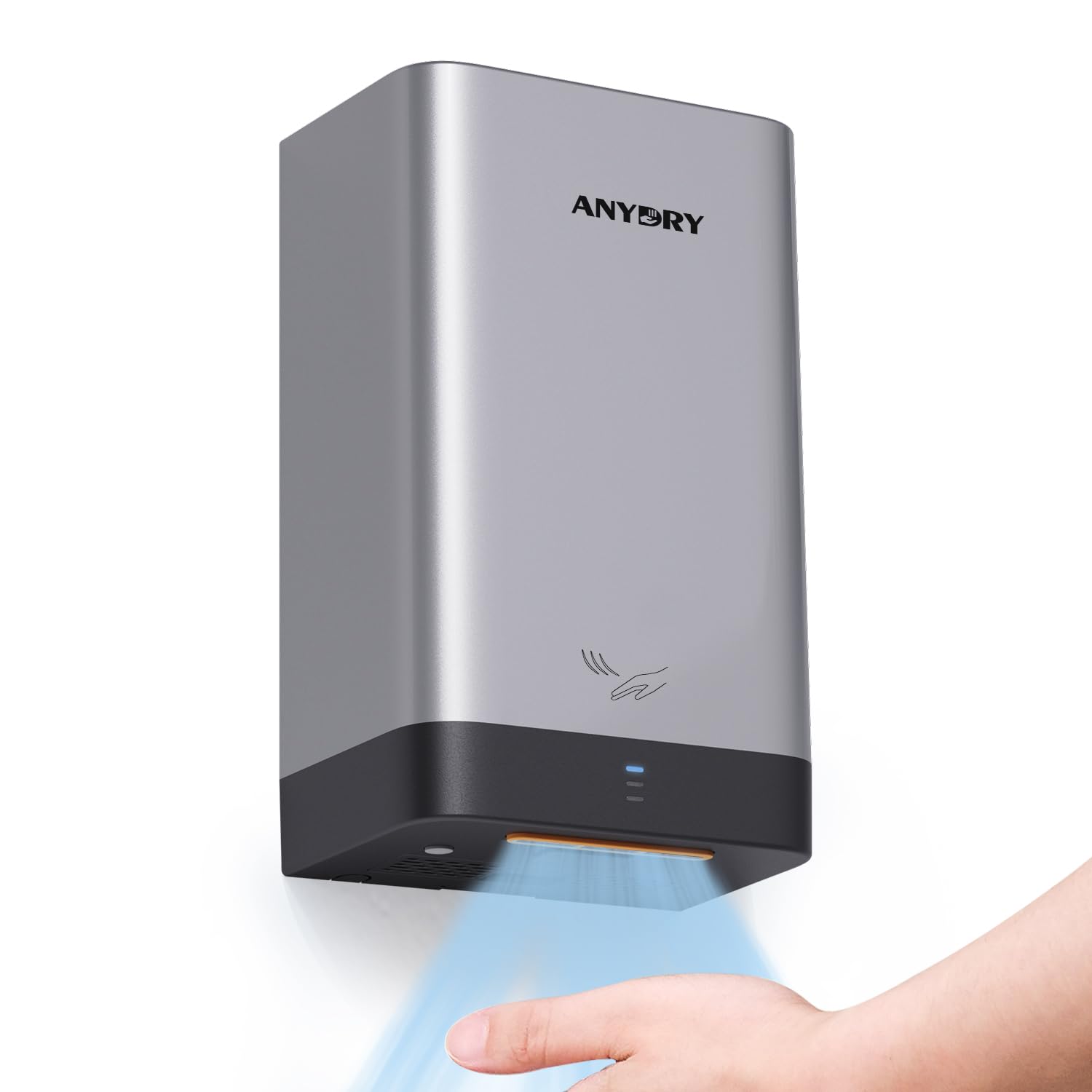
Image: A person using the anydry AD2822 hand dryer, demonstrating its hands-free operation and efficient drying.

Image: The anydry AD2822 highlighting its 'Slim Blade' design and powerful 180 MPH airflow, capable of drying hands in 10-15 seconds.
6. Maintenance
Regular maintenance ensures optimal performance and longevity of your hand dryer.
- Cleaning the Exterior: Wipe the exterior surface with a soft, damp cloth and mild detergent. Do not use abrasive cleaners or solvents.
- Pre-Filter Cleaning: The AD2822 includes a washable pre-filter. Periodically, disconnect power to the unit, open the casing (refer to installation steps for access), remove the pre-filter, and wash it under running water. Allow it to dry completely before reinserting.
- Air Outlet Cleaning: Ensure the air outlet is free from dust and debris. Use a soft brush or cloth to clean if necessary.
7. Troubleshooting
If you encounter issues with your hand dryer, refer to the following common problems and solutions:
| Problem | Possible Cause | Solution |
|---|---|---|
| Hand dryer does not activate | No power supply; Sensor obstructed or dirty; Sensor malfunction | Check power connection and circuit breaker; Clean sensor window; Contact support if issue persists. |
| Weak airflow | Blocked air inlet/outlet; Dirty pre-filter | Clear any obstructions; Clean or replace the pre-filter. |
| Unit runs continuously | Sensor malfunction; Obstruction in sensor path | Remove any objects near the sensor; Clean sensor window; Contact support. |
If the problem persists after attempting these solutions, please contact customer support.
8. Specifications
| Feature | Detail |
|---|---|
| Brand | anydry |
| Model Number | AD2822 |
| Color | Silver |
| Item Weight | 1.99 Kilograms |
| Package Dimensions | 28.6 x 20.9 x 16.4 cm |
| Drying Time | 10-15 seconds |
| Features | ADA compliant surface mount, Washable pre-filter, Adjustable speed/sound/heat, Hands-free operation |
| Manufacturer | Hangzhou Aiyouwei Appliances Co Ltd |
9. Warranty and Support
The anydry AD2822 Hand Dryer comes with a 2-year manufacturer's warranty.
For warranty claims, technical support, or any inquiries, please contact our support team. You can reach us by sending a message via the Amazon platform or by emailing our dedicated support address.