
waitloan NUC12WSHi7
Intel NUC 12 Pro Business Mini Desktop User Manual
Model: NUC12WSHi7 | Brand: waitloan
Introduction
The Intel NUC 12 Pro Business Mini Desktop is a compact and powerful computing solution designed for a wide range of applications, from office productivity and retail operations to customer service and manufacturing environments. Equipped with a 12th generation Intel Core i7-1260P processor, this mini PC offers robust performance with efficient power consumption, ensuring stable and quiet operation for extended periods.
Its small form factor, combined with extensive connectivity options and advanced features like 8K HDR support and Wi-Fi 6E, makes it a versatile choice for modern business and home office needs. This manual provides essential information for setting up, operating, maintaining, and troubleshooting your Intel NUC 12 Pro.
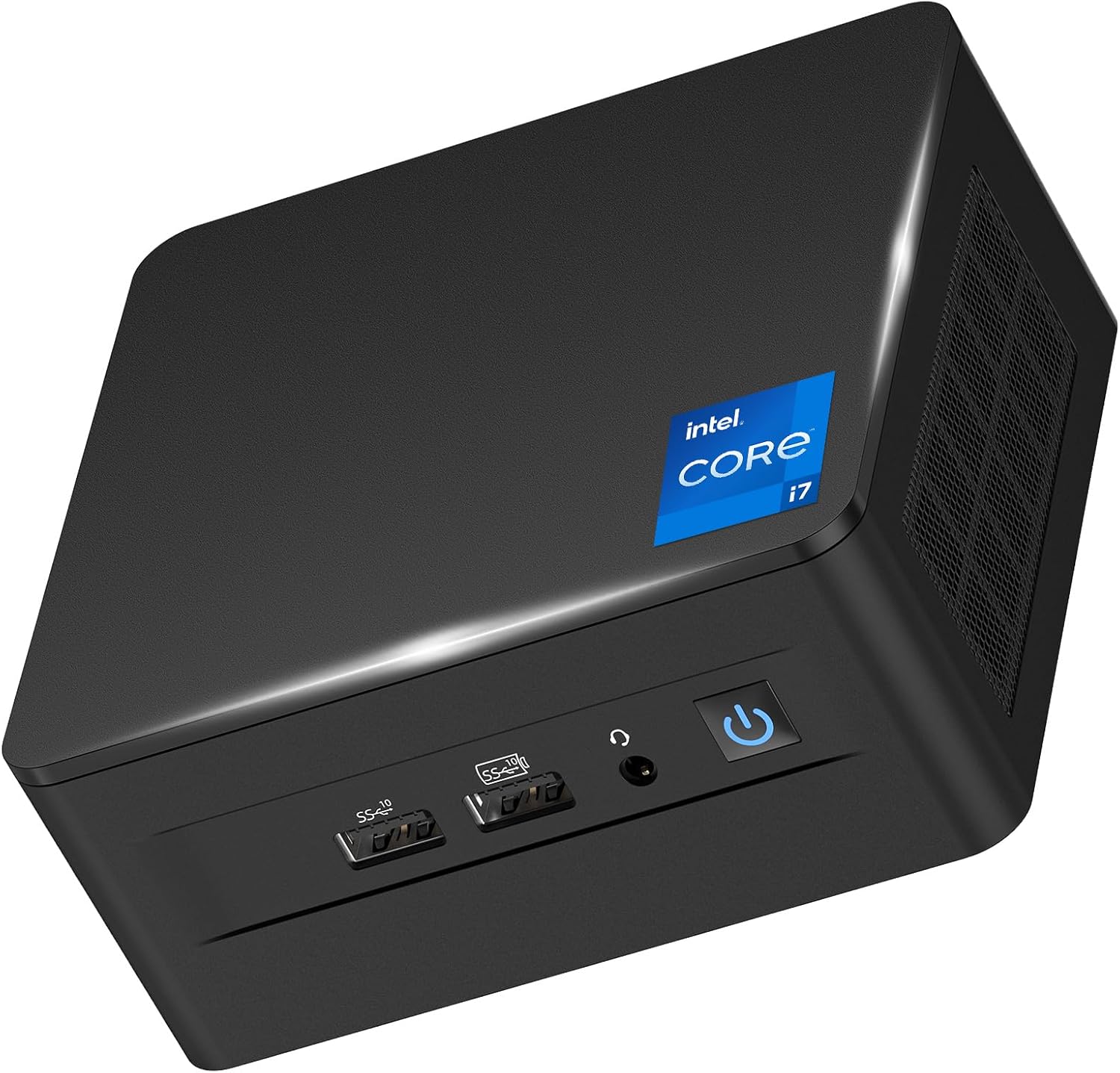
Figure 1: Front view of the Intel NUC 12 Pro Business Mini Desktop, showcasing its compact design and front ports.
What's in the Box
Upon unboxing your Intel NUC 12 Pro, please verify that all the following components are included:
- Intel Nuc 12 I7 Mini Pc X 1
- Power Supply X 1
- Box X 1
- VESA Mounting Plate X 1
- HDMI Cable X 1
- Screw X 8
- User Manual X 3 (Note: This digital manual serves as one of the user manuals.)
Setup Guide
Follow these steps to set up your Intel NUC 12 Pro Mini Desktop:
- Power Connection: Connect the provided power supply to the DC input port on the mini PC and then to a power outlet.
- Display Connection: Use the included HDMI cable to connect your monitor to one of the HDMI 2.0 ports on the mini PC. For higher resolutions or multiple displays, utilize the Thunderbolt 4 ports or additional HDMI ports. The device supports one 8K display or up to four 4K displays simultaneously.
- Peripheral Connection: Connect your keyboard and mouse to the available USB 3.2 Gen 2 Type-A ports. For wireless peripherals, utilize the integrated Bluetooth 5.3.
- Network Connection: For wired internet access, connect an Ethernet cable to the 2.5 Gigabit Ethernet port. For wireless connectivity, the device supports Wi-Fi 6E across 2.4GHz, 5GHz, and 6GHz frequency bands.
- Initial Boot-up: Press the power button on the front of the unit. The system will initiate the Windows 11 Pro operating system setup. Follow the on-screen prompts to complete the initial configuration.
- VESA Mounting (Optional): The included VESA mounting bracket allows you to mount the mini PC behind a compatible monitor or on a wall, saving desk space and providing a cleaner setup.

Figure 2: Detailed view of the Intel NUC 12 Pro's rich interface, including USB, HDMI, Thunderbolt, and Ethernet ports.
Operating Your Mini PC
The Intel NUC 12 Pro is engineered for high performance and efficiency across various tasks.
Processor and Performance
At its core, the mini PC features the 12th generation Intel Core i7-1260P processor, boasting 12 cores (4 Performance-cores + 8 Efficient-cores) and 16 threads, with a maximum clock speed of 4.7 GHz and an 18MB L3 cache. This configuration provides robust processing power for demanding applications, multitasking, and efficient handling of complex computations.
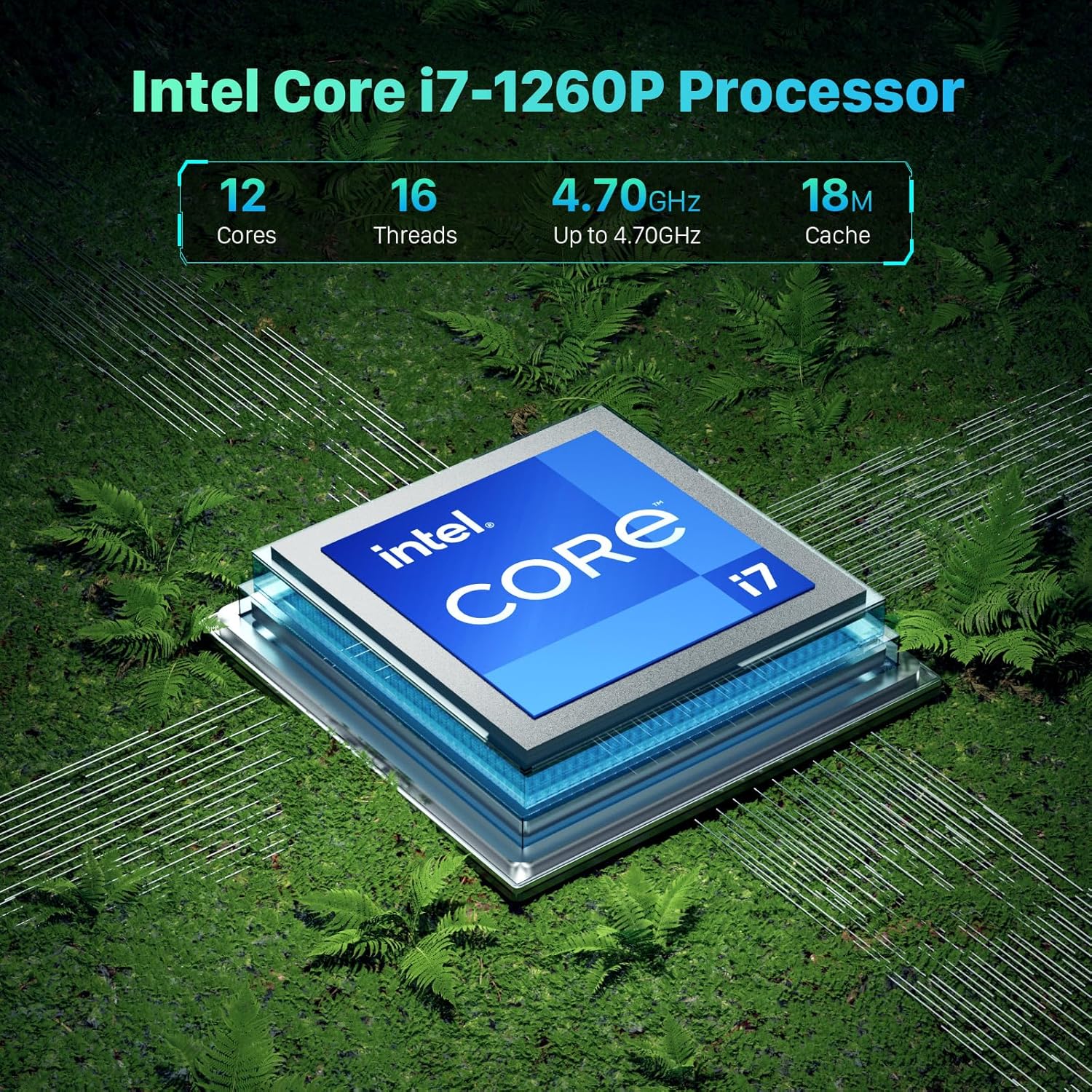
Figure 3: Visual representation of the Intel Core i7-1260P processor's key specifications, including core count, threads, and clock speed.
Memory and Storage
The system comes equipped with 32GB of Dual Channel DDR4-3200 SODIMM RAM, expandable up to 64GB, ensuring smooth operation even with multiple applications running simultaneously. For storage, it includes a 1TB PCIe 4.0 NVMe SSD, offering high-speed data access. The device also supports an additional 2.5-inch PCIe Gen4 SSD or SATA HDD for further storage expansion (not included).
Graphics and Display
Integrated Intel Iris Xe Graphics provide excellent visual performance, capable of handling 3D rendering, video editing, and high-resolution media playback. The mini PC supports advanced display configurations, including one 8K HDR display or up to four 4K HDR displays, offering an immersive visual experience for professional and entertainment purposes.

Figure 4: Illustration of the Intel NUC 12 Pro's capability to support 8K HDR displays for an immersive visual experience.
Connectivity
Experience seamless connectivity with the latest technologies:
- Wi-Fi 6E: Features three frequency bands (2.4G, 5G, 6G) for faster speeds, lower latency, and stronger bandwidth, ensuring reliable wireless internet access.
- Bluetooth 5.3: Provides a longer and more stable transmission distance for connecting wireless peripherals with minimal latency.
- 2.5 Gigabit Ethernet: Offers superior wired network speeds for rapid data transfer and smooth online experiences.
- Ports: Includes 4x USB 3.2 Gen 2 Type-A, 2x HDMI 2.0, 2x Thunderbolt 4 ports, DC input, and a 3.5mm headphone/mic jack, providing extensive options for connecting various devices.

Figure 5: Depiction of the Intel NUC 12 Pro's advanced wireless capabilities, including Wi-Fi 6E and Bluetooth 5.3.
Applications and Use Cases
The Intel NUC 12 Pro is designed to excel in diverse professional environments. The following video demonstrates its versatility in various settings:
Video 1: "Intel Nuc 12 Pro Advantages" - This video illustrates the mini PC's suitability for various professional applications, including office work, retail management, customer service, manufacturing control, collaborative environments, secure operations, and remote management.
Maintenance
To ensure the longevity and optimal performance of your Intel NUC 12 Pro, regular maintenance is recommended:
- Dust Removal: Periodically clean the exterior of the mini PC with a soft, dry cloth. Ensure ventilation grilles are free from dust accumulation to maintain efficient airflow.
- Software Updates: Keep your Windows 11 Pro operating system and drivers updated to the latest versions. This ensures system stability, security, and optimal performance.
- Heat Dissipation: The Intel NUC 12 Pro features powerful heat dissipation mechanisms designed for 7x24 hours of quiet operation. Ensure the device is placed in a well-ventilated area and that its vents are not obstructed.

Figure 6: Visual representation of the powerful heat dissipation capabilities of the Intel NUC 12 Pro, ensuring stable and quiet operation.
Troubleshooting
This section addresses common issues you might encounter with your Intel NUC 12 Pro. For more complex problems, please refer to the support section.
- No Power/No Display:
- Ensure the power adapter is securely connected to both the mini PC and a working power outlet.
- Verify that the HDMI or Thunderbolt cable is firmly connected to both the mini PC and the monitor.
- Test with a different monitor or cable if possible.
- Peripheral Not Detected (Keyboard/Mouse/USB Devices):
- Try connecting the peripheral to a different USB port.
- Ensure drivers for the peripheral are installed and up to date.
- For Bluetooth devices, ensure Bluetooth is enabled in Windows settings and the device is properly paired.
- Network Connectivity Issues:
- For wired connections, check the Ethernet cable and router/modem status.
- For Wi-Fi, ensure you are connected to the correct network and the Wi-Fi adapter is enabled. Restart your router/modem.
- Windows 11 Upgrade Issues: Some users have reported difficulties with Windows 11 upgrades, particularly related to system partition locking. If you encounter such issues, it may require advanced troubleshooting or a clean installation of Windows 11 on a new drive.
- USB-C/Thunderbolt Port Malfunctions: In rare cases, some users have experienced issues with USB-C or Thunderbolt ports not functioning correctly. Ensure all drivers are updated. If the problem persists, contact support.
Specifications
| Feature | Detail |
|---|---|
| Brand | waitloan |
| Model Number | NUC12WSHi7 |
| Processor | Intel Core i7-1260P (12C/16T, Up to 4.7GHz, 18MB L3 Cache) |
| RAM | 32 GB DDR4-3200 SODIMMs (Supports up to 64GB) |
| Hard Drive | 1 TB PCIe 4.0 NVMe SSD (Supports 2.5" PCIe Gen4 SSD or SATA HDD) |
| Graphics Coprocessor | Intel Iris Xe Graphics |
| Max Screen Resolution | 7680 x 4320 Pixels (8K) |
| Operating System | Windows 11 Pro |
| Wireless Type | Wi-Fi 6E (2.4 GHz, 5 GHz, 6 GHz), Bluetooth 5.3 |
| USB Ports | 4 x USB 3.2 Gen 2 Type-A |
| Video Output Ports | 2 x HDMI 2.0, 2 x Thunderbolt 4 |
| Ethernet | 2500MB Gigabit Ethernet |
| Audio Jack | 3.5mm Headphone/Mic Jack |
| Item Weight | 3.98 pounds |
| Package Dimensions | 8.35 x 7.48 x 6.06 inches |
Warranty and Support
waitloan is committed to providing comprehensive support for your Intel NUC 12 Pro Business Mini Desktop:
- Product Support: All products from the waitloan store are provided with dedicated product support.
- Warranty Period: Enjoy a 3-year product support period.
- Return and Exchange: Benefit from 2 years of unconditional return and exchange for any reason.
- User Support: Lifetime worry-free user support is available for all your inquiries.
If you have any product concerns or require assistance, please do not hesitate to contact the waitloan support team. They aim to reply and resolve issues within 1 hour.
Contact Information:
- Email: waitloan@gmail.com
- Amazon Support: Go to "Your Account" → "Your Orders" → "Ask Product Question" for direct assistance.
Additionally, ASUS NUC products may also support contacting product support on the ASUS homepage for resolution, providing dual after-sales protection.