
1. Introduction
The MAXDONE Trail Camera is a high-performance, waterproof device designed for capturing wildlife, monitoring property, and supporting hunting activities. Featuring advanced imaging capabilities, Wi-Fi connectivity, and robust construction, it provides reliable surveillance in various outdoor environments.
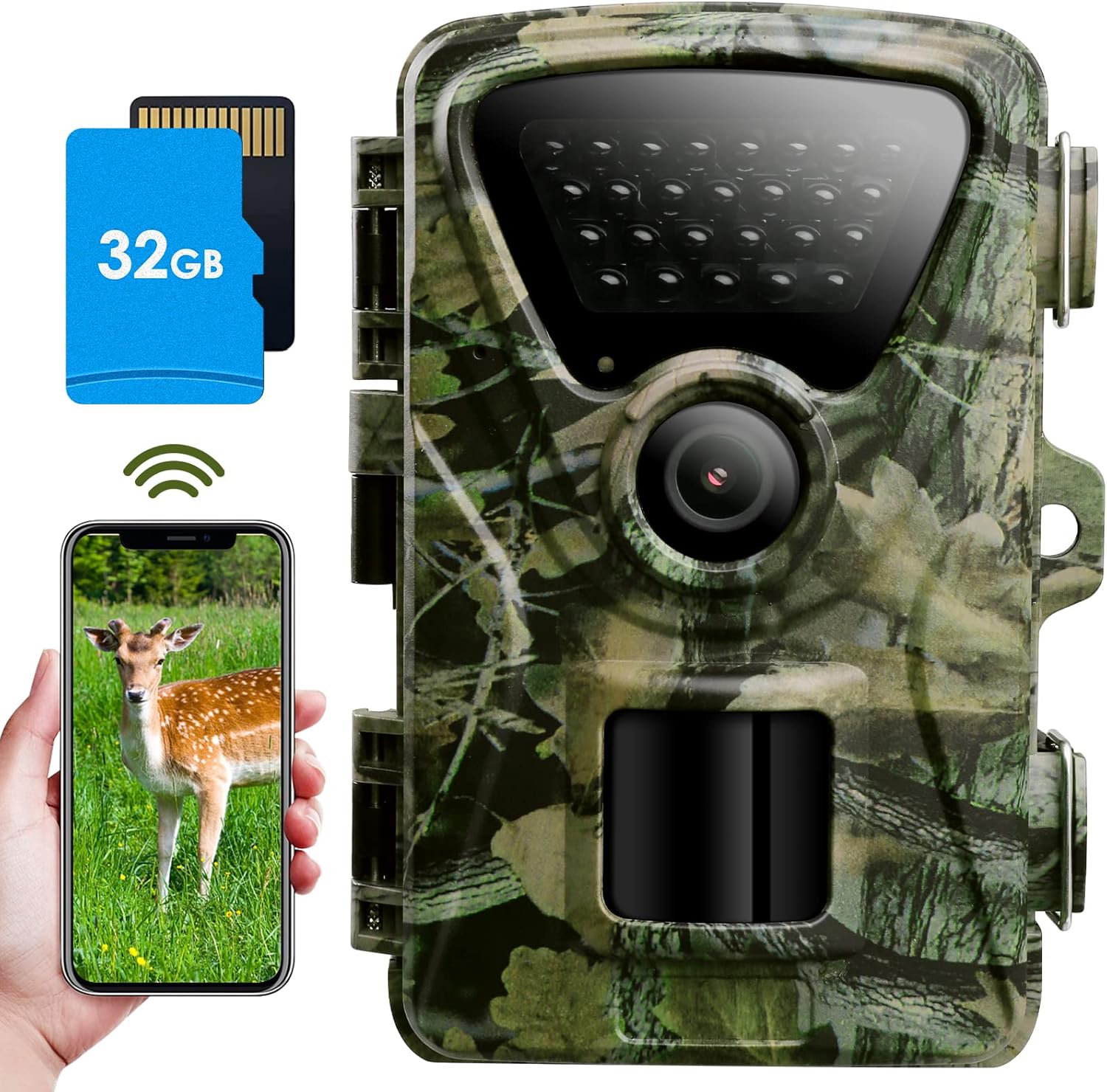
Figure 1: MAXDONE Trail Camera with included 32GB SD card and mobile app interface.
2. What's in the Box
Verify that all items are present in your package:
- 1 x MAXDONE WiFi Trail Camera (Model PH820W)
- 1 x User Manual
- 1 x Built-in 32GB SD Card
- 1 x Metal Mount & Stand Support
- 1 x Installation Belt
- 3 x Rubber Stoppers
- 3 x Screws

Figure 2: All components included in the MAXDONE Trail Camera package.
3. Setup Guide
3.1. Powering the Camera
The PH820W camera requires eight (8) 1.5V AA Alkaline or Lithium batteries for operation. Ensure batteries are inserted with correct polarity.
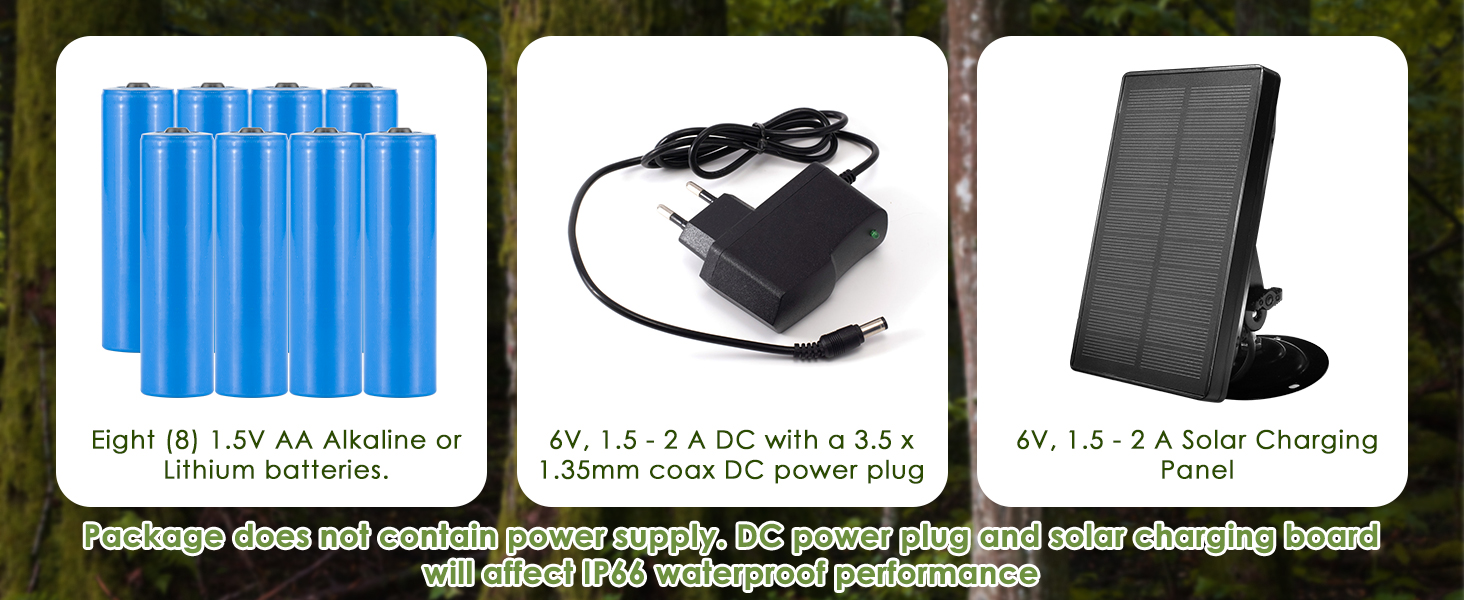
Figure 3: Battery compartment and external power port (6V, 1.5-2A DC).
3.2. Inserting the SD Card
Insert the included 32GB Micro SD card into the designated slot. The camera supports Micro SD cards up to 256GB. It is recommended to format the SD card via the camera's menu or the app before first use to ensure compatibility and optimal performance.

Figure 4: Internal view of the camera with SD card slot and control panel.
3.3. App Download & Connection
Download the free 'TrailCam GO' app to your smartphone for remote control and media viewing. Scan the QR codes below or search for 'TrailCam GO' in your app store:

Once the app is installed, turn the camera's mode switch to 'ON' to enable Wi-Fi and Bluetooth. Follow the in-app instructions to connect your smartphone to the camera's Wi-Fi network. This allows you to view photos and videos without removing the SD card.

Figure 6: Wi-Fi and Bluetooth connectivity for remote access via the app.
4. Operating Instructions
4.1. Photo and Video Quality
The camera captures 32MP still images and 1440P video at 30 frames per second (fps). The advanced H.264 video encoding technology ensures high-quality MP4 video files that can be directly uploaded to social media without conversion.

Figure 7: Comparison of 32MP photo resolution.
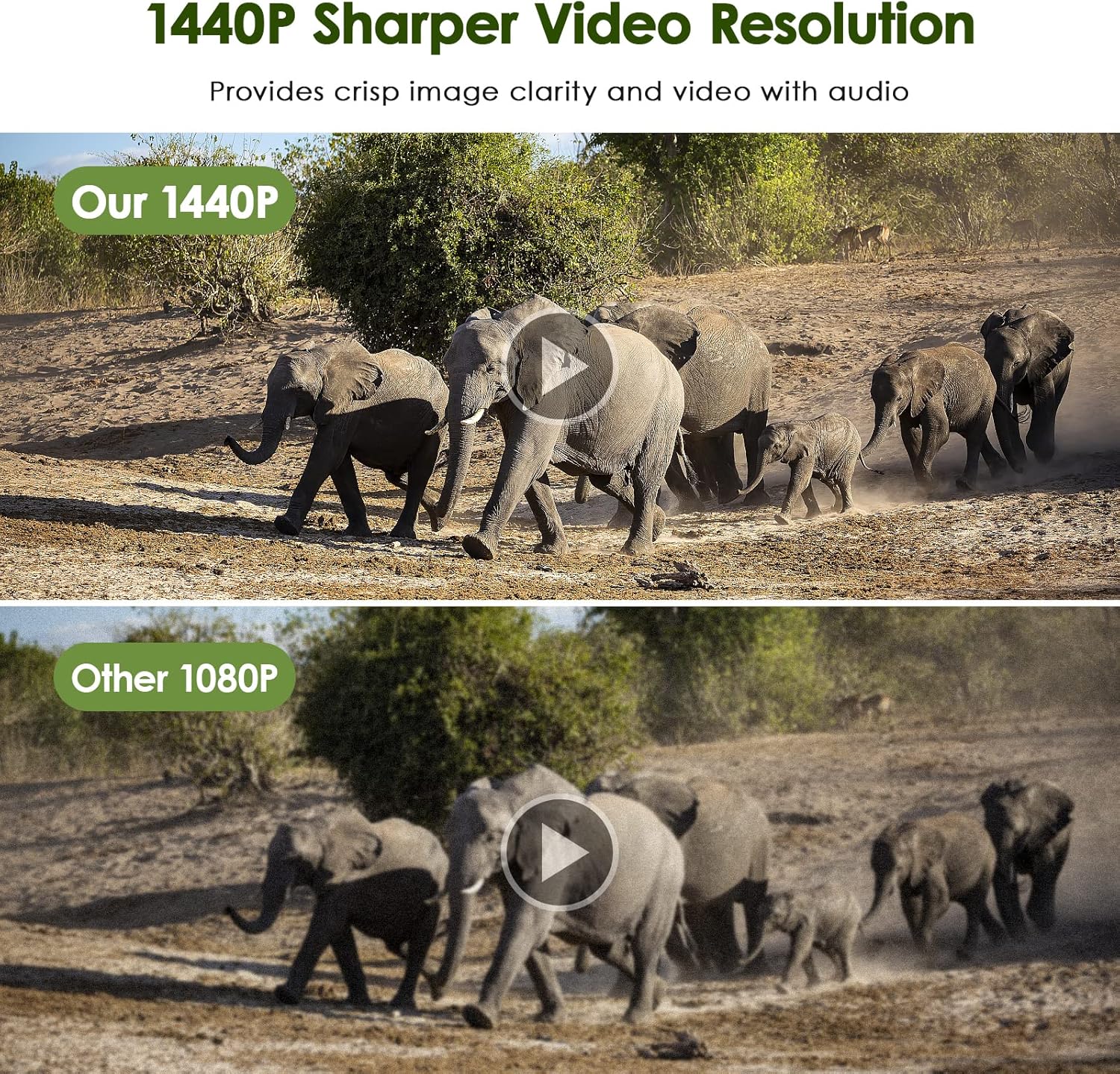
Figure 8: Comparison of 1440P video resolution.
4.2. Motion Detection & Trigger Speed
The camera features an ultra-fast 0.2-second trigger speed and a wide 100° detection area, ensuring you capture every moment. The smart motion filter function helps reduce false triggers, optimizing battery life and storage.
Figure 9: Ultra-fast trigger speed and wide-angle detection.

Figure 10: Smart Motion Filter Function in the 'TrailCam GO' app.
4.3. Night Vision
Equipped with enhanced 940nm no-glow infrared technology, the camera remains discreet while delivering brilliant night vision up to 65ft. Adaptive illumination technology prevents overexposure or over-dimming.

Figure 11: Excellent night shooting capabilities.
4.4. Viewing Captured Media
You can view and download pictures and videos directly through the 'TrailCam GO' mobile app. Alternatively, connect the camera to a computer via the included USB cable or use a card reader to access content from the SD card.
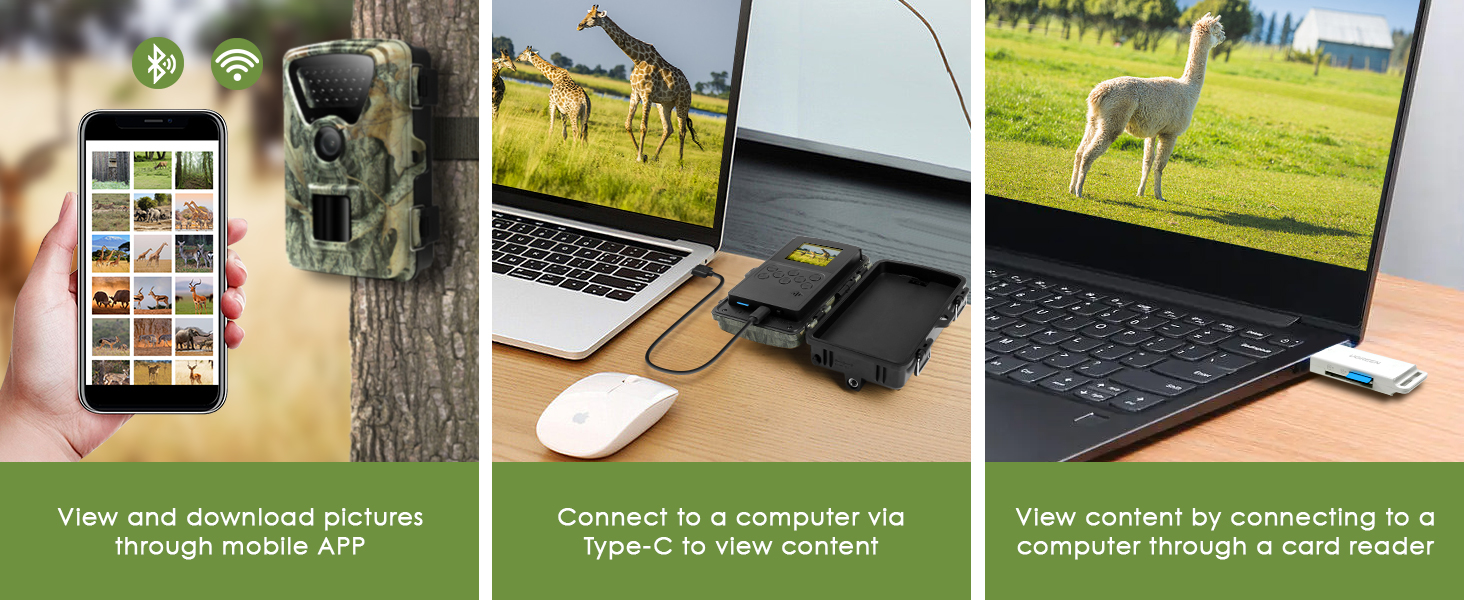
Figure 12: Multiple options for viewing and downloading media.
4.5. Camera Location Tracking
The 'TrailCam GO' app allows you to mark the camera's location on a map, providing precise positioning and navigation to the camera's site. This feature is especially useful for managing multiple cameras in large areas.

Figure 13: 'MAP' feature for finding and managing camera positions.
5. Maintenance
5.1. Waterproof Performance
The camera features an IP66 waterproof rating, ensuring it can withstand rain, snow, and dust. The durable housing design makes it a reliable choice for outdoor use. Avoid prolonged submersion in water.

Figure 14: IP66 Waterproof Performance.
5.2. Battery Care
For optimal performance, use high-quality 1.5V AA Alkaline or Lithium batteries. Replace all batteries simultaneously and avoid mixing old and new batteries or different battery types. Remove batteries if the camera will not be used for an extended period.
5.3. SD Card Management
Regularly format the SD card to ensure proper function and clear storage. Back up important media files before formatting.
6. Troubleshooting
If you encounter issues with your MAXDONE Trail Camera, please refer to the following common solutions:
- Camera not turning on: Check battery installation and ensure batteries are fully charged.
- App connection issues: Ensure the camera's mode switch is set to 'ON' and your smartphone is within Wi-Fi/Bluetooth range. Restart both the camera and the app.
- Poor image/video quality: Ensure the lens is clean and free from obstructions. Check settings in the app to confirm desired resolution.
- False triggers: Adjust motion detection sensitivity and detection zone settings in the app to minimize unwanted recordings.
- SD card errors: Format the SD card through the camera's menu or the app. If issues persist, try a different SD card.
For further assistance, please contact customer support.
7. Specifications
| Feature | Specification |
|---|---|
| Still Image Resolution | 32MP |
| Video Resolution | 1440P @ 30fps |
| Night Vision Range | 65 Feet (940nm No Glow IR) |
| Trigger Speed | 0.2 seconds |
| Viewing Angle | 100 Degrees |
| Waterproof Rating | IP66 |
| Connectivity | Wi-Fi, Bluetooth |
| Storage | Micro SD (up to 256GB) |
| Power Source | 8 x 1.5V AA Batteries, 6V DC External Power |
| Item Weight | 1.23 pounds |
| Item Dimensions (L x W x H) | 1 x 1 x 1 inches |
8. Warranty & Support
The MAXDONE Trail Camera comes with a 1-year warranty. For any product issues, technical support, or warranty claims, please contact our customer service team:
Email: support@viptrailcam.com
Please provide your order ID or invoice when contacting support for faster service.