
Introduction
This manual provides detailed instructions for the installation, operation, and maintenance of your ChangM Smart Recessed Lighting 6 Inch RGBCW LED Downlights. These smart downlights offer 16 million colors, adjustable color temperature (2700K-6000K), and smart control features via the BRmesh app and Alexa voice commands. Please read this manual thoroughly before use to ensure proper function and safety.
Safety Information
- Always turn off power at the circuit breaker before installing, removing, or servicing the fixture.
- Consult a qualified electrician if you are unsure about the installation process.
- Ensure all electrical connections comply with local codes and ordinances.
- Do not use with standard dimmer switches. These smart lights are dimmable via the app or voice control only.
- This product is designed for indoor use.

Image: Illustration showing that physical dimmer switches are incompatible with the smart recessed lighting.
Package Contents
Verify that all components are present before beginning installation:
- 4 x 6-Inch RGBCW Smart LED Downlights
- 4 x Junction Boxes
- 1 x User Manual (this document)
- 1 x Hole Template

Image: Contents of the 4-pack, including downlights, junction boxes, and a smartphone displaying the control app.
Product Features
- Smart Voice Control: Compatible with Alexa for hands-free operation.
- RGBCW LED Downlight: Offers 16 million static RGB colors and adjustable color temperature from 2700K (warm white) to 6000K (cool white).
- APP Control: Manage lights via the "BRmesh" app on your smartphone (Bluetooth connection, no internet required for basic control).
- BT Mesh Technology: Utilizes Bluetooth 5.0 for stable connections and control of up to 125 lights without router bandwidth.
- Dimmable: Smooth 1%-100% brightness adjustment.
- DIY Scenes & Music Sync: Create custom lighting scenes and synchronize lights with music.
- Timer & Schedule: Automate light operation for convenience.
- Easy Installation: Designed for simple and safe installation in various settings.

Image: Visual summary of the smart downlight's key features.
Setup & Installation
1. Physical Installation
Follow these steps for safe and proper physical installation:
- Turn off Power: Ensure the power to the installation area is completely off at the circuit breaker.
- Cut Hole: Use the provided hole template to cut a 5.7-6.2 inch diameter hole in the ceiling.
- Prepare Junction Box: Open the appropriate knockout on the junction box. For type A boxes, you can press the iron sheet directly. For type B boxes, use a slotted screwdriver or vice to pry it open.
- Connect Wires: Connect the household electrical wires (live, neutral, ground) to the corresponding wires in the junction box. Secure connections according to electrical codes.
- Connect Downlight: Plug the downlight's connector into the junction box connector.
- Insert Junction Box: Place the junction box into the ceiling hole.
- Install Downlight: Push the spring clips on the downlight upwards and insert the downlight into the ceiling hole. Release the clips to secure the light.

Image: Step-by-step visual guide for recessed light installation.
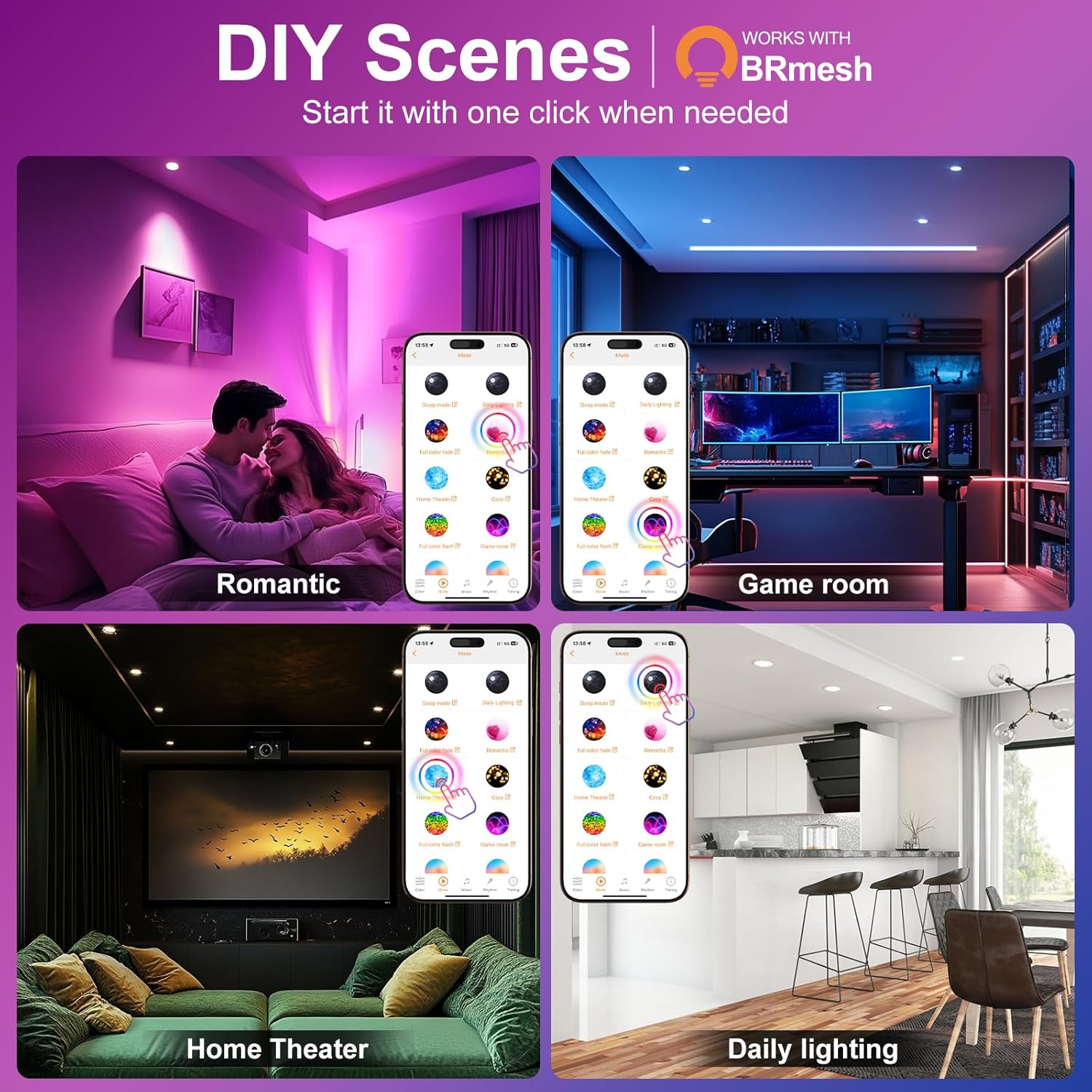
Image: Detailed dimensions and technical features of the downlight and junction box.
Video: This video demonstrates the process of preparing the junction box, highlighting that different versions of junction boxes may be included and how to open them.
2. App Installation and Connection
To control your lights via smartphone:
- Download App: Search for and download the "BRmesh" app from your device's app store.
- Enable Bluetooth: Ensure Bluetooth is enabled on your mobile phone.
- Add Device: Open the BRmesh app, navigate to the home page, and click to add a new device. The app will automatically connect to nearby ChangM smart lights. No registration or internet connection is required for initial setup and basic control.

Image: The BRmesh app interface for controlling the smart lights.
3. Alexa Voice Control Integration
To enable voice control with Alexa:
- Power On Lights: Ensure your ChangM smart lights are powered on.
- Alexa Discovery: Say "Alexa, find devices" to your Alexa-enabled speaker. The lights will be discovered and added to your Alexa app.
- Control: You can now use voice commands to turn lights on/off, change colors, and adjust brightness.
Note: These lights are not compatible with Google Home, HomeKit, HomePod, or Matter, and do not support any physical dimmer switches.

Image: Example of using Alexa voice control to manage smart lighting.
Video: This video demonstrates Alexa voice control for turning lights on and off, and adjusting brightness and color.
Operating Instructions
1. App Control (BRmesh App)
The BRmesh app provides comprehensive control over your smart lights:
- Color Changing: Select from 16 million RGB colors or adjust the white light temperature between 2700K and 6000K.
- Dimming: Adjust brightness from 1% to 100%.
- DIY Scenes: Create and save custom lighting scenes for different moods or activities (e.g., "Romantic," "Game Room," "Home Theater," "Daily Lighting").
- Music Sync: Synchronize your lights with music playing on your phone.
- Group Control: Group multiple lights together to control them simultaneously.
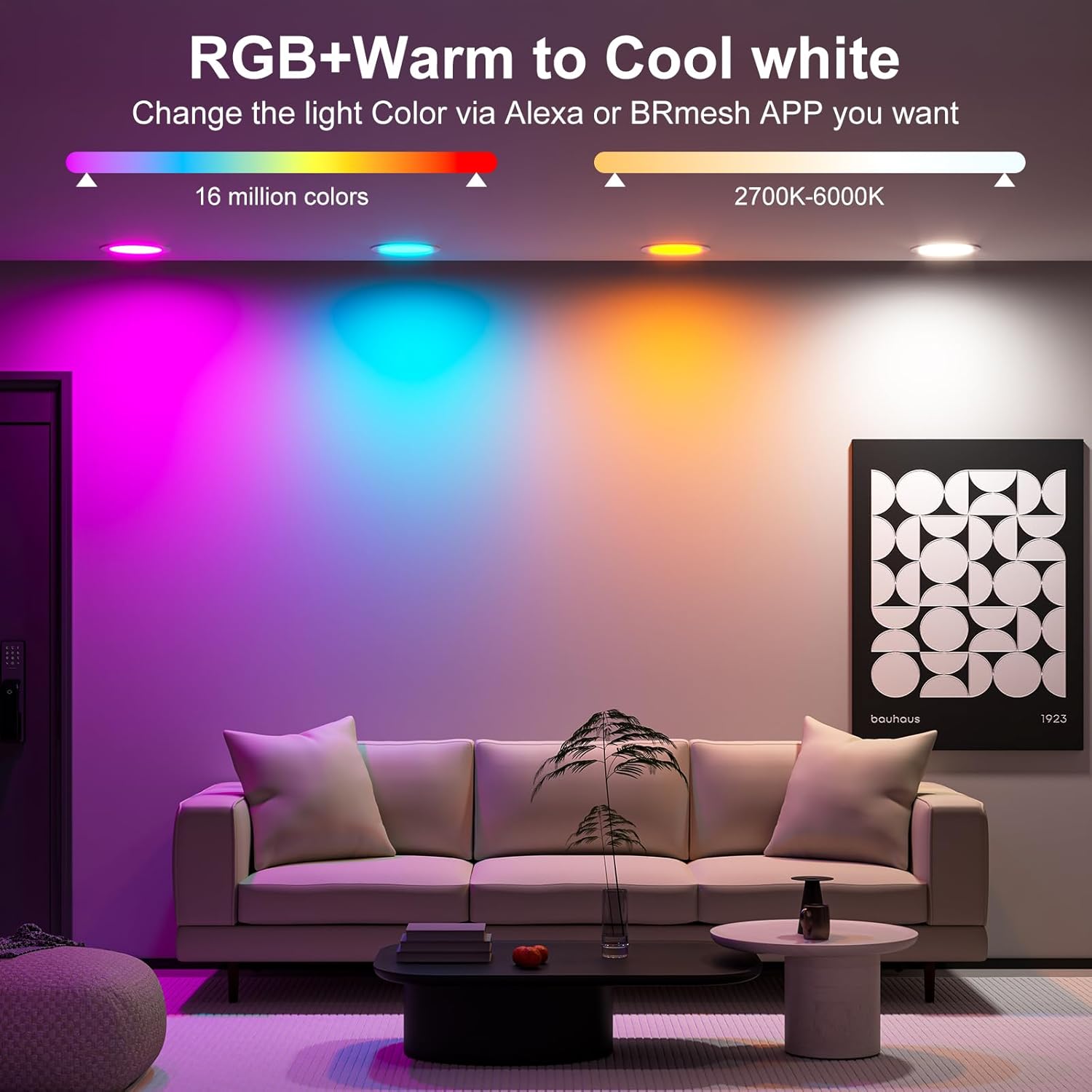
Image: Demonstrates the range of RGB and CCT options available through the app.
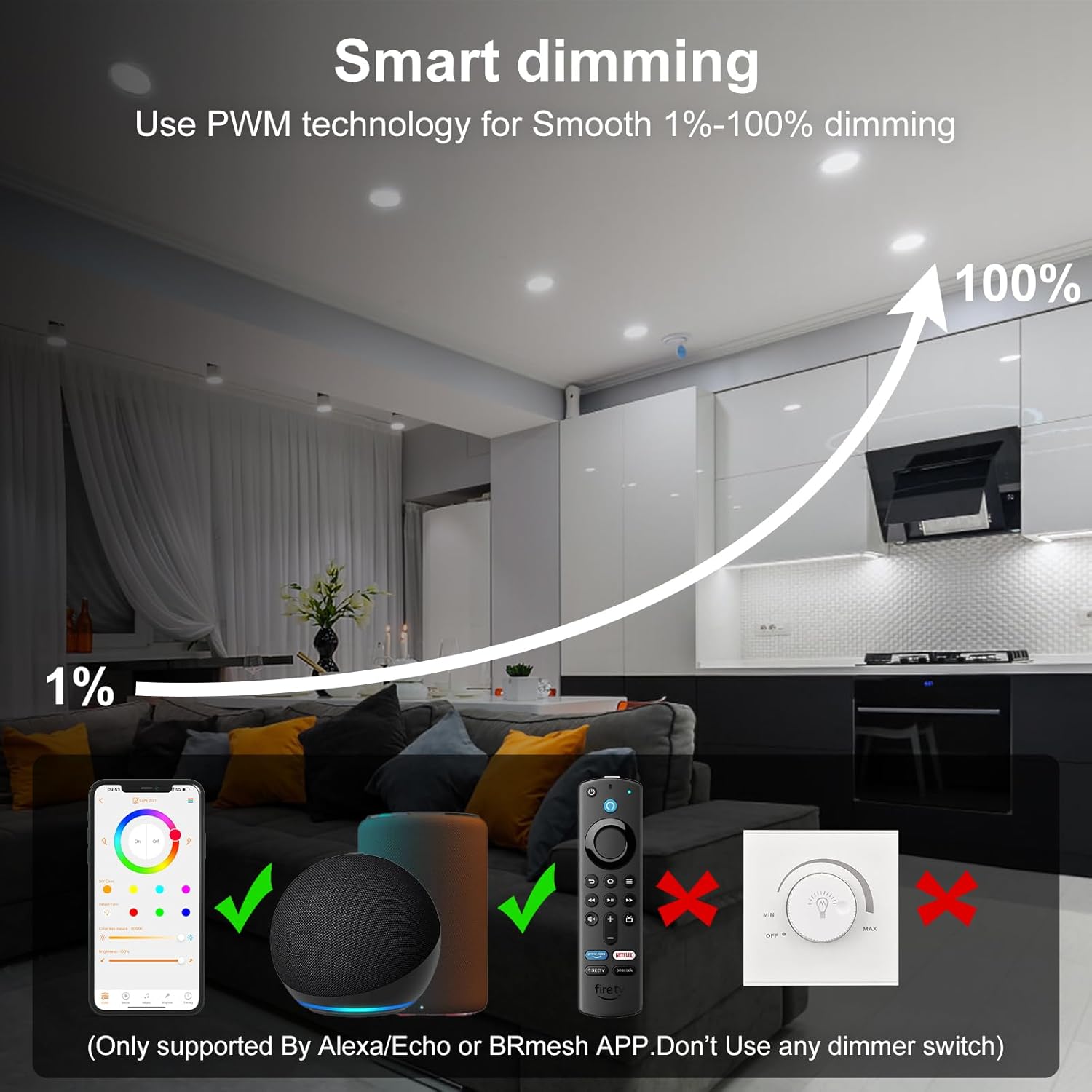
Image: Visual representation of the 1-100% smooth dimming feature.

Image: Examples of customizable DIY lighting scenes.

Image: Guide to setting up group control for multiple lights.
Video: This video demonstrates the color-changing capabilities of the RGBCW smart recessed lighting.
2. Timer & Schedule Setting
Set schedules for your lights to turn on or off automatically:
- Open the BRmesh app and navigate to the "Timing" section.
- Set desired on/off times for individual lights or groups.
- Customize schedules for daily routines, such as waking up or going to sleep.
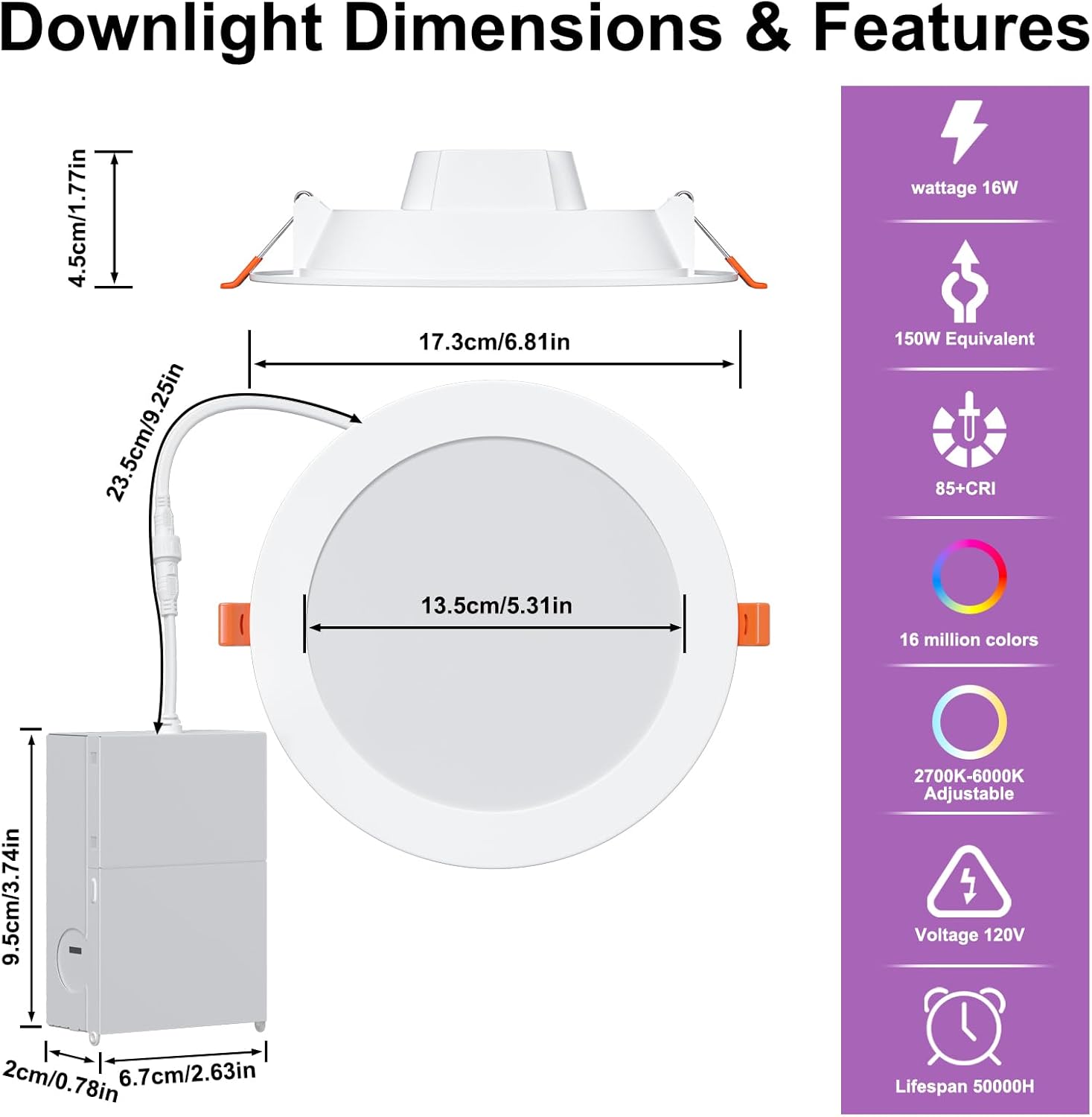
Image: The app interface for setting timers and schedules.

Image: Visualizing the timer function for daily routines.
Maintenance
To ensure the longevity and optimal performance of your ChangM Smart Recessed Lights:
- Cleaning: Gently wipe the surface of the downlight with a soft, dry cloth. Do not use abrasive cleaners or solvents.
- Power Off: Always turn off the power before cleaning or performing any maintenance.
- Inspection: Periodically check for any loose connections or damage. If any issues are found, consult a qualified electrician.
Troubleshooting
If you encounter issues with your ChangM Smart Recessed Lights, refer to the following common problems and solutions:
| Problem | Possible Cause | Solution |
|---|---|---|
| Light does not turn on. | No power, loose connection, faulty light. | Check circuit breaker. Ensure all wiring connections are secure. Test with a known working light if possible. |
| Cannot connect to BRmesh app. | Bluetooth off, light not powered, app issue. | Ensure Bluetooth is enabled on your phone. Confirm lights are powered on. Restart the app or your phone. |
| Alexa cannot discover lights. | Lights not in discovery mode, Alexa device issue. | Ensure lights are powered on. Say "Alexa, find devices" clearly. Check Alexa app for device status. |
| Lights lose settings (color, brightness) when turned off by a physical switch. | Expected behavior for some smart lights. | This is a common characteristic. To retain settings, always turn lights on/off via the app or Alexa. Physical switches cut power, resetting the light to its default state (usually bright white). |
| Colors appear dim or inaccurate. | Brightness setting too low, specific color limitations. | Increase brightness in the app. Some colors may naturally appear less bright than pure white light. |
Specifications
| Feature | Detail |
|---|---|
| Brand | ChangM |
| Model Name | TD3C002 |
| Light Type | LED |
| Wattage | 16 Watts |
| Brightness | 1350 Lumens (White) |
| Color Temperature | 2700K - 6000K |
| Color Options | 16 Million RGB Colors |
| Dimmability | 1% - 100% Smooth Dimmable (App/Voice Control) |
| Control Method | App (BRmesh), Voice (Alexa) |
| Connectivity | Bluetooth 5.0 Mesh Technology |
| Voltage | 100-120 Volts, 50 Hertz |
| Product Dimensions | 6.25"W x 1.57"H |
| Ceiling Cutout | 5.7 - 6.2 inches |
| Average Life | 25000 Hours |
| Material | Aluminum, Plastic |
| Certifications | CE, CSA, FCC, RoHS, UL |
Warranty & Support
ChangM provides a 2-year limited manufacturer's support for this product. For any inquiries or assistance, please contact our customer service. We aim to provide quick response within 24 hours.
- Warranty Period: 2-year limited manufacturer's support.
- Customer Service: Refer to the contact information provided with your product packaging or visit the official ChangM store on Amazon for support details.

Image: Summary of warranty and support commitments.