
INF 58367764
INF Cordless Pet Hair Clipper User Manual
Model: 58367764
1. Introduction
Thank you for choosing the INF Cordless Pet Hair Clipper. This manual provides essential information for the safe and effective use, maintenance, and troubleshooting of your new pet grooming tool. Please read it thoroughly before first use and keep it for future reference.
2. Safety Information
- Always ensure the clipper is turned off before cleaning, attaching/detaching accessories, or when not in use.
- Keep the clipper away from water or other liquids. Do not use it in wet environments.
- Do not attempt to disassemble or repair the clipper yourself. Contact qualified service personnel for repairs.
- Keep out of reach of children and pets when not in use.
- Use only the provided charging cable and accessories.
- Ensure your pet is calm and comfortable before grooming.
3. Package Contents
Please check the box for the following items:
- INF Cordless Pet Hair Clipper
- USB Charging Cable
- 4 Guide Combs (3mm, 6mm, 9mm, 12mm)
- Cleaning Brush
- Lubricating Oil Bottle
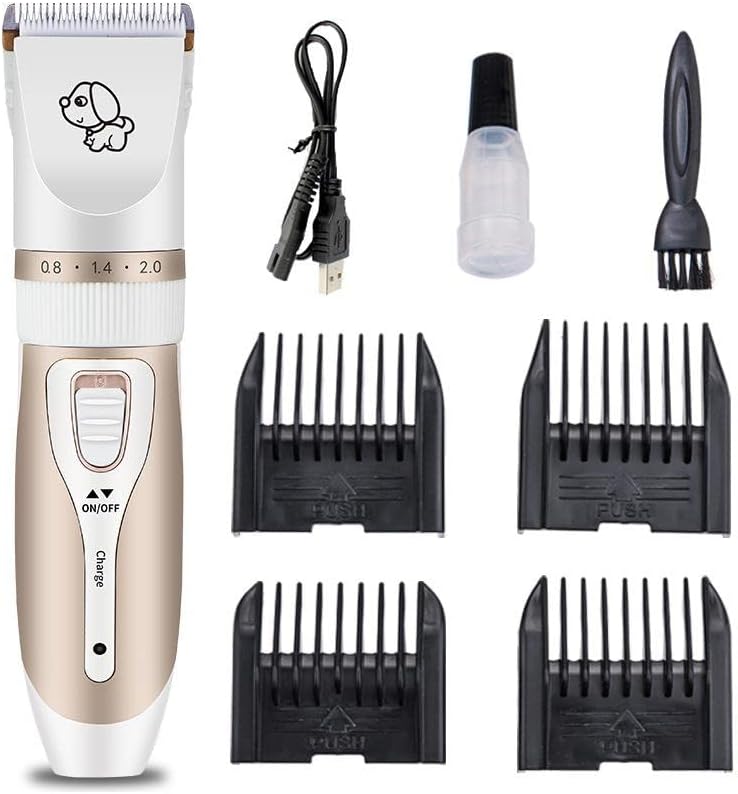
Figure 3.1: All components included in the package.
4. Product Overview
Familiarize yourself with the parts of your pet hair clipper:
- Ceramic Titanium Blade: The cutting head for efficient and safe grooming.
- Adjustable Length Ring: Allows fine-tuning of cutting length from 0.8mm to 2.0mm.
- Power Button (ON/OFF): To turn the clipper on or off.
- Charge Indicator Light: Illuminates when charging.
- USB Charging Port: For connecting the charging cable.

Figure 4.1: Detail of the clipper's adjustable length ring.
5. Setup
5.1 Charging the Clipper
- Connect the USB charging cable to the clipper's charging port.
- Plug the other end of the USB cable into a compatible USB power adapter (not included) or a computer USB port.
- The charge indicator light will illuminate during charging.
- A full charge takes approximately 90 minutes of continuous use.
5.2 Attaching Guide Combs
- Ensure the clipper is turned off.
- Select the desired guide comb (3mm, 6mm, 9mm, or 12mm) based on the desired hair length.
- Align the comb with the clipper blade and push it firmly until it clicks into place.
- To remove, gently pull the comb away from the blade.
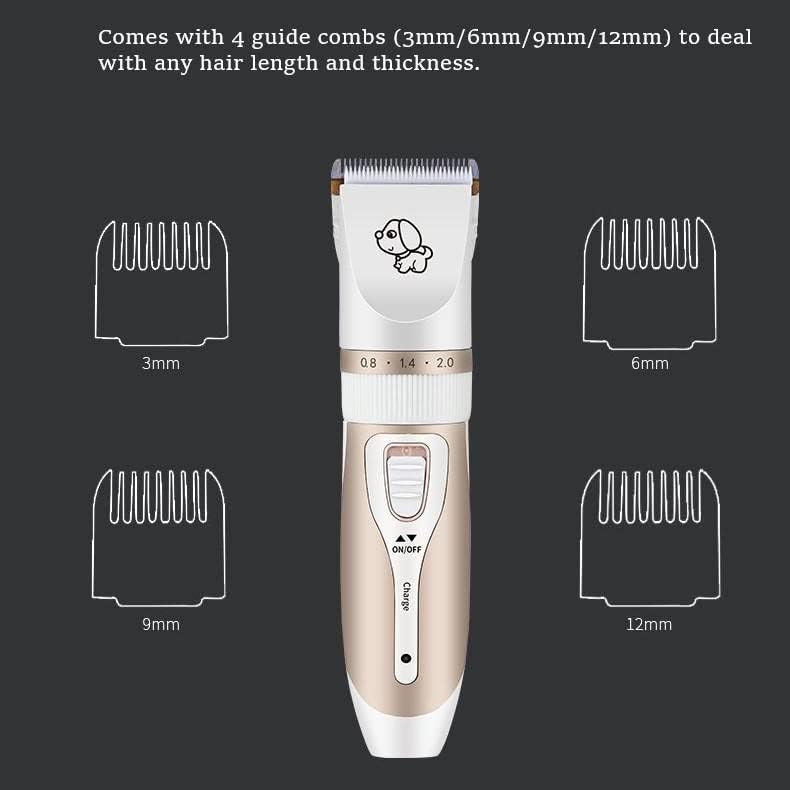
Figure 5.1: Guide combs for various hair lengths.
6. Operating Instructions
6.1 Preparing Your Pet
- Brush your pet's coat thoroughly to remove any tangles or mats before clipping. This helps prevent pulling and ensures a smooth cut.
- Ensure your pet is clean and dry.
- Acclimate your pet to the sound and vibration of the clipper before starting. The clipper operates at approximately 60 dB, which is super quiet to minimize pet anxiety.

Figure 6.1: Example of grooming results and quiet operation.
6.2 Adjusting Cutting Length
- The clipper features a fine-tuning knob for 5 levels of precise length adjustment (0.8mm, 1.1mm, 1.4mm, 1.7mm, 2.0mm) directly on the blade.
- Rotate the ring just below the blade to select the desired length.
- For longer cuts, attach one of the four guide combs (3mm, 6mm, 9mm, 12mm) in addition to the blade setting.
6.3 Grooming Your Pet
- Turn on the clipper by pressing the ON/OFF button.
- Hold the clipper firmly and move it against the direction of hair growth for an even cut.
- Use smooth, steady strokes. Do not press too hard against the skin.
- Regularly clear hair from the blade and comb during grooming to maintain optimal performance.
- For thick coats, you may need to make multiple passes or change the direction of clipping.
7. Maintenance
7.1 Cleaning the Clipper
- Turn off the clipper and disconnect it from the power source.
- Remove the guide comb (if attached).
- Gently detach the ceramic titanium blade head from the clipper body. The blade head is washable.
- Use the provided cleaning brush to remove any trapped hair from the blade and the clipper body.
- Rinse the detached blade head under running water. Ensure the main body of the clipper does not get wet.
- Allow the blade head to air dry completely before reattaching it to the clipper.

Figure 7.1: Detaching and washing the cutter head.
7.2 Lubricating the Blades
- After each cleaning or before each use, apply a few drops of the lubricating oil (provided) to the blades.
- Turn on the clipper for a few seconds to allow the oil to distribute evenly.
- Wipe off any excess oil with a soft cloth. Regular lubrication ensures smooth operation and extends blade life.
8. Troubleshooting
| Problem | Possible Cause | Solution |
|---|---|---|
| Clipper does not turn on. | Battery is low or depleted. | Charge the clipper fully. |
| Clipper pulls hair or cuts unevenly. | Blades are dull, dirty, or not lubricated. Hair is tangled. | Clean and lubricate the blades. Ensure pet's hair is brushed and free of tangles. Consider replacing blades if excessively dull. |
| Clipper makes unusual noise. | Blades are not properly aligned or lubricated. | Ensure blades are correctly reattached and lubricated. |
| Battery life is shorter than expected. | Battery degradation over time. | This is normal for rechargeable batteries. Ensure full charges and avoid over-discharging. |
9. Specifications
- Model: 58367764
- Battery: 1200 mAh (up to 90 minutes continuous use)
- Noise Level: Approximately 60 dB
- Blade Material: Ceramic Titanium
- Adjustable Cutting Length: 0.8mm - 2.0mm (5 levels)
- Guide Combs: 3mm, 6mm, 9mm, 12mm
- Dimensions: Approximately 45mm x 180mm
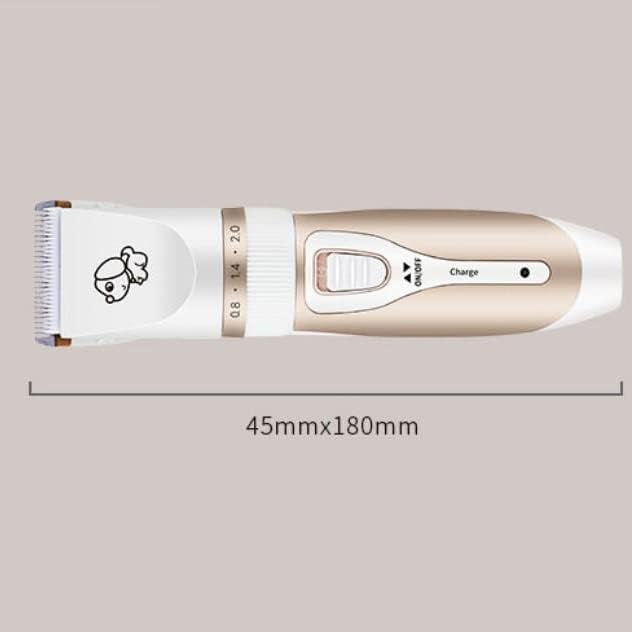
Figure 9.1: Clipper dimensions.
10. Warranty and Support
For warranty information or technical support, please refer to the contact details provided with your purchase or visit the official INF Company website. Keep your proof of purchase for any warranty claims.
Ask a question about this manual
Ask about setup, troubleshooting, compatibility, parts, safety, or missing instructions. Manuals+ will review the question and use this page’s manual context to help answer it.