Introduction
Thank you for choosing Lekaby True Wireless Earbuds. This manual provides essential information for setting up, operating, and maintaining your new earbuds. The Lekaby Q26-D earbuds offer superior sound quality, extended playtime, and convenient features designed for an enhanced audio experience.
Package Contents
- Earbuds (2)
- Charging Case (1)
- Mini USB Type C Cable (1)
- Earcaps (4 pairs - L/S sizes)
- User Manual (1)

Image: Lekaby True Wireless Earbuds and Charging Case. The earbuds are shown inside their open charging case, which features a digital LED display indicating battery levels.
Product Features
- Extended Playtime: Up to 8 hours of music playback per charge, and up to 100 hours total with the 2600 mAh charging case.
- Digital LED Display: Clear indication of individual earbud and charging case battery levels.
- Ergonomic Design: Lightweight (5g per earbud) and comfortable in-ear fit, suitable for sports and extended wear.
- Immersive Stereo Sound: Features 10mm diameter speakers for powerful and wide sound range with dynamic treble and powerful bass.
- Clear Calls: Built-in microphone in each earbud with noise isolation technology to reduce environmental noise by up to 80%.
- IPX7 Waterproof: Double-layer nano-coating resists sweat and water damage, ideal for workouts.
- Smart Touch Control: Easily manage music playback (play/pause/skip), adjust volume, make calls, and activate voice assistant (Siri/Google Assistant).
- Universal Compatibility: Connects with iPhone, Samsung, Huawei, Android smartphones, PC, and Mac devices via Bluetooth 5.3.
- Power Bank Function: The charging case can serve as an emergency power source for mobile phones.
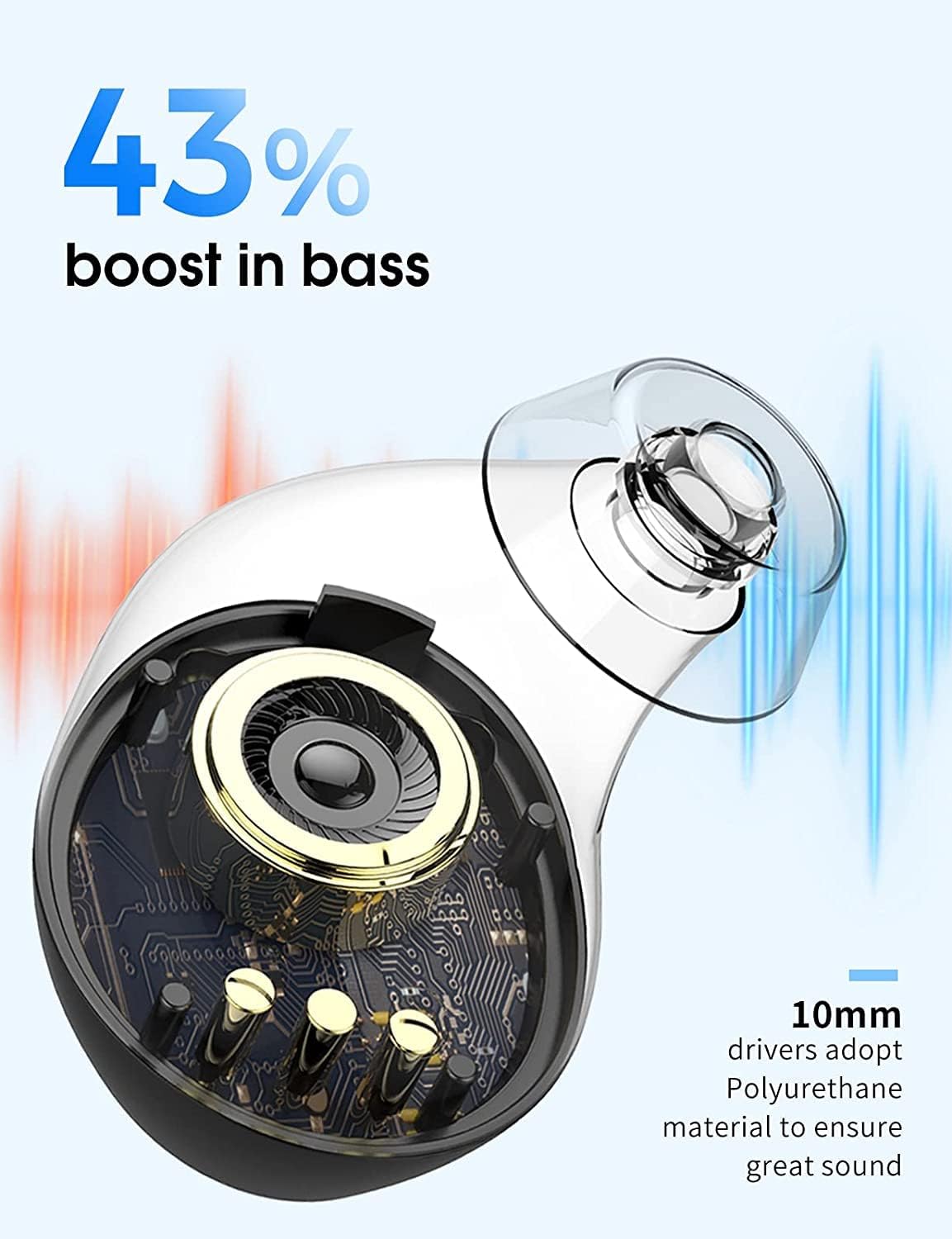
Image: The earbuds and charging case highlighting the 100 hours of total playtime, with 8 hours from earbuds and 1.5 hours charging time.

Image: Close-up of an earbud's internal 10mm driver, emphasizing a 43% boost in bass.
Setup
1. Initial Charging
Before first use, ensure both earbuds and the charging case are fully charged. Remove any protective films from the charging contacts on the earbuds.
- Place the earbuds into the charging case.
- Connect the provided USB Type-C cable to the charging port on the case and to a power source.
- The LED display on the case will show the charging progress.
2. Pairing with Your Device
The earbuds feature one-step pairing for convenience.
- Open the lid of the charging case. The earbuds will automatically enter pairing mode.
- On your device (smartphone, PC, Mac), enable Bluetooth and search for available devices.
- Select "Q26" from the list of found devices to connect.
- Once connected, the earbuds will automatically pair with your device in the future when the case lid is opened.

Image: Illustration showing the "Super Easy Pairing" process, where opening the case lid automatically connects the earbuds to a smartphone via Bluetooth. The phone screen displays "Q26 Connected".
3. Fitting the Earbuds
For optimal sound and comfort, choose the correct size earcaps and ensure a secure fit.
- Experiment with the provided L/S size earcaps to find the best fit for your ears.
- Gently insert the earbuds into your ear canal and twist slightly to secure them.

Image: A person running with the earbuds securely fitted in their ears, illustrating the "No Hurt No Fall Out" ergonomic design and lightweight nature.
Operating Instructions
Smart Touch Controls
The earbuds feature intuitive touch controls for various functions:
| Function | Action |
|---|---|
| Play/Pause Music | Single tap on either earbud. |
| Next Track | Double tap on the right earbud. |
| Previous Track | Double tap on the left earbud. |
| Volume Up | Triple tap on the right earbud. |
| Volume Down | Triple tap on the left earbud. |
| Answer/End Call | Single tap on either earbud during a call. |
| Reject Call | Press and hold either earbud for 2 seconds. |
| Activate Voice Assistant (Siri/Google Assistant) | Press and hold either earbud for 3 seconds. |
Using the Charging Case as a Power Bank
The 2600 mAh charging case can provide emergency power to your mobile phone.
- Locate the USB-A output port on the charging case.
- Connect your phone's charging cable to this port and to your phone.
- The case will begin charging your phone.

Image: The charging case connected via USB to a smartphone, demonstrating its emergency charging capability with a 2600mAh capacity.
Maintenance
Proper maintenance ensures the longevity and performance of your earbuds.
- Cleaning: Regularly clean the earbuds, especially the eartips and charging contacts, with a soft, dry cloth. Avoid using harsh chemicals.
- Water Resistance: The earbuds are IPX7 waterproof, meaning they can withstand submersion in up to 1 meter of water for 30 minutes. However, they are not designed for swimming or prolonged water exposure. Ensure they are dry before placing them back in the charging case.
- Storage: Store the earbuds in their charging case when not in use to protect them and keep them charged.
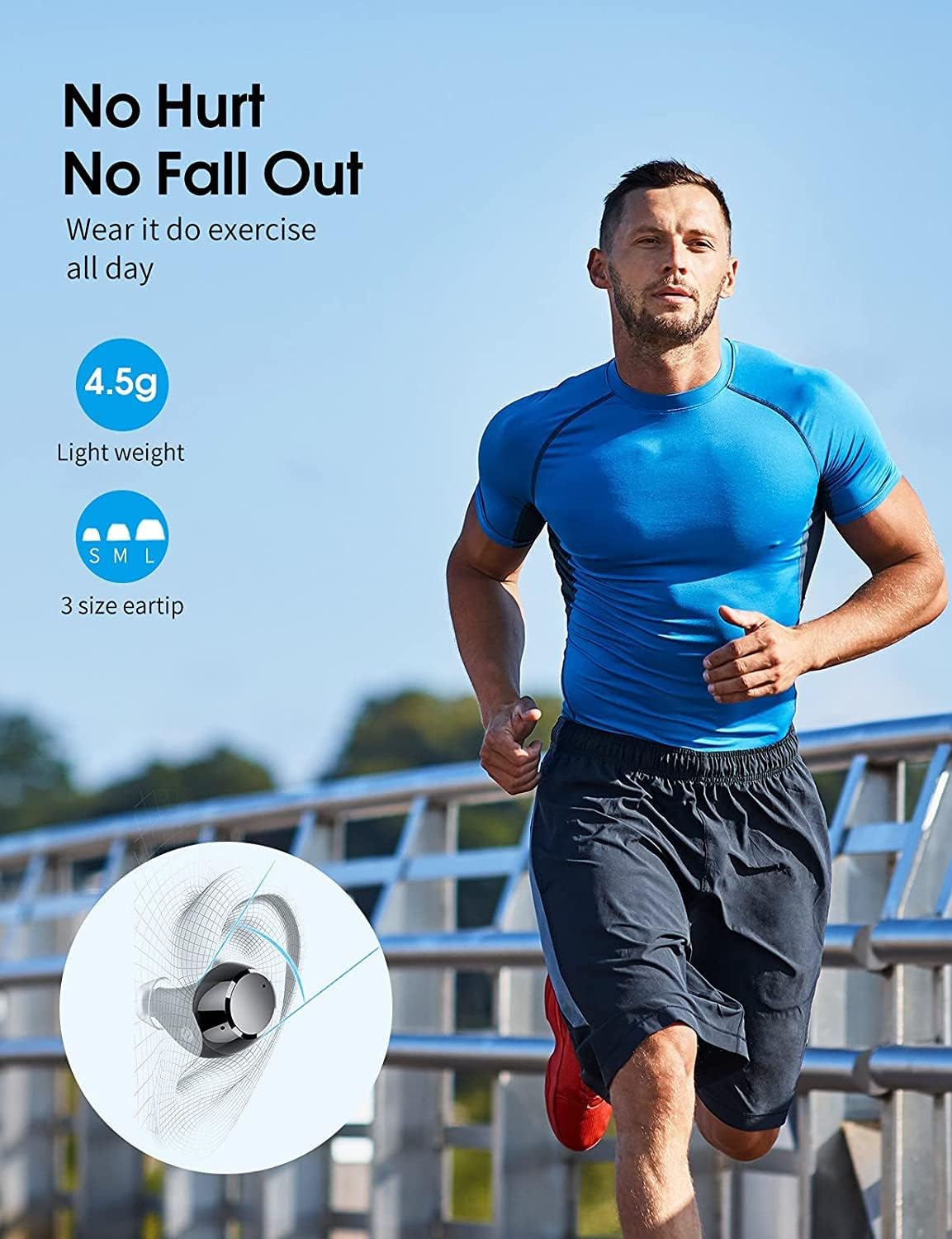
Image: The earbuds partially submerged in water, illustrating their IPX7 waterproof rating and double-layer nano-coating for sweat resistance.
Troubleshooting
If you encounter issues with your Lekaby earbuds, refer to the following common solutions:
- Earbuds not pairing/connecting:
- Ensure both earbuds are fully charged and removed from the case.
- Turn off and on Bluetooth on your device.
- Forget "Q26" from your device's Bluetooth list and try pairing again.
- Ensure no protective film is on the earbud charging contacts.
- Only one earbud working:
- Place both earbuds back into the charging case, close the lid, wait a few seconds, then open the lid and try again.
- Ensure both earbuds are charged.
- Poor sound quality or low volume:
- Adjust the volume on both your device and using the earbud touch controls.
- Ensure the eartips are clean and properly seated in your ear for a good seal.
- Check for interference from other wireless devices.
- Earbuds not turning off in case:
- Ensure earbuds are correctly seated in the charging slots and the lid is fully closed.
- Clean the charging contacts on both the earbuds and inside the case.
- Charging case not charging phone:
- Ensure the charging case itself has sufficient battery charge.
- Verify the USB cable and phone are properly connected to the case's USB-A output port.
Specifications
| Feature | Detail |
|---|---|
| Model Name | Q26-D |
| Connectivity Technology | Wireless (Bluetooth 5.3) |
| Audio Driver Size | 10 Millimeters |
| Frequency Range | 20 Hz - 20,000 Hz |
| Battery Life (Earbuds) | Up to 8 hours per charge |
| Battery Life (Total with Case) | Up to 100 hours |
| Charging Case Capacity | 2600 mAh |
| Water Resistance Level | IPX7 Waterproof |
| Control Method | Touch |
| Item Weight (Earbud) | 5 Grams (each) |
| Product Dimensions | 1.97 x 1.18 x 1.18 inches |
| Manufacturer | Lekaby (Shenzhen Guanghong Times Technology Co LTD) |

Image: The back of the product box displaying detailed specifications including product model, impedance, distortion, audio protocols, frequency response, and wireless protocol.
Official Product Video
Video: An official product video showcasing the Lekaby Q26 True Wireless Earbuds, highlighting key features such as smart touch controls, noise isolation, LED power display, IPX7 waterproof design, and device compatibility.
Warranty and Support
Lekaby provides a comprehensive warranty and customer support for your product.
- Money Back Guarantee: Enjoy an extended 30-day no-hassle money back guarantee.
- Warranty: Your purchase includes a 12-month warranty.
- Customer Service: For any questions or concerns, please contact our 24-hour online customer care service. Customer satisfaction is our top priority.
- Manufacturer Information: Shenzhen Guanghong Times Technology Co LTD, Floor2, Building 3, Zhifeng Industrial Park, No. 68 Shahe Road, Longgang District, Shenzhen, 518000 China.


