1. Introduction
This manual provides instructions for the Generic Professional Finger Pulse Oximeter YM101, a portable device designed for non-invasive spot-checking of blood oxygen saturation (SpO2) and pulse rate (PR) at home or in professional settings. It features an OLED display for clear readings and is suitable for various users, including children and the elderly. The device is CE approved, ensuring accurate and reliable measurements.
2. Important Safety Information
Please read all safety information before using the device. Failure to follow these instructions may result in inaccurate readings or device damage.
- The pulse oximeter is intended for spot-checking and not for continuous monitoring.
- This device is not intended to diagnose, treat, cure, or prevent any disease. Consult a medical professional for any health concerns.
- Do not use the device in an MRI or CT environment.
- Keep the device away from water and moisture.
- Ensure the finger is clean and dry before measurement.
- Remain still during measurement to ensure accuracy. Movement can affect readings.
- Do not use the device on the same arm as a blood pressure cuff or arterial catheter.
- Dispose of batteries according to local regulations.
3. Package Contents
- 1 x Generic Professional Finger Pulse Oximeter YM101
- 1 x Lanyard
- 1 x User Manual (multi-language)
Note: 2 AAA 1.5V batteries are required but not included in the package.
4. Device Overview
The Generic Professional Finger Pulse Oximeter YM101 is a compact and lightweight device designed for ease of use. It features a bright OLED display for clear visibility of readings.
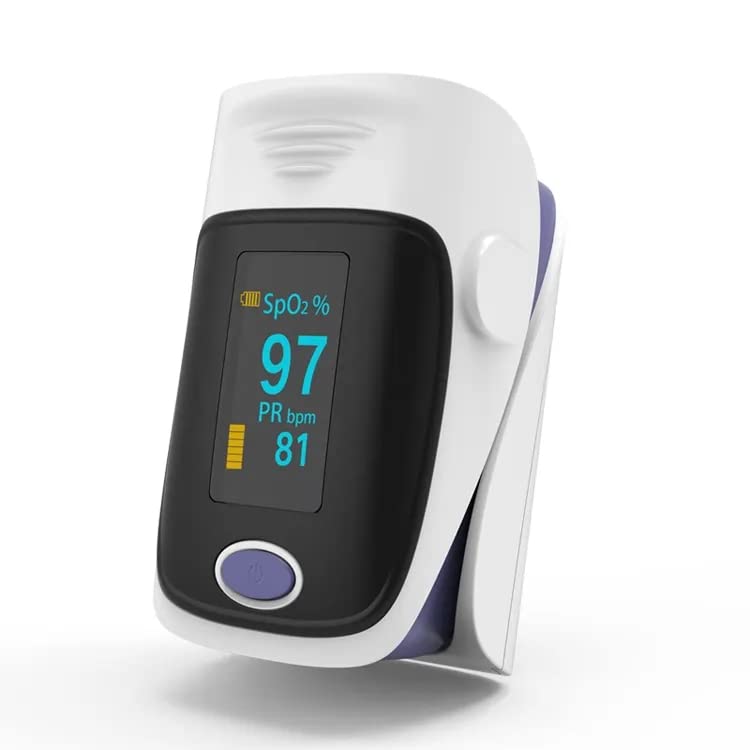
The device body is designed with special lighting technology to ensure accurate values even in strong ambient light conditions. The OLED screen displays blood oxygen saturation, pulse rate, pulse waveform, and a histogram.
5. Battery Installation
The YM101 Pulse Oximeter requires two AAA 1.5V batteries for operation. Ensure correct polarity during installation.
- Open the battery compartment cover located at the back of the device.
- Insert two AAA batteries according to the polarity indicators (+ and -) inside the compartment.
- Close the battery compartment cover securely.
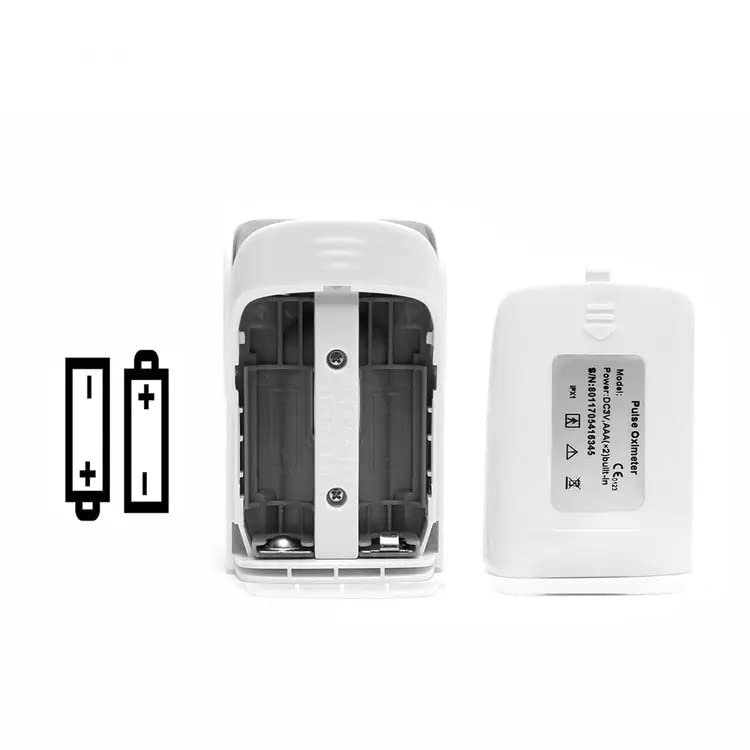
The device features low power consumption and will display a warning when battery voltage is low. It automatically shuts off after 8 seconds of inactivity to conserve battery life, providing up to 24 hours of continuous use.
6. Operating Instructions
Follow these steps to take a measurement:
- Ensure batteries are correctly installed.
- Open the clamp of the oximeter.
- Insert one of your fingers (preferably the index finger) into the rubber opening of the oximeter, ensuring your fingertip is placed correctly.
- Release the clamp.
- Press the power button once on the front panel.
- Keep your hand still and do not move your finger during the measurement.
- Your SpO2 and pulse rate readings will appear on the display within approximately 8 seconds.

7. Understanding Your Readings
The OLED display provides clear and comprehensive information:
- SpO2 (%): Blood Oxygen Saturation level. This indicates the percentage of hemoglobin in your blood that is saturated with oxygen.
- PR bpm: Pulse Rate in beats per minute. This is the number of times your heart beats per minute.
- Pulse Waveform/Bar Graph: A visual representation of your pulse strength.
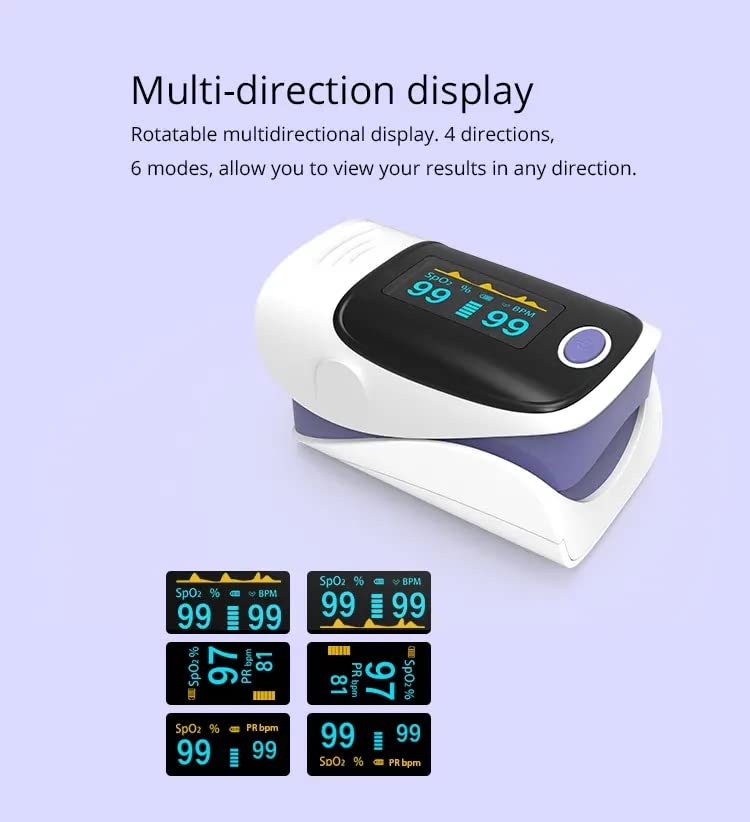
The device features a rotatable multi-directional display with 4 directions and 6 modes, allowing you to view your results in any orientation.
8. Alarm Function
The YM101 Pulse Oximeter is equipped with an alarm function to alert you if your measured values fall outside predefined limits. This feature helps you to be immediately aware of any significant changes in your SpO2 or pulse rate.
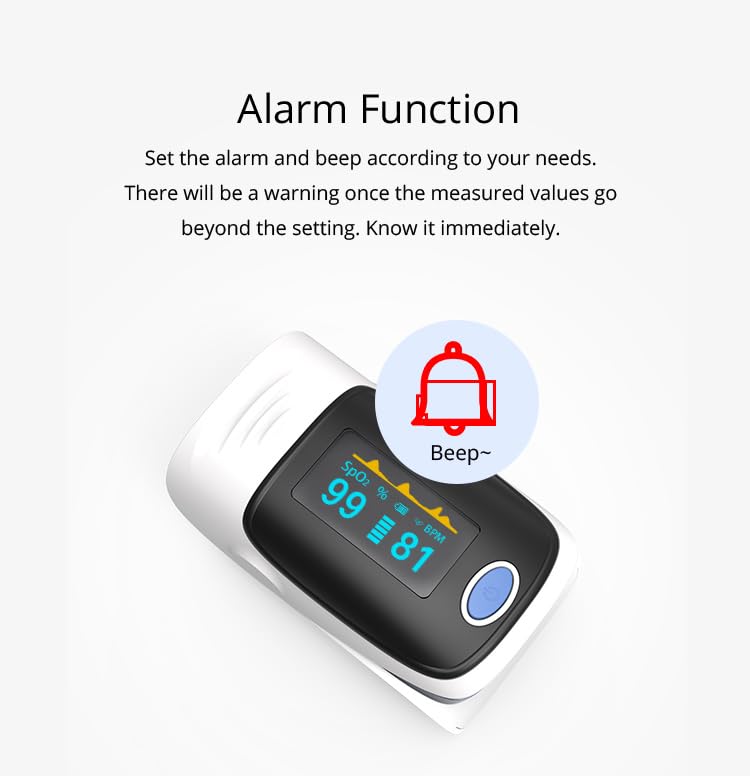
Refer to the full manual for instructions on how to set or adjust alarm thresholds, if applicable.
9. Maintenance and Care
- Cleaning: Clean the surface of the oximeter with a soft cloth dampened with medical alcohol (70% ethanol or isopropanol). Do not immerse the device in water or other cleaning solutions.
- Storage: Store the device in a cool, dry place, away from direct sunlight and extreme temperatures. If not in use for an extended period, remove the batteries.
- Battery Replacement: Replace batteries when the low battery indicator appears on the display.
- Disposal: Dispose of the device and its components, including batteries, according to local environmental regulations.
10. Troubleshooting
If you encounter issues with your pulse oximeter, refer to the table below for common problems and solutions.
| Problem | Possible Cause | Solution |
|---|---|---|
| No display after turning on | Low or dead batteries; Incorrect battery installation | Replace batteries; Reinstall batteries with correct polarity |
| Inaccurate readings | Finger not inserted properly; Patient movement; Cold fingers; Nail polish or artificial nails | Reinsert finger correctly; Remain still; Warm hands; Remove nail polish/artificial nails |
| "Finger Out" or similar error message | Finger not detected or improperly placed | Ensure finger is fully inserted and resting on the sensor. |
| Device shuts off unexpectedly | Automatic shutdown after 8 seconds of inactivity; Low battery | This is normal behavior; Replace batteries if low. |
If the problem persists after trying these solutions, please contact customer support.
11. Technical Specifications
| Parameter | Specification |
|---|---|
| Display Type | HD Color OLED Display |
| SpO2 Measurement Range | 70% ~ 99% |
| SpO2 Accuracy | ±2% (80%~99%), ±3% (70%~79%), unspecified (<70%) |
| SpO2 Resolution | ±1% |
| Pulse Rate Measurement Range | 30 BPM ~ 240 BPM |
| Pulse Rate Accuracy | ±1 BPM or ±1% (whichever is higher) |
| Power Consumption | Less than 30-50 mA |
| Battery Type | 2 x AAA 1.5V batteries |
| Battery Life | Up to 24 hours (continuous use) |
| Automatic Shut-off | 8 seconds of no operation |
| Operating Temperature | 5℃ ~ 40℃ (41℉ ~ 104℉) |
| Storage Temperature | -10℃ ~ 40℃ (14℉ ~ 104℉) |
| Ambient Humidity | 15% ~ 80% (operating), 10% ~ 80% (storage) |
| Atmospheric Pressure | 86 kPa ~ 106 kPa |
| Dimensions (L x W x H) | 5.5 x 3 x 3 cm (2.17 x 1.18 x 1.18 inches) |
| Weight | 120 grams (approx.) |
| Manufacturer | YONKER |
12. Warranty and Support
This product comes with a standard manufacturer's warranty. For specific warranty details, please refer to the documentation provided with your purchase or contact your retailer.
For technical support, troubleshooting assistance, or any questions regarding the use of your Generic Professional Finger Pulse Oximeter YM101, please contact the retailer from whom you purchased the device.
