
Carego Y42 Pro-B
Carego Wireless Ear Buds User Manual
Model: Y42 Pro-B | Brand: Carego
Introduction
This manual provides detailed instructions for the proper use, setup, and maintenance of your Carego Wireless Ear Buds (Model: Y42 Pro-B). Please read this manual thoroughly before using the product to ensure optimal performance and longevity.

Image: The Carego Wireless Ear Buds are shown in their open charging case, displaying a digital LED battery indicator. The earbuds are black, and the case is also black with a sleek, rounded design.
What's in the Box
Upon opening your Carego Wireless Ear Buds package, you should find the following components:
- Carego Wireless Ear Buds (Left and Right)
- Charging Case
- USB-C Charging Cable
- Multiple Sizes of Eartips (S, M, L)
- User Manual (this document)
Setup & Pairing
Initial Charge
Before first use, fully charge the earbuds and the charging case. Connect the provided USB-C charging cable to the charging port on the case and plug the other end into a compatible USB power source. The LED display on the case will indicate the charging status.

Image: The charging case is depicted with an LED display indicating "100" for full charge. Text highlights "6 Hrs Music Time" and "40 Hrs Total Time Using in Turn," emphasizing the extended battery life.
Bluetooth Pairing
- Ensure the earbuds are in the charging case and the case has sufficient battery.
- Open the charging case. The earbuds will automatically enter pairing mode.
- On your device (smartphone, tablet, laptop), navigate to the Bluetooth settings.
- Search for available devices and select "Y42 Pro-B" from the list.
- Once connected, a voice prompt will confirm successful pairing. The earbuds will automatically reconnect to the last paired device when the case is opened.

Image: A smartphone screen displays Bluetooth settings, showing "Y42 Pro" as a connected device. This visual aids in understanding the one-step pairing process for the earbuds.
Operating Instructions
Touch Controls
The Carego Wireless Ear Buds feature intuitive touch controls on each earbud. Refer to the following table for common functions:
| Action | Function |
|---|---|
| Single Tap (Left/Right Earbud) | Play/Pause Music, Answer/End Call |
| Double Tap (Right Earbud) | Next Track |
| Double Tap (Left Earbud) | Previous Track |
| Triple Tap (Left/Right Earbud) | Activate Voice Assistant |
| Long Press (Left/Right Earbud) | Reject Call |
| Long Press (Right Earbud) | Volume Up |
| Long Press (Left Earbud) | Volume Down |

Image: A visual guide illustrates the various touch controls on the earbuds, including icons for play/pause, voice assistant, answer/hang up/reject calls, previous/next track, and volume adjustment.
Sound Quality & Noise Cancellation
The earbuds are equipped with 13mm large drivers for a balanced sound profile, delivering clarity and definition. They also feature Environmental Noise Cancellation (ENC) to reduce ambient noise during calls, ensuring clearer communication.

Image: A graphic highlights "Hi-Fi Sound Quality" with an exploded view of an earbud's internal components, including a driver and circuit board, surrounded by musical notes.

Image: A person is shown wearing the earbuds, with graphic overlays demonstrating the Environmental Noise Cancellation (ENC) feature, distinguishing between noise and voice signals.
Comfort & Fit
For optimal comfort and sound performance, select the ear tips that best fit your ears. The Carego Ear Buds come with S, M, and L sizes. The arc edging design ensures a secure fit, suitable for various activities including workouts.
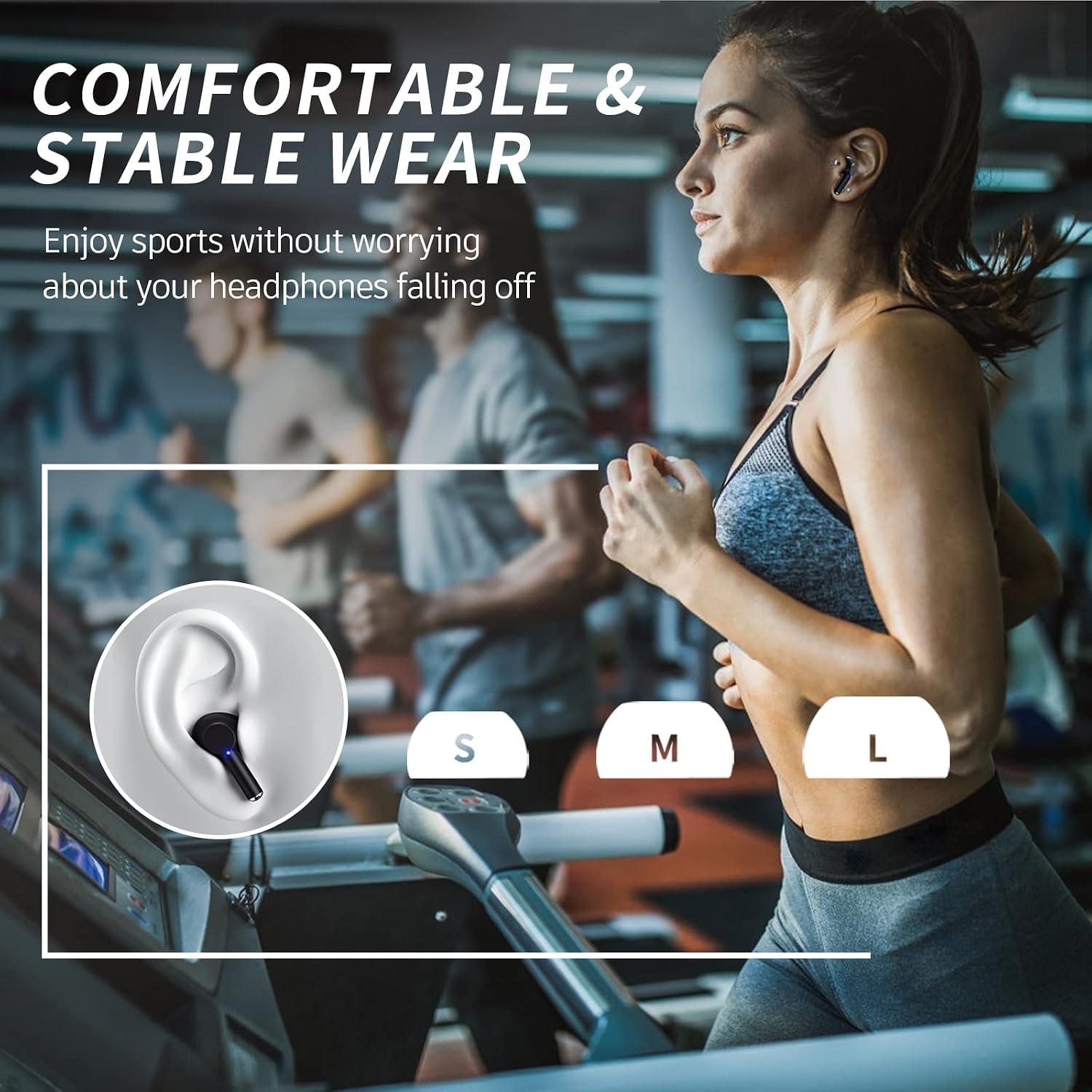
Image: This image displays the three available ear tip sizes (S, M, L) and shows a person wearing the earbuds while running on a treadmill, illustrating their comfortable and stable fit during physical activity.
Maintenance
- Cleaning: Regularly clean the earbuds and charging case with a soft, dry cloth. For ear tips, remove them and gently wipe with a damp cloth, ensuring they are completely dry before reattaching.
- Storage: Store the earbuds in their charging case when not in use to protect them and keep them charged.
- Water Resistance: The earbuds are water resistant. Avoid submerging them in water or exposing them to excessive moisture for prolonged periods. Dry them thoroughly if they get wet.
Troubleshooting
- Earbuds not pairing: Ensure both earbuds are in the charging case, close the lid, then open it again. Check your device's Bluetooth settings to ensure "Y42 Pro-B" is selected and not connected to another device.
- No sound from one earbud: Place both earbuds back into the charging case, close the lid, and wait a few seconds. Open the lid and try reconnecting. If the issue persists, try resetting the earbuds (refer to the full user manual for specific reset instructions if available).
- Charging issues: Ensure the USB-C cable is securely connected to both the case and the power source. Check if the charging port is clean and free of debris.
- Low volume or poor sound quality: Adjust the volume on your connected device. Ensure the ear tips are correctly sized and properly seated in your ears to create a good seal. Clean the ear tips and speaker mesh if necessary.
Specifications
| Feature | Detail |
|---|---|
| Model Name | Y42 Pro-B |
| Bluetooth Version | 5.3 |
| Connectivity Technology | Wireless |
| Battery Life (Earbuds) | Up to 6 Hours |
| Total Playtime (with Case) | Up to 40 Hours |
| Audio Driver Size | 13mm |
| Water Resistance Level | Water Resistant |
| Control Type | Touch Control |
| Bluetooth Range | 10 Meters (33 feet) |
| Material | Acrylonitrile Butadiene Styrene (ABS) |
| Color | Black |
Warranty & Support
Carego products come with a 2-year support warranty. If you experience any issues with your product during this time, please contact our customer support team for assistance. Our goal is to provide our customers with peace of mind, knowing that they can trust in the quality of our products.
For further assistance or inquiries, please visit the official Carego website or refer to the contact information provided on the product packaging.
Related documentsY42 Pro-B


Ask a question about this manual
Ask about setup, troubleshooting, compatibility, parts, safety, or missing instructions. Manuals+ will review the question and use this page’s manual context to help answer it.