Introduction
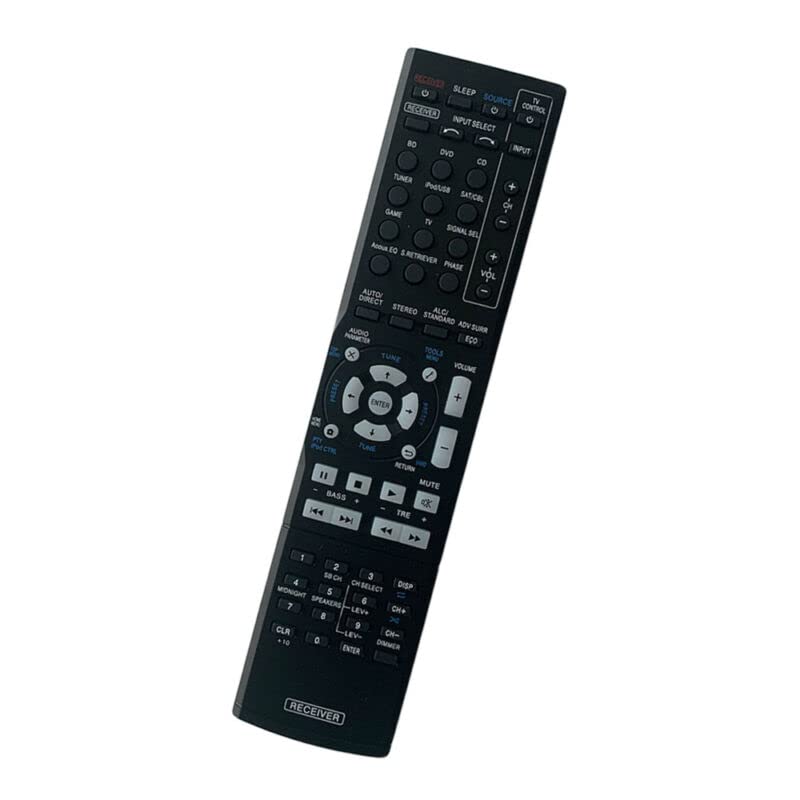
This document provides essential instructions for the proper setup, operation, and maintenance of your new Generic replacement remote control. This remote is designed to function with specific Pioneer AV receiver models, including VSX-324-K-P, HTP-072, and VSX524. Please read this manual thoroughly before use to ensure optimal performance and longevity of the product.
Setup
1. Battery Installation
The remote control requires two (2) AAA batteries (not included). Follow these steps to install them:
- Locate the battery compartment on the back of the remote control.
- Slide the battery compartment cover downwards to open it.
- Insert two AAA batteries, ensuring the positive (+) and negative (-) terminals align correctly with the markings inside the compartment.
- Slide the battery compartment cover back into place until it clicks securely.
This image displays the rear of the remote control, highlighting the battery compartment cover. To install or replace batteries, slide this cover off.
2. Initial Use
No programming or setup is required for this replacement remote control. Once batteries are installed, it is ready for use with compatible Pioneer AV receivers.
Operating Instructions
To operate your device, point the remote control directly at the infrared (IR) receiver on your Pioneer AV receiver and press the desired function button. Ensure there are no obstructions between the remote and the receiver.
Important Considerations:
- This is a dedicated replacement remote control and may not support all advanced functions of the original manufacturer's remote.
- The remote operates using infrared (IR) technology, requiring a direct line of sight.
- Compatible devices include DVD/Blu-ray Players, Home Theaters, Set Top Boxes, Stereo Systems, and Televisions when controlled through the compatible Pioneer AV receiver.
Maintenance
Battery Care:
- Remove batteries if the remote control will not be used for an extended period to prevent leakage.
- Do not mix old and new batteries, or batteries of different types (e.g., alkaline and rechargeable).
- Replace all batteries at the same time.
Cleaning:
To clean the remote control, gently wipe it with a soft, dry cloth. Do not use abrasive cleaners, solvents, or wet cloths, as these can damage the surface or internal components.
Troubleshooting
- Remote Not Responding:
Check if the batteries are installed correctly and have sufficient charge. Ensure there is a clear line of sight between the remote's IR emitter and the device's IR receiver. - Some Functions Not Working:
As a replacement remote, it is designed to replicate primary functions. Certain advanced or specific features of the original remote may not be supported. This is not indicative of a defective product. - Short Transmission Distance:
Ensure batteries are fresh. Obstructions or strong light sources (like direct sunlight) can interfere with the IR signal.
Specifications
- Brand: Generic
- Manufacturer: e-remotecontrol
- Connectivity Technology: Infrared (IR)
- Compatible Devices: Pioneer VSX-324-K-P, HTP-072, VSX524 AV Receivers, DVD/Blu-ray Player, Home Theater, Set Top Box, Stereo System, Television (when controlled via AV receiver)
- Power Source: 2 x AAA batteries (not included)
- Material: ABS/Plastic
- Color: Black or white (color may vary)
Support
For further assistance or inquiries regarding this replacement remote control, please contact the seller directly. Provide your original remote part number or your unit model for more specific support.


