
1. Introduction
The NUBWO G08 Wireless Gaming Headset is designed to provide an immersive audio experience for gamers across multiple platforms. Featuring versatile connectivity options, extended battery life, and a comfortable design, this headset ensures clear communication and rich sound for prolonged gaming sessions.

This manual provides detailed instructions for setting up, operating, maintaining, and troubleshooting your NUBWO G08 headset.
2. What's in the Box
Please verify that all items are present in the package:
- NUBWO G08 Wireless Gaming Headset
- USB Dongle (for 2.4GHz wireless connection)
- 3.5mm Audio Cable
- USB Charging Cable
3. Setup
3.1 Charging the Headset
Before initial use, fully charge the headset. Connect the supplied USB charging cable to the headset's charging port and a compatible USB power source. A full charge takes approximately 4 hours. The headset provides a low battery alert tone when recharging is needed.

3.2 Wireless Connection (2.4GHz USB Dongle)
For a stable, lag-free wireless connection with PS5, PS4, PC, or Mac:
- Insert the USB dongle into an available USB port on your gaming console or computer.
- Power on the NUBWO G08 headset. The headset will automatically connect to the dongle.
3.3 Bluetooth Connection
To connect via Bluetooth for mobile devices or other Bluetooth-enabled platforms:
- Double-press the power button on the headset to switch to Bluetooth mode.
- On your device, navigate to Bluetooth settings and select "NUBWO G08" from the list of available devices to pair.

3.4 Wired Connection (3.5mm)
For wired use with devices such as Xbox Series X, Xbox One, Nintendo Switch, or mobile devices:
- Connect one end of the 3.5mm audio cable to the headset's 3.5mm jack.
- Connect the other end to the 3.5mm audio port on your device.
4. Operating Instructions
4.1 Audio Performance
The NUBWO G08 headset features 50mm drivers and 2 double chamber drivers, delivering rich stereo audio for an immersive gaming experience.

4.2 Microphone Usage
The headset includes a bendable cardioid microphone designed for clear team communication by reducing background noise. Adjust the microphone's position for optimal voice pickup.

4.3 Switching Between Modes
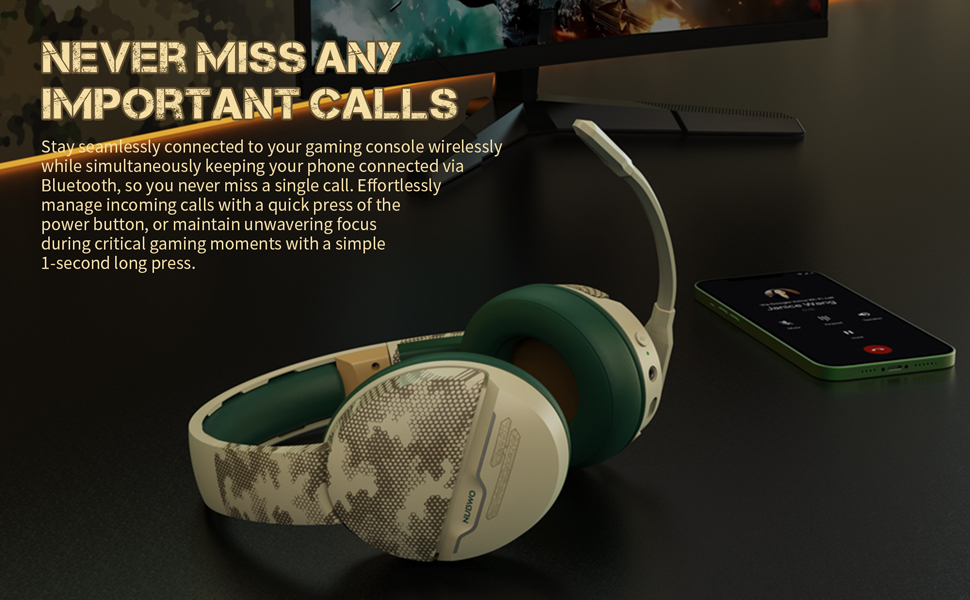
The headset allows for quick switching between 2.4GHz wireless and Bluetooth modes. This feature enables users to manage incoming calls from a phone connected via Bluetooth while maintaining focus on gaming. A single 1-second long press of the power button can manage incoming calls.
5. Maintenance
5.1 Cleaning
To maintain hygiene and prolong the life of your headset:
- Wipe the headset's exterior with a soft, dry cloth.
- For the breathable and soft ear cushions, gently wipe with a slightly damp cloth and allow to air dry completely before use. Avoid harsh chemicals or abrasive materials.

5.2 Storage
When not in use, store the headset in a cool, dry place away from direct sunlight and extreme temperatures to prevent damage.
6. Troubleshooting
If you encounter issues with your NUBWO G08 headset, please refer to the following common solutions:
6.1 No Sound
- Check Connections: Ensure the USB dongle is securely plugged in for wireless mode, or the 3.5mm cable is fully inserted for wired mode.
- Verify Mode: Confirm the headset is in the correct mode (2.4GHz wireless, Bluetooth, or wired) for your device.
- Adjust Volume: Increase the volume on both the headset and your connected device.
- Power On: Ensure the headset is powered on and has sufficient battery charge.
6.2 Microphone Not Working
- Check Mute: Ensure the microphone is not muted on the headset or within your device's settings.
- Software Settings: Verify microphone input settings on your PC or console.
- Wired Connection (Xbox): Note that an Xbox wired adapter for Windows may be required for microphone functionality (not included).
6.3 Connection Issues (Wireless/Bluetooth)
- Range: Ensure the headset is within the 10-meter wireless range of your device.
- Interference: Move away from other wireless devices that might cause interference.
- Re-pair: For Bluetooth, try unpairing and re-pairing the headset with your device.
7. Specifications
| Feature | Detail |
|---|---|
| Model Name | G08-BT |
| Connectivity Technology | Wireless (2.4GHz USB Dongle), Bluetooth, 3.5mm Wired |
| Wireless Communication Technology | Bluetooth 5.3 |
| Audio Driver Type | Dynamic Driver |
| Audio Driver Size | 50mm |
| Battery Life | Up to 100 Hours |
| Charging Time | 4 Hours |
| Bluetooth Range | 10 Meters |
| Frequency Range | 20 Hz - 20,000 Hz |
| Compatible Devices | PS5, PS4, PC, Mac, Xbox Series X, Xbox One, Nintendo Switch, Mobile Devices |
| Color | Desert |
| Material | Plastic |
| Product Dimensions | 4.21 x 8.07 x 7.8 inches |
| Item Weight | 1.08 pounds |
| Earpiece Shape | Over-Ear |
8. Warranty and Support
For specific warranty information regarding your NUBWO G08 Wireless Gaming Headset, please refer to the documentation included with your product packaging or visit the official NUBWO website.
For further assistance, frequently asked questions, or to explore other NUBWO products, please visit the official NUBWO Store on Amazon:
Product Overview Video
This video provides a comprehensive overview of the NUBWO G08 Wireless Gaming Headset, highlighting its key features, design, and compatibility. It demonstrates the headset's versatility and performance for various gaming setups.