Introduction
Thank you for choosing the Relxhome AS19 Bone Conduction Headphones. This manual provides essential information for the safe and efficient use of your device. Please read it thoroughly before operation and retain it for future reference.
The Relxhome AS19 headphones feature advanced bone conduction technology, Bluetooth 5.3 connectivity, a built-in 32GB MP3 player, and an IPX8 waterproof rating, making them ideal for various sports and activities, including swimming, running, and cycling.

Image: A cyclist wearing the Relxhome AS19 headphones, demonstrating how the open-ear design allows for music enjoyment while remaining aware of surroundings.
Product Overview
Key Features
- Bone Conduction Technology: Transmits sound through cheekbones, keeping ears open to ambient sounds for enhanced safety.
- IPX8 Waterproof: Designed for use in water, resistant to sweat and rain. Suitable for swimming (MP3 mode recommended for underwater use).
- Built-in 32GB MP3 Player: Store thousands of songs directly on the device for equipment-free listening.
- Bluetooth 5.3: Stable wireless connection for audio streaming from compatible devices.
- 8-Hour Battery Life: Extended listening time on a single charge.
- Lightweight and Ergonomic Design: Comfortable and secure fit for various activities.

Image: A person in a swimming pool wearing the Relxhome AS19 headphones, emphasizing their IPX8 waterproof capability for aquatic activities.

Image: A woman wearing the Relxhome AS19 headphones during exercise, illustrating the comfortable and pain-free open-ear design.

Image: A runner wearing the Relxhome AS19 headphones, highlighting their stable and ergonomic design for secure fit during intense physical activity.

Image: An overview of the Relxhome AS19 headphones' key features, including MP3 player, IPX8 waterproofing, 8-hour battery, 32GB storage, Bluetooth 5.3, microphone, HIFI sound, and ultra-light construction.
Package Contents
- Relxhome AS19 Bone Conduction Headphones
- Charging Cable
- User Manual
Setup
Charging the Headphones
Before first use, fully charge the headphones. Connect the provided charging cable to the charging port on the headphones and a USB power source. The LED indicator will show charging status. A full charge takes approximately 2 hours and provides up to 8 hours of playback.
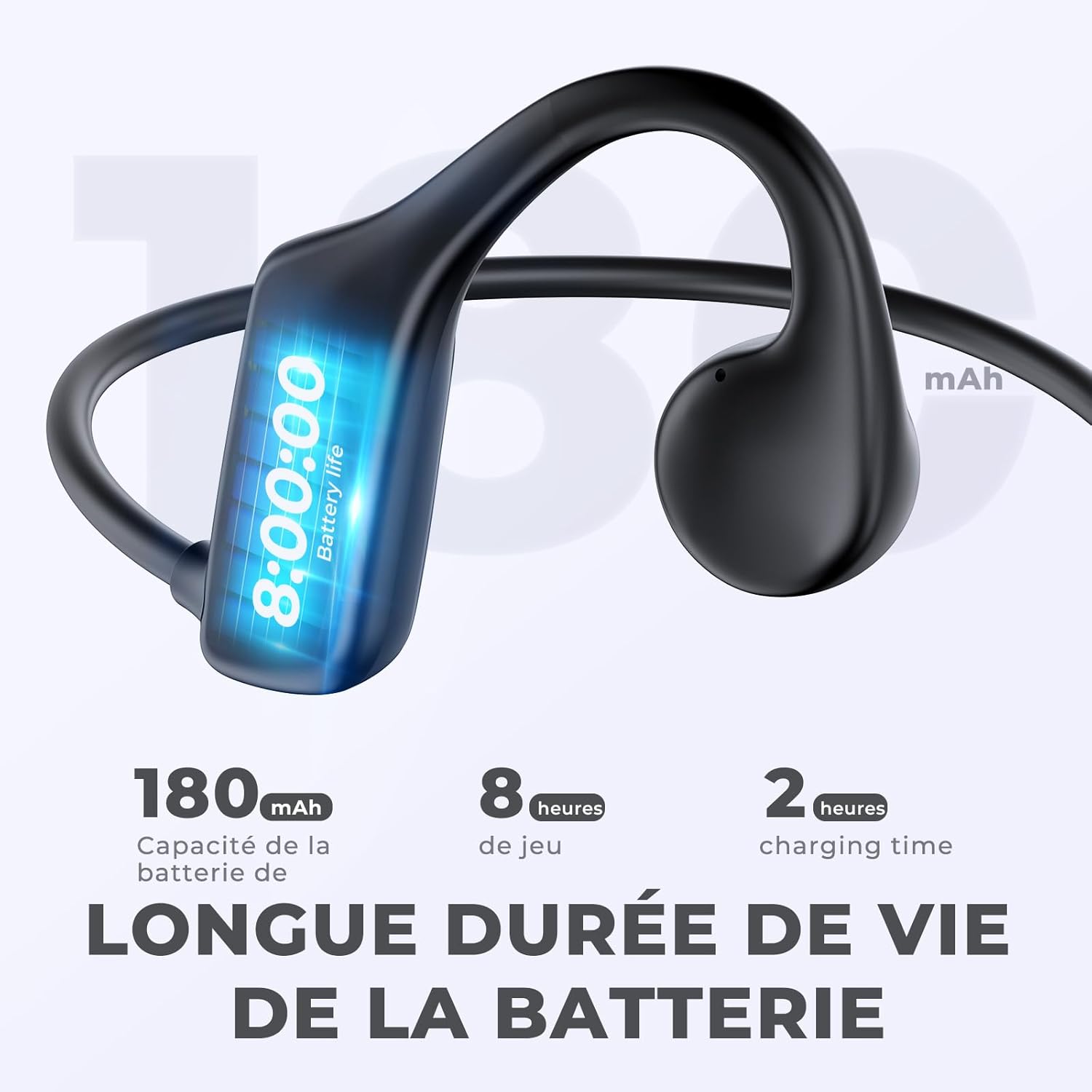
Image: Relxhome AS19 headphones showing battery capacity, play time, and charging time.
Transferring Music to MP3 Player (32GB Internal Memory)
To use the MP3 player function, connect the headphones to a computer using the charging cable. The headphones will appear as a removable drive. Drag and drop your MP3 audio files into the drive folder. Ensure files are in MP3 format for compatibility. Disconnect safely after transfer.
Operating Instructions
Power On/Off
- Power On: Press and hold the Power button until the LED indicator lights up.
- Power Off: Press and hold the Power button until the LED indicator turns off.
Bluetooth Mode
- Pairing: With the headphones powered off, press and hold the Power button until the LED indicator flashes red and blue, indicating pairing mode.
- Connect: On your device (smartphone, tablet, etc.), enable Bluetooth and select "AS19" from the list of available devices. The LED will turn solid blue once connected.
- Playback: Use the media controls on the headphones or your connected device to play, pause, skip tracks, and adjust volume.
Note: Bluetooth signals do not transmit effectively underwater. Use MP3 mode for swimming.
MP3 Player Mode
- Switching Modes: Press the Mode button to switch between Bluetooth and MP3 player modes.
- Playback: Once in MP3 mode, the headphones will automatically play stored music. Use the media controls to manage playback.
Controls
| Button/Action | Function |
|---|---|
| Power Button (Long Press) | Power On/Off |
| Power Button (Short Press) | Play/Pause (in both modes) |
| Volume Up (+) | Increase Volume |
| Volume Down (-) | Decrease Volume |
| Volume Up (+) (Long Press) | Next Track |
| Volume Down (-) (Long Press) | Previous Track |
| Mode Button | Switch between Bluetooth Mode and MP3 Player Mode |
Maintenance
- Cleaning: Wipe the headphones with a soft, damp cloth. Do not use harsh chemicals or abrasive cleaners.
- Storage: Store the headphones in a cool, dry place away from direct sunlight and extreme temperatures.
- Water Exposure: While IPX8 waterproof, it is recommended to rinse the headphones with fresh water after use in chlorinated or saltwater and allow them to dry completely before charging.
- Charging Port: Ensure the charging port is dry before connecting the charging cable to prevent damage.
Troubleshooting
| Problem | Possible Solution |
|---|---|
| Headphones do not power on. | Ensure the headphones are fully charged. Connect to a power source and check the charging indicator. |
| Cannot pair via Bluetooth. |
|
| No sound in MP3 mode. |
|
| Sound quality is poor underwater. | Ensure you are using MP3 mode for underwater listening. Bluetooth does not work effectively underwater. Ensure the headphones are properly positioned. |
| Headphones not recognized by computer. | Try a different USB port or cable. Ensure the cable is securely connected. Restart your computer. |
Specifications
| Feature | Detail |
|---|---|
| Model Number | AS19 |
| Brand | Relxhome |
| Connectivity | Bluetooth 5.3 (Wireless) |
| Internal Memory | 32GB (for MP3 files) |
| Water Resistance | IPX8 (Waterproof, submersible up to 2 meters for 3 hours) |
| Battery Type | 1 Lithium-polymer (included) |
| Battery Life | Up to 8 hours |
| Charging Time | Approximately 2 hours |
| Weight | 28 Grams |
| Ear Placement | Open-ear (Bone Conduction) |
| Included Components | Charging Cable |
| Material | Plastic, Silicone, Thermoplastic Elastomer (TPE) |
Warranty and Support
Relxhome offers a 1-year warranty for quality-related issues from the date of purchase. If you encounter any problems or have questions regarding your AS19 headphones, please contact Relxhome customer support for assistance. New headphones will be provided in case of quality issues within the warranty period.
For support, please refer to the contact information provided with your purchase or visit the official Relxhome website.
Safety Information
- Do not disassemble, repair, or modify the device.
- Keep the device away from extreme temperatures, direct sunlight, and open flames.
- Avoid prolonged exposure to high volume levels to prevent hearing damage.
- Dispose of the device and its battery responsibly according to local regulations.
- Ensure the charging port is dry before charging to prevent short circuits.

Image: Certification marks (RoHS, Recycle, CE, FC, WEEE) and 'MADE IN CHINA' text, signifying product compliance with international standards.