
1. Introduction
The coldSky XY-88 Portable Handheld Fan is a versatile 3-in-1 device designed to provide personal cooling. It features a 4000mAh rechargeable battery, a digital display for battery life and speed, and 5 adjustable wind speeds. Its foldable design allows for use as a handheld, desk, or neck fan, making it suitable for various indoor and outdoor activities.
Package Contents:
- 1 x coldSky XY-88 Handheld Fan
- 1 x Lanyard
- 1 x Non-slip Base
- 1 x Type-C Charging Cable
- 1 x User Manual

Figure 1: coldSky XY-88 Portable Handheld Fan and its versatile uses.
2. Setup
2.1 Initial Charging
Before first use, fully charge the fan. Connect the provided Type-C charging cable to the fan's charging port and to a compatible USB power source (e.g., adapter, power bank, laptop, car charger). The digital display will show the battery percentage during charging. A full charge typically takes approximately 2.5 hours.

Figure 2: The fan's internal 4000mAh battery and multiple charging options.
2.2 Attaching the Lanyard
To use the fan as a neck fan, attach the included lanyard to the designated loops on the fan's body. Ensure it is securely fastened before wearing.
2.3 Using the Non-slip Base
For desk use, insert the fan's handle into the non-slip base. This provides stability and allows the fan to stand upright on flat surfaces.
3. Operating Instructions
3.1 Power On/Off and Speed Adjustment
Press the power button located on the front of the fan to turn it on. Each subsequent press will cycle through the 5 available wind speeds. Pressing the button after the 5th speed will turn the fan off. The digital display will show the current speed level (1-5) and the remaining battery percentage.

Figure 3: The smart digital display indicates battery life and current speed.
3.2 Multifunctional Use (3-in-1)
- Handheld Fan: Hold the fan by its handle for direct personal cooling.
- Desk Fan: Place the fan in its non-slip base on a flat surface. The fan head can be adjusted up to 90° vertically to direct airflow.
- Neck Fan: Attach the lanyard and wear the fan around your neck. The foldable head allows you to angle the fan for optimal comfort.
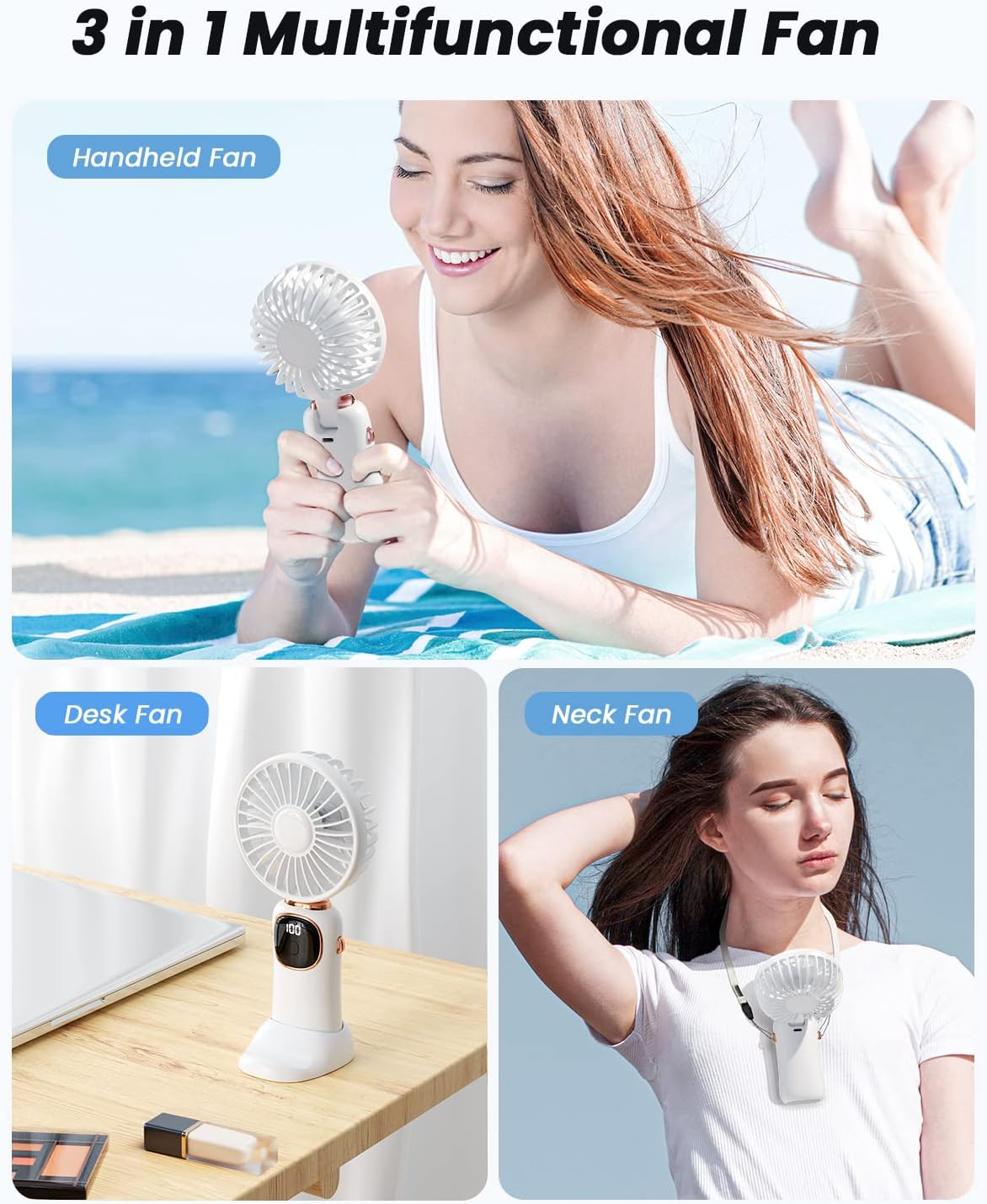
Figure 4: The fan's 3-in-1 functionality as handheld, desk, and neck fan.

Figure 5: The 90° foldable design allows for adjustable wind direction, useful for tasks like makeup application.
Video 1: An overview of the coldSky Portable Handheld Fan, demonstrating its features and uses.
4. Maintenance
4.1 Cleaning
To clean the fan, ensure it is powered off. The front cover of the fan can be carefully removed to access the blades for cleaning. Use a soft, dry cloth to wipe away dust. Do not immerse the fan in water.
4.2 Storage
When not in use for extended periods, store the fan in a cool, dry place away from direct sunlight and extreme temperatures. Ensure the battery is partially charged (around 50%) before storage to prolong its lifespan.
5. Troubleshooting
- Fan not turning on: Ensure the battery is charged. Connect the fan to a power source using the Type-C cable.
- Weak airflow: Check the digital display to confirm the fan speed setting. Increase the speed if necessary. Ensure the fan blades are clean and free from obstructions.
- Battery not charging: Verify that the charging cable is securely connected to both the fan and the power source. Try a different USB port or adapter.
6. Specifications
| Feature | Detail |
|---|---|
| Brand | coldSky |
| Model Name | XY-88 |
| Color | White |
| Product Dimensions | 1.13"D x 3.54"W x 7.28"H |
| Item Weight | 1.92 ounces (0.12 Pounds) |
| Power Source | 4000mAh Battery Powered |
| Charging Port | USB Type-C |
| Charging Time | Approx. 2.5 Hours |
| Working Time | 7-20 Hours (depending on speed) |
| Number of Power Levels | 5 |
| Noise Level | 20 Decibels |
| Number of Blades | 7 |
| Special Features | Adjustable Tilt, Foldable, Digital Display |

Figure 6: Feature comparison highlighting the coldSky fan's advantages.
7. Warranty and Support
For warranty information and customer support, please refer to the contact details provided with your purchase or visit the official coldSky website. Keep your purchase receipt for any warranty claims.