
TKMARS 4G TK918 20000mAh
TKMARS 4G TK918 20000mAh GPS Tracker User Manual
Model: 4G TK918 20000mAh
Brand: TKMARS
1. Product Overview
The TKMARS 4G TK918 20000mAh GPS Tracker is a robust and versatile tracking device designed for real-time and precise location monitoring of vehicles, assets, and personal items. Featuring a long-lasting battery, strong magnetic attachment, and waterproof design, it offers reliable security and peace of mind. The device supports 4G LTE connectivity for wide coverage and provides various alert functions via a dedicated mobile application and web platform.
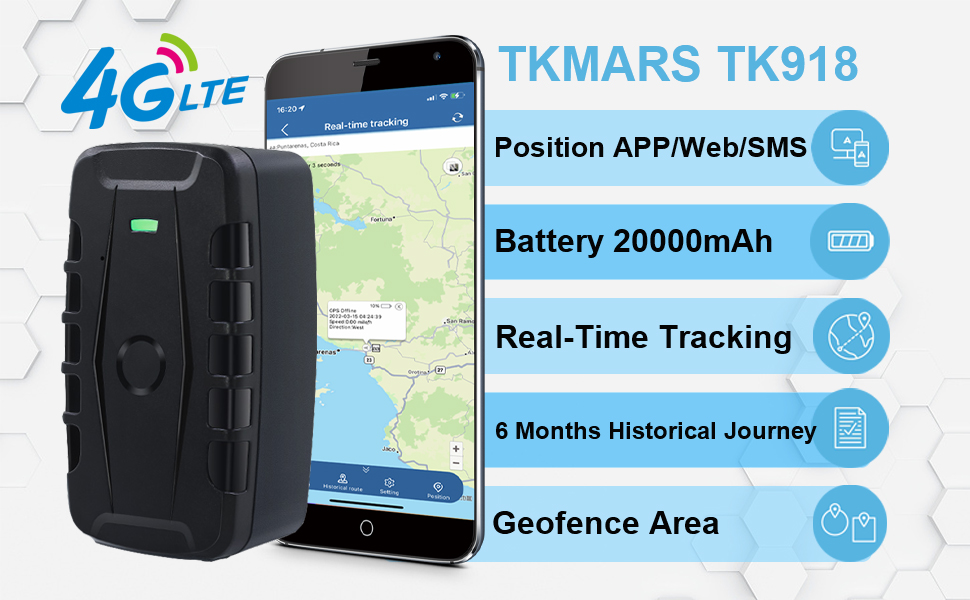
Image: The TKMARS TK918 GPS tracker shown alongside a smartphone displaying its real-time tracking capabilities on a map interface.
2. Key Features
- Extended Battery Life: Equipped with a 20000mAh rechargeable battery, providing 30-150 days of operation depending on the tracking mode (10s-1min intervals for real-time, up to 150 days in battery saver mode with 1-3 updates/day).
- Magnetic and Waterproof Design: Features a strong built-in magnet for secure attachment to metal surfaces and an IP67 waterproof rating, ensuring durability in various environments.
- Real-Time Tracking: Offers unlimited distance real-time tracking with 4G LTE connectivity across the USA and worldwide. Updates can be as frequent as every 10 seconds.
- Versatile Alert System: Supports multiple alarms including geo-fence alerts (virtual boundary crossing), low-battery notifications, speed alerts, and movement alerts, delivered via push notification or SMS.
- Historical Route Playback: Records and allows playback of historical movement data for up to 6 months.
- Microphone Monitoring: Enables remote audio monitoring near the device by sending a specific SMS command.
- Multi-Facility Management: Manage and monitor multiple trackers simultaneously through the application.
- Subscription Flexibility: Includes an international data SIM card, with the option to use your own prepaid SIM card. The web and app platforms are free to use after purchase.

Image: Visual representation of the TKMARS 4G LTE GPS tracker highlighting its core functionalities such as real-time positioning, geofencing, and various alarms.
3. What's in the Box
- 1 x TK918 GPS tracker
- 1 x Charging cable
4. Specifications
| Attribute | Detail |
|---|---|
| Product Dimensions | 4.72 x 2.56 x 1.93 inches |
| Item Weight | 1.34 pounds |
| Item Model Number | 4G TK918 20000mAh |
| Batteries | 1 Lithium Ion batteries required (included) |
| Connectivity Technology | Cellular (4G LTE) |
| Special Feature | Waterproof (IP67) |
| Supported Application | Alarm, Real-time Tracking, Geo-fence |
| Specific Uses For Product | Car, Motorcycle, Truck, Boat, Outdoor Activities, Luggage, Assets |
| Manufacturer | TKMARS |
| Date First Available | March 19, 2023 |
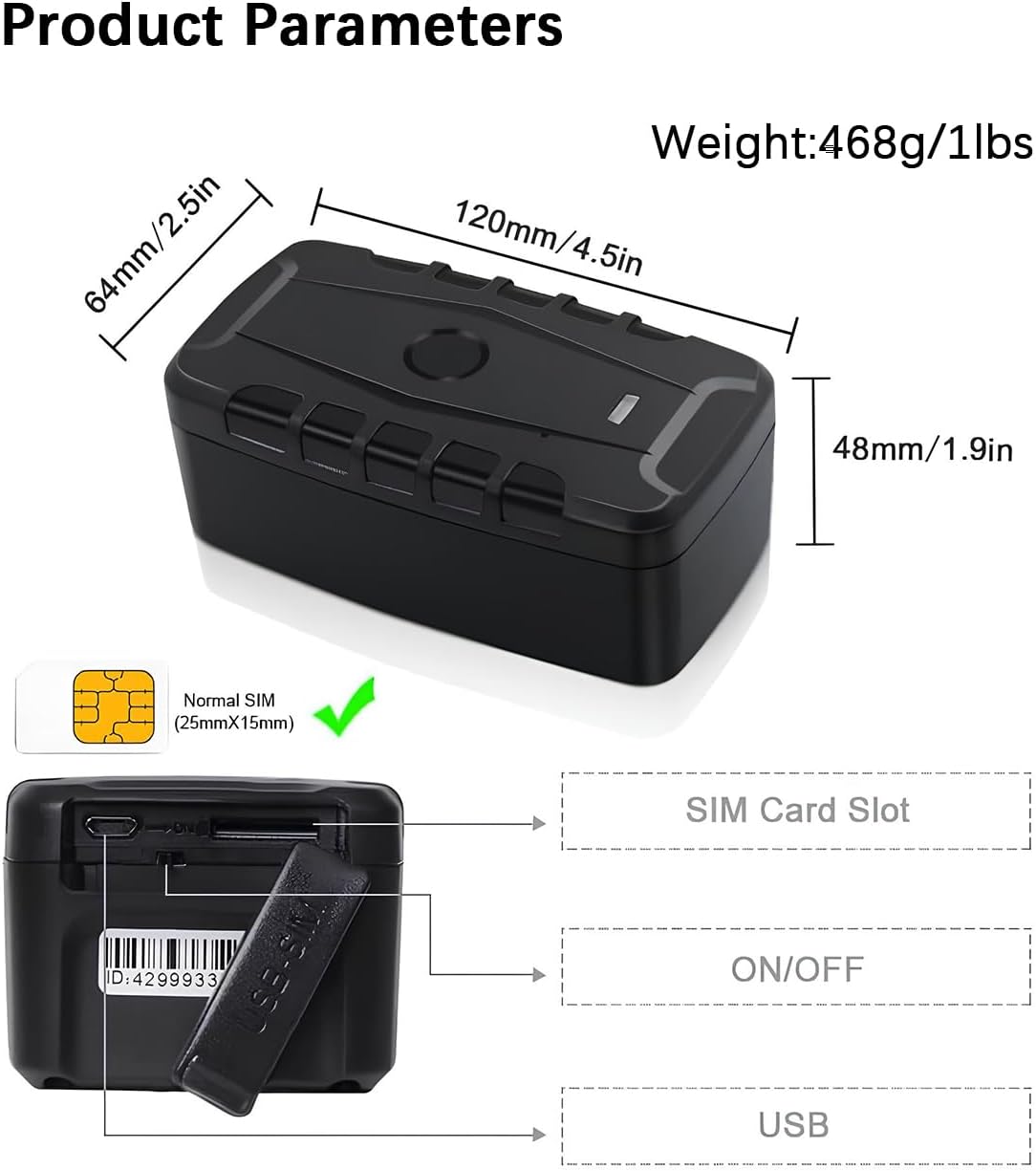
Image: Detailed diagram illustrating the physical dimensions, weight, and port locations (SIM card slot, ON/OFF, USB) of the TK918 GPS tracker.
5. Setup Guide
- SIM Card Preparation: If using your own SIM card, ensure it is activated and has SMS, call, and internet functions. Disable any PIN code and voicemail features on the SIM card before insertion.
- Insert SIM Card: Place the tracker outdoors to ensure good GPS signal reception. Carefully insert the Normal SIM card (25mm x 15mm) into the SIM card slot. Ensure it is fully seated until you hear a click.
- Initial Activation: After inserting the SIM card, make a call to the SIM phone number in the tracker or send the SMS command "G123456#" to it. You should receive a text message containing a Google Map link, indicating the tracker's location.
- App Download and Login: Download the "WINNES GPS" application from your device's app store (compatible with Android and iOS). Log in to the app using the tracker's unique ID number.
- APN Configuration (If Needed): If the app displays "Not Enabled" or "not activate" after logging in, you may need to configure the Access Point Name (APN) settings. Obtain the correct APN information from your SIM card provider and follow the in-app instructions or refer to the advanced settings section for manual APN setup.

Image: The TKMARS GPS tracker positioned next to a smartphone, illustrating the device's integration with its mobile application for real-time location tracking.
6. Operating Instructions
6.1 Real-Time Tracking
Once set up, the TK918 provides real-time location updates. Access the "WINNES GPS" app or web platform to view the current position of your tracker on a map. The minimum update interval is 10 seconds.

Image: Illustration demonstrating real-time tracking on Google Maps, accessible via cellphone, tablet, or PC, with data updates every 10 seconds.
6.2 Historical Route Playback
The device stores historical movement data. Within the "WINNES GPS" app, navigate to the "Historical Route" section to review past routes and locations for up to 6 months.

Image: Screenshots from the app demonstrating the Geo-fence Zone setup and the History Route Playback feature, allowing users to review past movements.
6.3 Alarm Functions
- Geo-fence Alarm: Set virtual boundaries on the map. You will receive an alert if the tracker enters or exits these predefined zones.
- Vibration Alarm: If the tracker remains stationary for more than 5 minutes and then detects movement, it will send a vibration alarm via the app or SMS.
- Overspeed Alarm: Configure a maximum speed limit. If the tracker exceeds this speed, an overspeed alarm will be sent via the app or SMS.
- Low Battery Alarm: Receive notifications when the device's battery level is low, prompting you to recharge.
- Automatic Drop Alarm: The device can detect if it has been removed or dropped from its attached surface and trigger an alarm.

Image: Visual explanation of the Vibration Alarm, triggered by unexpected movement after a period of stillness, and the Overspeed Alarm, activated when a set speed limit is exceeded.
6.4 Microphone Monitoring
To activate microphone monitoring, send the SMS command "monitor123456" to the tracker's SIM card number. You can then call the tracker's number to listen to sounds in its vicinity.
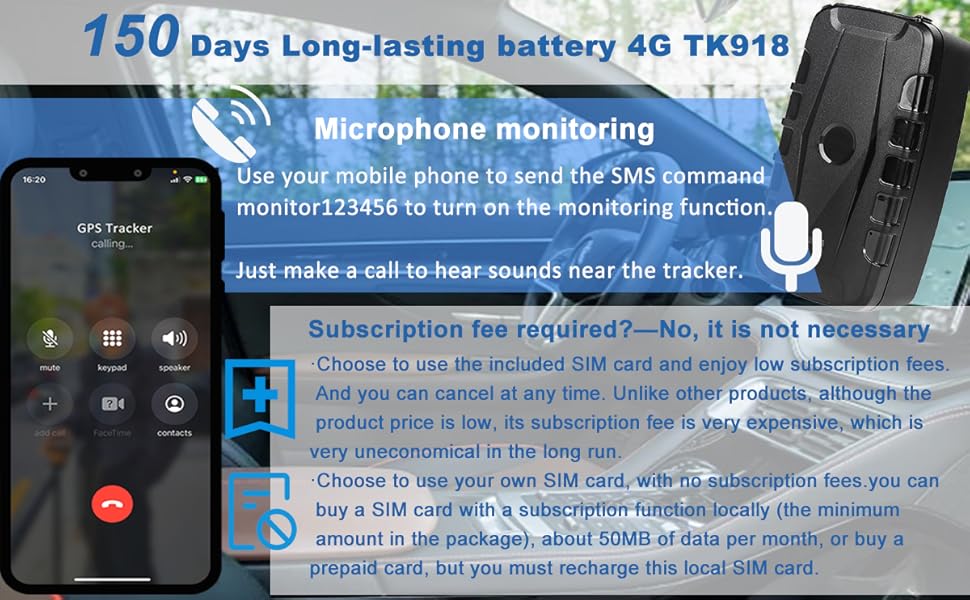
Image: Illustration detailing the microphone monitoring function and clarifying the flexible subscription options for the SIM card, including using your own.
6.5 Multi-Facility Management
If you own multiple TKMARS trackers, you can create a single account in the "WINNES GPS" app to manage and monitor all your devices simultaneously.
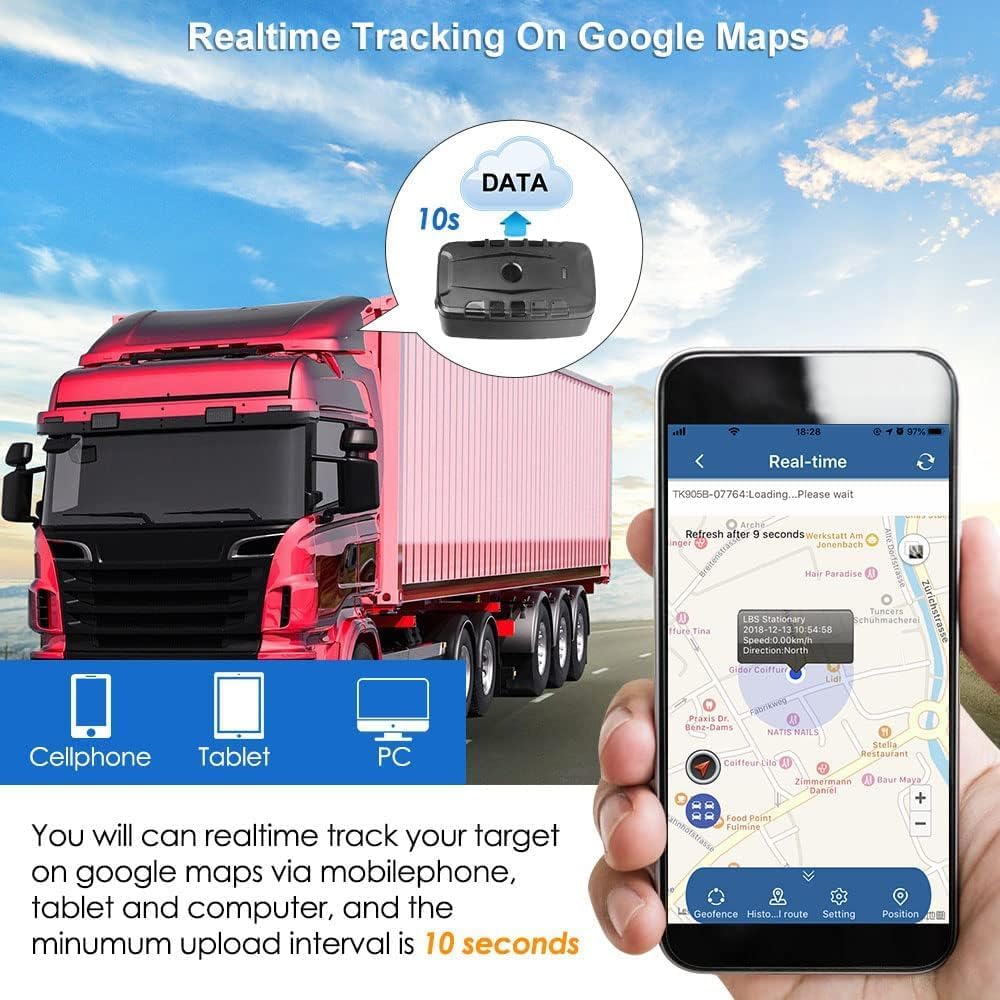
Image: Depiction of the Multi-Facility Management system, allowing simultaneous monitoring of multiple trackers, alongside icons for Low Battery Alarm and IP67 Waterproof features.
7. Maintenance
- Charging: Recharge the device using the provided charging cable when the low battery alert is received. The 20000mAh battery offers extended usage between charges.
- Cleaning: Wipe the device with a soft, dry cloth. Avoid using harsh chemicals or abrasive materials.
- Water Resistance: The IP67 waterproof rating protects against dust and temporary immersion in water. However, avoid prolonged submersion or high-pressure water jets.
- Storage: Store the device in a cool, dry place when not in use for extended periods.
8. Troubleshooting
- Device Not Activating/Offline:
- Ensure the SIM card is active and has SMS, call, and data functions.
- Verify that the SIM card's PIN code and voicemail are disabled.
- Confirm the SIM card is inserted correctly and fully seated in the slot.
- If the app shows "Not Enabled" or "not activate", check and configure the APN settings according to your SIM card provider's information.
- Ensure the device is placed outdoors or in an area with clear sky view for initial GPS signal acquisition.
- Inaccurate Location/Signal Loss:
- Poor GPS signal can occur in enclosed spaces (e.g., indoors, underground parking). Move the device to an open area.
- Obstructions like thick metal structures in vehicles can interfere with GPS and 4G signals. Try repositioning the tracker.
- Ensure the SIM card has sufficient data balance for continuous tracking.
- Short Battery Life:
- Frequent real-time updates (e.g., every 10 seconds) consume more battery. Adjust the tracking interval in the app to a longer duration (e.g., 1 minute, or use battery saver mode) for extended battery life.
- Ensure the device is fully charged before deployment.
- Extreme temperatures can affect battery performance.
- Alarms Not Triggering:
- Verify that alarm settings (geo-fence zones, speed limits, vibration sensitivity) are correctly configured in the app.
- Check app notification permissions on your smartphone.
- Ensure the SIM card can send and receive SMS if alarms are set to SMS notification.
9. Warranty and Support
The TKMARS 4G TK918 GPS Tracker comes with a Lifetime Warranty, ensuring long-term reliability and customer satisfaction. This warranty covers manufacturing defects and ensures the device functions as intended.
For technical assistance, troubleshooting, or any inquiries regarding your device, please utilize the highly-rated dedicated mobile and web application. The app is compatible with Android, iOS, and all web browsers, providing a direct channel for support and device management.
For further support, please refer to the contact information provided with your product packaging or within the "WINNES GPS" application.
10. Product Application
The TKMARS 4G TK918 GPS Tracker is designed for a wide range of applications, including but not limited to:
- Vehicles: Cars, Motorcycles, Trucks, Buses, OFF-roaders.
- Assets: Boats, Excavators, Containers, valuable equipment.
- Personal Items: Luggage, handbags.
- Safety: Tracking for kids (when used responsibly and legally).
Image: A collage illustrating the diverse applications of the TK918 GPS tracker, including various types of vehicles and personal items.
Ask a question about this manual
Ask about setup, troubleshooting, compatibility, parts, safety, or missing instructions. Manuals+ will review the question and use this page’s manual context to help answer it.