
1. Introduction
This manual provides essential information for the safe and efficient operation, installation, and maintenance of your METRO Professional GCV1600 Refrigerated Display Case. Please read these instructions carefully before using the appliance and keep them for future reference.
The METRO Professional GCV1600 is a refrigerated display case designed for commercial use, featuring air circulation cooling and adjustable shelves. It is suitable for displaying various fresh products while maintaining optimal temperatures.
2. Safety Instructions
Always follow basic safety precautions when using electrical appliances to reduce the risk of fire, electric shock, and injury.
- Ensure the appliance is connected to a properly grounded power outlet.
- Do not operate the appliance with a damaged power cord or plug.
- Keep ventilation openings clear of obstructions.
- Do not store explosive substances such as aerosol cans with a flammable propellant in this appliance.
- This appliance is intended for commercial use only.
- Do not use mechanical devices or other means to accelerate the defrosting process, other than those recommended by the manufacturer.
- Do not damage the refrigerant circuit.
- Only qualified personnel should service this appliance.
3. Product Overview
The METRO Professional GCV1600 refrigerated display case is designed for optimal product presentation and cooling.

Figure 1: Front view of the GCV1600 display case.

Figure 2: Side and rear view, highlighting the control panel.
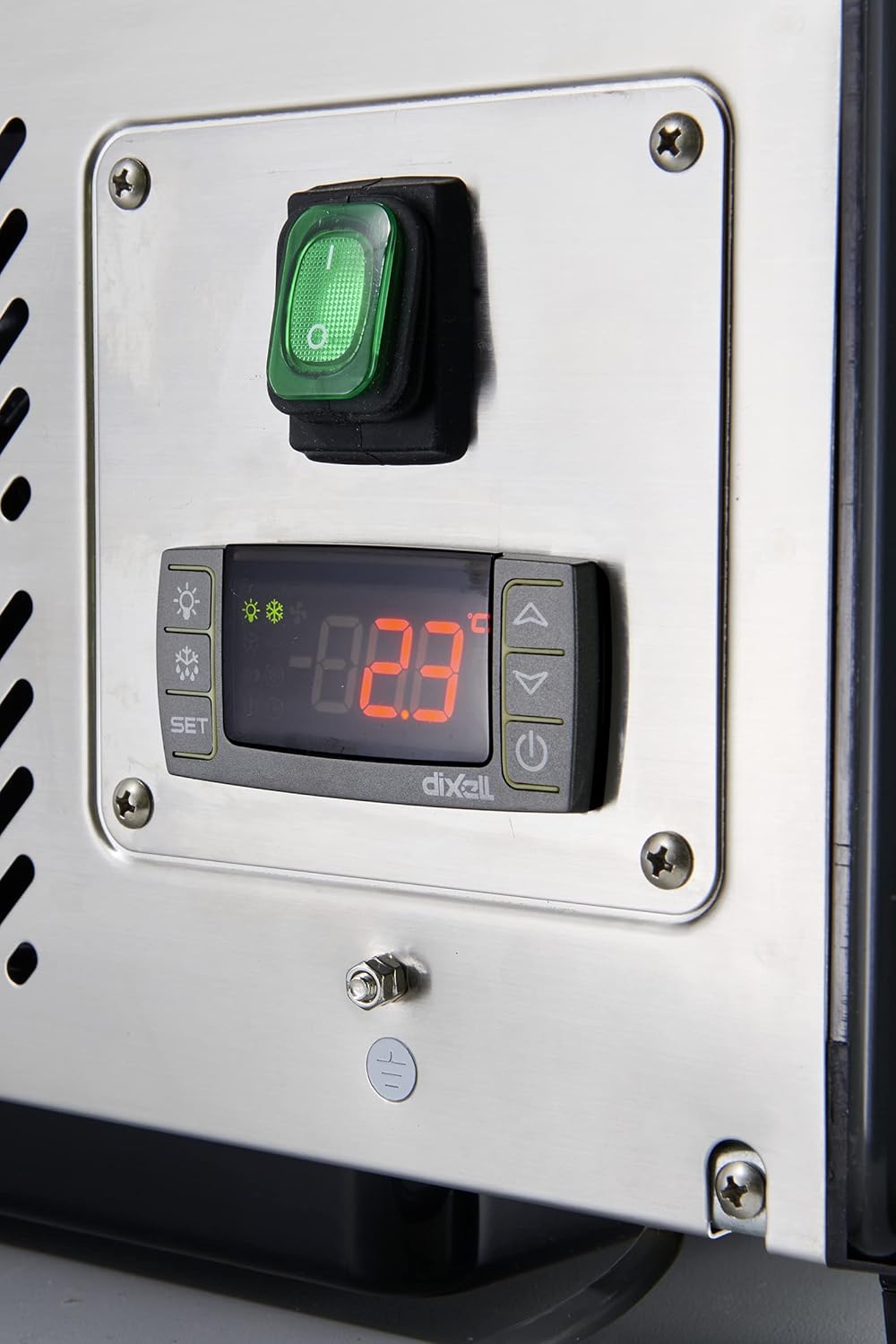
Figure 3: Digital thermostat and power switch.
4. Setup and Installation
- Unpacking: Carefully remove the display case from its packaging. Inspect for any shipping damage.
- Placement:
- Place the unit on a stable, level surface.
- Ensure adequate ventilation around the unit. Maintain a minimum clearance of 10 cm (4 inches) from walls or other objects on all sides.
- Avoid direct sunlight or proximity to heat sources.
- The appliance is designed for ambient temperatures up to 30 °C and relative humidity of 55%.
- Leveling: Use the adjustable feet (if present) to ensure the unit is perfectly level.
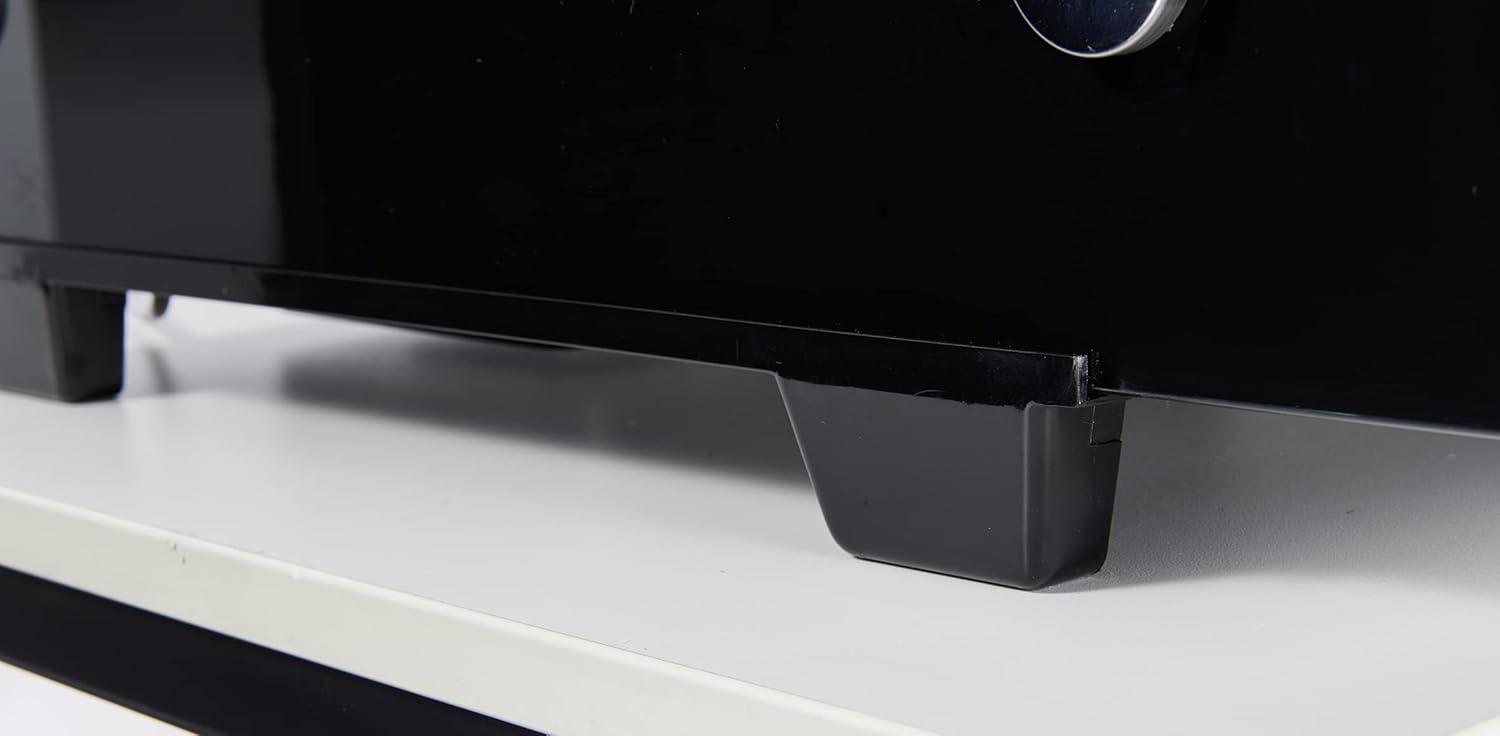
Figure 4: Adjustable feet for leveling.
- Power Connection: Connect the power cord to a grounded electrical outlet. Ensure the voltage matches the appliance's requirements (230 Volts).
- Initial Cleaning: Before first use, clean the interior and exterior of the display case with a mild detergent and soft cloth.
- Shelf Installation: Insert the adjustable shelves into the desired positions. The shelves can support a maximum load of 15 kg each.
5. Operating Instructions
- Power On: Turn on the main power switch located on the control panel (refer to Figure 3).
- Temperature Setting:
- The digital thermostat allows precise temperature control.
- Press the "SET" button to view the current set temperature.
- Use the up and down arrow buttons to adjust the desired temperature between 2 °C and 8 °C.
- Press "SET" again to confirm the new temperature.
- Loading Products:
- Allow the unit to reach the set temperature before loading products.
- Distribute products evenly on the shelves, ensuring not to exceed the maximum load of 15 kg per shelf.
- Do not block the air circulation vents inside the cabinet.
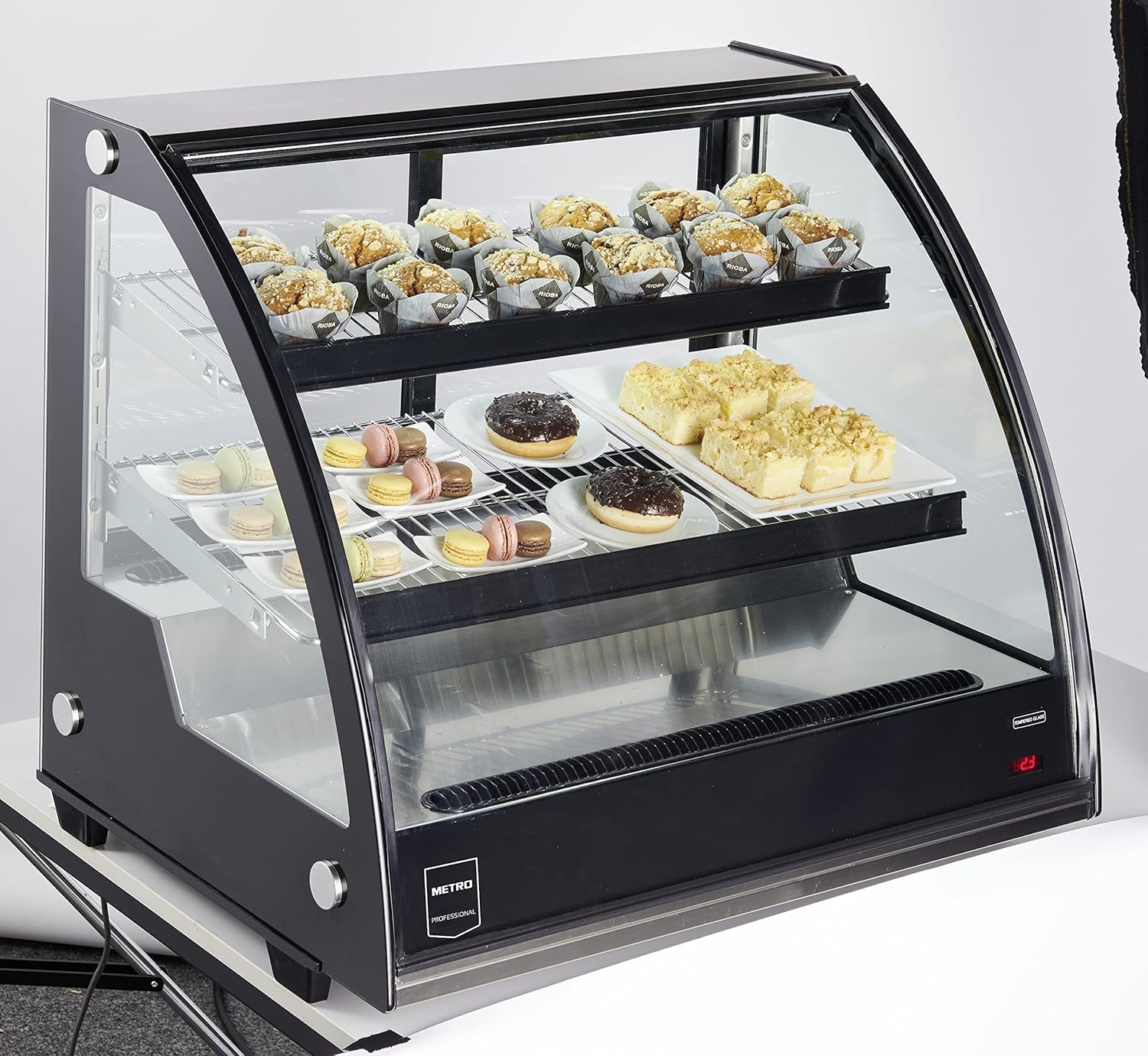
Figure 5: Display case loaded with products.
- Defrosting: The appliance features an automatic defrosting system. Manual defrosting is generally not required.
6. Maintenance and Cleaning
Regular maintenance ensures optimal performance and longevity of your display case.
- Daily Cleaning:
- Disconnect the power before cleaning.
- Clean the interior and exterior surfaces with a soft cloth and mild, non-abrasive detergent.
- Wipe down glass surfaces with a glass cleaner.
- Do not use harsh chemicals, abrasive cleaners, or sharp objects that could damage the surfaces.
- Condenser Cleaning: Periodically clean the condenser coils (located at the rear or bottom of the unit) to ensure efficient cooling. Use a soft brush or vacuum cleaner to remove dust and debris. Ensure the unit is unplugged before cleaning the condenser.
- Shelf Cleaning: Remove and clean shelves as needed with warm soapy water.
- Long-Term Storage: If the unit will not be used for an extended period, unplug it, clean thoroughly, and leave the doors slightly ajar to prevent odors.
7. Troubleshooting
| Problem | Possible Cause | Solution |
|---|---|---|
| Unit does not power on | No power supply; Power cord not plugged in; Power switch off; Circuit breaker tripped. | Check power outlet; Ensure cord is securely plugged in; Turn power switch on; Reset circuit breaker. |
| Temperature is too high | Door not closed properly; Excessive door openings; Unit overloaded; Condenser dirty; Ambient temperature too high; Thermostat setting incorrect. | Ensure door is sealed; Reduce door openings; Do not overload; Clean condenser; Ensure proper ventilation; Adjust thermostat setting. |
| Unusual noise | Unit not level; Loose components; Fan obstruction. | Level the unit; Check for loose parts and tighten; Clear any fan obstructions. |
| Excessive frost buildup | Door seal faulty; High humidity; Frequent door openings. | Check and replace door seal if necessary; Reduce humidity in the room; Minimize door openings. |
If the problem persists after attempting these solutions, please contact qualified service personnel.
8. Specifications
Detailed technical specifications for the METRO Professional GCV1600 Refrigerated Display Case.
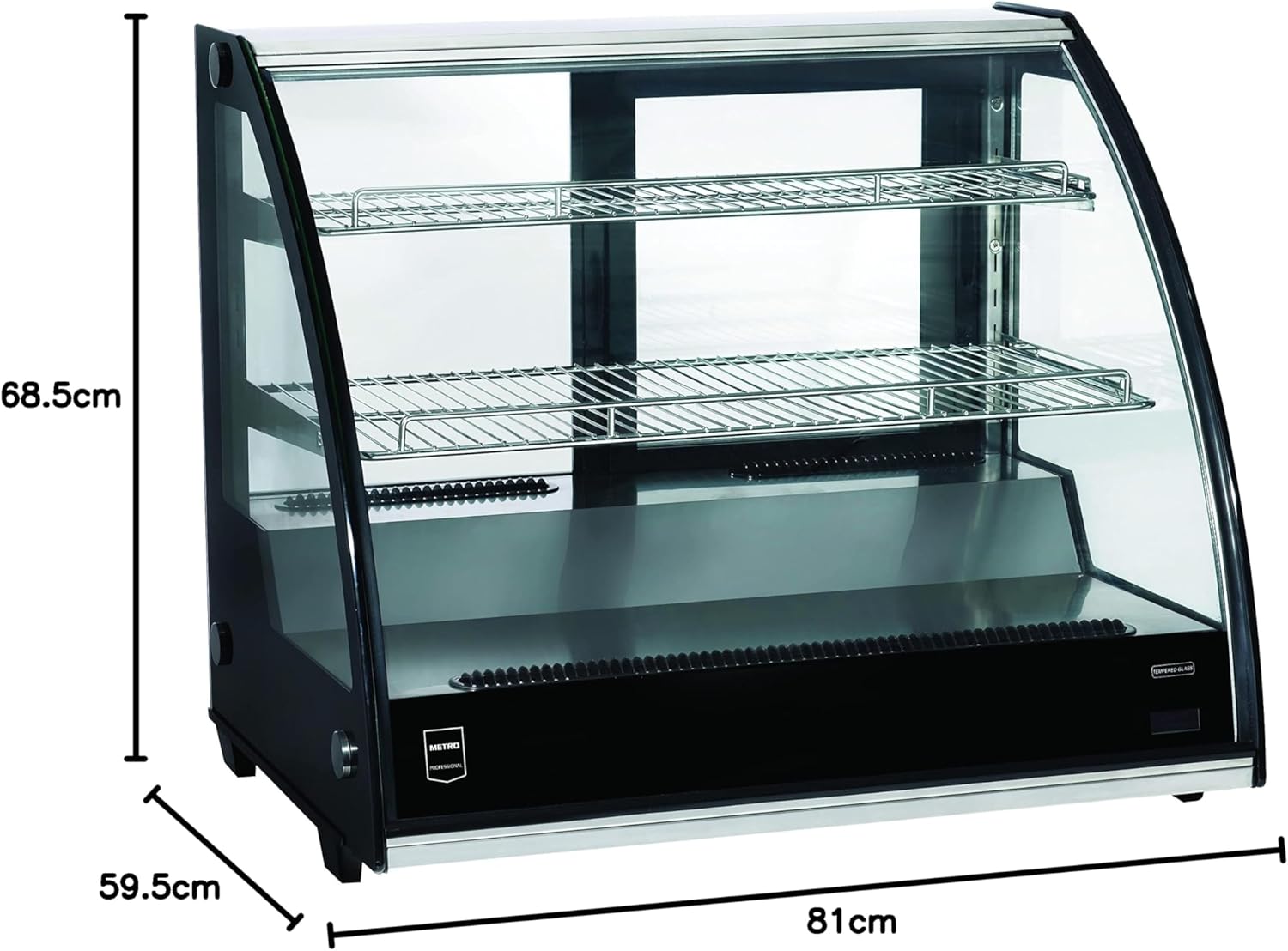
Figure 6: Product Dimensions.
| Parameter | Value |
|---|---|
| Model Number | GCV1600 |
| Brand | METRO Professional |
| Manufacturer | MCC Trading International GmbH |
| Product Dimensions (W x D x H) | 81 x 59.5 x 68.5 cm |
| Weight | 66 kg |
| Capacity | 130 Liters |
| Temperature Range | 2 °C to 8 °C |
| Cooling System | Air Circulation Cooling |
| Refrigerant | R600a |
| Voltage | 230 Volts |
| Energy Consumption | 3.6 kWh/24h |
| Climate Class | 4 (up to 30 °C ambient, 55% RH) |
| Defrost System | Automatic |
| Shelf Load Capacity | 15 kg per shelf |

Figure 7: German Product Data Sheet (GCV1600 highlighted).

Figure 8: Dutch Product Information Sheet (GCV1600 highlighted).

Figure 9: EU Energy Label for GCV1600.
For more details, refer to the EU EPREL database: https://eprel.ec.europa.eu/qr/390170
9. Warranty and Support
The minimum warranty period offered by the supplier is 0 months, as per the product information. For country-specific statutory warranty offers and further support, please visit the manufacturer's website.
Support Website: www.metrocustomer.info
For technical assistance or service inquiries, please contact your local METRO Professional service center.