
CAMECHO A7295A3018
CAMECHO Android 13 Car Stereo User Manual
Model: A7295A3018
1. Introduction
This manual provides comprehensive instructions for the installation, operation, and maintenance of your CAMECHO 9-inch Android 13 Car Stereo. This unit is designed for BMW 1 Series E81, E82, E87, E88 models from 2008-2012 (Auto AC). It integrates advanced features such as Wireless CarPlay, Android Auto, GPS Navigation, WiFi, Bluetooth, FM/RDS radio, and support for an AHD rear camera, enhancing your in-car entertainment and connectivity experience.
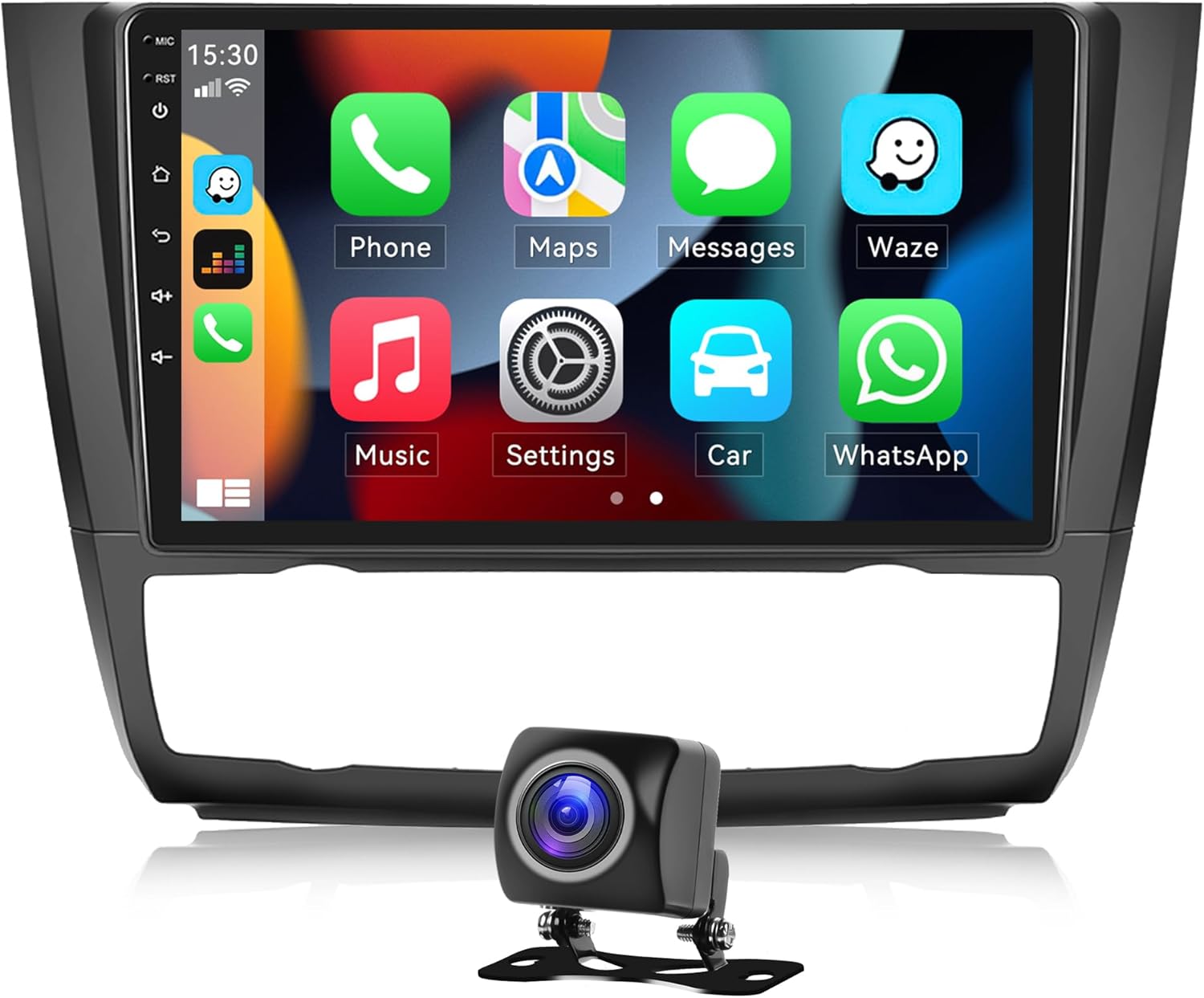
Figure 1.1: CAMECHO 9-inch Android 13 Car Stereo with its user interface displaying common applications and an included AHD rear camera.
2. Package Contents
Verify that all items listed below are present in your package. If any items are missing or damaged, please contact customer support.

Figure 2.1: Overview of the car stereo dimensions and all included accessories.
- CAMECHO 9-inch Android 13 Car Stereo Unit
- AHD Rear Camera
- Power Cable
- RCA Cable
- USB Cables (2)
- GPS Antenna
- External Microphone
- CANBUS Decoder
- Radio Antenna Adapter
- Installation Tools
- User Manual (this document)
3. Setup and Installation
3.1 Compatibility Check
This car stereo is specifically designed for BMW 1 Series E81, E82, E87, E88 models manufactured between 2008 and 2012, equipped with Automatic Climate Control (Auto AC). Please ensure your vehicle matches these specifications before proceeding with installation.

Figure 3.1: Visual guide for installation compatibility and the appearance of the dashboard before and after the stereo unit is installed.
3.2 Installation Steps (Professional Installation Recommended)
Due to the complexity of automotive electrical systems, professional installation is highly recommended. Incorrect installation can lead to damage to the unit or vehicle. The following is a general guide:
- Disconnect Battery: Before starting, disconnect the vehicle's negative battery terminal to prevent electrical shorts.
- Remove Original Unit: Carefully remove the existing car stereo unit and trim panels using appropriate tools. Refer to your vehicle's service manual for specific instructions.
- Connect Wiring Harness: Connect the provided power cable, RCA cables, USB cables, GPS antenna, and external microphone to the corresponding ports on the new CAMECHO unit. Ensure the CANBUS decoder is correctly integrated into the wiring harness.
- Connect AHD Rear Camera: Route the AHD rear camera cable from the rear of the vehicle to the stereo unit and connect it to the dedicated camera input.
- Test Connections: Before fully reassembling, reconnect the battery and briefly test the unit's basic functions (power on, audio, touch screen, camera input).
- Secure Unit: Mount the new stereo unit securely into the dashboard opening.
- Reassemble: Reinstall all trim panels and secure them properly.
- Final Test: Perform a comprehensive test of all features, including GPS, Bluetooth, CarPlay/Android Auto, and steering wheel controls.
4. Operating Instructions
4.1 Basic Operation
- Power On/Off: The unit powers on automatically with the vehicle's ignition. To manually turn off the screen, press the power button (if available) or use the system settings.
- Touch Screen: The 9-inch full-capacity touch screen allows for intuitive control. Tap, swipe, and pinch-to-zoom as you would on a smartphone.
- Volume Control: Adjust volume using the physical buttons on the unit or via steering wheel controls.
4.2 Key Features
4.2.1 Wireless CarPlay & Android Auto
Connect your Apple or Android smartphone wirelessly or via USB to access navigation, calls, messages, music, and more directly on the car stereo display. Supports voice control for hands-free operation.

Figure 4.1: Wireless CarPlay and Android Auto interfaces for seamless smartphone integration.
4.2.2 GPS Navigation
The unit features built-in GPS navigation. You can download offline maps from the Play Store or use online navigation apps like Google Maps when connected to WiFi. The system provides accurate positioning and real-time traffic information (with internet connection).

Figure 4.2: GPS Navigation interface providing route guidance and map display.
4.2.3 WiFi Connectivity
Connect the car stereo to a WiFi hotspot (e.g., from your smartphone) to access online features, download apps, browse the internet, and stream content.
Figure 4.3: WiFi connection enables online maps, app downloads, and media streaming.
4.2.4 Bluetooth Functionality
Pair your smartphone via Bluetooth for hands-free calling, audio streaming (A2DP), and automatic phonebook synchronization. This allows you to make and receive calls safely while driving and enjoy your music wirelessly.
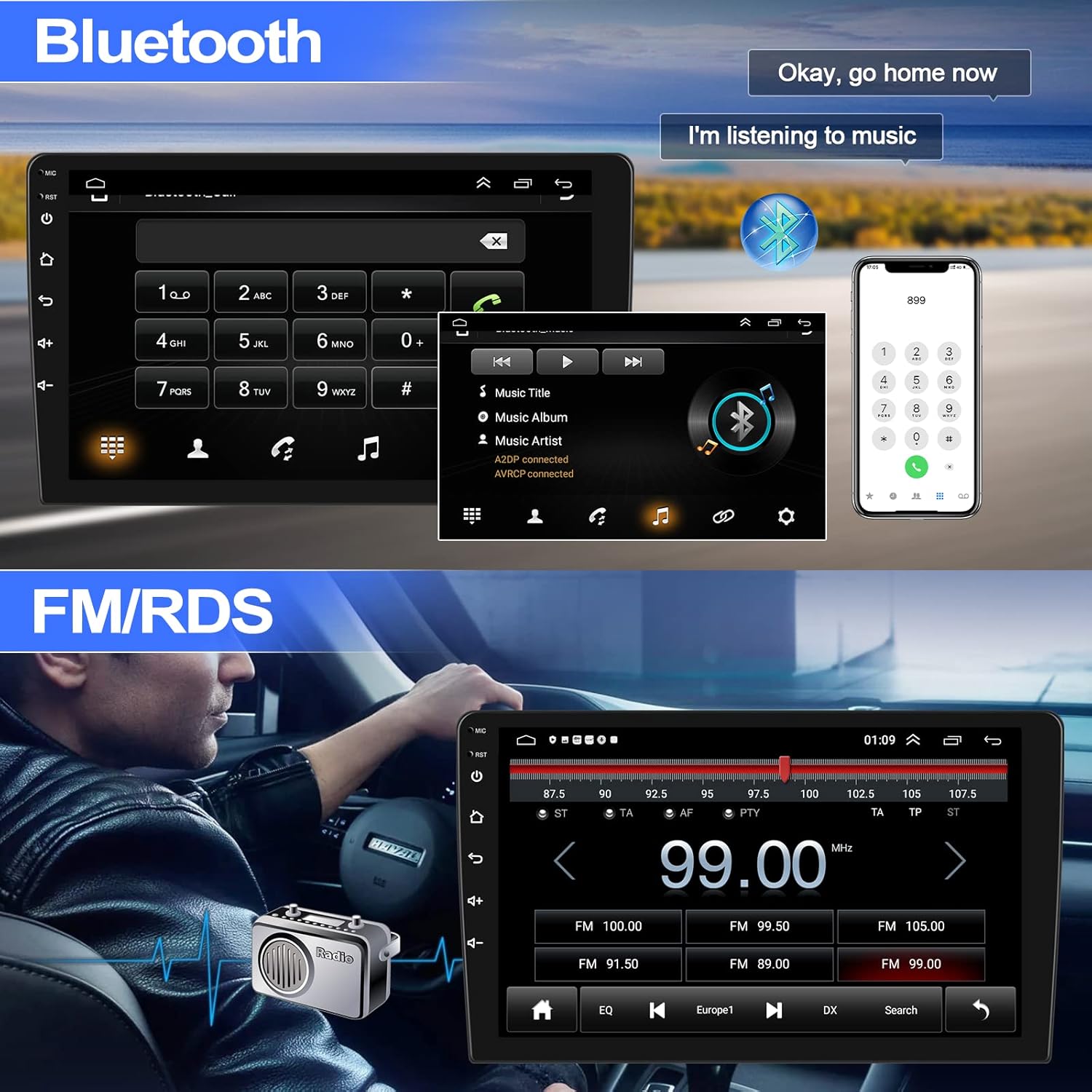
Figure 4.4: Bluetooth interface for hands-free calls and music streaming.
4.2.5 FM/RDS Radio
Enjoy your favorite radio stations with the built-in FM tuner. The Radio Data System (RDS) provides additional information like station name and song title where available. The unit supports 18 preset stations.
Figure 4.5: FM/RDS radio interface for tuning and managing radio stations.
4.2.6 Hi-Fi Audio Function
Experience high-fidelity audio reproduction that closely matches the original sound. The built-in equalizer allows you to customize sound settings to your preference, with various presets like Pop, Rock, Jazz, and Custom options.

Figure 4.6: Hi-Fi audio equalizer for personalized sound settings.
4.2.7 Steering Wheel Controls
The unit supports integration with your vehicle's existing steering wheel controls, allowing you to manage audio playback, calls, and navigation functions without taking your hands off the wheel. This enhances driving safety and convenience.

Figure 4.7: Steering wheel control learning interface for custom button mapping.
4.2.8 Split Screen Function
Utilize the split-screen feature to run two applications simultaneously, such as navigation on one side and music playback on the other. This maximizes the utility of the large 9-inch display.
Figure 4.8: Split screen functionality displaying navigation and media simultaneously.
4.2.9 AHD Rear Camera & External Microphone
The included AHD rear camera provides a high-definition 720P view of the area behind your vehicle, automatically displaying when reversing. The external omnidirectional microphone ensures clear audio for hands-free calls and voice commands, with a 145cm shielded cable for optimal placement.
Figure 4.9: AHD Rear Camera view with parking assistance lines.

Figure 4.10: External omnidirectional microphone for clear audio input.
5. Maintenance
- Screen Cleaning: Use a soft, lint-free cloth slightly dampened with water or a screen cleaner specifically designed for electronics. Do not use abrasive cleaners or solvents.
- General Care: Keep the unit free from dust and debris. Avoid exposing the unit to extreme temperatures or direct sunlight for prolonged periods.
- Software Updates: Periodically check for software updates through the unit's system settings (requires WiFi connection) to ensure optimal performance and access to new features.
6. Troubleshooting
| Problem | Possible Cause | Solution |
|---|---|---|
| Unit does not power on. | Loose power connection; Blown fuse; Incorrect wiring. | Check all power connections. Inspect vehicle's fuse box and the unit's inline fuse. Verify wiring against installation diagram. |
| No sound. | Volume too low; Mute activated; Loose speaker wires; Incorrect audio settings. | Increase volume. Check if mute is active. Verify speaker wire connections. Adjust audio output settings in the system menu. |
| GPS signal lost or inaccurate. | GPS antenna not properly installed or obstructed; Poor satellite reception. | Ensure GPS antenna is mounted in a clear location with an unobstructed view of the sky. Check antenna connection. |
| Bluetooth connection issues. | Device not in pairing mode; Interference; Incorrect pairing procedure. | Ensure your phone's Bluetooth is on and in pairing mode. Delete previous pairings and re-pair. Move closer to the unit. |
| Rear camera not displaying. | Loose camera connection; Incorrect camera input setting; Faulty camera. | Check camera cable connection to the unit. Verify camera input settings (CVBS/AHD). Test camera if possible. |
If the problem persists after attempting these solutions, please contact CAMECHO customer support.
7. Specifications
| Brand | CAMECHO |
| Model Number | A7295A3018 |
| Screen Size | 9 Inches |
| Operating System | Android 13 |
| Memory/Storage | 2GB RAM + 64GB Internal Storage |
| Output Power | 45 Watts |
| Connectivity | USB (2 ports), Bluetooth, WiFi |
| Audio Output Mode | Stereo, 5.1 Surround Sound |
| Compatible Vehicles | BMW 1 Series E81 E82 E87 E88 (2008-2012, Auto AC) |
| Rear Camera Support | AHD 720P (Included) |
8. Warranty and Support
The CAMECHO Android 13 Car Stereo comes with a 1-year manufacturer's warranty from the date of purchase. This warranty covers defects in materials and workmanship under normal use.
The warranty does not cover:
- Damage caused by improper installation, accident, misuse, abuse, or unauthorized modification.
- Normal wear and tear.
- Damage caused by natural disasters or acts of God.
For warranty claims, technical support, or any inquiries regarding your product, please contact CAMECHO customer service through the retailer where you purchased the unit or refer to the contact information provided on the official CAMECHO website.