
Biorunn for Toyota RAV4 2013-2018
Biorunn Android 12 10.1-inch Car Stereo User Manual for Toyota RAV4 (2013-2018)
Model: for Toyota RAV4 2013-2018
Introduction
This manual provides comprehensive instructions for the installation, operation, and maintenance of your Biorunn Android 12 10.1-inch Octa Core Car Stereo. This unit is specifically designed for Toyota RAV4 models manufactured between 2013 and 2018. Please read this manual thoroughly before using the product to ensure proper functionality and safety.
Applicable Models: Toyota RAV4 2013, 2014, 2015, 2016, 2017, 2018.
1. Setup and Installation
1.1 Package Contents
Verify that all components are present in the package:
- 1 Power Cable
- 1 CANbus Decoder
- 2 USB Cables
- 1 RCA Cable
- 1 GPS Antenna
- 1 4G Antenna
- 1 Microphone
- Main Head Unit
1.2 Installation Overview
The Biorunn car stereo is designed for integration into the Toyota RAV4 dashboard. Professional installation is recommended. Ensure the vehicle's power is disconnected before beginning installation.

Image: Biorunn car stereo after installation in a Toyota RAV4 dashboard, showing a clean and integrated look.
1.3 Wiring Diagram
Refer to the detailed wiring diagram for correct connections. Pay close attention to power, speaker, and accessory connections. If your car requires a CANbus, ensure the provided CANbus cable is connected to the designated port.
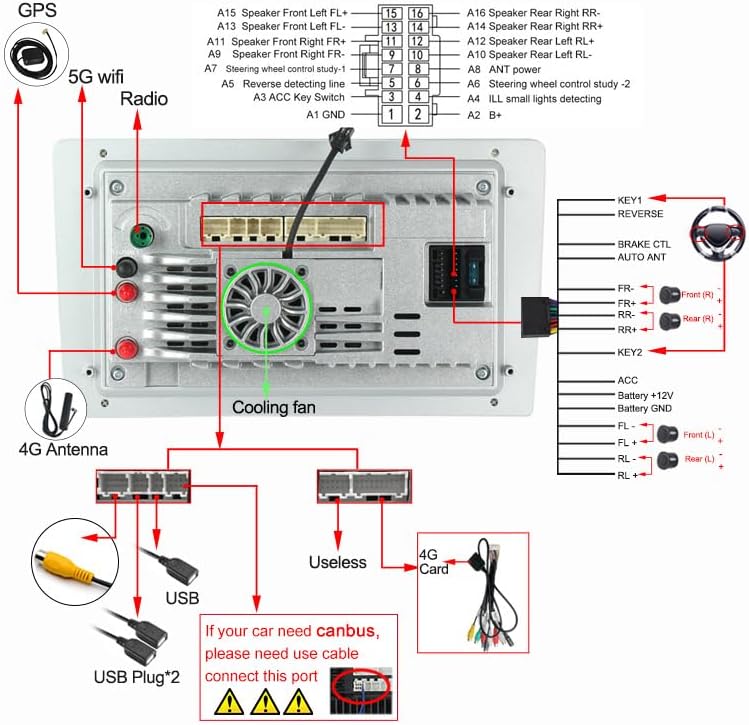
Image: Detailed wiring diagram illustrating connections for power, speakers, GPS antenna, 4G antenna, USB ports, and other accessories. Note the specific port for CANbus connection if required.
1.4 Initial Power-On
After installation, reconnect the vehicle's power. The unit should power on automatically or by pressing the power button. Follow any on-screen prompts for initial setup.
1.5 Network Connection
The unit supports Wi-Fi (5GHz) and 4G LTE connectivity. Navigate to the settings menu to connect to a Wi-Fi network or insert a 4G SIM card (if applicable) for internet access.
2. Operating Instructions
2.1 Basic Navigation and Touchscreen
The unit features a 10.1-inch IPS capacitive multi-touch screen. Navigate through menus and applications by tapping, swiping, and pinching. The Android 12 operating system provides a familiar interface.
2.2 Wireless CarPlay and Android Auto
The unit supports both wireless CarPlay and Android Auto. Connect your compatible smartphone to access navigation, music, calls, and messages directly on the car stereo display.
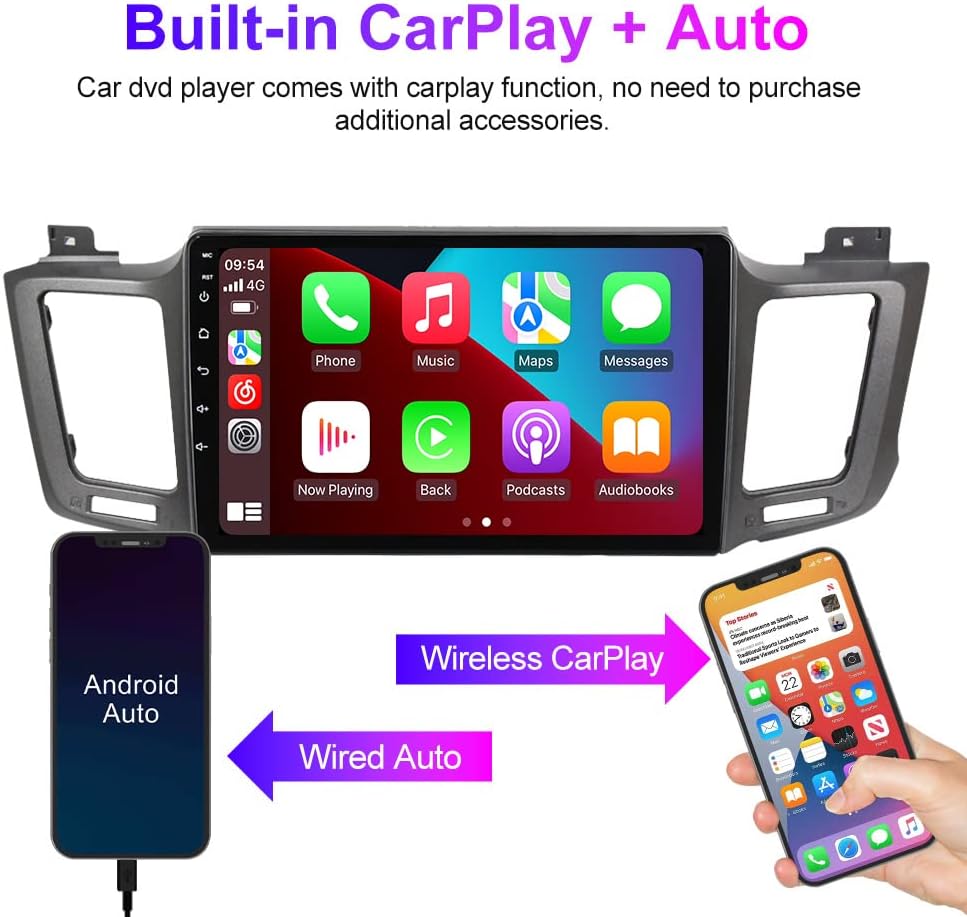
Image: The car stereo screen showing options for Wireless CarPlay and Android Auto, with a smartphone connected via wired Android Auto and another via wireless CarPlay.
2.3 Bluetooth Functionality
Utilize Bluetooth 5.0 for hands-free calling and audio streaming. Pair your phone in the Bluetooth settings. The unit supports phonebook download and caller ID display.

Image: The car stereo screen showing the Bluetooth phone dialer with a numeric keypad and a separate screen for Bluetooth music streaming, indicating active Bluetooth connection.
2.4 FM/AM RDS Radio
Access the built-in FM/AM radio with RDS support. The unit allows for automatic and manual station searching, and you can save up to 18 preset stations.
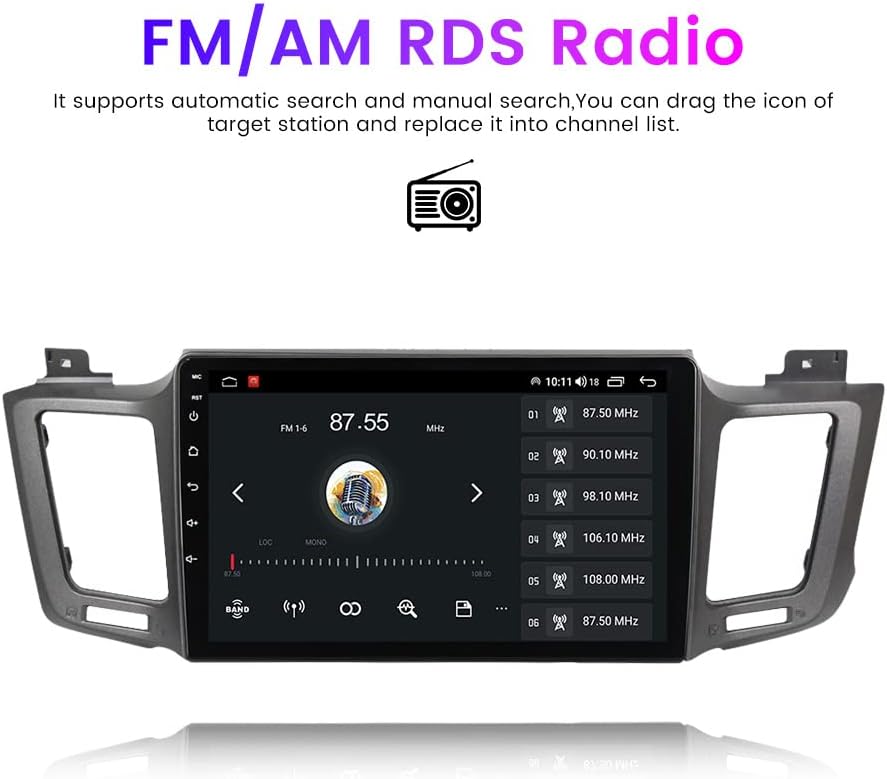
Image: The car stereo screen showing the FM/AM radio interface with a frequency display (87.55 MHz), station presets, and controls for tuning and band selection.
2.5 DSP Processor
The integrated DSP (Digital Signal Processor) allows for advanced audio customization. Adjust equalizer settings, sound field, and bass enhancement to optimize your listening experience.
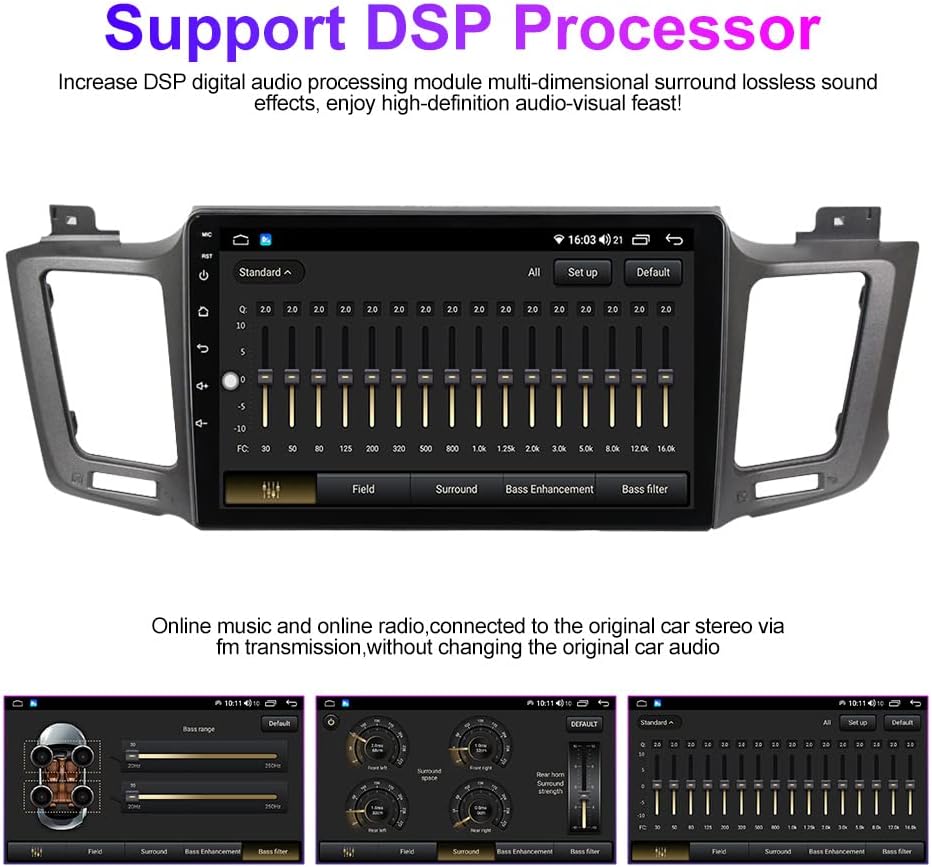
Image: The car stereo screen showing the DSP settings interface with a graphic equalizer, options for sound field, surround sound, bass enhancement, and bass filter adjustments.
2.6 Steering Wheel Control (SWC)
The unit supports original steering wheel controls for convenient and safe operation. Configure the SWC functions in the settings menu to control music playback, volume, and calls without taking your hands off the wheel.
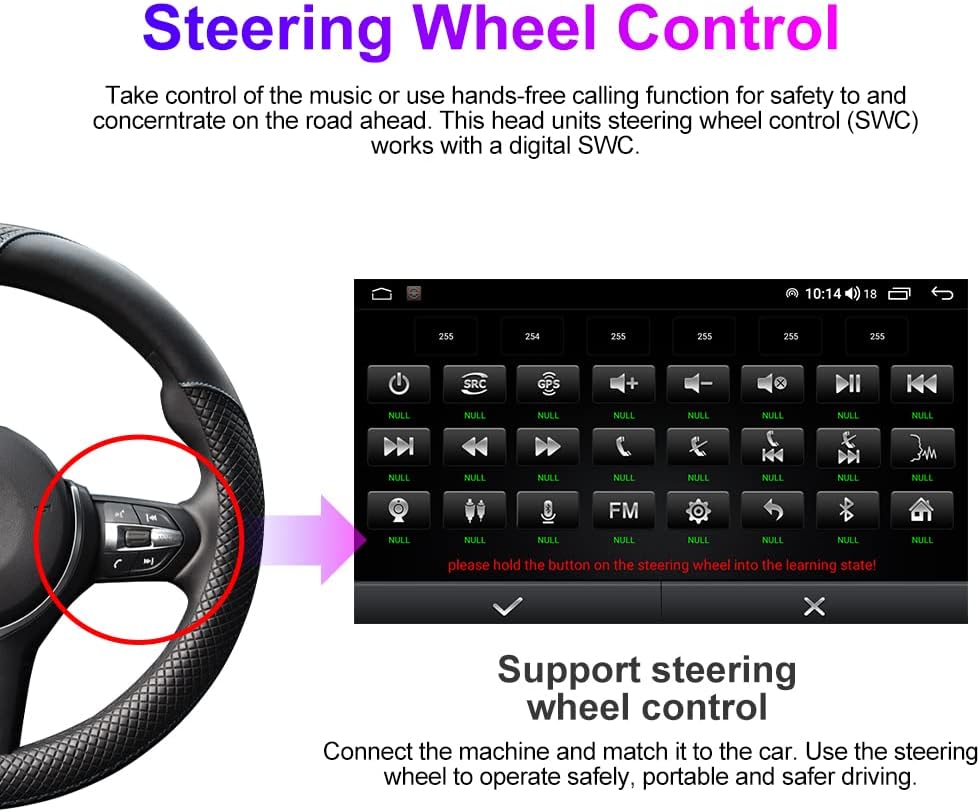
Image: A diagram illustrating how steering wheel buttons can be mapped to various functions on the car stereo, such as volume, track skip, and call controls, for integrated operation.
2.7 GPS Navigation
The integrated global positioning system (GPS) allows for intelligent navigation. Use pre-installed maps or download your preferred navigation applications from the Google Play Store.
2.8 Multimedia Playback
The unit supports various audio and video formats, including MP3, WMA, AAC, MPEG-1/2/4, H264, and more. Play media from USB drives or streaming services.
2.9 Split Screen Functionality
Utilize the split-screen feature to run two applications simultaneously, such as navigation and music playback, for enhanced multitasking.
2.10 Reversing Video Input
The unit supports reversing camera input. When a compatible camera (not included) is connected, the display will automatically switch to the reversing video feed when the vehicle is in reverse gear.

Image: The car stereo screen showing a simulated reversing video feed with parking guidelines, indicating the unit's support for a rear-view camera (camera not included).
2.11 Optional Features (Accessories Not Included)
- ADAS DVR: Supports Advanced Driver-Assistance Systems Digital Video Recorder for collision warning (DVR not included).
- OBD II: Supports On-Board Diagnostics II for vehicle data monitoring (OBD II device not included).
- TPMS: Supports Tire Pressure Monitoring System (TPMS device not included).
3. Maintenance
To ensure the longevity and optimal performance of your Biorunn car stereo, follow these maintenance guidelines:
- Cleaning: Use a soft, dry cloth to clean the screen and exterior. Avoid abrasive cleaners or solvents.
- Software Updates: Periodically check for and install software updates to ensure the system runs efficiently and securely.
- Temperature: Avoid exposing the unit to extreme temperatures, which can affect performance and lifespan.
4. Troubleshooting
If you encounter issues with your car stereo, refer to the following common troubleshooting steps:
- No Power: Check all power connections and fuses. Ensure the vehicle's ignition is on.
- No Sound: Verify speaker connections. Check volume levels and audio output settings. Ensure the mute function is not active.
- GPS Signal Loss: Ensure the GPS antenna is properly installed and has a clear view of the sky.
- Bluetooth Connection Issues: Ensure Bluetooth is enabled on both the stereo and your phone. Try unpairing and re-pairing the devices.
- Touchscreen Unresponsive: Try restarting the unit. If the issue persists, a factory reset might be necessary (note: this will erase all user data).
- System Slow/Freezing: Close unnecessary applications. Clear cache or perform a system restart.
For persistent issues, contact Biorunn customer support.
5. Specifications
| Brand | Biorunn |
| Model Name | for Toyota RAV4 2013-2018 |
| Operating System | Android 12 |
| Processor | Octa Core |
| Screen Size | 10.1 inches |
| Screen Resolution | 1280 x 720 (IPS) |
| RAM | 4 GB |
| ROM | 64 GB |
| Bluetooth Version | 5.0 |
| Connectivity | Bluetooth, USB, Wi-Fi (5GHz), 4G LTE |
| Special Features | Wireless/Wired CarPlay, Wireless/Wired Android Auto, Built-in DSP, Touchscreen, GPS Navigation, FM/AM/RDS Radio, Split Screen, Steering Wheel Control Support |
| Compatible Devices | Android Phone, iPhone |
| Audio Formats | MP3, WMA, AAC, RM, FALC, etc. |
| Video Formats | MPEG-1/2/4, H264, H263, VC1, RV, RMVB, DivX, Sorenson SparK, Spark, VP8, AVS Stream |
| Image Formats | JPG/BMP/JEPG/GIF/PNG |
6. Warranty and Support
For warranty information and technical support, please refer to the documentation provided with your purchase or contact Biorunn customer service. Information regarding spare parts availability and software updates is not explicitly provided in the product details.
Ask a question about this manual
Ask about setup, troubleshooting, compatibility, parts, safety, or missing instructions. Manuals+ will review the question and use this page’s manual context to help answer it.