
Introduction
This manual provides essential instructions for the safe assembly, operation, and maintenance of your Atlasonix Slot Car Race Track Set, Double Loop Model SLOT_CAR_LOOP. Please read this manual thoroughly before use and retain it for future reference.
Safety Information: This product is recommended for ages 5 years and up. Adult supervision is advised during assembly and play.
What's Included
Verify that all components listed below are present in your package:
- 4 x Race cars
- 12 x Track risers
- 2 x Power controllers
- 1 x User manual (this document)
- 5 x Road signs
- Track parts (various straight, curved, and loop sections)
- 1 x Control box
- 1 x Power adapter
- 4 x Guard rails
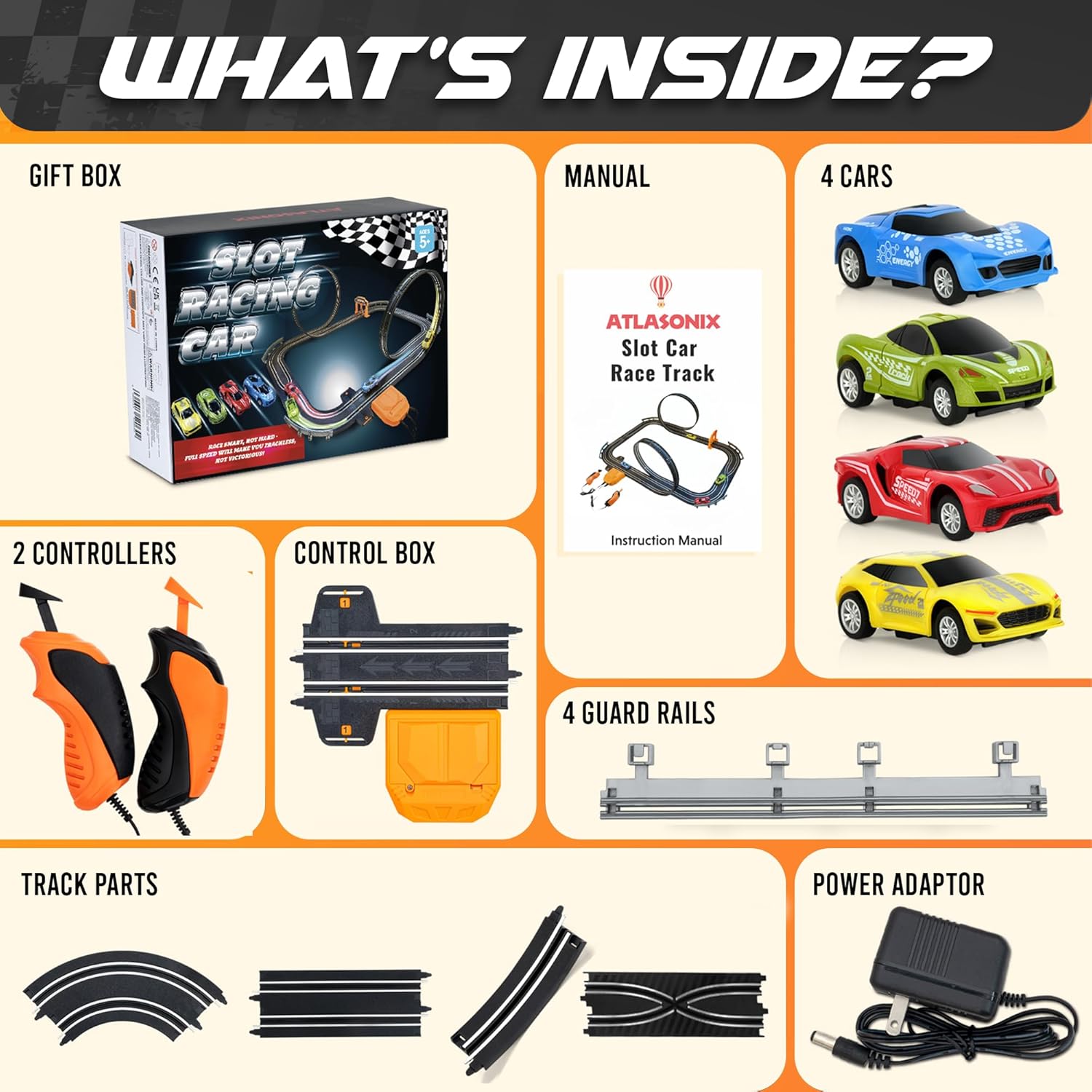
Image: All components included in the Atlasonix Slot Car Race Track Set, laid out for inspection. This includes the gift box, manual, four cars, two controllers, control box, four guard rails, various track parts, and a power adapter.
Setup Instructions
- Unpack Components: Carefully remove all track pieces, cars, controllers, and accessories from the packaging.
- Assemble Track Layout: Connect the track pieces by aligning the connectors and pressing them firmly together until they click. Refer to the diagram below for a suggested double-loop layout. Ensure all connections are tight to prevent cars from derailing.
- Install Track Risers and Guard Rails: Attach the track risers to elevate sections for loops and inclines. Secure guard rails along the outer edges of curves to prevent cars from flying off.
- Connect Control Box: Insert the power adapter into the control box. Connect the two controllers to the designated ports on the control box.
- Connect Power: Plug the power adapter into a standard electrical outlet.
- Place Cars: Carefully place the slot cars onto the track, ensuring the guide pins on the bottom of each car are correctly seated in the track slots.

Image: A fully assembled Atlasonix Slot Car Race Track, featuring two large loops and multiple cars positioned on the track, ready for racing.
Operating Instructions
- Power On: Ensure the power adapter is plugged in and the control box is connected.
- Controller Use: Each player uses one controller. Press the trigger to accelerate your car. Release the trigger to slow down.
- Racing: Start both cars simultaneously. Adjust your speed to navigate curves and loops without derailing. The track features an automatic lap counter.
- Troubleshooting Derailments: If a car derails, carefully place it back on the track. Reduce speed on turns if cars frequently come off the track.

Image: Two hands are shown holding the orange and black Atlasonix slot car controllers, positioned over the track, indicating readiness to operate the cars.

Image: A close-up view of the automatic lap counter integrated into the track, with a red slot car speeding past, registering a lap.
Maintenance
- Track Cleaning: Regularly wipe down the track surface with a dry, lint-free cloth to remove dust and debris, which can affect car performance.
- Car Maintenance: Ensure the metal contacts (brushes) on the bottom of the cars are clean and straight for optimal electrical connection. Gently adjust if bent.
- Storage: When not in use, disassemble the track and store all components in their original packaging or a suitable container to prevent damage.
Troubleshooting
| Problem | Possible Cause | Solution |
|---|---|---|
| Car does not move or moves slowly. |
|
|
| Car frequently derails. |
|
|
| Lap counter not registering. |
|
|
Specifications
- Model: SLOT_CAR_LOOP
- Product Dimensions: 60 x 25 x 5 inches
- Item Weight: 2.69 pounds
- Recommended Age: 5 years and up
- Power Supply: Adapter (9V) or 6 x AA batteries (not included)
- Material: ABS Plastic
Official Product Videos
Watch this official video for visual guidance on setup and operation:
Atlasonix Slot Car Race Track Set Overview
Video Description: This video provides an overview of the Atlasonix Slot Car Race Track Set, showcasing its features and dynamic play. It highlights the track's design, car movement, and overall user experience.
Warranty and Support
For warranty information or technical support, please contact Atlasonix customer service. Refer to the product packaging or the official Atlasonix website for contact details.
Online Support: Visit the Atlasonix Store on Amazon for additional product information and support resources.