
Vestar VASKV183IKDG
VESTAR 1.5 Ton 3 Star Split AC User Manual
Model: VASKV183IKDG
Product Overview
This manual provides essential information for the safe and efficient operation, installation, and maintenance of your VESTAR 1.5 Ton 3 Star Split AC. Please read this manual thoroughly before using the appliance.
The VESTAR Split AC features a 100% Copper Coil, Auto Diagnosis, High Density Filter, Hidden Display, Eco/Power Saving Mode, Self-clean & Coated Fins, Two-way Drain, and Summer Chill/Rapid Cooling capabilities.
Package Contents
- 1 Indoor Unit
- 1 Outdoor Unit
- 1 Remote Control
- User Manual
- Warranty Card
- 3m Interconnecting Pipe
Important Safety Instructions
Always follow basic safety precautions when using electrical appliances to reduce the risk of fire, electric shock, and injury.
- Ensure the power supply matches the rating label on the unit.
- Do not insert fingers or objects into the air inlet/outlet.
- Do not spray water on the unit.
- Disconnect power before cleaning or maintenance.
- Installation must be performed by qualified personnel.
- Keep children away from the unit.
Setup and Installation
Proper installation is crucial for optimal performance and safety. It is highly recommended that installation be carried out by a certified technician.
Indoor Unit Placement
The indoor unit should be mounted on a wall, ensuring sufficient space around it for proper airflow.

Image: Front view of the VESTAR 1.5 Ton Split AC indoor unit, showing its sleek white design.
Outdoor Unit Placement
The outdoor unit should be placed in a well-ventilated area, away from direct sunlight and obstructions.
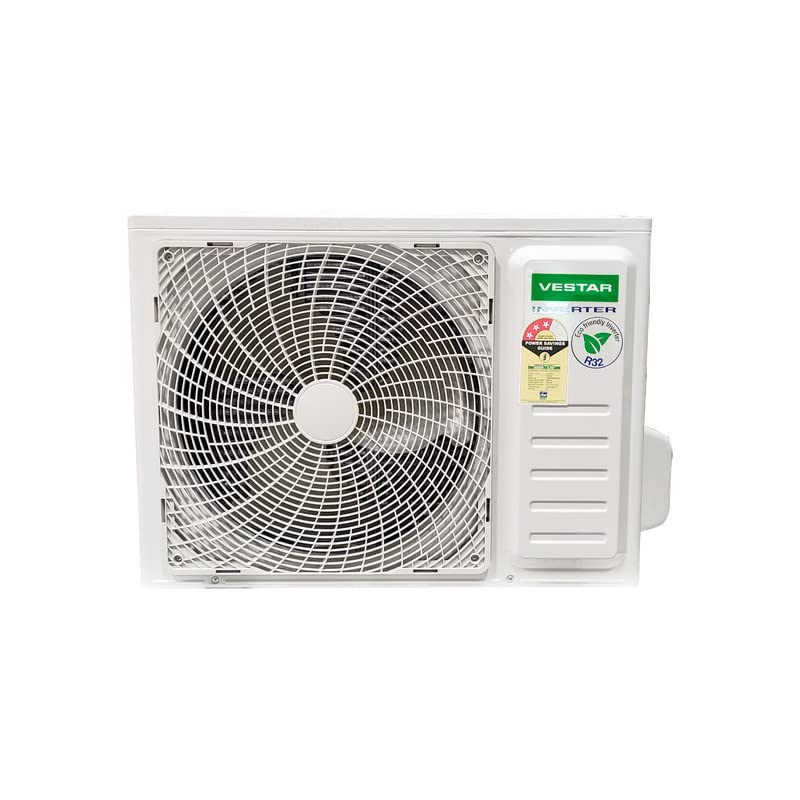
Image: The outdoor unit of the VESTAR 1.5 Ton Split AC, featuring its fan and protective grille.
Dimensions
Refer to the diagram below for the dimensions of the indoor unit.
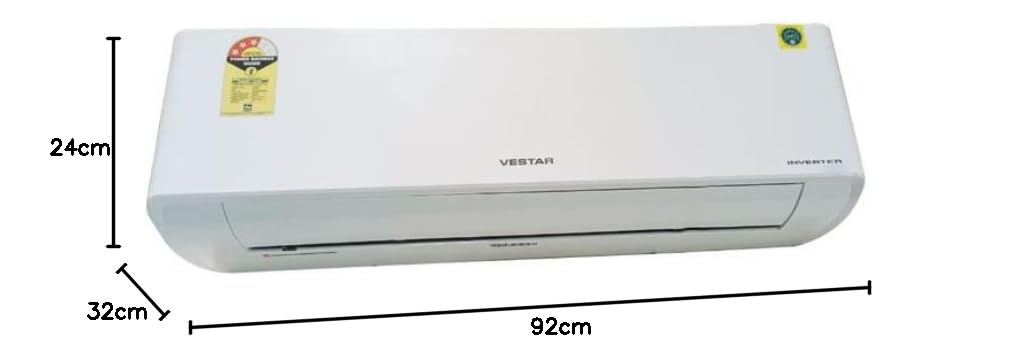
Image: Diagram showing the dimensions of the VESTAR 1.5 Ton Split AC indoor unit: 92cm (width), 24cm (height), and 32cm (depth).
Operating Instructions
Your VESTAR AC comes with a remote control for convenient operation.
Basic Operation
- Power On/Off: Press the power button on the remote control to turn the unit on or off.
- Mode Selection: Use the "Mode" button to cycle through cooling, fan, dry, and auto modes.
- Temperature Adjustment: Use the + and - buttons to set your desired temperature.
Special Features
- Eco/Power Saving Mode: Activates an energy-efficient operation to reduce power consumption.
- Hidden Display: The display on the indoor unit is discreetly integrated and only visible when active.
- Summer Chill/Rapid Cooling: Provides quick cooling for immediate comfort.
Maintenance
Regular maintenance ensures the longevity and efficiency of your VESTAR AC.
Filter Cleaning
The High Density Filter should be cleaned regularly, typically every two weeks, or more often depending on usage and air quality.
- Turn off the AC and disconnect from power.
- Open the front panel of the indoor unit.
- Remove the air filters.
- Clean the filters with a vacuum cleaner or wash them with lukewarm water.
- Dry the filters completely before reinserting them.
- Close the front panel.
Self-Clean Function
The unit features a self-clean function to prevent mold and bacteria growth inside the indoor unit. Refer to your remote control guide for activating this feature.
Professional Servicing
It is recommended to have your AC professionally serviced at least once a year to ensure optimal performance and address any potential issues.
Troubleshooting
This section provides solutions to common issues you might encounter.
| Problem | Possible Cause | Solution |
|---|---|---|
| AC not turning on | No power supply; Remote control battery low | Check power connection; Replace remote batteries |
| Insufficient cooling | Dirty air filter; Doors/windows open; Temperature setting too high | Clean air filter; Close doors/windows; Lower temperature setting |
| Unusual noise | Loose parts; Obstruction in fan | Contact service technician |
| Water leakage | Clogged drain pipe; Improper installation | Clear drain pipe; Contact service technician |
For issues not listed here, or if troubleshooting steps do not resolve the problem, please contact VESTAR customer support.
Product Specifications
| Feature | Detail |
|---|---|
| Brand | Vestar |
| Model | VASKV183IKDG |
| Capacity | 1.5 Tons |
| Energy Efficiency | 3 Star BEE Rating |
| Annual Energy Consumption | 1700 Kilowatt Hours |
| Noise Level | 34 dB |
| Installation Type | Split System |
| Special Features | Dust Filter, Air Purification Filter |
| Color | White |
| Control Console | Remote Control |
| Voltage | 230 Volts |
| Wattage | 1700 Watts |
| Material | Copper |
| Item Dimensions (LxWxH) | 32 x 92 x 24 Centimeters |
Warranty and Support
Warranty Information
Your VESTAR AC comes with a 1-year warranty. Please refer to the included Warranty Card for detailed terms and conditions. Keep your purchase receipt as proof of purchase.
Customer Support
For technical assistance, service requests, or any inquiries regarding your VESTAR product, please contact VESTAR customer support.
Note: Specific contact details (phone number, email, website) are typically provided on the warranty card or product packaging.
For more information, you may visit the official Vestar website or refer to the product page on Amazon: VESTAR Product Page
Ask a question about this manual
Ask about setup, troubleshooting, compatibility, parts, safety, or missing instructions. Manuals+ will review the question and use this page’s manual context to help answer it.