
Introduction
This manual provides detailed instructions for the setup, operation, and maintenance of your MHCABSR Magnetic Wireless Backup Camera. This device is designed to assist with reversing and hitching various vehicles, including trailers, RVs, pickups, trucks, and minivans, by providing a clear, high-definition view directly to your smartphone or tablet.
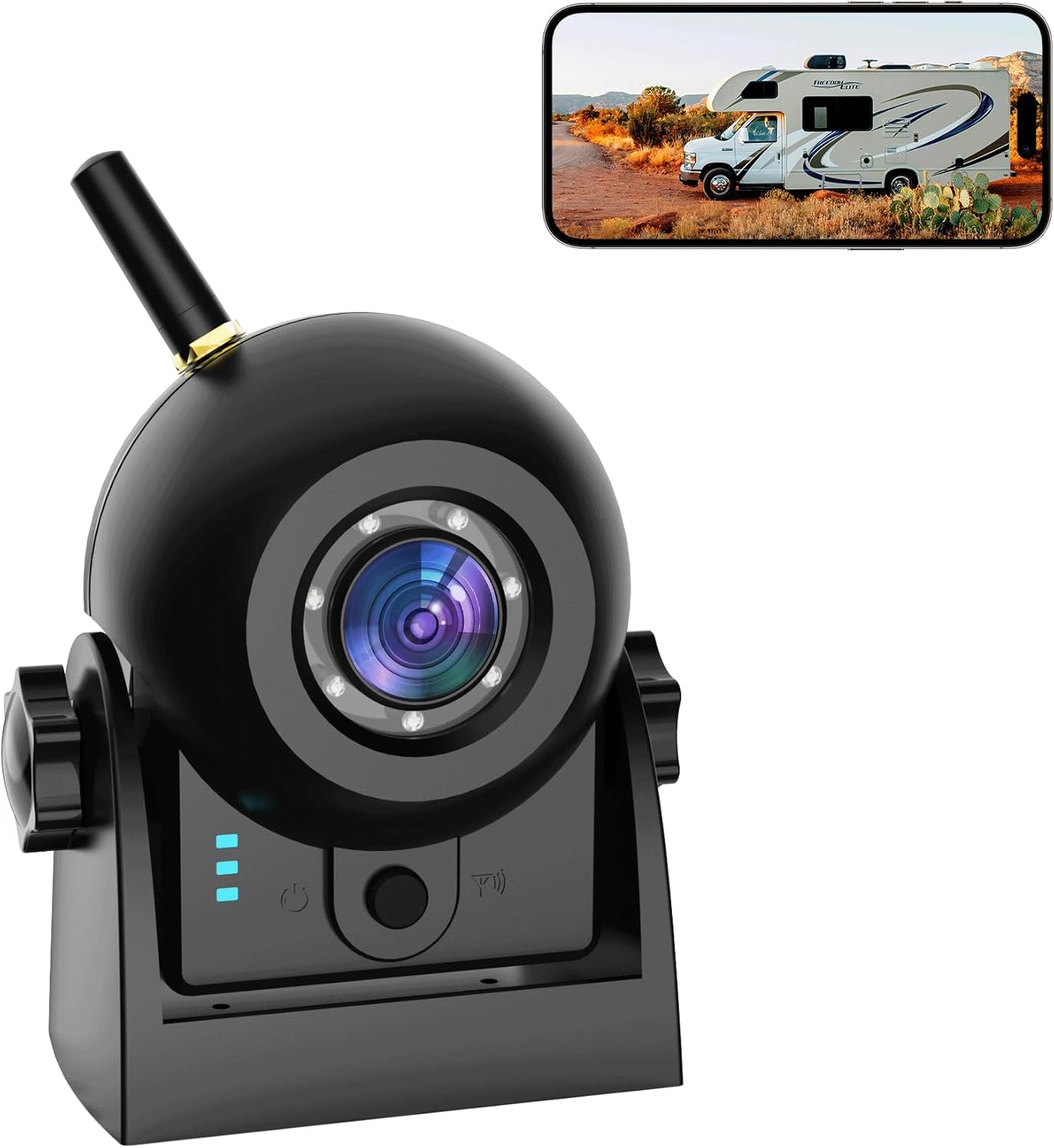
Image: The MHCABSR Magnetic Wireless Backup Camera, a compact black unit with an antenna, shown alongside a smartphone displaying a live feed of an RV. This illustrates the camera's primary function of providing a wireless view for vehicle maneuvering.
What's in the Box
Upon unboxing your MHCABSR Magnetic Wireless Backup Camera, verify that all the following components are present:
- MHCABSR Wireless Backup Camera Unit
- External Antenna
- Type-C Charging Cable
- User Manual
Setup
1. Charging the Camera
Before initial use, fully charge the camera using the provided Type-C cable. The camera features a built-in rechargeable battery with a capacity of 4000mAh, providing approximately 8 hours of continuous use. Charging time is approximately 4 hours. The camera also includes a solar panel for supplementary charging.

Image: The rear view of the MHCABSR camera showing the Type-C charging port and a graphic indicating a 4000mAh battery capacity with 8 hours of continuous use.
2. Attaching the Antenna
Screw the external antenna onto the designated port on the camera unit. This antenna enhances the signal for stable digital transmission up to 328ft (100m) in open areas.
3. Camera Placement
The camera features a strong magnetic base for easy, drill-free installation on any metal surface of your vehicle. Ensure the camera is securely attached and positioned to provide the desired viewing angle for backing up or hitching.
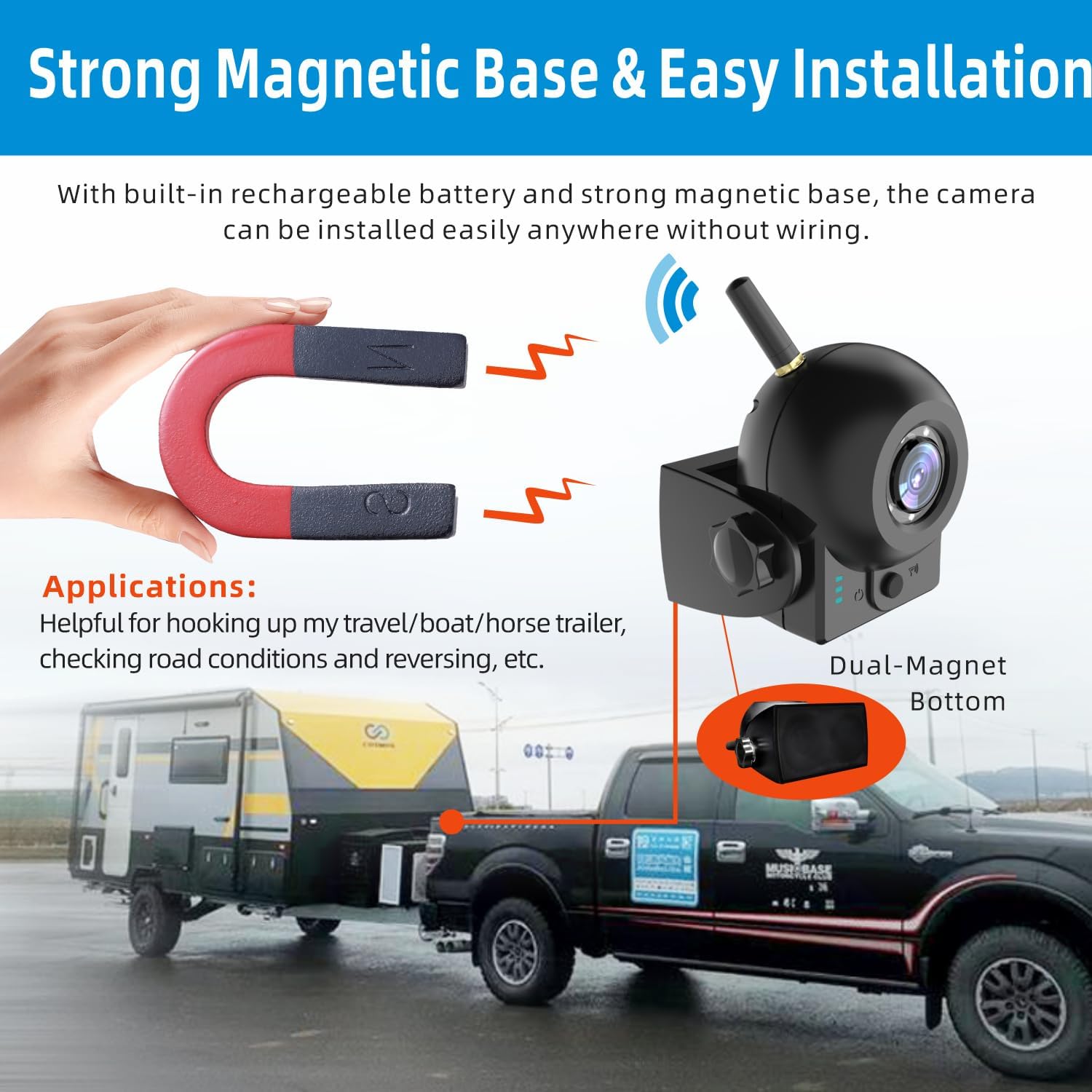
Image: A hand holding a magnet near the camera's base, demonstrating the strong magnetic attachment feature. The camera is shown mounted on the rear of a truck, ready for hitching a trailer.
4. App Download and WiFi Connection
To view the camera feed, download the 'MS Cam' application from the App Store (iOS) or Google Play (Android). Once installed, turn on the camera and enable WLAN (Wi-Fi) on your mobile device. Search for the camera's Wi-Fi hotspot, typically named '305WFHD_xxxxxx', and connect to it. No password is required for the initial connection.
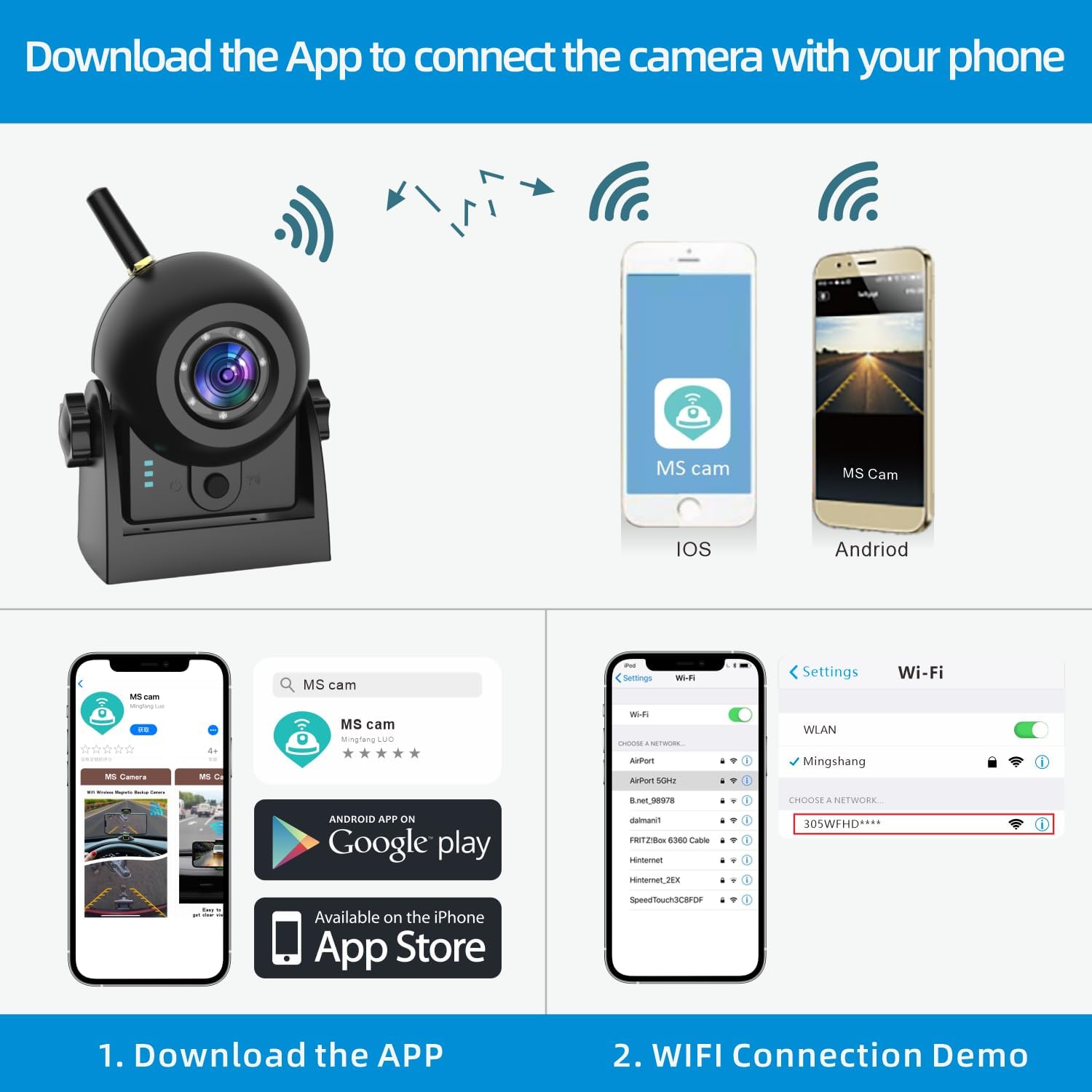
Image: A visual guide showing how to download the 'MS Cam' app from app stores and then connect to the camera's Wi-Fi hotspot via phone settings.
Operating Instructions
1. Camera Adjustment
The camera can be manually adjusted to achieve the optimal viewing angle. It offers a 150-degree field of view and can be rotated 360 degrees on its mount.

Image: The camera unit illustrating its adjustable nature, with arrows indicating a 150-degree vertical adjustment range and a 360-degree horizontal rotation capability.
2. App Functions
The 'MS Cam' app provides several functions to enhance your experience:
- Parking Line: Enable or disable parking guidelines for easier maneuvering.
- Screenshot: Capture still images from the live feed.
- Settings: Access various camera and app configurations.
- 720P: View the live feed in high-definition (1280*720P).
- Mirror Flip: Adjust the image orientation as needed.
- Full Screen: Expand the video feed to fill your device's screen.
- Help: Access in-app assistance and FAQs.
- Aspect Ratio: Adjust the display aspect ratio.

Image: Two smartphone screens showing the 'MS Cam' app interface with icons for Parking Line, Screenshot, Settings, 720P, Mirror Flip, Full Screen, Help, and Aspect Ratio.
3. Night Vision
The camera is equipped with 6 infrared night vision lights, providing clear visibility up to 30 feet in dark conditions, ensuring safe operation day or night.
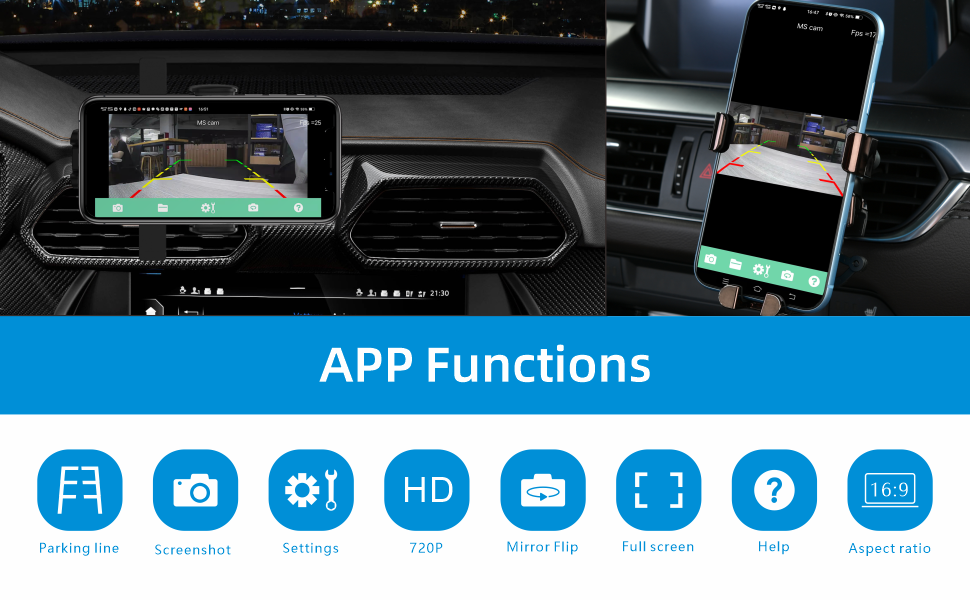
Image: A split image demonstrating the camera's performance in both daytime (color) and nighttime (monochrome with infrared illumination) conditions, showing an RV.
Maintenance
1. Battery Care
To prolong battery life, ensure the camera is fully charged before extended periods of non-use. The integrated solar panel helps maintain charge during daylight exposure. If the camera is not used for a long time, it is recommended to fully charge it every 3 months.
2. Cleaning and Waterproofing
The camera has an IP68 dustproof and waterproof rating, making it resistant to harsh weather conditions. Regularly clean the lens with a soft, damp cloth to ensure clear image quality. Avoid using abrasive cleaners or solvents.
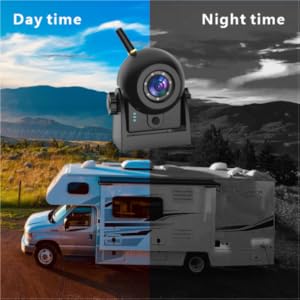
Image: The camera unit with water splashing on it, visually representing its IP68 waterproof capability, suitable for use in rainy conditions.
Troubleshooting
- No Connection to App: Ensure the camera is powered on and your device's WLAN is enabled. Verify you are connected to the camera's specific Wi-Fi hotspot (e.g., '305WFHD_xxxxxx'). If issues persist, try restarting both the camera and your mobile device.
- Short Battery Life: Confirm the camera was fully charged before use. Ensure the solar panel is exposed to direct sunlight for optimal charging. Continuous use without solar charging will deplete the battery faster.
- Fuzzy or Distorted Image: Check the camera lens for dirt or obstructions and clean it if necessary. Ensure the camera is securely mounted and not vibrating excessively.
- Camera Shuts Off Unexpectedly: This may indicate a low battery. Recharge the camera. If the issue persists after a full charge, contact customer support.
- Parking Lines Not Adjustable: Refer to the in-app settings for parking line adjustments. If the option is unavailable or unresponsive, ensure your app is updated to the latest version.
Specifications
| Brand | MHCABSR |
| Model | B0BY2BFBZG |
| Product Dimensions | 3 x 2 x 5 inches (7.62 x 5.08 x 12.7 cm) |
| Item Weight | 12.3 ounces (348.7 grams) |
| Battery | 1 Lithium Ion battery required (4000mAh) |
| Connectivity | Wireless (Wi-Fi) |
| Waterproof Rating | IP68 |
| Optical Sensor Technology | CMOS |
| Lens Type | Wide Angle, Fixed |
| Field of View | 150 Degrees |
| Installation Type | Surface Mount (Magnetic) |
| Video Resolution | 1280*720P |
| Night Vision | 6 Infrared Lights, 30ft visibility |
Warranty and Support
For warranty information or technical support, please refer to the contact details provided with your product packaging or visit the official MHCABSR website. Keep your purchase receipt for warranty claims.