
1. Introduction
Thank you for choosing the Qbmel DC9310 Fast Charger. This manual provides essential information for the safe and efficient operation of your charger. Please read it thoroughly before use and retain it for future reference.
The DC9310 is designed to quickly charge DEWALT 7.2V-18V NiCd and NiMH battery packs. It features multiple safety protections to ensure reliable performance.
2. Important Safety Instructions
WARNING: To reduce the risk of injury, always follow these safety precautions.
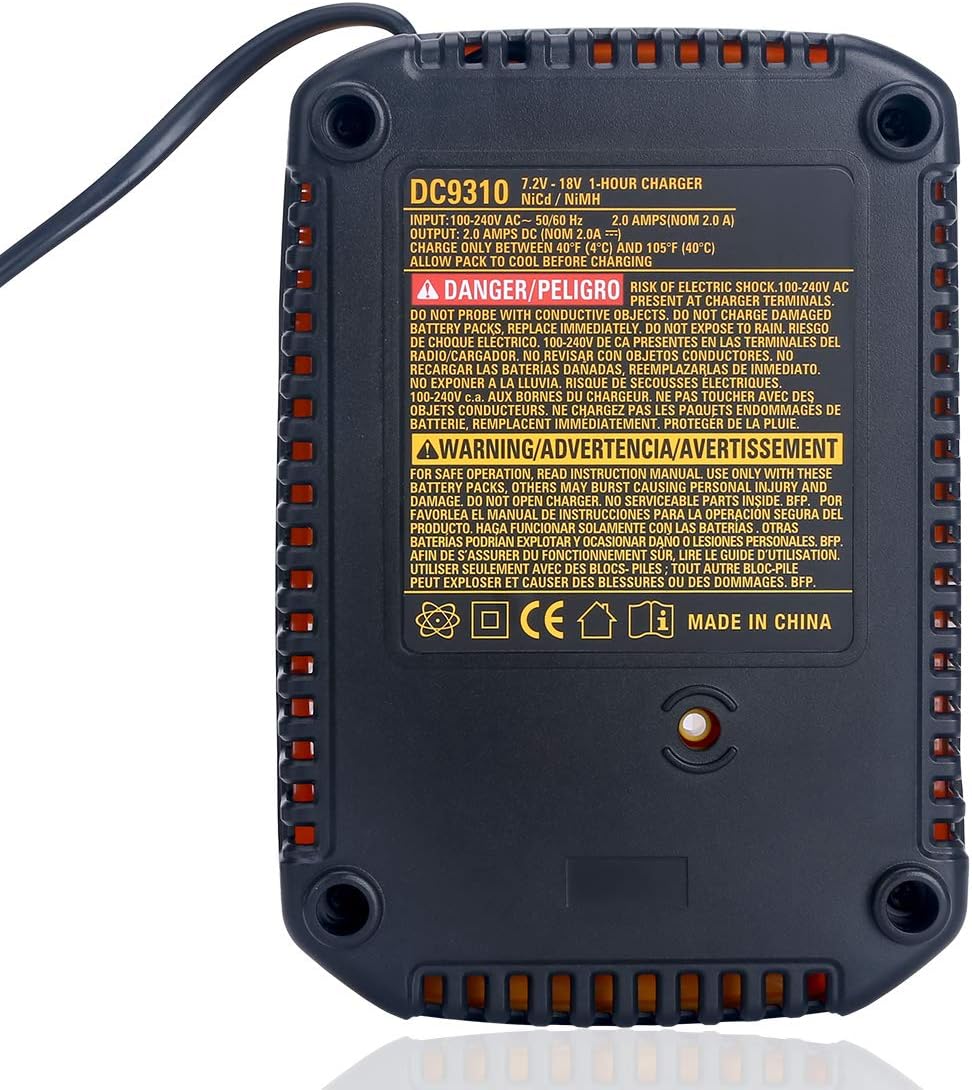
- DO NOT CHARGE LITHIUM-ION BATTERIES. This charger is exclusively for DEWALT 7.2V-18V NiCd and NiMH battery packs. Attempting to charge Lithium-ion batteries may result in fire, personal injury, or damage to the charger and battery.
- RISK OF ELECTRIC SHOCK. Do not probe with conductive objects. Do not expose the charger to rain or wet conditions. Use only in dry locations.
- DO NOT CHARGE DAMAGED BATTERY PACKS. Replace immediately if a battery pack is damaged.
- DO NOT OPEN THE CHARGER CASING. There are no user-serviceable parts inside. Refer servicing to qualified personnel.
- Ensure proper ventilation during charging. Do not block the ventilation slots.
- Unplug the charger from the power outlet when not in use or before cleaning.
- Keep the charger away from children and pets.
3. Product Features
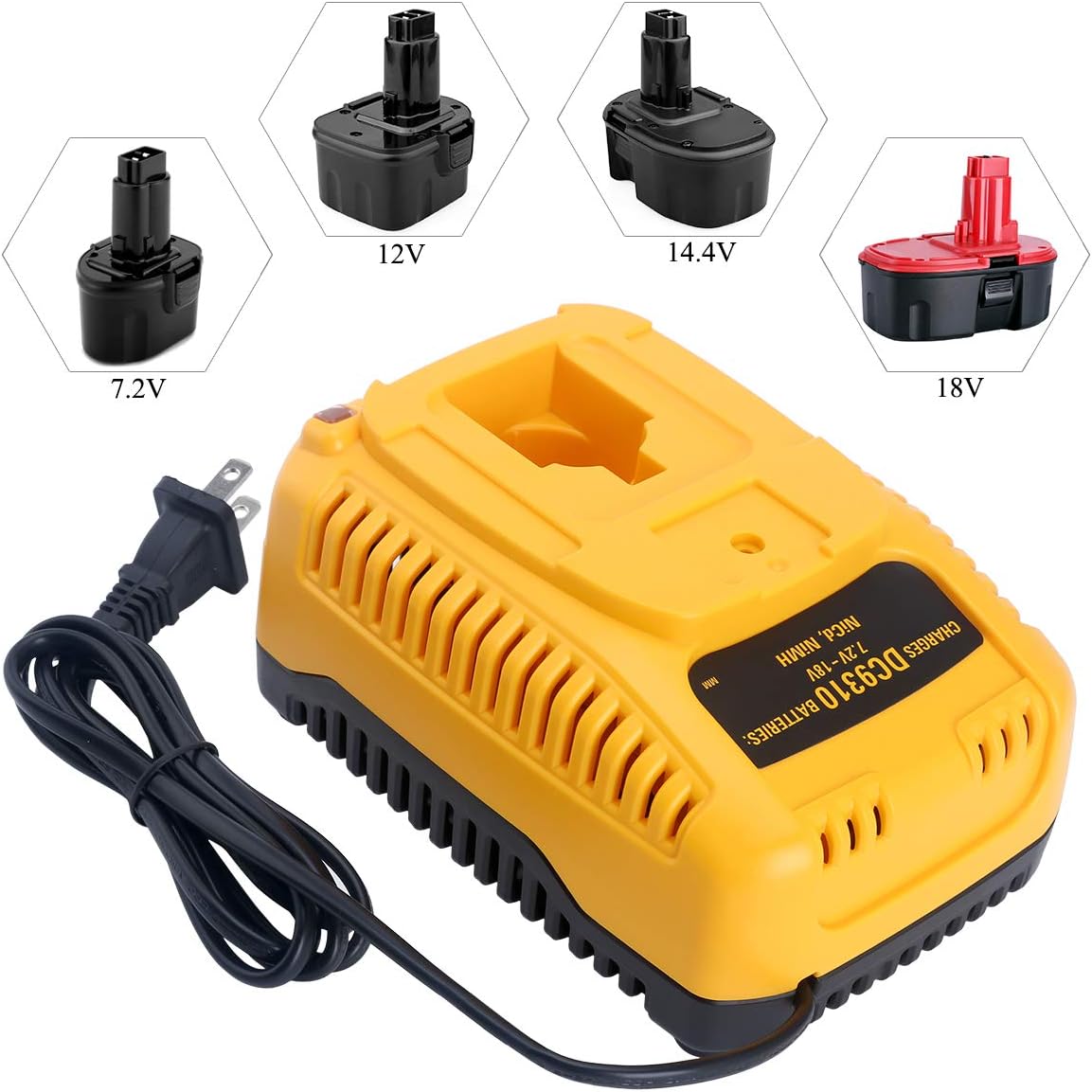
- Wide Compatibility: Charges DEWALT 7.2V, 9.6V, 12V, 14.4V, and 18V NiCd & NiMH battery packs.
- Fast Charging: Capable of charging a 4.0Ah battery in approximately 1 hour.
- Advanced Safety Protections: Built-in safeguards against overcharge, overcurrent, overvoltage, and overtemperature.
- Efficient Cooling System: Integrated rapid cooling system maintains optimal charging temperature (4℃ to 40℃).
- LED Indicator: Provides clear status updates on charging progress and potential issues.
- Durable Design: Constructed for stable heat dissipation and long-term reliability.
- Certified Safety: Complies with FCC, RoHS, and CE security testing standards.


4. Setup
- Unpack: Carefully remove the charger from its packaging.
- Inspect: Check the charger for any signs of damage. Do not use if damaged.
- Placement: Place the charger on a stable, flat, non-flammable surface in a well-ventilated area, away from direct sunlight and moisture.
- Power Connection: Plug the charger's power cord into a standard 100-240V AC electrical outlet.

5. Operating Instructions
Follow these steps to charge your compatible DEWALT NiCd/NiMH battery pack:
- Ensure the charger is plugged into a working power outlet.
- Align the battery pack with the charger's interface and slide it firmly into place until it clicks.
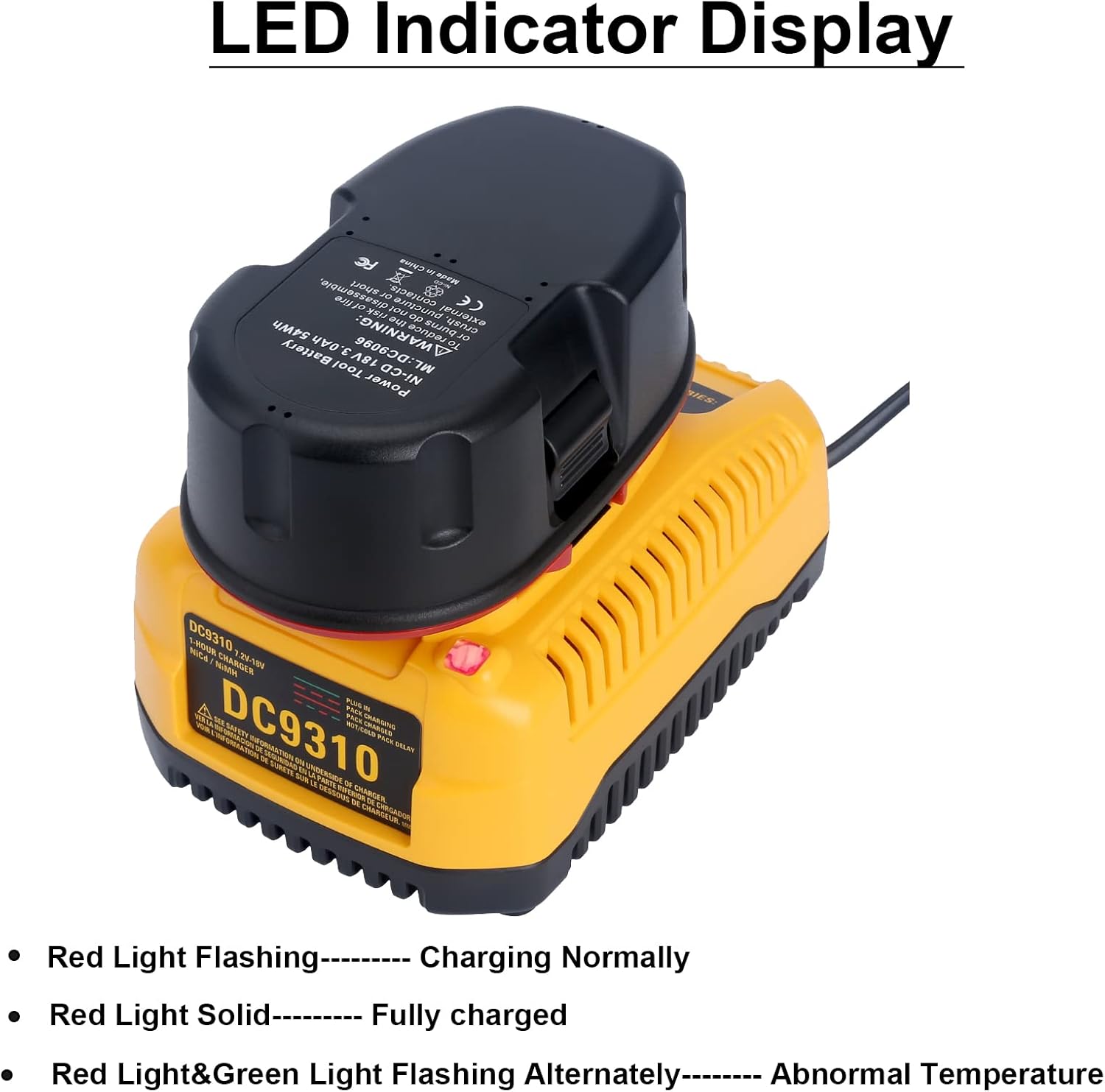
- Observe the LED indicator for charging status:
- Red Light Flashing: Battery is charging normally.
- Red Light Solid: Battery is fully charged.
- Red & Green Light Flashing Alternately: Indicates an abnormal temperature or a damaged battery. Refer to the Troubleshooting section.
- Once fully charged (solid red light), remove the battery pack from the charger.
- Unplug the charger from the power outlet when not in use.

6. Maintenance
- Cleaning: Disconnect the charger from the power supply before cleaning. Use a dry, soft cloth to wipe the exterior. Do not use abrasive cleaners or solvents.
- Storage: Store the charger in a cool, dry place when not in use. Avoid extreme temperatures.
- Cord Care: Do not pull the charger by its cord. Always grasp the plug when disconnecting from the outlet. Inspect the cord for damage regularly.
7. Troubleshooting
| Problem | Possible Cause | Solution |
|---|---|---|
| Red & Green LED Flashing Alternately | Abnormal battery temperature (too hot or too cold) or damaged battery. | Remove battery, allow it to reach room temperature (4℃ to 40℃). Reinsert. If issue persists, the battery may be damaged and needs replacement. |
| Battery not charging (no LED activity or incorrect LED) | Charger not plugged in, faulty outlet, poor battery connection, incompatible battery, or damaged battery/charger. | Check power connection. Try a different outlet. Ensure battery is fully seated. Verify battery is a compatible DEWALT NiCd/NiMH type. If problem persists, contact support. |
| Slow charging | Battery capacity is very high, or environmental factors. | Ensure charger is in a well-ventilated area. Charging time for a 4.0Ah battery is approximately 1 hour. Larger capacity batteries will take longer. |
8. Specifications
| Feature | Detail |
|---|---|
| Model | DC9310 |
| Input Voltage | 100-240V AC, 50/60 Hz |
| Output Current | 2.0 Amps DC |
| Compatible Battery Types | DEWALT 7.2V-18V NiCd & NiMH (Not for Lithium-ion) |
| Optimal Charging Temperature | 4℃ to 40℃ (39°F to 105°F) |
| Approx. Charging Time (4.0Ah) | 1 hour |
| Dimensions (L x W x H) | 6.89 x 5.2 x 3.7 inches |
| Weight | 14.9 ounces (0.42 Kilograms) |
| Certifications | FCC, RoHS, CE |
9. Warranty and Support
For warranty information or technical support, please refer to the product packaging or contact Qbmel customer service through your purchase platform. Please have your model number (DC9310) and purchase details ready.