
ArecaIoT MB307B-485
CWT-MB307B Analog Input to RS485 Modbus RTU IO Acquisition Module User Manual
Model: MB307B-485 | Brand: ArecaIoT
Product Overview
The CWT-MB307B is an 8-channel analog input acquisition module designed for industrial applications. It supports various analog input signals including 4-20mA, 0-5V, and 0-10V, and communicates via the RS485 interface using the Modbus RTU protocol. This module offers high precision and a fast refresh rate, making it suitable for reliable data acquisition in diverse industrial environments.
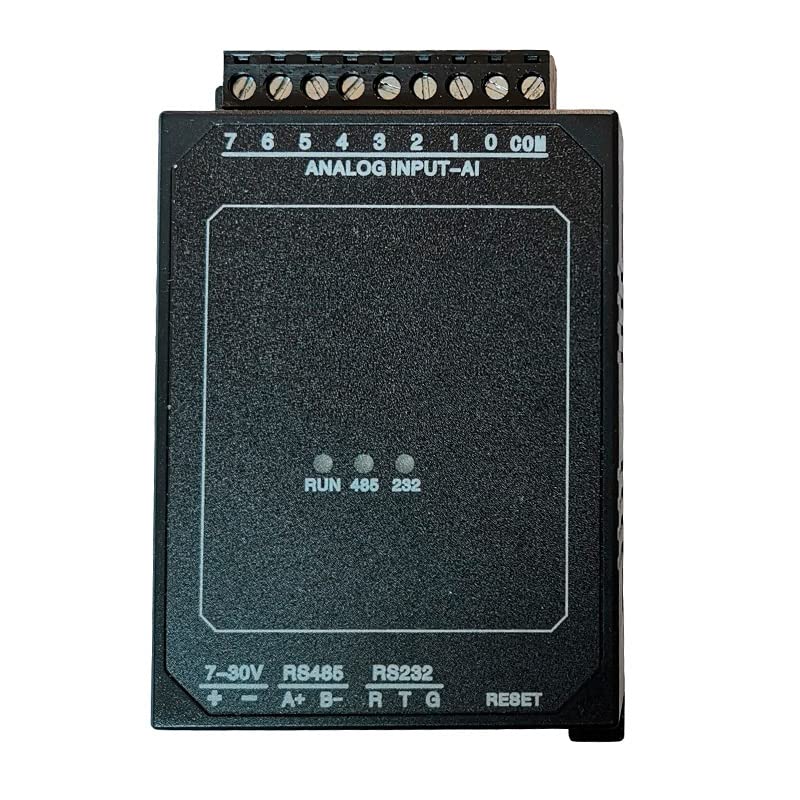
Front view of the CWT-MB307B Analog Input Module, showing the terminal blocks for analog inputs and communication ports.

The CWT-MB307B module, highlighting its model name, 8 analog input channels, and RS485 communication capability.
Setup and Installation
Proper installation is crucial for the reliable operation of the CWT-MB307B module. Follow these steps for setup and wiring.
Power Supply Connection
The module requires a 7-30V DC power supply. Connect the positive (+) and negative (-) terminals of your power supply to the corresponding terminals on the module, labeled "7-30V".
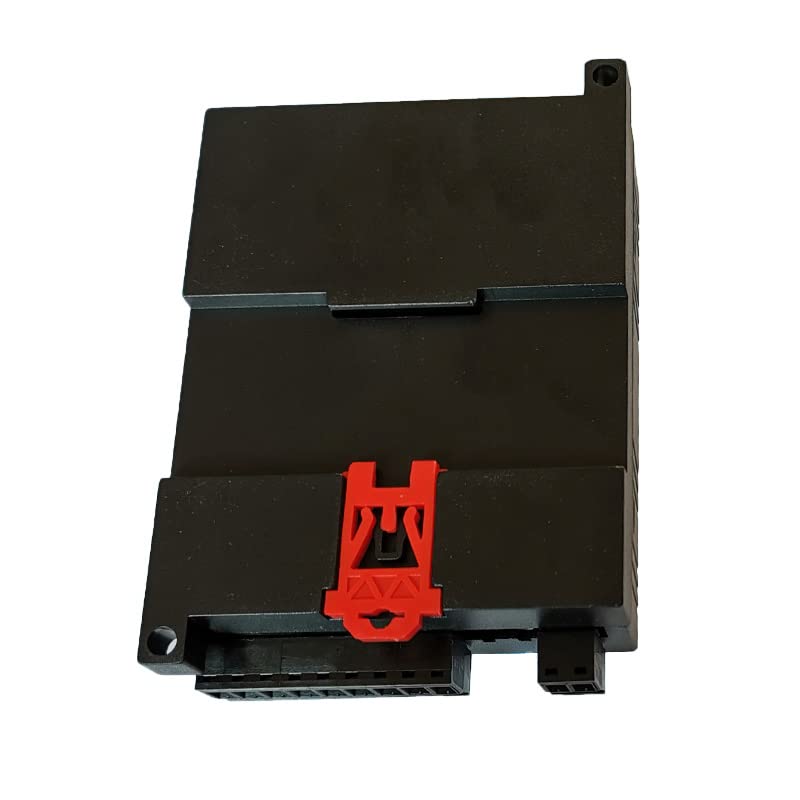
Detailed view of the CWT-MB307B module's terminal blocks, including power input, RS485, and RS232 connections.
Analog Input Wiring
The module features 8 analog input channels (AI 0-7) and a common (COM) terminal. Connect your analog sensors or signal sources to these terminals. The module supports 4-20mA, 0-5V, and 0-10V inputs. Ensure correct polarity for voltage inputs and proper current loop connections for 4-20mA signals.
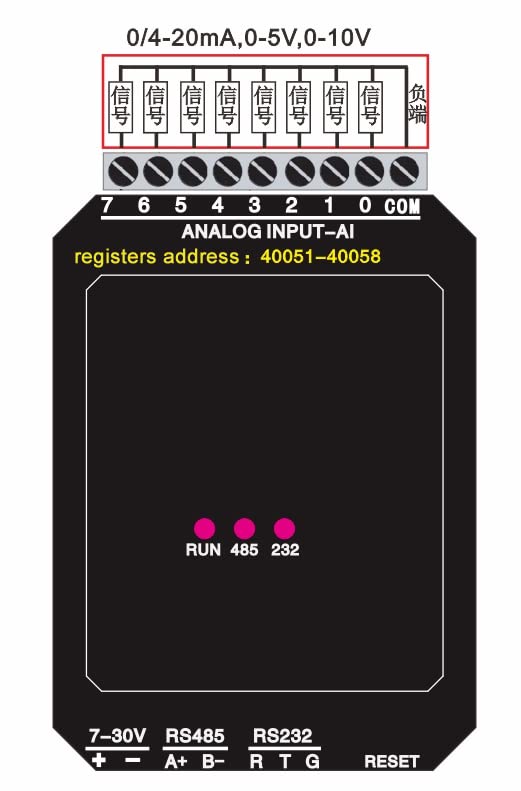
Wiring diagram for the CWT-MB307B, illustrating connections for 0/4-20mA, 0-5V, 0-10V signals, and indicating Modbus register addresses 40051-40058 for analog inputs.
Communication Connection (RS485)
Connect the RS485 A+ and B- terminals of the module to your Modbus master device (e.g., PLC, HMI, PC with RS485 converter). Ensure proper termination resistors are used in the RS485 network if required by your setup.
The module also supports RS232 communication via RT and G terminals, providing flexibility for different communication setups.
Operating Instructions
The CWT-MB307B operates as a Modbus RTU slave device. Your Modbus master device will communicate with the module to read analog input data.
Modbus RTU Protocol
The module uses the standard Modbus RTU protocol. Ensure your Modbus master is configured with the correct communication parameters (baud rate, data bits, parity, stop bits) to match the module's settings. Default settings are typically 9600, N, 8, 1, but these can often be configured via software tools provided by the manufacturer or through Modbus commands.
Reading Analog Input Data
Analog input values are accessible via Modbus holding registers. As indicated in the wiring diagram, the analog input data for channels 0-7 are mapped to Modbus register addresses 40051-40058. You can read these registers using Modbus function code 0x03 (Read Holding Registers).
The analog input precision is 0.1% with 16-bit resolution and a 0.01s refresh rate, providing accurate and timely data.

System diagram illustrating the CWT Modbus IO Module as a Modbus Slave connected to a Modbus Master (SCADA/PLC) via RS485/RS232 or Ethernet, showing various input and output types.
Maintenance
The CWT-MB307B module is designed for robust industrial use, requiring minimal maintenance. However, adhering to these guidelines will ensure its longevity and reliable performance.
- Environmental Conditions: The product must be stored and operated in a dry environment. Avoid exposure to moisture, excessive dust, or corrosive substances.
- Cleaning: If cleaning is necessary, gently wipe the exterior with a dry, soft cloth. Do not use liquid cleaners or solvents.
- Connection Integrity: Periodically check all wiring connections to ensure they are secure and free from corrosion. Loose connections can lead to intermittent operation or data errors.
- Ventilation: Ensure adequate airflow around the module, especially if installed in an enclosure, to prevent overheating.

Product packaging showing manufacturer contact information and a warning to store the product in a dry environment.
Troubleshooting
This section provides solutions to common issues you might encounter with the CWT-MB307B module.
- No Power Indicator:
Symptom: The RUN indicator LED is off.
Solution: Check the power supply connections (+ and - terminals) to ensure they are correctly wired and that the power supply is providing 7-30V DC. Verify the power supply itself is functional.
- Communication Errors (Modbus RTU):
Symptom: Modbus master cannot communicate with the module, or data is incorrect.
Solution:
- Verify RS485 A+ and B- wiring polarity.
- Ensure the Modbus master's communication parameters (baud rate, data bits, parity, stop bits) match the module's settings.
- Check the Modbus slave address of the module.
- Confirm that termination resistors are correctly applied in the RS485 network if needed.
- Check for cable damage or loose connections.
- Incorrect Analog Readings:
Symptom: Analog input values are inaccurate or unexpected.
Solution:
- Verify the analog sensor is correctly wired to the module's AI and COM terminals, paying attention to polarity for voltage inputs.
- Ensure the sensor's output type (e.g., 4-20mA, 0-5V) matches the module's configuration or expected input range.
- Check the sensor's calibration and functionality independently.
- Confirm that the Modbus master is reading the correct register addresses (40051-40058) and interpreting the 16-bit data correctly.
Specifications
| Feature | Description |
|---|---|
| Model | MB307B-485 |
| Analog Inputs (AI) | 8 channels |
| Input Types | 4-20mA (option: 0-20mA / 0-5V / 1-5V / 0-10V) |
| Precision | 0.1% |
| Resolution | 16-bit |
| Refresh Rate | 0.01s |
| Communication Port | RS485 (also supports RS232) |
| Communication Protocol | Modbus RTU |
| Power Supply | 7-30V DC |
| Dimensions (approx.) | 85mm (L) x 64mm (W) x 32mm (H) |
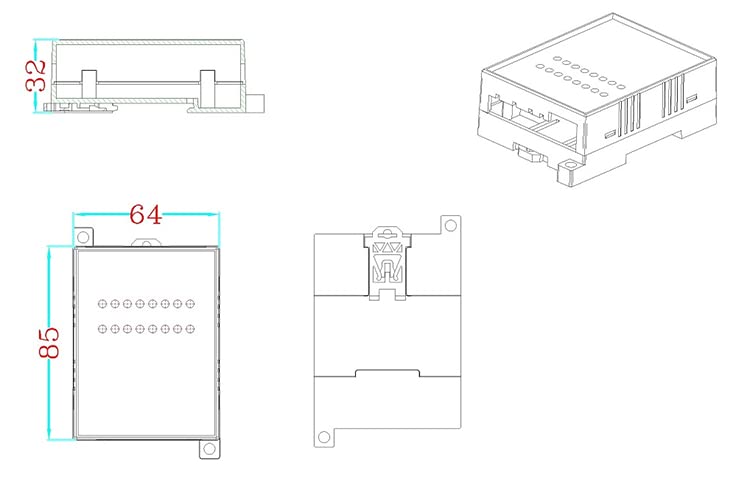
Dimensional drawing showing the approximate measurements of the CWT-MB307B module.
Warranty and Support
For technical support, inquiries, or warranty information regarding your CWT-MB307B module, please contact the manufacturer directly.
Manufacturer: ComWinTop (CWT CO., LIMITED)
Address: 7/F, Block A, Building F1, TCL International E City, No.1001 Zhongshanyuan Road, Nanshan District, SHENZHEN, CHINA
Telephone: +86-(0)755-26719954
Email: sales@mobq2000.com
Please have your product model number (MB307B-485) and any relevant purchase details ready when contacting support.