
Ortur OLM2S2-LU2-10A-US
Ortur Laser Master 2 S2 LU2-10A Laser Engraver Instruction Manual
Model: OLM2S2-LU2-10A-US
1. Product Overview
The Ortur Laser Master 2 S2 LU2-10A is a high-precision laser engraving and cutting machine designed for various materials like wood and metal. It features a powerful 10W laser module with a compressed spot size for detailed work and efficient cutting.
Key features include:
- 10000mW Laser Module: Offers a compressed spot of 0.05mm x 0.1mm for high precision.
- Large Engraving Area: 390mm x 410mm working area.
- Strong Cutting Capability: Capable of cutting 30mm acrylic and 20mm wood.
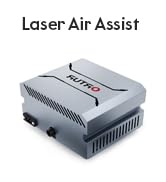
- Built-in Air-Assist Interface: Designed to enhance cutting performance.
- Wide Software Compatibility: Supports LaserGRBL and LightBurn on Windows (7/8/XP/10/11) and macOS.
- Modular Design: Facilitates easy assembly, repair, and upgrades.
- Enhanced Safety Protections: Includes G-sensor for displacement/tilt, laser beam stop on USB disconnect, and automatic laser shut-off for prolonged inactivity.
- Eye Protection: Features a newly designed laser protective cover that filters 98% UV light, and includes protective goggles.
- Efficient Cooling: Dual fan cooling system for the laser module ensures stable operation.

Figure 1: Ortur Laser Master 2 S2 LU2-10A Laser Engraver in operation, showcasing its ability to engrave intricate designs on wood.
2. Setup Guide
The Ortur Laser Master 2 S2 LU2-10A features an industrial-grade full metal structure with a modular design, making assembly straightforward and typically completable within 10-15 minutes.
2.1 Unpacking and Component Check
Carefully unpack all components from the packaging. Verify that all parts listed in the packing list are present and undamaged. Refer to the included diagram for component identification.
2.2 Assembly Steps
- Assemble the frame components according to the provided quick start guide, ensuring all screws are securely fastened.
- Install the laser module onto the gantry, ensuring it slides smoothly along the rails.
- Connect all necessary cables (power, USB) to the control box and the laser module.
- Place the machine on a stable, level surface in a well-ventilated area, away from flammable materials.

Figure 2: Dimensions and safety features of the Ortur Laser Master 2 S2 LU2-10A, illustrating its compact yet capable design.
3. Operating Instructions
The Ortur Laser Master 2 S2 LU2-10A is compatible with popular laser engraving software, providing flexibility for your projects.
3.1 Software Compatibility
The machine supports:
- LaserGRBL: A free, open-source laser engraving software.
- LightBurn: A paid, feature-rich laser engraving and cutting software.
Operating systems supported include Win 7 / Win 8 / XP / Win 10 / Win 11, and macOS (for LightBurn).
3.2 Supported File Formats
The laser engraver supports various file formats, including SVG, DXF, JPG, JPEG, PNG, BMP, TIF, and CR2.
3.3 Preparing for Engraving/Cutting
- Ensure the material is properly secured on the engraving bed.
- Adjust the laser focus using the integrated foldable focal gauge for optimal performance.
- Load your design into the chosen software and configure the engraving/cutting parameters (power, speed, passes) according to the material type.
- Always wear the provided laser protective goggles during operation.

Figure 3: Internal components of the 10W laser module, highlighting its dual fan cooling and integrated air assist.

Figure 4: Users interacting with the Ortur laser engraver, showcasing its ease of use and high-quality output.
4. Maintenance
Regular maintenance ensures the longevity and optimal performance of your Ortur Laser Master 2 S2 LU2-10A.
4.1 Cleaning
- Periodically clean the laser lens and protective cover with a soft, lint-free cloth and lens cleaning solution to maintain laser clarity and performance.
- Remove any debris or dust from the engraving bed and rails to ensure smooth movement of the laser module.
- Ensure the dual cooling fans on the laser module are free from obstructions to maintain efficient heat dissipation.
4.2 Lubrication
Apply a small amount of appropriate lubricant to the linear rails and lead screws as recommended in the detailed user manual (not provided here) to ensure smooth and precise movement.

Figure 5: The laser module, emphasizing the protective cover and the precision of the laser spot.
5. Troubleshooting and Safety
The Ortur Laser Master 2 S2 LU2-10A incorporates several safety features to protect users and prevent damage. Understanding these features can assist in basic troubleshooting.
5.1 Safety Protection System
- G-sensor Protection: If the engraving machine is displaced or tilted during operation, the G-sensor on the motherboard will automatically stop the laser to prevent accidents.
- Laser Beam Safety Guard: In case of a computer system halt or USB cable disconnection, causing the laser engraver to stop moving, the laser beam will automatically stop within three seconds to prevent fire hazards.
- Exposure Duration Detection and Limitation: If the machine is turned on but no movement is detected for a prolonged period, the laser will automatically turn off.
- Power Control System: The system is designed to automatically disconnect power to the laser module if an issue is detected, ensuring safety.

Figure 6: Detailed explanation of the four safety protection systems integrated into the engraver.
5.2 Eye Protection
Always wear the provided laser engraving protective goggles when the machine is in operation. The newly designed laser protective cover also filters out 98% of UV light, but direct eye exposure to the laser should always be avoided.
6. Technical Specifications
| Specification | Value |
|---|---|
| Product Dimensions | 22.4 x 9 x 5.1 inches |
| Item Model Number | OLM2S2-LU2-10A-US |
| Item Weight | 8.98 pounds |
| Manufacturer | Ortur |
| Laser Output Power | 10W |
| Compressed Spot Size | 0.05mm x 0.1mm |
| Engraving Area | 390mm x 410mm |
7. Warranty and Support
Ortur provides support for its products to ensure customer satisfaction.
7.1 Return Policy
This product is eligible for returns within 30 days of receipt, subject to the seller's return policy.
7.2 Customer Support
For any questions, technical assistance, or support regarding your Ortur Laser Master 2 S2 LU2-10A, please utilize the following channels:
 Email Support
Ortur is dedicated to providing round-the-clock support and guidance for your creative journey.