
1. Introduction
Thank you for purchasing the IDOLCO USB C Car Charger (Model C29). This manual provides essential information for the safe and efficient use of your new car charger. Please read it thoroughly before use and retain it for future reference.
What's in the Box:
- 1x IDOLCO 80W 3-Port USB C Car Charger
- 1x User Manual
2. Product Features
- 80W Super Fast Charging: Supports PD-1 30W (Max), PD-2 20W (Max), and QC 30W (Max) high output. Compatible with QC4.0, PD3.0, PPS, and QC3.0 fast charging protocols.
- Three Simultaneous Charging Ports: Features two USB-C ports and one USB-A port, allowing three devices to charge concurrently with a maximum total output of 80W.
- Multicolored LED Ring Light: The RGB LED light indicates power connection and assists in locating the charging ports in low-light conditions. It features a smart light sensor with seven color changes.
- Advanced Safety Protections: UL and FCC certified. Constructed from durable aluminum and ABS+PC fire-proof material. Incorporates an intelligent circuitry safety system to prevent short-circuit, overheating, overcurrent, and overcharging.
- Wide Compatibility: Universally compatible with a broad range of devices including iPhone 17/17 Pro Max, iPhone Air, iPhone 16/16e/16 Pro Max/16 Plus, iPhone 15/15 Pro Max/15 Plus, Samsung Galaxy S25/S24, Note 20/10/9, Pixel 9/8/7, sports watches, car recorders, navigators, cameras, and other USB-powered devices. Designed for most car models with a 12V-24V cigarette lighter socket.
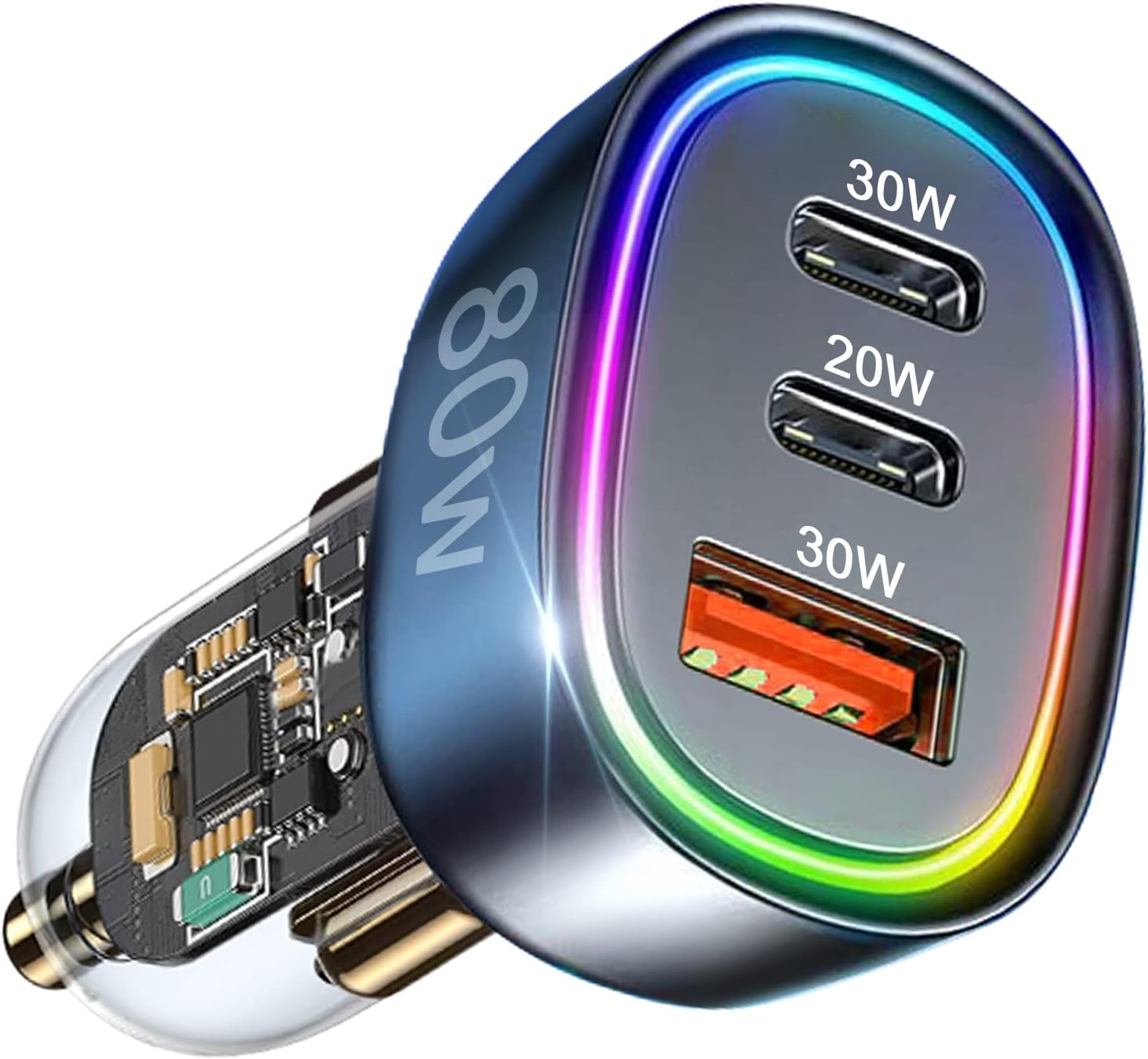
Image: The IDOLCO USB C Car Charger, showcasing its three charging ports and 80W power output.

Image: Illustration of the car charger simultaneously charging an iPhone, iPad, and Samsung device.

Image: A chart detailing the wide compatibility of the charger with various smartphones, tablets, and other devices.
3. Setup and Installation
- Locate your vehicle's 12V-24V cigarette lighter socket.
- Insert the IDOLCO USB C Car Charger firmly into the socket. Ensure it is fully seated to establish a stable power connection.
- The LED ring light on the charger will illuminate, indicating successful power connection and readiness for use.
Video: An official product video demonstrating the features and usage of the 80W USB C Car Charger.
4. Operating Instructions
- Once the charger is installed and the LED ring light is active, connect your device's charging cable to the appropriate port on the car charger.
- The charger features two USB-C ports (30W and 20W) and one USB-A port (30W). Select the port that matches your device's cable type.
- The charger will automatically detect your connected device and deliver the optimal charging efficiency.
- The LED ring light will cycle through its seven colors during operation, providing visual confirmation of active charging.
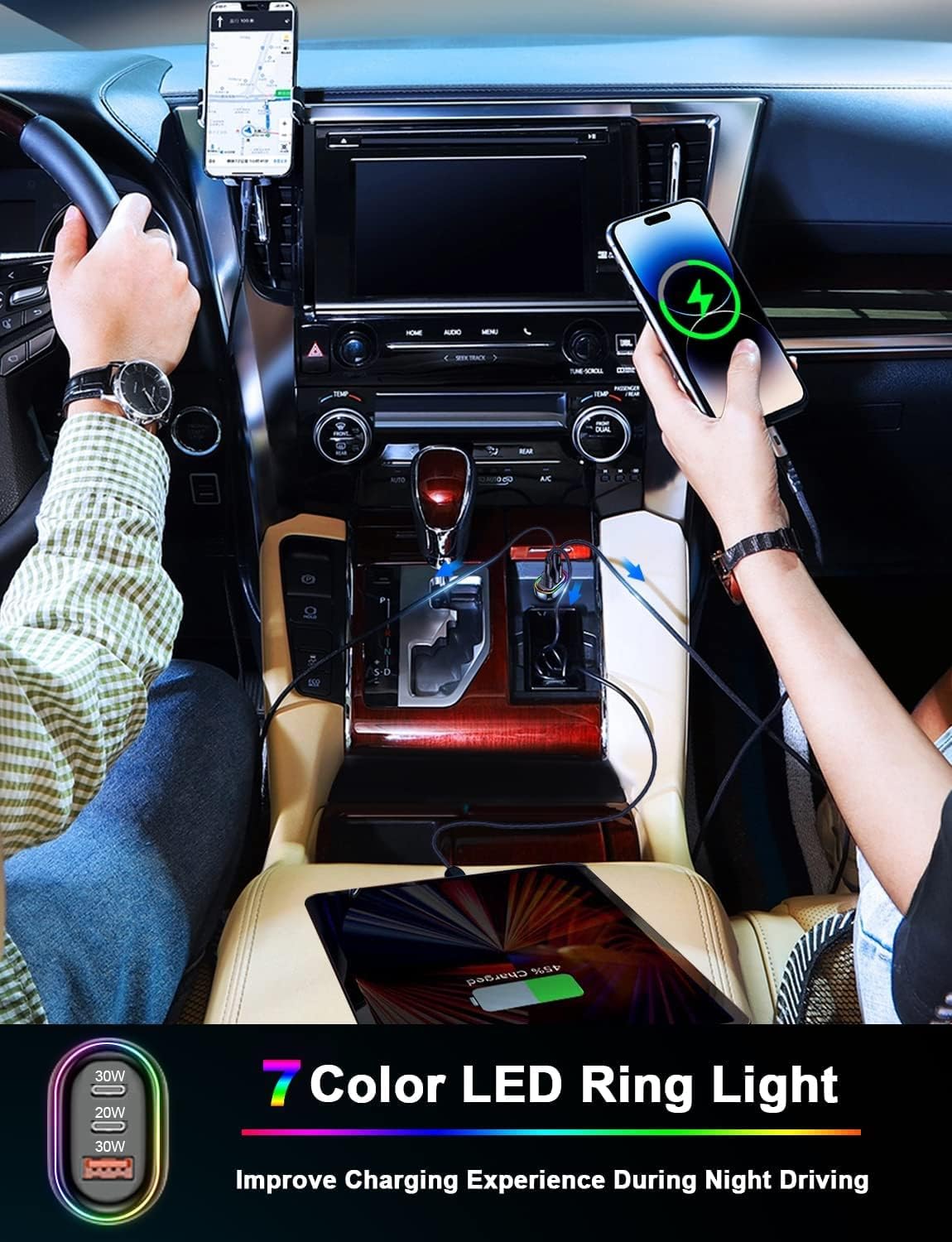
Image: The car charger installed in a vehicle, showing its illuminated LED ring light and connected devices.
5. Safety Information
- Do not attempt to disassemble, repair, or modify the charger.
- Avoid exposing the charger to extreme temperatures, direct sunlight, moisture, or corrosive environments.
- Ensure the charger is used only with vehicles providing a 12V-24V cigarette lighter socket.
- Unplug the charger from the socket when not in use or when leaving the vehicle for extended periods.
- Keep the charger out of reach of children.
- Do not operate the charger if it has been damaged in any way.

Image: Visual representation of the charger's multi-protection system, including overvoltage, overcurrent, short circuit, overcharge, overheat, and static protection.
6. Troubleshooting
- Charger not lighting up or no power:
- Ensure the charger is fully and securely inserted into the vehicle's cigarette lighter socket.
- Verify that your vehicle's cigarette lighter socket is functional.
- Device not charging:
- Check that the charging cable is securely connected to both the charger and your device.
- Try using a different charging cable or a different port on the charger.
- Confirm that your device supports the fast charging protocols (PD/QC) offered by the charger.
- Slow charging:
- Ensure your device and charging cable are capable of fast charging.
- Charging multiple devices simultaneously may distribute the total power, potentially reducing the charging speed for individual devices.
- Charger feels excessively hot:
- Unplug the charger immediately.
- Ensure there is adequate ventilation around the charger and it is not covered.
7. Specifications
| Feature | Specification |
|---|---|
| Model Number | C29 |
| Total Output Power | 80W (Max) |
| USB-C Output (PD-1) | 30W (Max) |
| USB-C Output (PD-2) | 20W (Max) |
| USB-A Output (QC) | 30W (Max) |
| Input Voltage | 12V-24V |
| Connector Type | USB Type C, USB Type A |
| Material | Aluminum & ABS+PC |
| Dimensions | 3.19 x 2.32 x 1.18 inches |
| Item Weight | 2.08 ounces |

Image: A visual representation of the car charger's compact design and dimensions.
8. Warranty and Support
The IDOLCO USB C Car Charger (Model C29) is backed by a 24-month warranty from the date of purchase.
If you encounter any issues with your product or have questions, please contact IDOLCO customer service for assistance. Our team is committed to providing prompt and helpful support.
Please retain your proof of purchase for warranty claims.