
1. Introduction
Welcome to the user manual for your new Samsung Crystal UHD CU7179 55-inch Smart TV. This guide provides essential information to help you set up, operate, and maintain your television, ensuring you get the most out of its advanced features. Please read this manual thoroughly before using your TV and keep it for future reference.

Figure 1: Front view of the Samsung Crystal UHD CU7179 55-inch Smart TV, showcasing its slim bezels and vibrant display.

Figure 2: An angled view of the Samsung Crystal UHD CU7179 TV, highlighting its sleek design and stand.
2. Package Contents
Please check that all the following items are included in your TV package. If any items are missing or damaged, contact your retailer.
- Samsung Crystal UHD CU7179 55-inch Smart TV
- Eco Smart Remote Control (with batteries)
- Power Cable
- TV Stand Components
- User Manual (this document)

Figure 3: A diagram showing the main components included with the TV: the Eco Smart Remote with batteries, power cable, and the user manual.
3. Setup
3.1 Assembling the Stand
Follow the instructions provided in the separate stand assembly guide to securely attach the stand to your TV. Ensure all screws are tightened properly to prevent the TV from wobbling.
3.2 Mounting the TV (Optional)
If you choose to wall-mount your TV, refer to the wall mount kit instructions. Ensure the wall mount is compatible with your TV model and installed by a qualified professional.
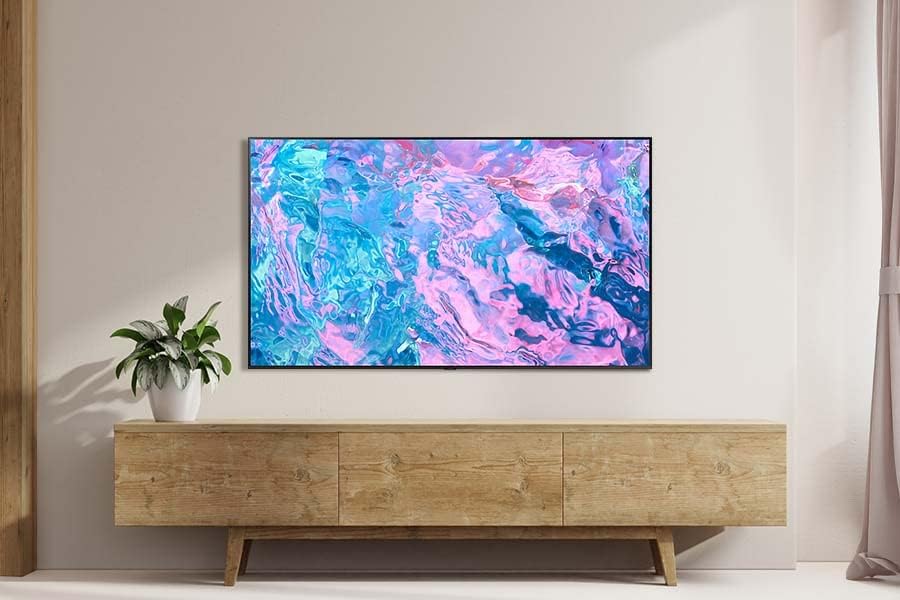
Figure 4: The Samsung Crystal UHD CU7179 TV elegantly mounted on a wall above a media console in a modern living room setting.
3.3 Connecting External Devices
Connect your external devices (e.g., cable box, Blu-ray player, gaming console) to the appropriate ports on the back of your TV.
- HDMI: For high-definition video and audio. Your TV has multiple HDMI ports.
- USB: For connecting USB storage devices to play media files.
- Ethernet (LAN): For a wired internet connection.
- Antenna/Cable: For connecting an antenna or cable TV signal.
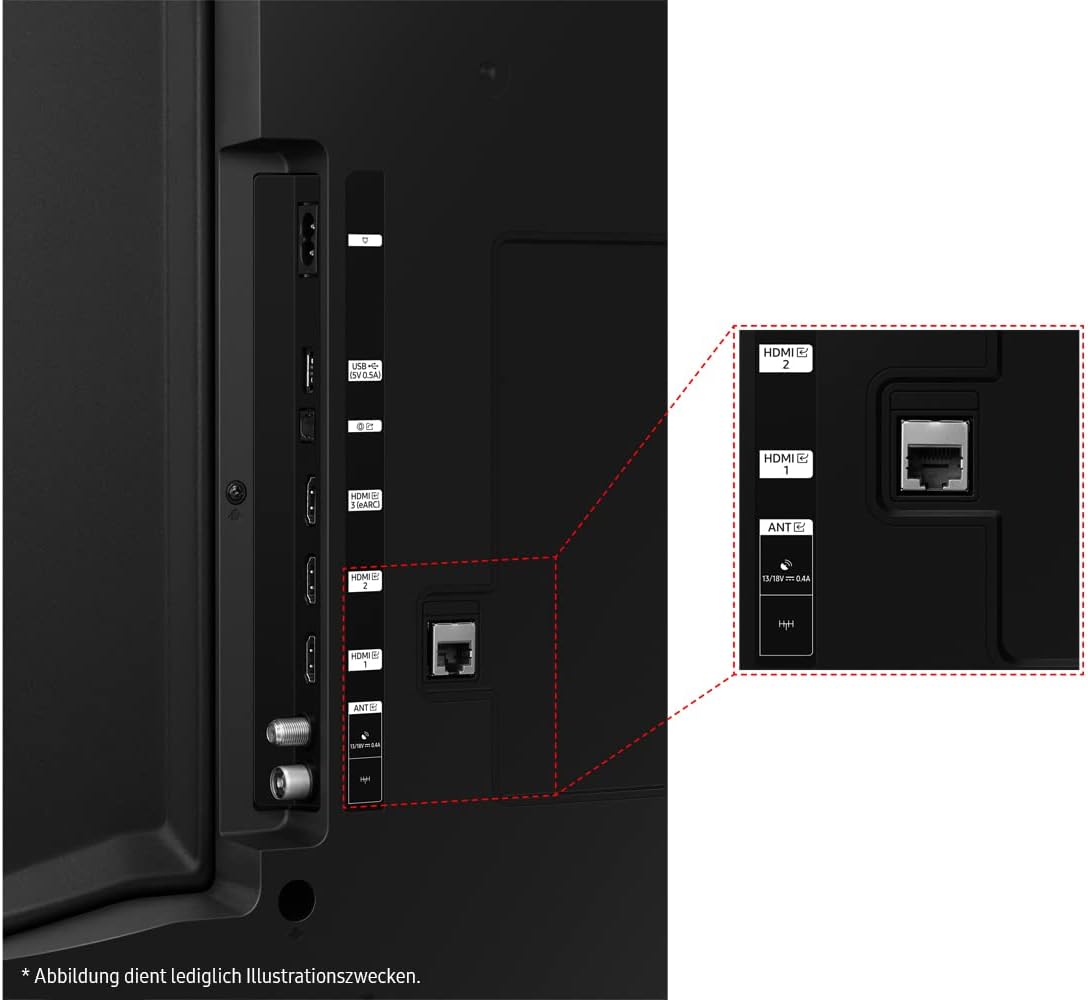
Figure 5: A detailed view of the TV's rear panel, showing the various input and output ports including HDMI, USB, and Ethernet connections.
3.4 Power Connection
Plug the power cable into the TV's power input, then plug the other end into a wall outlet. The TV will automatically turn on or go into standby mode.
4. Operating the TV
4.1 Remote Control
The included Eco Smart Remote allows you to control all TV functions. Ensure batteries are correctly inserted.
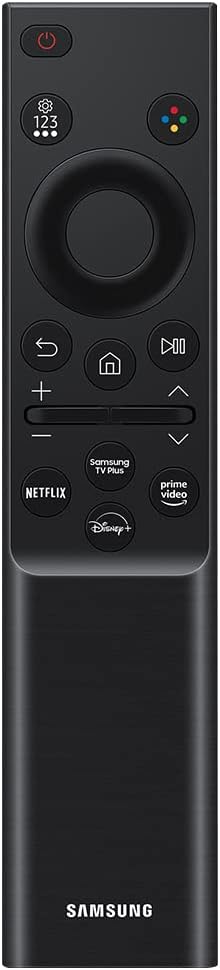
Figure 6: A clear image of the Samsung Eco Smart Remote, featuring a minimalist design with essential buttons for TV control and smart features.
4.2 Power On/Off
Press the Power button on the remote control to turn the TV on or off.
4.3 Smart Hub Navigation
Press the Home button on your remote to access the Smart Hub. From here, you can navigate through various apps, streaming services, and connected devices.

Figure 7: The Samsung Smart Hub interface, showing various streaming apps and live TV options, powered by Tizen OS.
4.4 Input Source Selection
Use the Source button on your remote to switch between connected devices (e.g., HDMI 1, HDMI 2, TV).
5. Key Features
5.1 PurColor Technology
PurColor technology enables the TV to express a vast spectrum of colors for optimal picture performance. This results in a more immersive viewing experience with realistic color representation.

Figure 8: A split-screen image demonstrating the visual difference between a conventional color display and Samsung's PurColor technology, highlighting richer and more vibrant colors.
5.2 Crystal Processor 4K
The Crystal Processor 4K upscales content to 4K resolution, enhancing color tones and optimizing high contrast ratios. This ensures that all your content, regardless of its original resolution, is displayed with stunning clarity and detail.
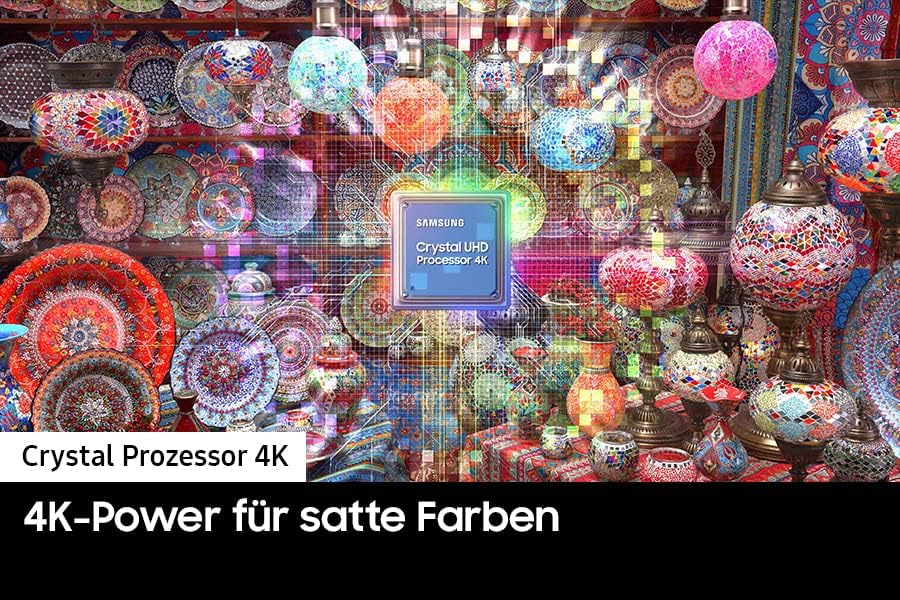
Figure 9: A visual representation of the Samsung Crystal Processor 4K, emphasizing its role in enhancing picture quality and color accuracy.
5.3 Motion Xcelerator
Motion Xcelerator automatically estimates and compensates frames for the content source, providing a clear picture with smooth motion. This is particularly beneficial for fast-paced action scenes and sports.
5.4 SmartThings Integration
Connect your TV to other compatible smart devices in your home using Samsung SmartThings. Manage your smart home ecosystem directly from your TV screen.
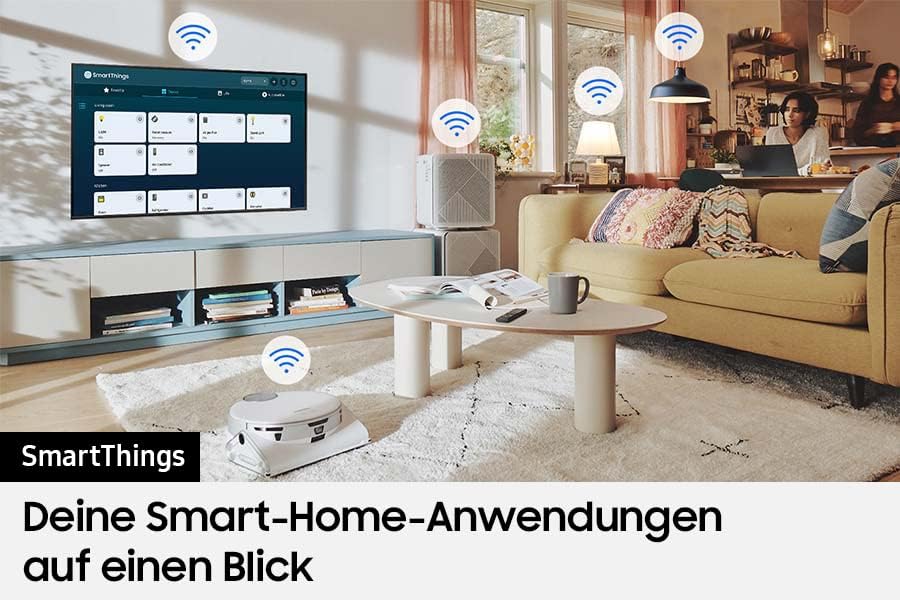
Figure 10: An illustration of the Samsung SmartThings ecosystem, demonstrating how the TV can connect and control various smart home devices.
5.5 Object Tracking Sound Lite (OTS Lite)
OTS Lite creates virtual 3D surround sound that tracks the action on screen. This feature provides a more dynamic and immersive audio experience, making you feel like you are part of the scene.
6. Specifications
Below are the technical specifications for the Samsung Crystal UHD CU7179 GU55CU7179UXZG 55-inch Smart TV.
| Feature | Specification |
|---|---|
| Model Number | GU55CU7179UXZG |
| Screen Size | 55 inches |
| Display Technology | LED |
| Resolution | 4K UHD (3840 x 2160) |
| Operating System | Tizen |
| Special Features | PurColor, Motion Xcelerator, Crystal Processor 4K, Object Tracking Sound Lite |
| Connectivity | HDMI, USB, Ethernet, Wi-Fi, Bluetooth |
| Total USB Ports | 1 |
| Compatible Devices | Smartphone, Tablet |
| Color | Black |
| Product Dimensions (D x W x H) | 2.5P x 12.31W x 7.83H meters (approx.) |

Figure 11: A technical diagram illustrating the precise dimensions of the Samsung Crystal UHD CU7179 TV, including width, height with and without stand, and depth.
7. Troubleshooting
If you encounter issues with your TV, refer to the following common problems and solutions.
- No Power:
Ensure the power cable is securely connected to both the TV and a working wall outlet. Test the outlet with another device. - No Picture/Sound:
Check that the correct input source is selected. Verify all cable connections (HDMI, antenna) are secure. Restart connected devices. - Remote Control Not Working:
Check the batteries in the remote control and replace them if necessary. Ensure there are no obstructions between the remote and the TV's IR receiver. - Poor Picture Quality:
Adjust picture settings (brightness, contrast, sharpness, color). Ensure the input source is providing a high-quality signal. For streaming, check your internet connection speed. - No Internet Connection:
For Wi-Fi, ensure the TV is connected to the correct network and the password is entered correctly. For wired connection, ensure the Ethernet cable is securely plugged in and your router is functioning.
8. Maintenance
8.1 Cleaning the TV Screen
Gently wipe the screen with a soft, dry microfiber cloth. For stubborn marks, lightly dampen the cloth with water or a specialized screen cleaner. Avoid using harsh chemicals, abrasive materials, or spraying liquid directly onto the screen.
8.2 Cleaning the TV Body
Wipe the TV's frame and stand with a soft, dry cloth. Do not use liquid cleaners directly on the TV body.
8.3 Software Updates
Your TV may receive periodic software updates to improve performance and add new features. Ensure your TV is connected to the internet to receive these updates automatically or check for them manually through the TV's settings menu.
9. Warranty and Support
9.1 Software Update Guarantee
Software updates for this model are guaranteed until December 31, 2031.
9.2 Product Support
For further assistance, technical support, or warranty information, please visit the official Samsung support website or contact their customer service. Keep your purchase receipt and TV model number (GU55CU7179UXZG) handy when seeking support.