
Introduction
The Ampper M8 Thread Male Brass Battery Charging Post Terminals are designed to facilitate battery charging and extension by adapting M8 threaded battery terminals (common in lithium and some lead-acid batteries) to standard automotive top posts. This manual provides essential information for the proper setup, operation, and maintenance of your Ampper battery posts.
Product Overview
These brass battery posts are engineered for durability and efficient electrical conductivity. They convert an M8 female threaded battery terminal into a standard tapered post, allowing for connection of traditional battery clamps.
Key Features:
- Material: High-quality brass for excellent conductivity and corrosion resistance.
- Thread Type: M8 male thread for secure connection to compatible battery terminals.
- Output: Converts to standard 19mm positive (+) and 17mm negative (-) tapered top posts.
- Included Hardware: Each post is equipped with an M8 bolt for additional connections.
- Ease of Installation: Designed for direct fit with no modifications required.
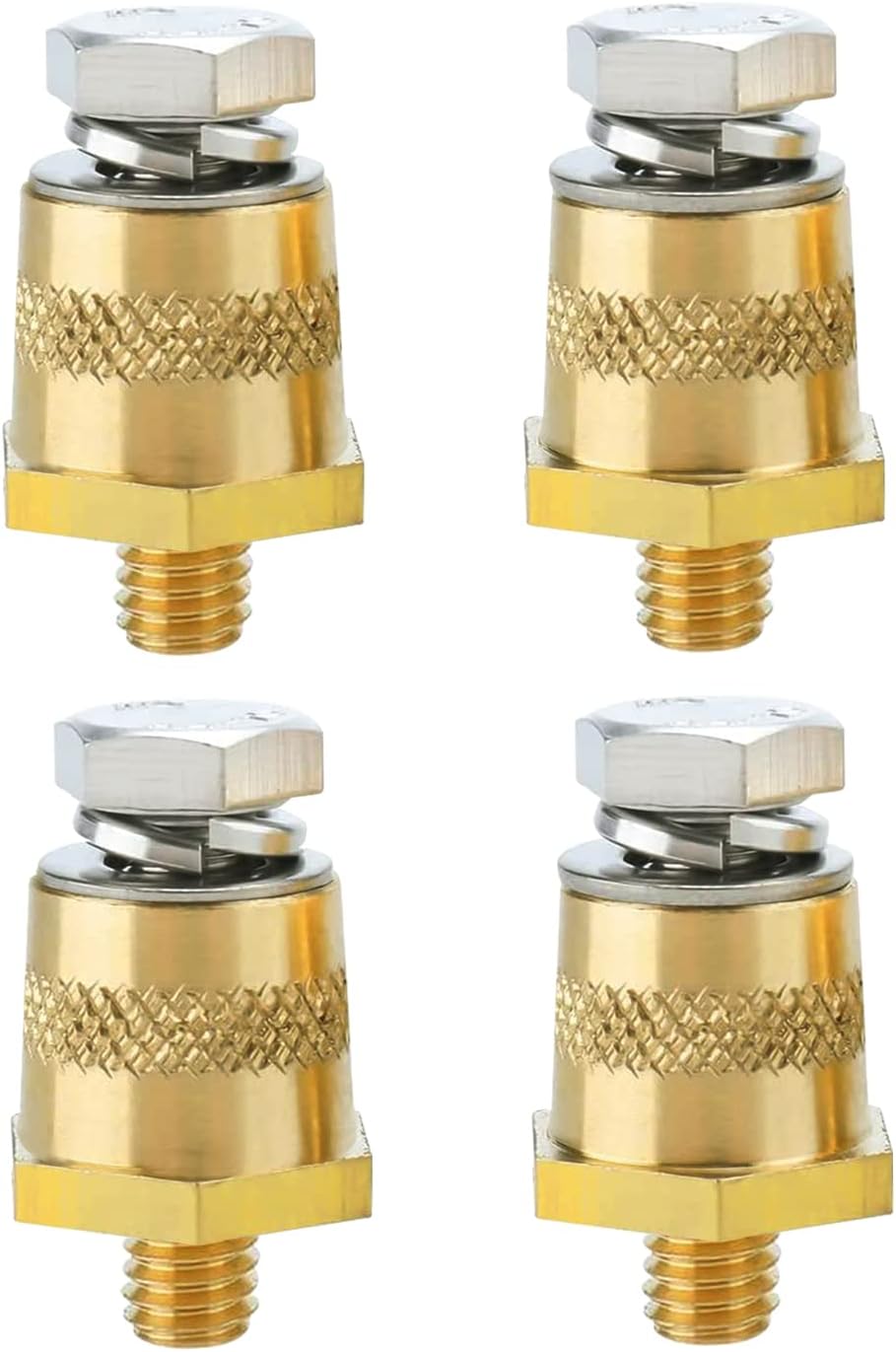
Figure 1: Four Ampper M8 Thread Male Brass Battery Charging Post Terminals.

Figure 2: Individual components of the Ampper M8 Battery Post Terminals, showing the brass posts, washers, and M8 bolts.
Specifications
| Attribute | Detail |
|---|---|
| Brand | Ampper |
| Model Number | Am-BCP-B0802 |
| Material | Brass |
| Thread Size | M8 Male |
| Output Post Size (Positive) | 19 mm cone/tapering |
| Output Post Size (Negative) | 17 mm cone/tapering |
| Included Bolts | M8 bolts for top connection |
| Item Weight | 6 ounces (approx. for pack of 4) |
| Product Dimensions | 4.6 x 0.7 x 3 inches (packaging dimensions) |

Figure 3: Detailed dimensions of the Ampper battery posts, indicating 19mm for positive and 17mm for negative tapered ends, and the M8 thread.
Setup & Installation
Follow these steps for proper installation of the Ampper M8 Battery Charging Post Terminals. Ensure the battery is disconnected from any power sources before beginning installation.
- Identify Battery Terminals: Locate the M8 threaded holes on your battery. These are typically found on lithium batteries or some specialized lead-acid batteries.
- Clean Terminals: Ensure the battery's M8 threaded holes and the contact surfaces are clean and free of dirt, corrosion, or debris. Use a wire brush if necessary.
- Thread the Post: Carefully thread the Ampper brass battery post into the corresponding M8 threaded hole on the battery. Ensure you match the positive (+) post to the positive terminal and the negative (-) post to the negative terminal. The posts are typically marked or can be identified by the slightly larger positive taper (19mm vs 17mm).
- Tighten Securely: Hand-tighten the post first, then use an appropriate wrench (e.g., 3/4 inch hex wrench) to securely tighten the post. Do not overtighten, as this can damage the battery terminal. The connection should be firm to ensure good electrical contact.
- Connect Cables: Once the posts are securely installed, you can connect standard automotive battery cables or clamps to the newly created tapered posts. The M8 bolt on top of each post can be used for additional connections, such as auxiliary power leads or charging cables.
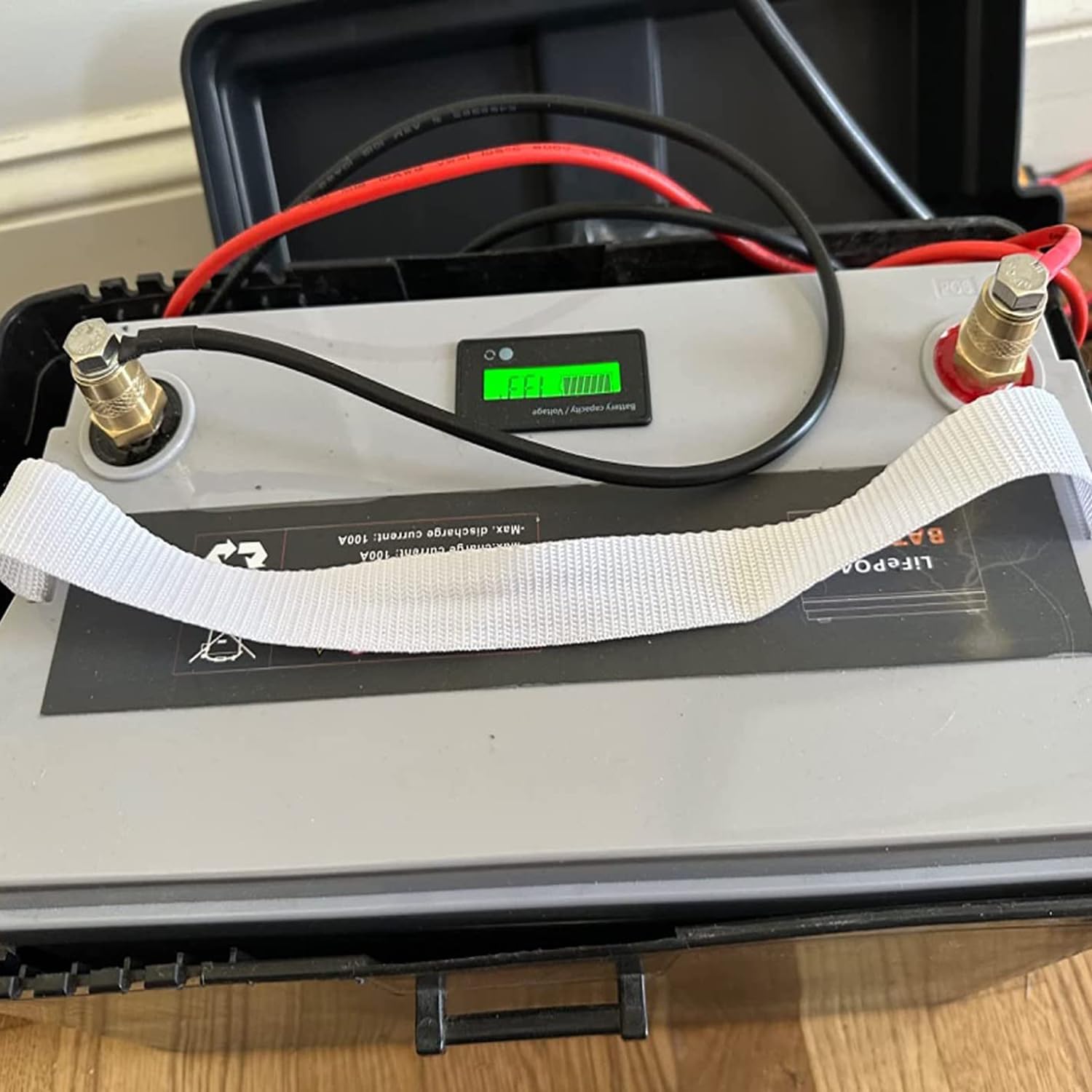
Figure 4: Ampper M8 battery posts installed on a LiFePO4 battery, showing connection of battery cables.
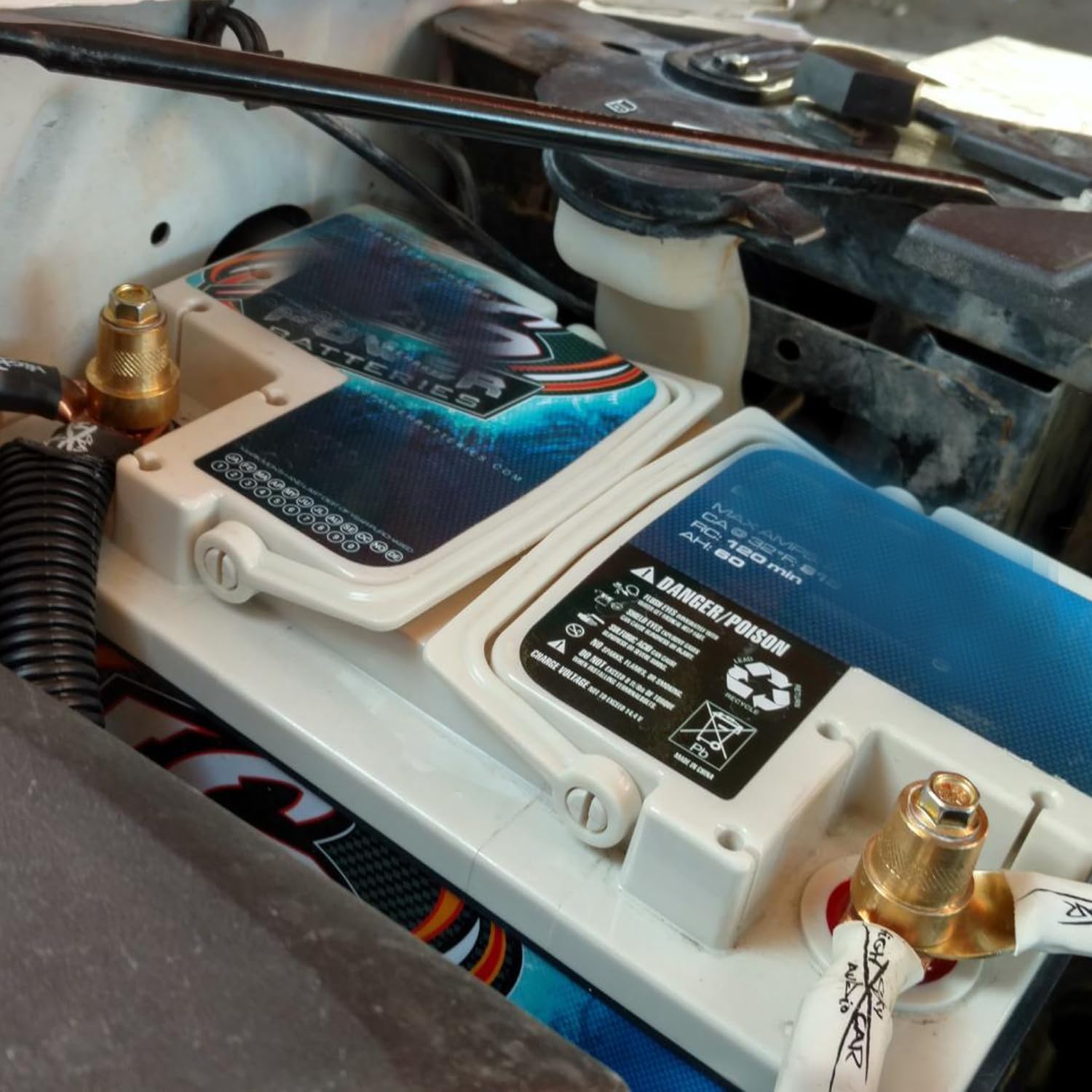
Figure 5: Ampper M8 battery posts installed on an Odyssey Extreme battery, demonstrating their use for adapting to standard terminals.
Operating Instructions
The Ampper M8 Battery Charging Post Terminals function as adapters, allowing standard battery clamps to connect to batteries with M8 threaded terminals.
- Charging: Once installed, connect your battery charger's clamps directly to the tapered posts.
- Extension: Use the posts to connect your battery to an automotive electrical system or other devices requiring standard battery terminal connections.
- Auxiliary Connections: The integrated M8 bolt on top of each post provides an additional secure point for connecting smaller gauge wires or accessories that require a bolted connection.
Maintenance
Regular maintenance ensures optimal performance and longevity of your Ampper battery posts.
- Inspection: Periodically inspect the posts for any signs of corrosion, looseness, or damage.
- Cleaning: If corrosion is present, disconnect all power, then clean the posts and connections with a wire brush and a baking soda solution (1 tablespoon baking soda per cup of water). Rinse with clean water and dry thoroughly.
- Tightness: Ensure all connections remain tight. Loose connections can lead to poor conductivity and heat buildup.
- Protection: Apply a thin layer of dielectric grease or battery terminal protector to the posts and connections to prevent corrosion, especially in marine or high-humidity environments.
Troubleshooting
If you encounter issues with your Ampper battery posts, consider the following common problems and solutions:
| Problem | Possible Cause | Solution |
|---|---|---|
| Poor electrical connection / No power | Loose connection, corrosion, incorrect post size. | Ensure posts are tightly screwed into battery. Clean all contact surfaces. Verify battery has M8 threaded terminals. |
| Post does not thread into battery | Incorrect thread size, cross-threaded. | Confirm battery has M8 female threads. Do not force. Re-align and try threading carefully. |
| Excessive heat at connection point | Loose connection, high current draw, corrosion. | Tighten all connections. Ensure current draw is within battery/cable limits. Clean corrosion. |
Warranty & Support
Ampper products are manufactured to high standards. For specific warranty information or technical support, please refer to the product packaging or contact Ampper customer service directly.
Contact Information:
Please visit the official Ampper website or refer to your purchase documentation for the most current support contact details.


