
1. Introduction
This manual provides instructions for the safe and effective use of your Yustda AC/DC Adapter. This adapter is designed as a replacement power supply for specific Hosome handheld stick vacuum cleaner models, including S107, BVC-107, and BVC107, which operate at 22.2V and require 2500mAh or 2600mAh capacity.
Please read this manual thoroughly before using the product and retain it for future reference.
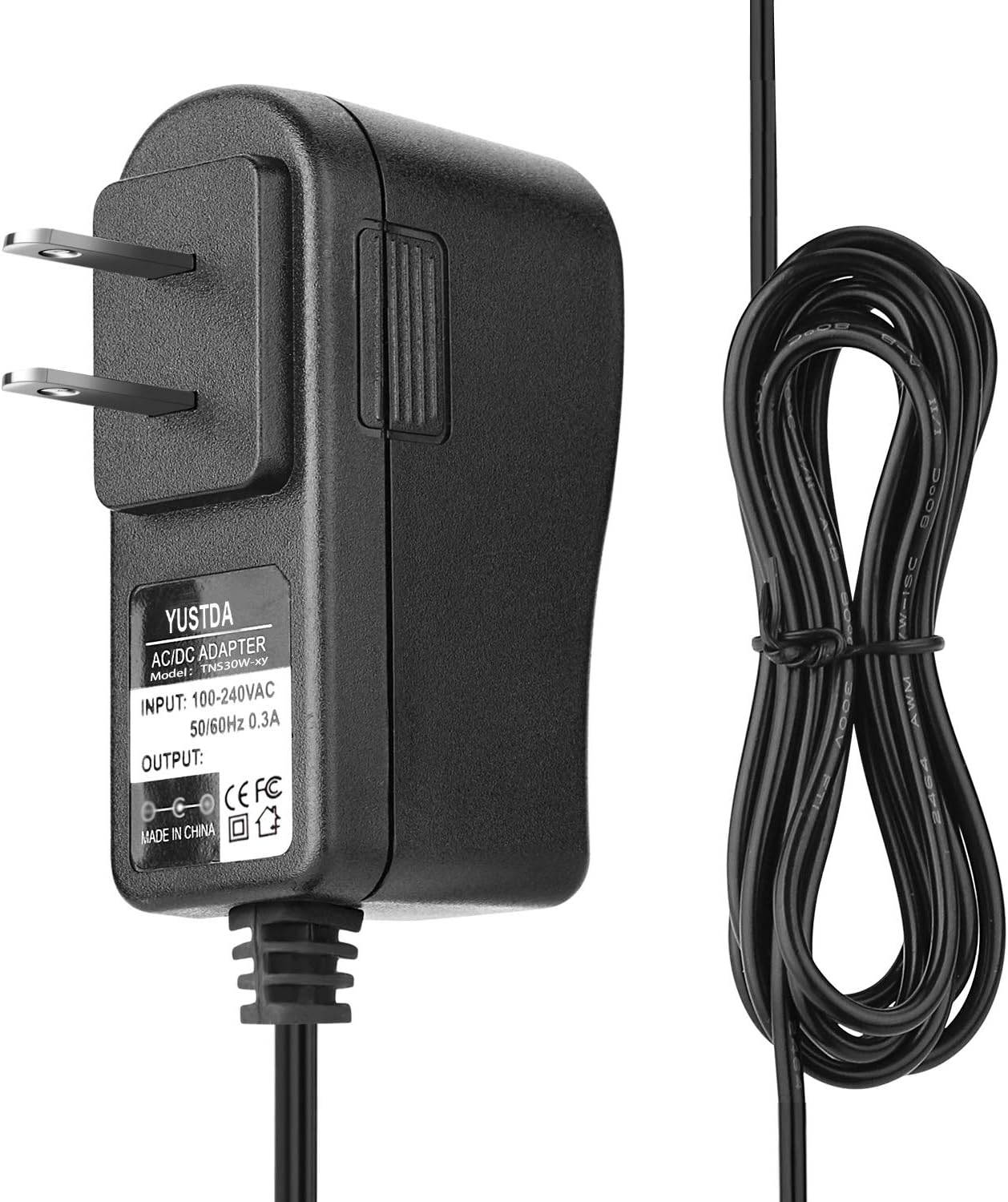
Figure 1: The Yustda AC/DC Adapter, showing the main unit with its input prongs and the attached output cable.
2. Safety Information
WARNING: To reduce the risk of fire, electric shock, or injury, observe the following safety precautions:
- Ensure the adapter's voltage and current ratings match your device's requirements (22.2V, 2500mAh/2600mAh for Hosome S107/BVC-107/BVC107).
- Do not expose the adapter to rain, moisture, or extreme temperatures.
- Do not open or attempt to repair the adapter. Refer all servicing to qualified personnel.
- Avoid using the adapter if the cord or plug is damaged.
- Always unplug the adapter from the power outlet before cleaning or when not in use for extended periods.
- Keep the adapter out of reach of children.
- Ensure proper ventilation around the adapter during operation to prevent overheating.

Figure 2: Rear view of the Yustda AC/DC Adapter, showing a warning label. Always adhere to safety instructions.

Figure 3: The adapter incorporates multiple safety features including protection against over-temperature, over-voltage, over-current, and short circuits.
3. Setup
- Verify Compatibility: Before connecting, confirm that your Hosome vacuum cleaner model (S107, BVC-107, or BVC107) requires a 22.2V power supply and has a compatible charging port.
- Inspect the Adapter: Check the adapter and its cable for any visible damage. Do not use if damaged.
- Connect to Device: Insert the output connector of the Yustda AC/DC Adapter firmly into the charging port of your Hosome vacuum cleaner.
- Connect to Power Outlet: Plug the adapter into a standard 100-240VAC 50/60Hz wall outlet. Ensure the outlet is easily accessible.

Figure 4: The Yustda AC/DC Adapter connected to a power strip, demonstrating a typical setup for charging.
4. Operating Instructions
Once properly connected, the adapter will begin supplying power to your Hosome vacuum cleaner. The charging indicator on your vacuum cleaner (if present) should illuminate, indicating that charging is in progress.
- Allow the vacuum cleaner to charge fully according to its manufacturer's recommendations.
- Do not leave the adapter plugged in indefinitely after the device is fully charged, although modern adapters are designed to prevent overcharging.
- Unplug the adapter from the wall outlet when not in use.
5. Maintenance
- Cleaning: Disconnect the adapter from both the power outlet and the device. Wipe the adapter with a dry, soft cloth. Do not use liquid cleaners or solvents.
- Storage: Store the adapter in a cool, dry place away from direct sunlight and moisture. Avoid tightly winding the cable to prevent damage.
- Inspection: Periodically inspect the adapter and cable for any signs of wear, cuts, or damage. Replace if necessary.

Figure 5: The adapter features a high-quality power cable design with copper wire and PVC insulation for durability and safety.
6. Troubleshooting
| Problem | Possible Cause | Solution |
|---|---|---|
| Device not charging. | Adapter not properly plugged in. Device charging port issue. Adapter or cable damage. Incompatible device. | Ensure adapter is fully plugged into both wall outlet and device. Test with another compatible charger (if available) to rule out device issue. Inspect adapter and cable for damage; replace if found. Verify device model and voltage requirements. |
| Adapter feels hot during use. | Normal operation (slight warmth). Overload or poor ventilation. | A slight warmth is normal. If excessively hot, unplug immediately. Ensure adapter is not covered and has adequate airflow. Do not use with incompatible devices. |
| Sparking when plugging in. | Normal inrush current. Faulty outlet or adapter. | Small sparks are common. If large or continuous, unplug immediately. Try a different outlet. If problem persists, discontinue use and contact support. |
7. Specifications
- Input Voltage: 100-240VAC, 50/60Hz
- Output Voltage: 22.2V (compatible with Hosome S107, BVC-107, BVC107)
- Output Current: Designed for 2500mAh/2600mAh devices
- Cable Length: Approximately 6.5 feet (2 meters)
- Safety Features: Over current protection, Total power protection, Over voltage protection, Short Circuit Protection
- Manufacturer: Shenzhen Waweis Technology Co., Ltd

Figure 6: The adapter features a durable construction and a compact design, suitable for various environments.
8. Warranty
Yustda products are designed for reliability and performance. While specific warranty details are not provided in this manual, please refer to the product packaging or contact customer support for information regarding warranty coverage and terms.
9. Customer Support
If you have any questions, encounter problems, or require assistance with your Yustda AC/DC Adapter, please do not hesitate to contact our customer support team.
Email: epcustomerservice@yahoo.com
Please provide your product model and a detailed description of the issue when contacting support to ensure a prompt and effective resolution.