
1. Introduction
Thank you for choosing the JYMIPA 9000 BTU Portable Air Conditioner. This unit is designed to provide efficient cooling, fan circulation, and dehumidification for rooms up to 300 square feet. Please read this manual thoroughly before operation to ensure proper use, maintenance, and safety.
2. Safety Information
Always follow basic safety precautions when using electrical appliances to reduce the risk of fire, electric shock, or injury.
- Ensure the power supply matches the voltage specified on the unit's rating label.
- Do not operate the unit with a damaged cord or plug.
- Do not insert fingers or objects into the air inlet or outlet.
- Keep the unit away from flammable materials and open flames.
- Always unplug the unit before cleaning or servicing.
- Do not use the unit in wet environments like bathrooms or laundry rooms.
- Ensure the unit is placed on a flat, stable surface.
- This appliance uses R290 refrigerant. Do not puncture the refrigerant circuit.
3. Product Overview
3.1 Components
The JYMIPA Portable Air Conditioner comes with all necessary components for immediate use. Familiarize yourself with each part before installation.

Image: The main portable air conditioner unit, along with its accessories including the exhaust hose, window sealing kit, remote control, and water drainage tray.

Image: Detailed view of all items included in the package, such as the adjustable slide bar, exhaust pipe, various connectors, remote control, and the instruction manual.
3.2 Key Features
- Powerful 9000 BTU Cooling: Rapidly cools rooms up to 300 sq. ft. to temperatures as low as 16°C.
- 3-in-1 Functionality: Offers Cooling, Fan, and Dehumidifier modes to suit various environmental needs.
- Digital Display & Remote Control: Provides real-time temperature monitoring and convenient remote operation.
- Portable Design: Equipped with durable omnidirectional casters and invisible side handles for easy mobility.
- 24-Hour Timer: Allows for customizable on/off schedules to save energy.
- Sleep Mode: Dims LED lights and reduces noise for a quiet and comfortable sleeping environment.
- Child Lock Function: Ensures worry-free use in households with children or pets.
- Eco-Friendly Refrigerant: Uses R290 refrigerant.
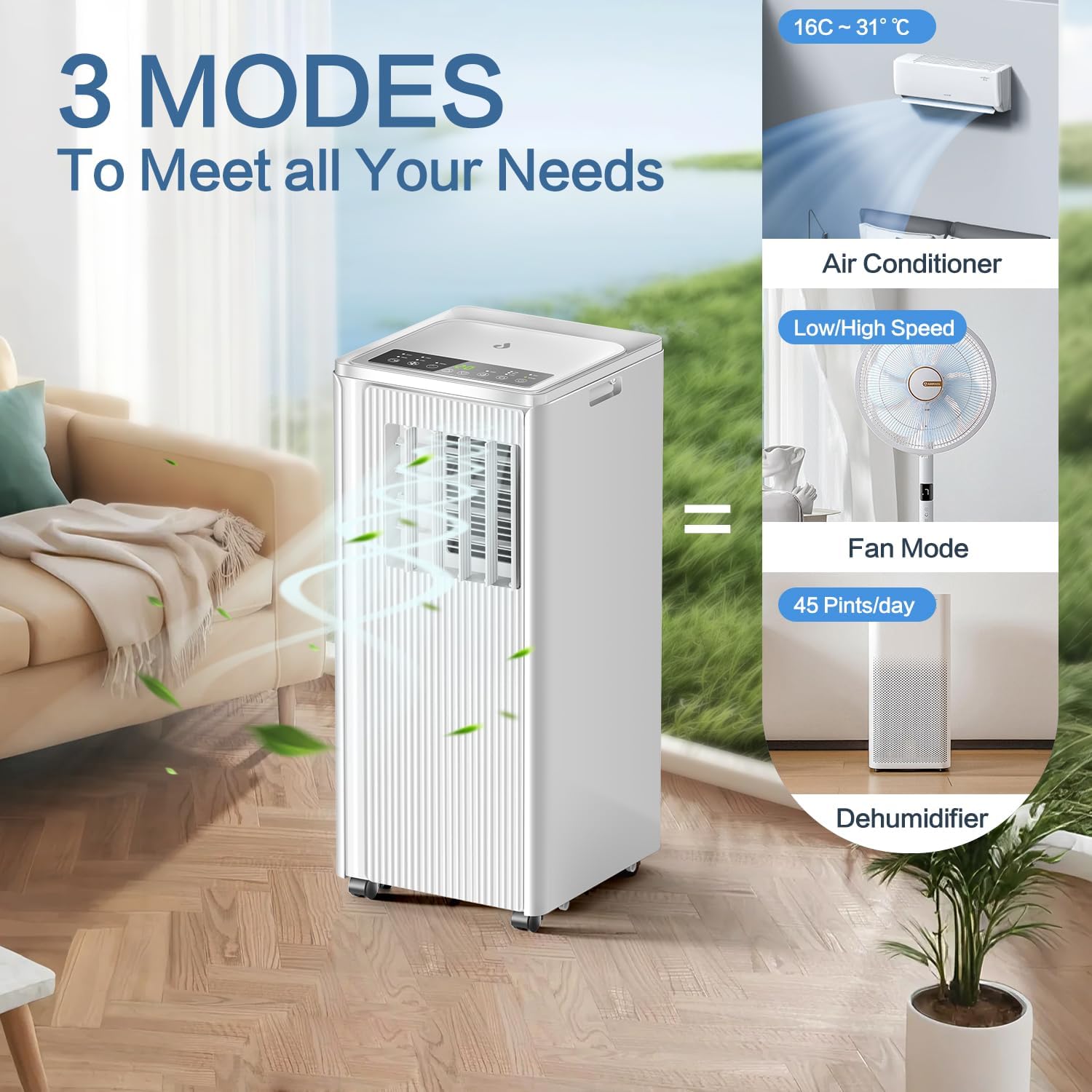
Image: The air conditioner offers three distinct modes: cooling, fan, and dehumidifier, providing versatile climate control.

Image: The unit features a convenient remote control for easy operation and 360-degree rotating casters with integrated handles for effortless portability.
4. Setup and Installation
The JYMIPA Portable Air Conditioner is designed for hassle-free installation, compatible with most sliding windows without requiring drilling.
- Extend Adjustable Window Kit: Adjust the window sealing kit to fit your window opening.
- Install Window Kit: Place the adjusted window kit securely into the window frame.
- Insert Window Kit Adapter: Connect the exhaust pipe connector to the window kit.
- Connect Exhaust Hose to Window Kit: Attach one end of the exhaust hose to the window kit adapter.
- Connect Exhaust Hose to Air Conditioner: Attach the other end of the exhaust hose to the air conditioner's exhaust port.
- Installation Completed: Ensure all connections are secure and the unit is stable.

Image: Visual instructions detailing the six steps for easy installation of the air conditioner, including fitting the window kit and connecting the exhaust hose.
For optimal performance, ensure the exhaust hose is as short and straight as possible to allow efficient heat expulsion.
5. Operating Instructions
The unit can be controlled via the digital display panel on top or the included remote control.
5.1 Control Panel and Remote Control
The control panel features an LED digital display and various buttons for mode selection, temperature adjustment, timer, and sleep mode.

Image: The unit offers dual control methods: a clear digital display on the top panel and a convenient remote control with a range of up to 23 feet.
5.2 Mode Selection
- Cooling Mode: Press the 'Mode' button until the snowflake icon appears. Adjust temperature using the Up/Down arrows (16°C - 31°C).
- Fan Mode: Press the 'Mode' button until the fan icon appears. Select fan speed (Low/High) using the 'Fan Speed' button.
- Dehumidifier Mode: Press the 'Mode' button until the water drop icon appears. The unit will automatically remove moisture from the air.
5.3 Timer Function
Set the unit to automatically turn on or off within a 24-hour period.
- Press the 'Timer' button.
- Use the Up/Down arrows to set the desired hours for auto-on or auto-off.
5.4 Sleep Mode
Activate Sleep Mode for quieter operation and dimmed display lights, ideal for nighttime use.
- Press the 'Sleep' button. The unit will adjust settings for a comfortable sleep environment.

Image: The air conditioner's sleep mode ensures a quiet and comfortable environment, featuring a 24-hour timer, reduced noise levels (≤65dB), and energy-saving operation.
6. Maintenance
Regular maintenance ensures optimal performance and extends the lifespan of your air conditioner.
6.1 Cleaning the Air Filter
The air filter should be cleaned every two weeks or more frequently depending on usage and air quality.
- Unplug the unit from the power outlet.
- Locate and remove the air filter from the back of the unit.
- Wash the filter with warm, soapy water. Rinse thoroughly.
- Allow the filter to air dry completely before reinserting it into the unit.
6.2 Draining Water
In Dehumidifier mode or high humidity conditions, the internal water tank may fill up. The unit will stop operating when the tank is full and display an indicator.
- Unplug the unit.
- Place a shallow pan or tray under the drainage port at the bottom rear of the unit.
- Remove the drain plug to allow water to flow out.
- Once drained, replace the drain plug securely.
6.3 Cleaning the Unit Exterior
- Wipe the exterior with a soft, damp cloth.
- Do not use harsh chemicals, abrasives, or solvents.
7. Troubleshooting
If you encounter issues, refer to the following common problems and solutions before contacting support.
| Problem | Possible Cause | Solution |
|---|---|---|
| Unit does not turn on | No power supply; Power cord not plugged in; Full water tank. | Check power outlet and plug; Empty water tank if full. |
| Unit not cooling effectively | Air filter dirty; Exhaust hose blocked or improperly installed; Room too large; Doors/windows open. | Clean air filter; Check exhaust hose for kinks/blockages; Ensure room size is within capacity; Close doors/windows. |
| Unit is noisy | Unit not on a level surface; Air filter dirty; Obstruction in fan. | Place on a flat surface; Clean air filter; Check for and remove obstructions. |
| Water leakage | Drain plug loose; Unit tilted. | Ensure drain plug is secure; Place unit on a level surface. |
8. Specifications
Detailed technical specifications for the JYMIPA Portable Air Conditioner.
| Feature | Specification |
|---|---|
| Brand | JYMIPA |
| Model | JHS-A030-09KR2/J |
| Cooling Capacity | 9000 BTU |
| Recommended Room Size | Up to 300 sq. ft. (approx. 25-35 m²) |
| Product Dimensions | 30 x 30 x 70 cm |
| Item Weight | 23 kg |
| Noise Level | 65 dB |
| Refrigerant | R-290 (Eco-Friendly) |
| Energy Efficiency Rating | A |
| Seasonal Energy Efficiency Ratio (SEER) | 2.6 |
| Power Source | Corded Electric |

Image: The portable air conditioner is suitable for various rooms, effectively cooling areas between 25-35 square meters, including bedrooms, offices, living rooms, and kitchens.
9. Warranty and Support
For warranty information and customer support, please refer to the contact details provided with your purchase or visit the official JYMIPA website. Keep your purchase receipt as proof of purchase for any warranty claims.