
1. Introduction
This manual provides comprehensive instructions for the Accolmile BAFANG B02N Bluetooth Display for Ebike. The B02N display features a navigation function and is designed for use with 8Fun BBS02, BBSHD, and BBS01 Electric Mid Drive Kits, compatible with motors using the UART Protocol (5PIN Female Plug).

Figure 1.1: Accolmile BAFANG B02N Ebike Display. This image shows the front view of the display unit with its control buttons and screen, along with the 5-pin female connector.
2. Compatibility
The B02N display is specifically designed for compatibility with BAFANG electric bike motors utilizing the UART 5.0~5.8 protocol. It features a 5PIN female plug for connection.
- Compatible Motors: BAFANG BBS01, BBS02, BBSHD Electric Mid Drive Kits.
- Protocol: UART 5.0~5.8 Protocol (5PIN Female Connector).
- Incompatible: CAN Protocol motors or 5 PIN male triangular connectors.
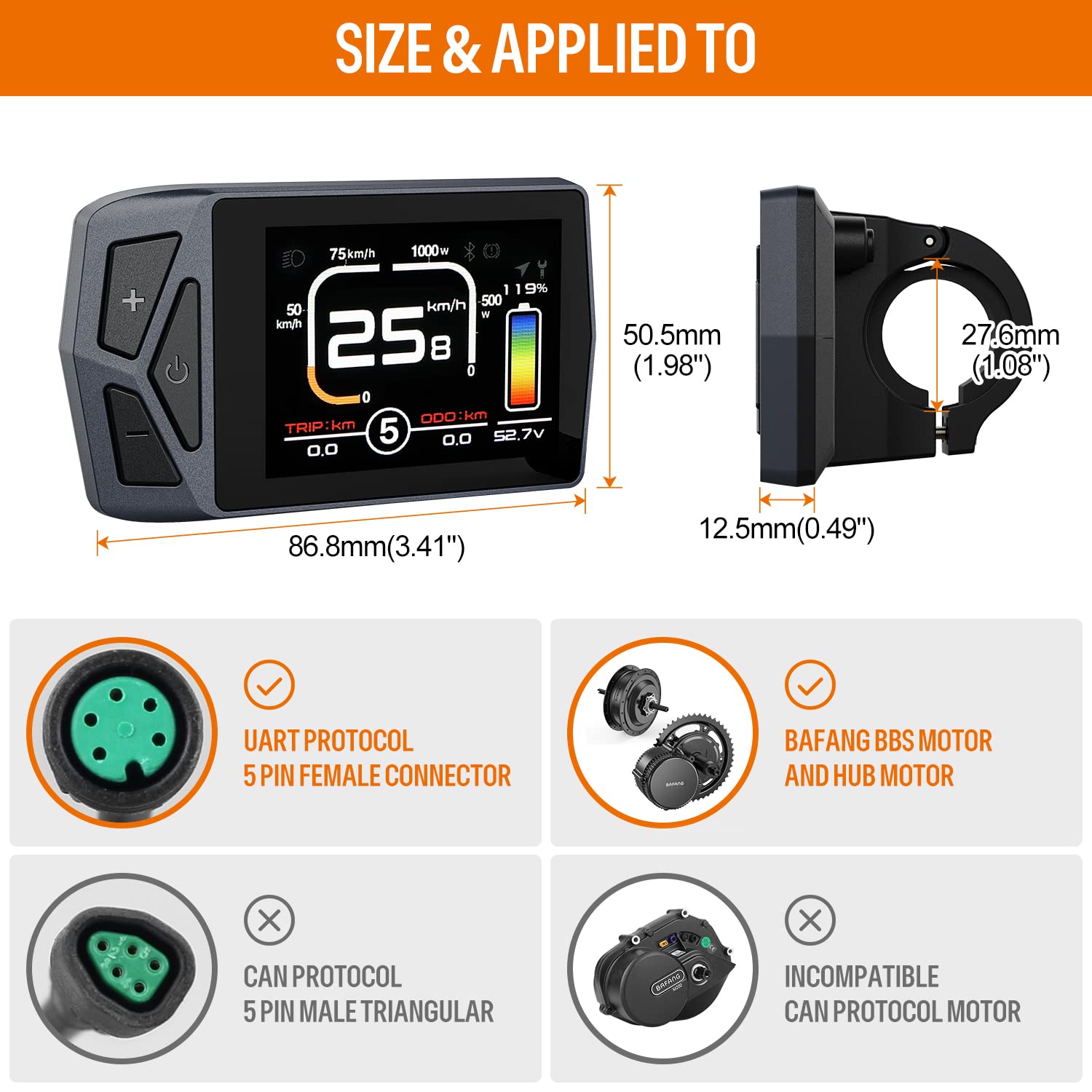
Figure 2.1: Compatibility details for the B02N display. This image illustrates the compatible UART Protocol 5PIN female connector and BAFANG BBS and Hub motors, contrasting with incompatible CAN Protocol connectors and motors.
3. Key Features
The Accolmile B02N display offers a range of functionalities to enhance your ebike riding experience:
- Bluetooth Connectivity: Allows connection to your smartphone for recording and tracking riding data, and sharing experiences. Includes a Bluetooth Unlock Ebike Function.
- Navigation Function: Integrated navigation capabilities via the "BIKEGO" app (note: live navigation may require payment after initial trial).
- Type-C Charging Port: Conveniently charge your smartphone directly from the display.
- Mileage Reset: Option to reset trip mileage (zero cleaning).
- Security: Features two password levels: a start password and an advanced setting password.
- Customizable Themes: Choose from 4 different display themes.
- Multi-Language Support: Supports 8 languages including English, Spanish, French, German, Italian, Dutch, Polish, and Czech.
- Automatic Backlight: HD screen with automatic backlight adjustment for clear visibility in day and night conditions.

Figure 3.1: Overview of Accolmile B02N display features. This image highlights the 2.4-inch screen, holder dimensions, PAS levels, voltage compatibility, Bluetooth, multi-language support, navigation, ODO resettable function, and Type-C charging port.

Figure 3.2: Type-C charging port on the B02N display. This image shows the Type-C port on the display unit and an example of a smartphone being charged, illustrating its convenience.

Figure 3.3: Automatic backlight function of the B02N display. This image demonstrates the display's clear visibility in both day (non-backlight state) and night (backlight active) conditions.
4. Setup and Installation
Follow these steps to properly install your Accolmile B02N display on your ebike:
- Mounting: Securely attach the display to your ebike's handlebar using the provided mount. Ensure it is positioned for optimal visibility and accessibility while riding. The display supports φ22.2mm / φ25.4mm holders.
- Connection: Connect the 5PIN female plug from the display to the corresponding UART protocol male plug on your BAFANG mid-drive motor system. Ensure the connection is firm and secure.
- Cable Management: Route the display cable safely along your ebike frame, securing it with cable ties to prevent interference with moving parts or accidental damage.

Figure 4.1: Accolmile B02N display mounted on an ebike handlebar. This image shows the display securely attached to the handlebar, demonstrating its ergonomic placement for rider convenience.
5. Operating Instructions
Familiarize yourself with the display's interface and functions for an optimal riding experience.
5.1 Display Overview and Indicators
The B02N display provides various real-time riding data and indicators:
- Real-time Speed: Current riding speed.
- Average Speed: Average speed of your trip.
- Gear Indicator: Current pedal assist system (PAS) level.
- Odometer (ODO): Total distance traveled.
- Trip Distance (TRIP): Distance for the current ride.
- Battery Level Graphic: Visual representation of remaining battery charge.
- Headlight Indicator: Shows if headlights are active.
- Bluetooth Indicator: Indicates Bluetooth connection status.
- Cruise Indicator: Shows if cruise control is active.
- Navigation Indicator: Displays navigation prompts.
- Maintenance Tips: Alerts for maintenance needs.

Figure 5.1: Accolmile B02N display with labeled indicators. This image points out various data points and status icons on the display screen, including speed, odometer, battery level, and indicators for Bluetooth, navigation, and maintenance.
5.2 Navigation Function
The display integrates with the "BIKEGO" app for navigation. Download the app from your smartphone's app store (App Store for iOS, Google Play for Android). After installation, pair your display via Bluetooth to access navigation features. Note that live navigation may require payment after a 10-time free trial.
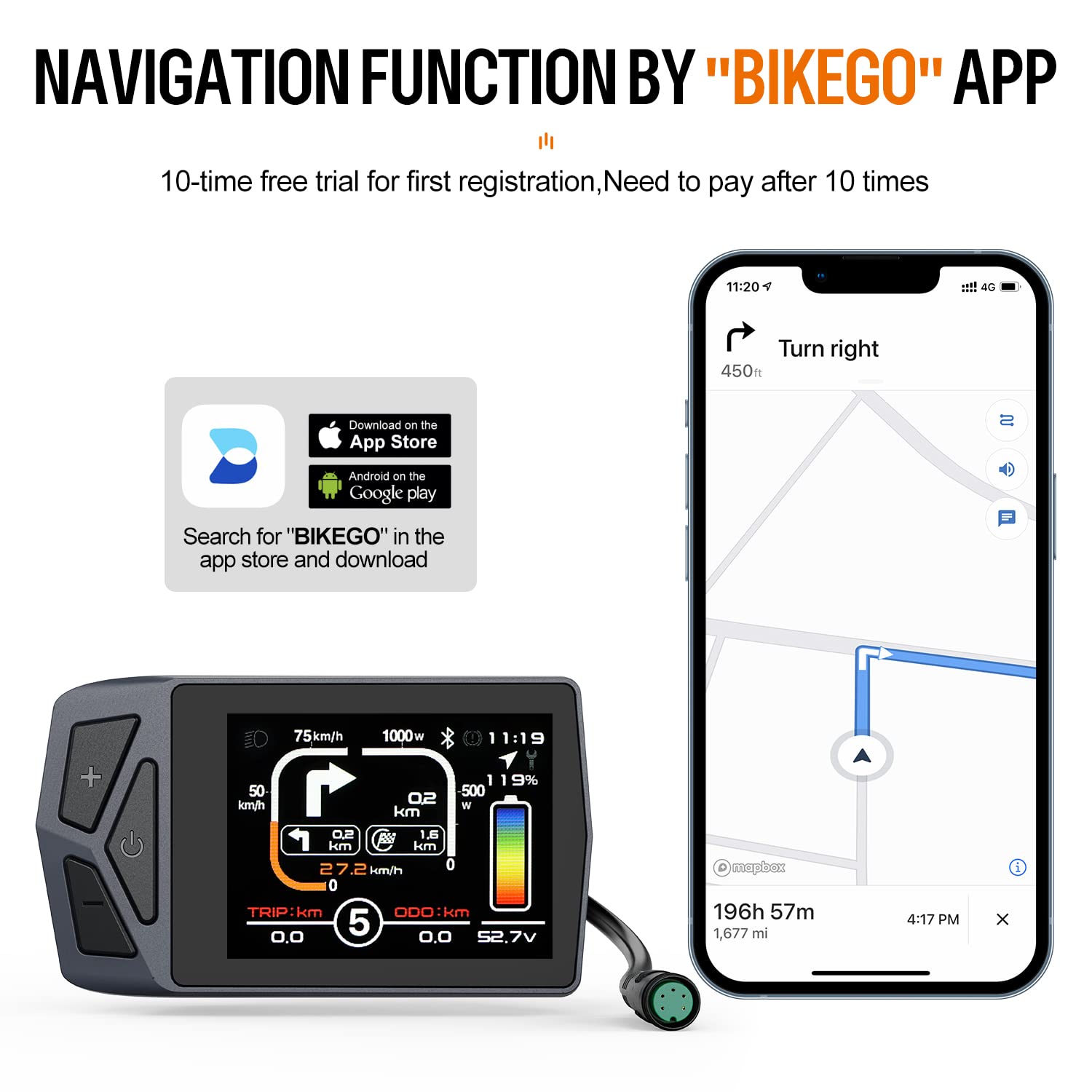
Figure 5.2: Navigation function via "BIKEGO" app. This image shows the B02N display alongside a smartphone running the "BIKEGO" app, demonstrating how navigation directions are displayed on both devices.
5.3 Language Selection
To change the display language:
- Access the settings menu on the display.
- Navigate to the "Language" option.
- Select your preferred language from the available options: English, German, Dutch, French, Italian, Spanish, Polish, Czech.
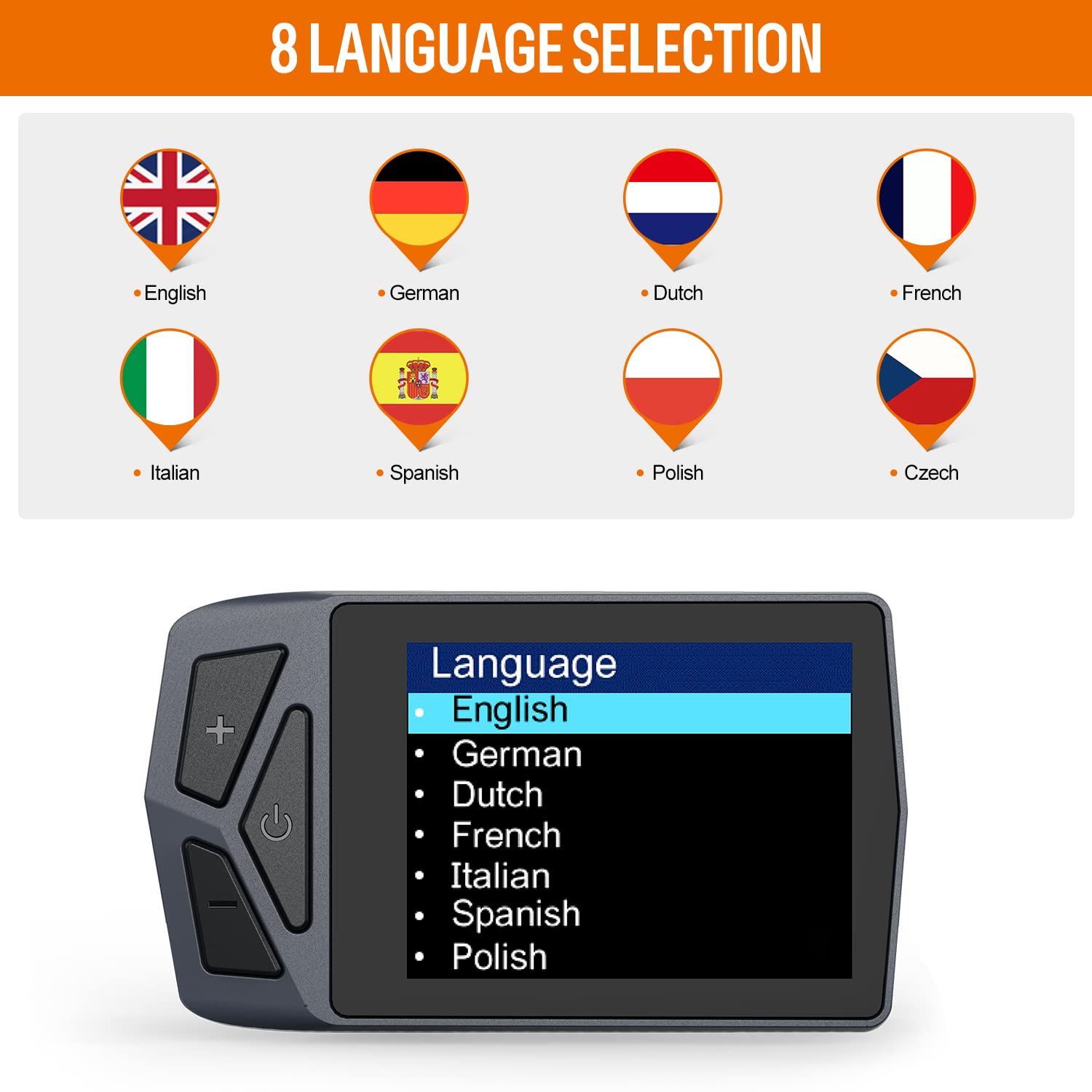
Figure 5.3: Language selection interface on the B02N display. This image shows the display screen presenting a list of 8 language options for user selection.
5.4 Advanced Settings and Passwords
The display includes security features with two password levels:
- Start Password: For initial device activation.
- Advanced Setting Password: Required to access advanced settings, such as changing wheel size. The common password for this setting is 1657.
6. Maintenance
To ensure the longevity and optimal performance of your Accolmile B02N display, follow these maintenance guidelines:
- Cleaning: Gently wipe the display screen and body with a soft, damp cloth. Avoid using abrasive cleaners or solvents that could damage the screen or casing.
- Protection: Protect the display from direct impact, extreme temperatures, and prolonged exposure to direct sunlight or heavy rain.
- Connection Check: Periodically check the 5PIN connector for any signs of corrosion or damage. Ensure it remains clean and securely connected.
- Software Updates: Check the Accolmile website or the "BIKEGO" app for any available firmware updates for the display to ensure you have the latest features and bug fixes.
7. Troubleshooting
This section addresses common issues you might encounter with your B02N display.
| Problem | Possible Cause | Solution |
|---|---|---|
| Display does not power on. | Loose connection; Ebike battery low or off. | Check the 5PIN connector for secure fit. Ensure your ebike battery is charged and powered on. |
| Cannot change wheel size setting. | Requires advanced setting password. | Enter the advanced setting password. The common password for this setting is 1657. |
| Bluetooth connection issues. | Display not in pairing mode; Smartphone Bluetooth off; Interference. | Ensure display Bluetooth is active. Turn off and on smartphone Bluetooth. Try pairing in an area with less interference. |
| Navigation not working. | "BIKEGO" app not installed or paired; No internet connection on phone; Trial expired. | Install and pair the "BIKEGO" app. Ensure your smartphone has an active internet connection. Check if the navigation trial period has expired. |
8. Specifications
Key technical specifications for the Accolmile BAFANG B02N Display:
- Model Name: B02N (BAFANG)
- Brand: Accolmile
- Display Type: LCD
- Screen Size: 2.4 inches
- Mounting Type: Handlebar Mount (φ22.2mm / φ25.4mm holder)
- Connectivity: Bluetooth
- Protocol: UART 5.0~5.8 (5PIN Female Plug)
- Compatible Devices: Smartphone (for app functions)
- Included Components: Cycling Display / Computer
- Human Interface Input: Buttons
- Dimensions: 86.8mm (3.41") x 50.5mm (1.98") x 12.5mm (0.49")
Figure 8.1: Dimensions of the Accolmile B02N display. This image provides a detailed view of the display unit with its precise measurements in millimeters and inches.
9. Warranty and Customer Support
Accolmile stands behind its products with comprehensive support:
- Warranty: All Accolmile products come with a one-year warranty.
- Customer Service: 24-hour customer service is available.
- Technical Support: Professional technical support is available to assist with any issues or questions.
- Contact: For support, please refer to the contact information provided with your product packaging or visit the official Accolmile website.