
FADACHY F30
FADACHY Portable Fan Instruction Manual
Model: F30
Thank you for purchasing the FADACHY Portable Fan. This manual provides important information for the safe and efficient use of your device. Please read it thoroughly before operation and retain it for future reference.
Important Safety Information
- Do not immerse the fan in water or other liquids.
- Keep out of reach of children and pets.
- Do not disassemble, repair, or modify the fan yourself. Contact qualified personnel for service.
- Use only the specified charging voltage (5V) and a compatible USB adapter.
- Avoid placing fingers or foreign objects into the fan blades when operating.
- Do not expose the fan to extreme temperatures or direct sunlight for prolonged periods.
- Charge the fan fully before first use.
Product Components
Your FADACHY Portable Fan package includes the following items:
- FADACHY Portable Fan Unit
- USB Charging Cable (Type-C)
- Lanyard
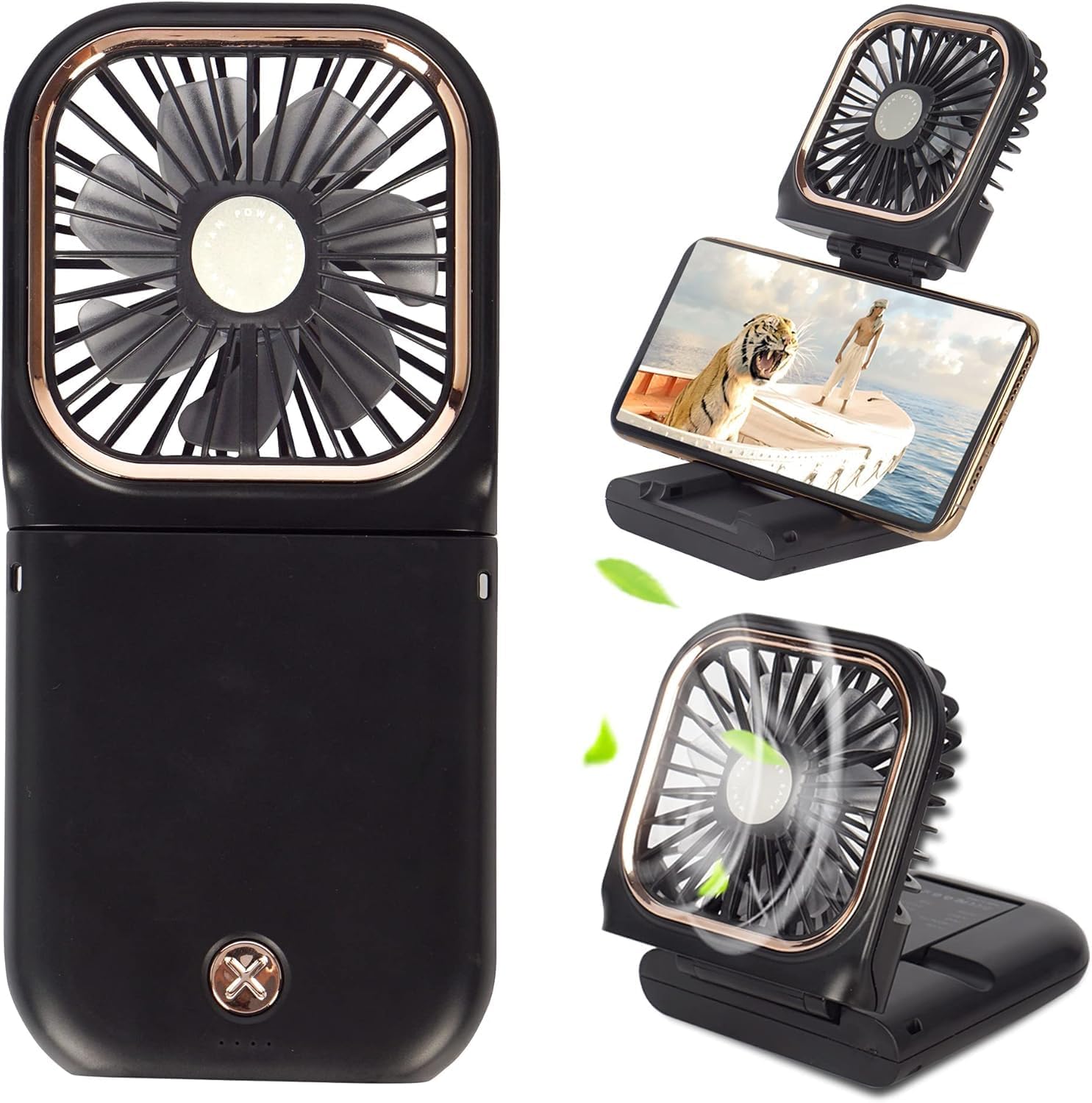
Image: The FADACHY Portable Fan in its compact, folded state and extended for use, demonstrating its versatility.
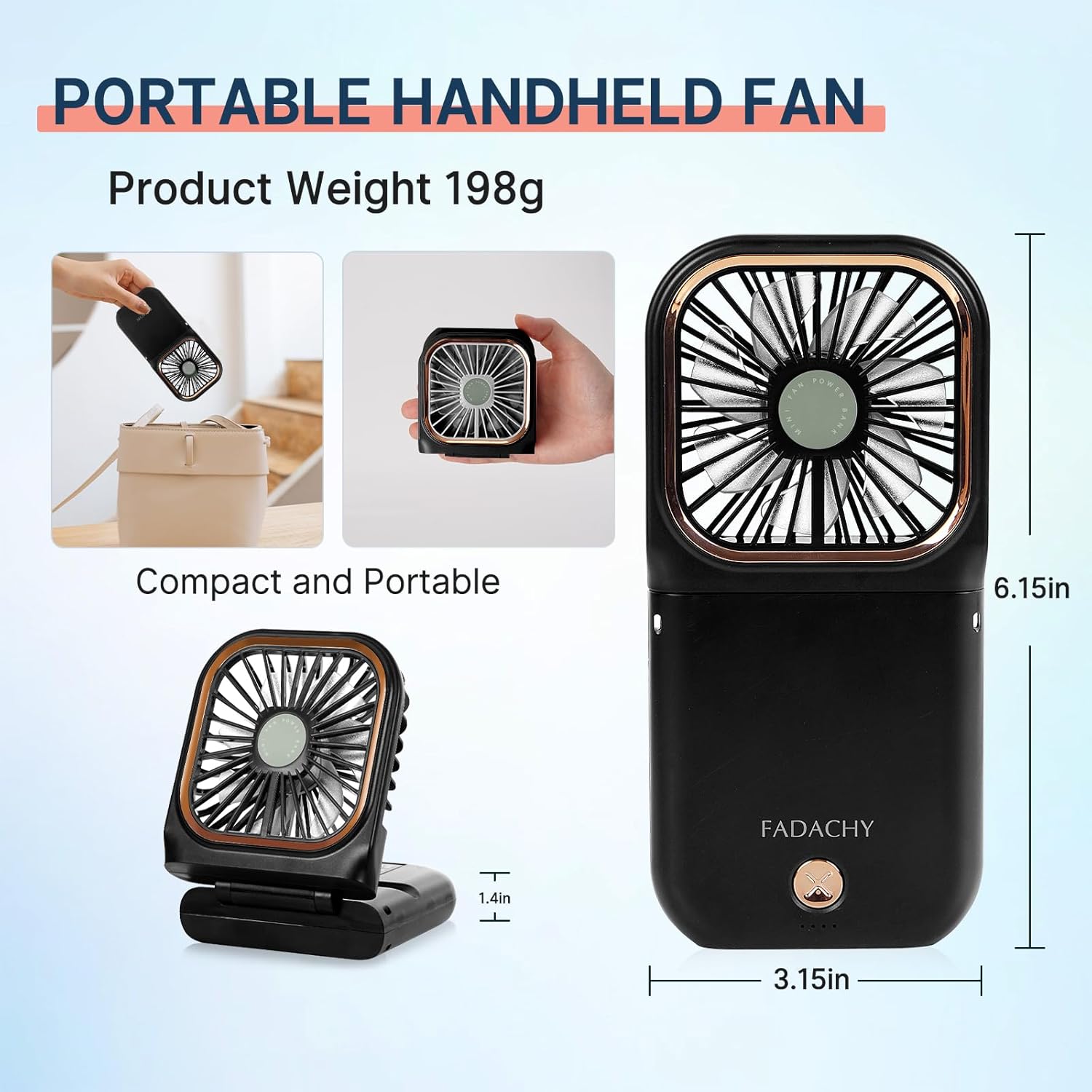
Image: Visual representation of the fan's compact size and light weight (198g), illustrating its portability and ease of carrying in a bag.
Setup
- Initial Charge: Before first use, fully charge the fan using the provided USB Type-C cable. Connect the cable to the fan's charging port and a compatible USB power source (e.g., computer, wall adapter, power bank). The charging indicator lights will show the battery level. A full charge typically takes 3-4 hours.
- Attach Lanyard (Optional): If desired, attach the included lanyard to the designated loop on the fan for convenient carrying around your neck.
Operating Instructions
The FADACHY Portable Fan offers multiple modes of operation for various cooling needs.
1. Power On/Off and Speed Adjustment
- Press the power button once to turn on the fan at Speed 1 (low).
- Press the button a second time for Speed 2 (medium).
- Press the button a third time for Speed 3 (high).
- Press the button a fourth time to turn off the fan.

Image: Illustration of the fan's three adjustable wind speeds (Speed 1: 3000rpm, Speed 2: 4500rpm, Speed 3: 5500rpm) and its quiet operation (low noise to 40dB).
2. Using as a Handheld Fan
Hold the fan comfortably in your hand. The fan can be used in its folded or unfolded position for direct airflow.
3. Using as a Desktop Fan / Phone Holder
The fan features a 180° rotatable head and a stable base that can also function as a phone holder.
- Unfold the fan to your desired angle (up to 180°).
- Place the fan on a flat surface.
- To use as a phone holder, extend the base fully and place your smartphone in the designated slot.

Image: The fan's 180° adjustable head allows for versatile positioning, and its base can securely hold a smartphone for hands-free viewing while providing cooling.
4. Power Bank Function
The FADACHY Portable Fan is equipped with a 3000mAh battery that can also serve as a power bank to charge your mobile devices.
- Connect your device's charging cable to the USB output port on the fan.
- The fan will begin charging your device. Note that using the fan while charging another device may reduce its own battery life.

Image: The fan's integrated 3000mAh battery can be used to charge other devices, such as a smartphone, making it a convenient 4-in-1 tool.
5. Product Demonstration Video
Video: This official FADACHY video demonstrates the portable fan's various features, including its compact design, use as a handheld and desktop fan, and its power bank functionality. It showcases how the fan can be easily carried and adapted for different situations.
Maintenance
- Cleaning: Ensure the fan is turned off and unplugged before cleaning. Use a soft, dry cloth to wipe the exterior of the fan. For dust accumulation on the fan blades, use a cotton swab or a soft brush to gently clean the grilles. Do not use abrasive cleaners or immerse the fan in water.
- Storage: When not in use for extended periods, store the fan in a cool, dry place, away from direct sunlight and extreme temperatures. It is recommended to charge the fan every 3 months to maintain battery health.
Troubleshooting
| Problem | Possible Cause | Solution |
|---|---|---|
| Fan does not turn on. | Battery is depleted. | Charge the fan fully. |
| Weak airflow. | Low battery or obstructed grille. | Charge the fan or clean the fan grille. |
| Fan is not charging. | Loose cable connection or faulty adapter/cable. | Ensure the USB cable is securely connected. Try a different USB port, adapter, or cable. |
| Fan makes unusual noise. | Foreign object in fan blades. | Turn off the fan immediately. Carefully check for and remove any obstructions. If noise persists, discontinue use. |
Specifications
| Feature | Detail |
|---|---|
| Brand | FADACHY |
| Model Name | F30 |
| Color | Black |
| Power Source | Battery Powered |
| Battery Capacity | 3000mAh Lithium Polymer (included) |
| Product Dimensions | 0.7"D x 3.15"W x 6.5"H |
| Item Weight | 6.7 ounces |
| Number of Blades | 7 |
| Number of Power Levels | 3 |
| Control Method | Touch |
| Connector Type | USB Type C |
| Special Features | Foldable, Lightweight, Portable, Quiet Operation, Power Bank Function, Phone Holder |
Warranty and Support
FADACHY products are designed and manufactured to the highest quality standards. For warranty information, technical support, or any questions regarding your product, please refer to the contact information provided on the product packaging or the official FADACHY website. Please retain your proof of purchase for warranty claims.
Ask a question about this manual
Ask about setup, troubleshooting, compatibility, parts, safety, or missing instructions. Manuals+ will review the question and use this page’s manual context to help answer it.