
1. Product Overview
The QICYCLE N2 is a portable electric air compressor designed for inflating bicycle, motorcycle, and car tires, as well as various balls. It features precise pressure control, an autostop function, and a digital display for ease of use.
2. Safety Information
- Read all instructions before operating the device.
- Keep out of reach of children.
- Do not operate in wet conditions or near flammable liquids/gases.
- Avoid prolonged continuous operation to prevent overheating. Allow the device to cool down if it becomes hot.
- Ensure the correct pressure is set for the item being inflated to prevent over-inflation and potential damage or injury.
- Use only the provided charging cable and adapters.
3. Package Contents
Verify that all items are present in the package:
- QICYCLE N2 Electric Air Compressor
- Air Hose (with Schrader valve adapter)
- Presta Valve Adapter
- Needle Valve Adapter
- USB Type-C Charging Cable
- Storage Bag
- User Guide

Image: The QICYCLE N2 electric air compressor and its included accessories, such as the air hose, various valve adapters, USB-C charging cable, and a storage bag, laid out next to the product packaging.
4. Setup
4.1 Charging the Device
Before first use, fully charge the QICYCLE N2. Connect the provided USB Type-C charging cable to the charging port on the device and to a compatible USB power source. The charging time is less than 3 hours. The display will indicate the battery charge level.
4.2 Attaching the Air Hose and Adapters
The device features an intelligent hose design. To activate the pump, pull out the air hose from its storage slot. To turn off the pump, push the air hose back into its slot.
- Schrader Valve: The air hose comes with a Schrader valve adapter pre-attached. Screw it directly onto the tire valve.
- Presta Valve: For Presta valves, screw the Presta valve adapter onto the Schrader valve adapter, then attach to the tire valve.
- Needle Valve: For balls, screw the needle valve adapter onto the Schrader valve adapter.

Image: Illustration of the intelligent hose design. Pulling the hose out of its slot activates the pump ('Turn on'), while pushing it back in deactivates it ('Turn off').
5. Operating Instructions
5.1 Powering On/Off
The device powers on automatically when the air hose is pulled out and powers off when the hose is pushed back into its storage slot.
5.2 Display and Controls
The backlit HD LCD display shows the current pressure, set pressure, and battery level. Control buttons allow for mode selection, pressure adjustment, and light activation.
5.3 Selecting a Mode and Setting Pressure
The QICYCLE N2 offers 5 preset inflation modes:
- Car Mode
- Motorcycle Mode
- Bicycle Mode
- Ball Mode
- Professional Mode (manual setting)
Press the mode button to cycle through these options. Once a mode is selected, use the '+' and '-' buttons to adjust the target pressure. The device supports two pressure units: PSI and BAR. The unit can typically be switched via a dedicated button or by holding a specific button.
5.4 Inflation Process
- Connect the appropriate adapter to the item to be inflated.
- Pull out the air hose to power on the device. The display will show the current pressure of the connected item.
- Select the desired inflation mode and set the target pressure.
- Press the start button (usually a central button) to begin inflation.
- The pump will automatically stop once the preset pressure is reached.
- Disconnect the hose and push it back into its slot to power off the device.
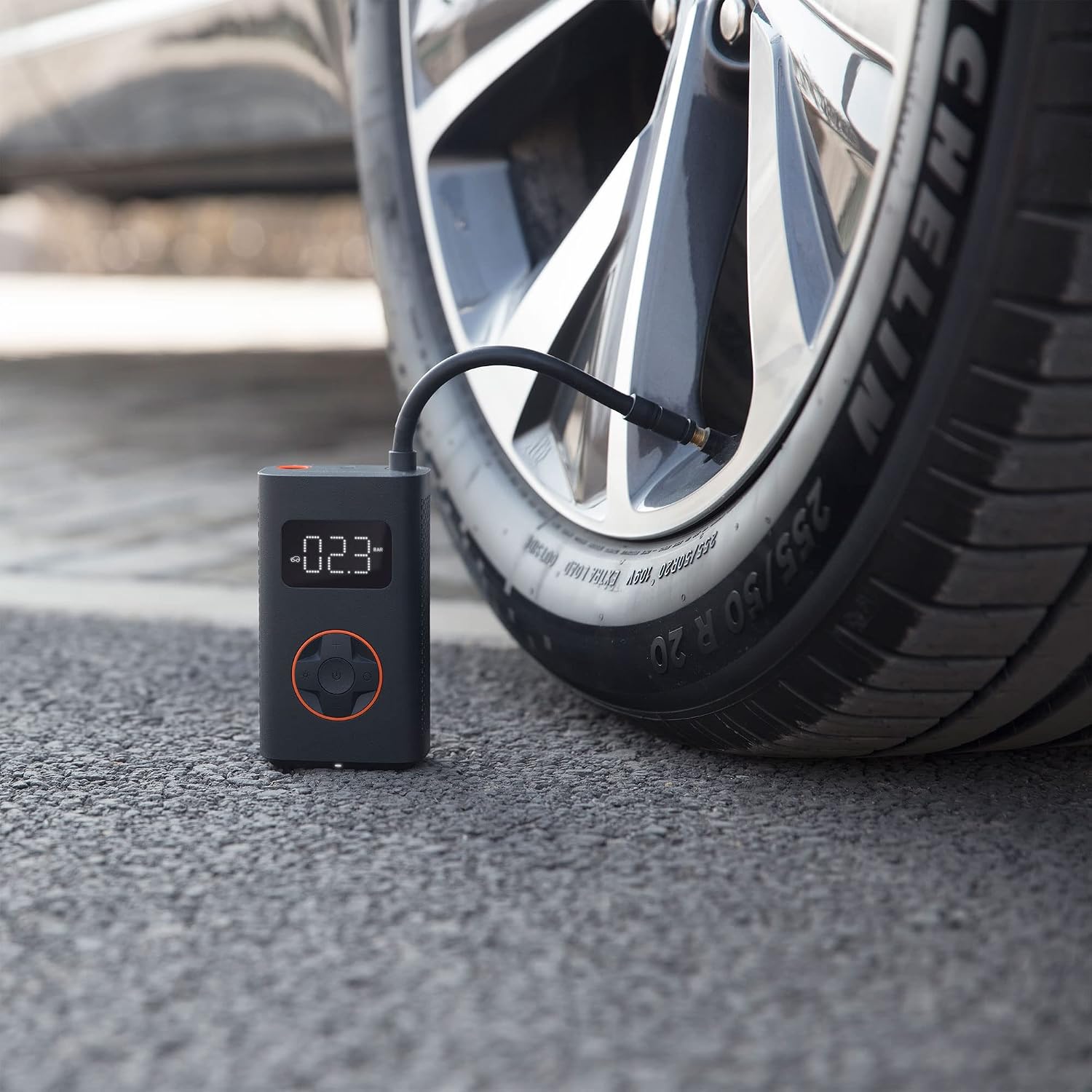
Image: The QICYCLE N2 pump connected to a car tire valve, displaying the current tire pressure on its digital screen during inflation.

Image: The QICYCLE N2 pump positioned on a soccer field next to a soccer ball, demonstrating its use for inflating sports equipment.
5.5 LED Light Function
The device includes an integrated LED light for use in low-light conditions. Press the light button to cycle through its modes:
- Normal Illumination: Provides steady light to illuminate the valve area.
- SOS Flashing: Activates an SOS signal for emergency situations.
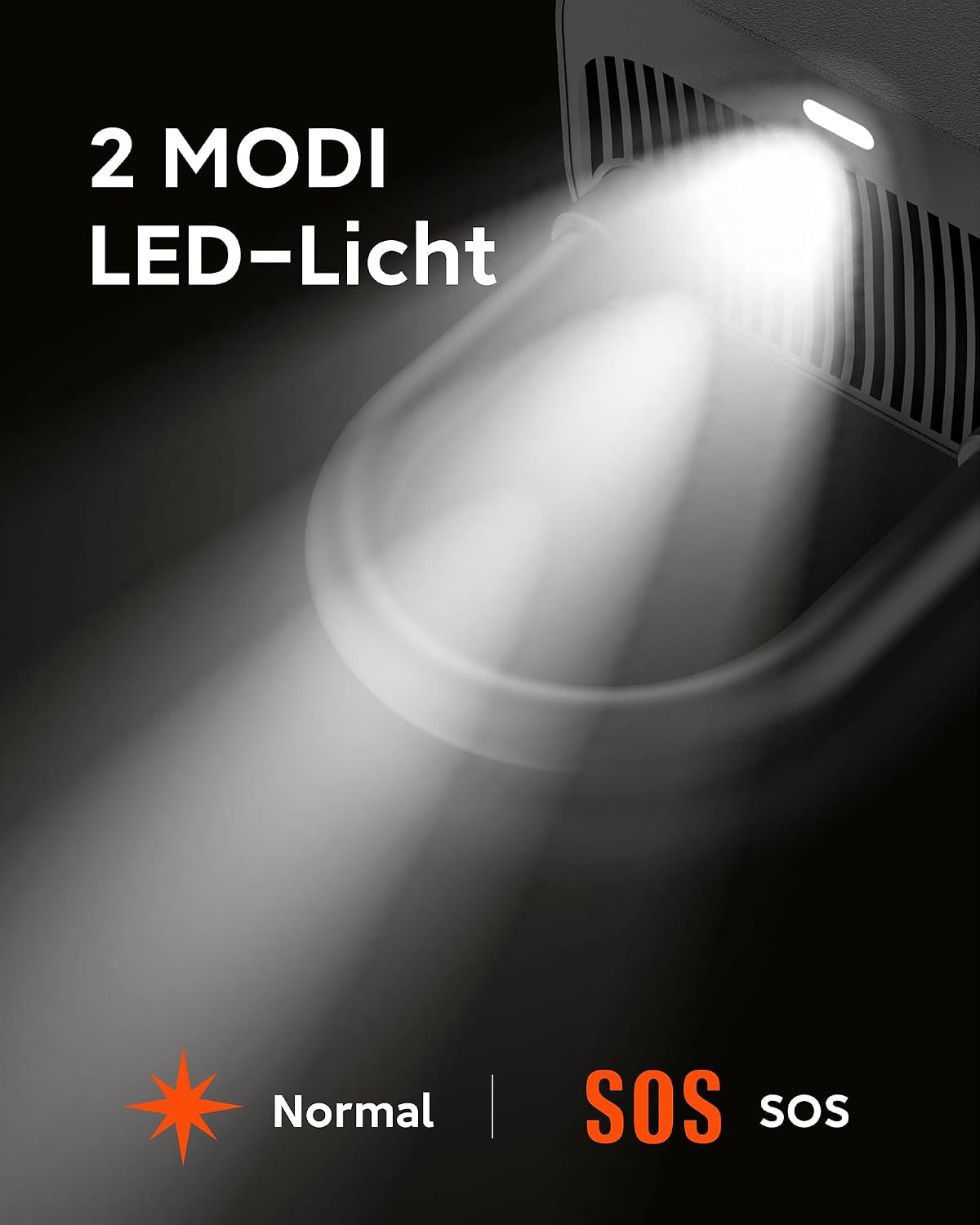
Image: A close-up view of the QICYCLE N2's LED light, illustrating its two operational modes: normal steady illumination and SOS flashing.
6. Maintenance
6.1 Cleaning
Wipe the device with a soft, dry cloth. Do not use abrasive cleaners or immerse the device in water.
6.2 Storage
Store the QICYCLE N2 in a cool, dry place within the recommended storage temperature range of -10°C to 45°C. Ensure the air hose is properly stored in its slot to prevent accidental activation and battery drain. For long-term storage, charge the device periodically to maintain battery health.
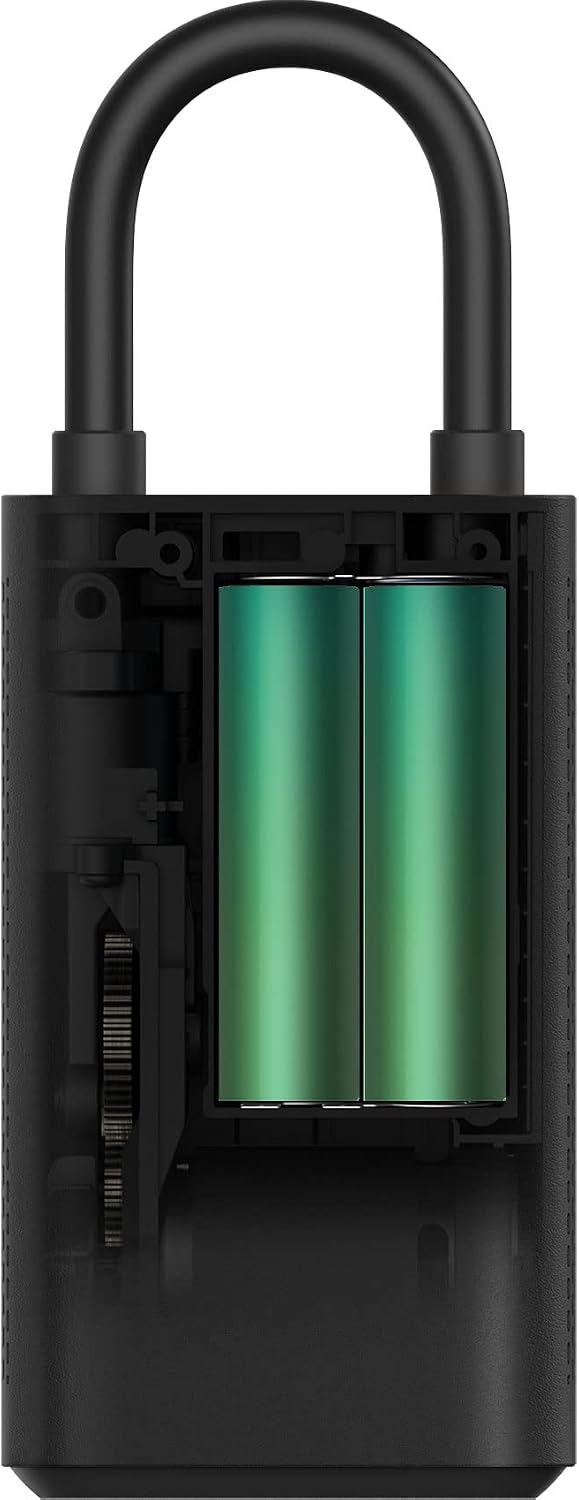
Image: An internal cutaway view of the QICYCLE N2 pump, revealing the two integrated lithium-ion battery cells.
7. Troubleshooting
- Device does not turn on: Ensure the air hose is fully pulled out. Check battery level and charge if necessary.
- Pump not inflating: Verify the air hose is securely connected to both the pump and the valve. Check for leaks in the connection. Ensure the target pressure is set above the current pressure.
- Inaccurate pressure reading: Ensure the hose is properly connected to the valve. The sensor accuracy is ±1 psi.
- Pump stops unexpectedly: The device may have overheated. Allow it to cool down before resuming operation. Check battery level.
8. Specifications
| Feature | Specification |
|---|---|
| Model | QJCQBN2 |
| Item Dimensions (without air hose) | 124 x 71 x 45.3 mm (4.88 x 2.80 x 1.78 inches) |
| Weight | 480 grams (0.5 kg) |
| Possible Pressure Range | 0.2-10.3 bar / 3-150 psi |
| Maximum Permissible Pressure | 15 bar |
| Sensor Accuracy | ±1 psi |
| Battery Capacity | 2 x 2000 mAh (14.8 Wh) Li-ion |
| Rated Voltage | 7.4 V DC |
| Charging Port | Type-C |
| Charging Voltage | 5 V DC |
| Charging Current | 2 A |
| Charging Time | Less than 3 hours |
| Operating & Charging Temperature | 5°C to 45°C |
| Storage Temperature | -10°C to 45°C |
| Air Hose Length | 180 mm (including Schrader valve adapter) |
| Material | Polypropylene |
9. Warranty and Support
QICYCLE offers a 12-month warranty for this product. For any questions or support needs, please contact QICYCLE customer service. They are available 7 days a week, 24 hours a day.
