
Introduction
Thank you for choosing the DegLasers 12V 2500mAh Lithium-Ion Battery. This manual provides essential information for the safe and effective use, charging, and maintenance of your battery. Please read this manual thoroughly before first use and keep it for future reference. This battery is designed for use with compatible DegLasers 4D01-H and 4D01-I cordless drill/impact driver tools.
Safety Information
Your safety is paramount. Please observe the following safety precautions:
- Do not disassemble or modify the battery. This can cause fire, explosion, or electric shock.
- Do not short-circuit the battery terminals. Avoid contact with metal objects like keys, coins, or jewelry, which can cause a short circuit.
- Do not expose the battery to water or moisture. Keep the battery dry.
- Do not expose the battery to extreme temperatures. Avoid direct sunlight, heat sources, or freezing conditions. Optimal operating temperature is between 0°C and 45°C (32°F and 113°F).
- Do not incinerate the battery. It may explode.
- Keep the battery away from children. Store in a secure location.
- Use only the specified charger for this battery. Using an incompatible charger can damage the battery and pose a fire risk.
- If the battery is damaged, deformed, or leaking, discontinue use immediately. Contact customer support for assistance.
- Dispose of batteries responsibly. Follow local regulations for lithium-ion battery recycling. Do not dispose of in household waste.
Product Features
- High Capacity: 12V 2500mAh Lithium-Ion for extended use.
- Compatibility: Specifically designed for DegLasers 4D01-H and 4D01-I cordless drill/impact driver tools.
- Long Working Time: Provides up to 12-40 hours of working time depending on tool usage and load.
- Rechargeable: Designed for multiple charge cycles.
- Lightweight: Approximately 230 grams for comfortable handling.
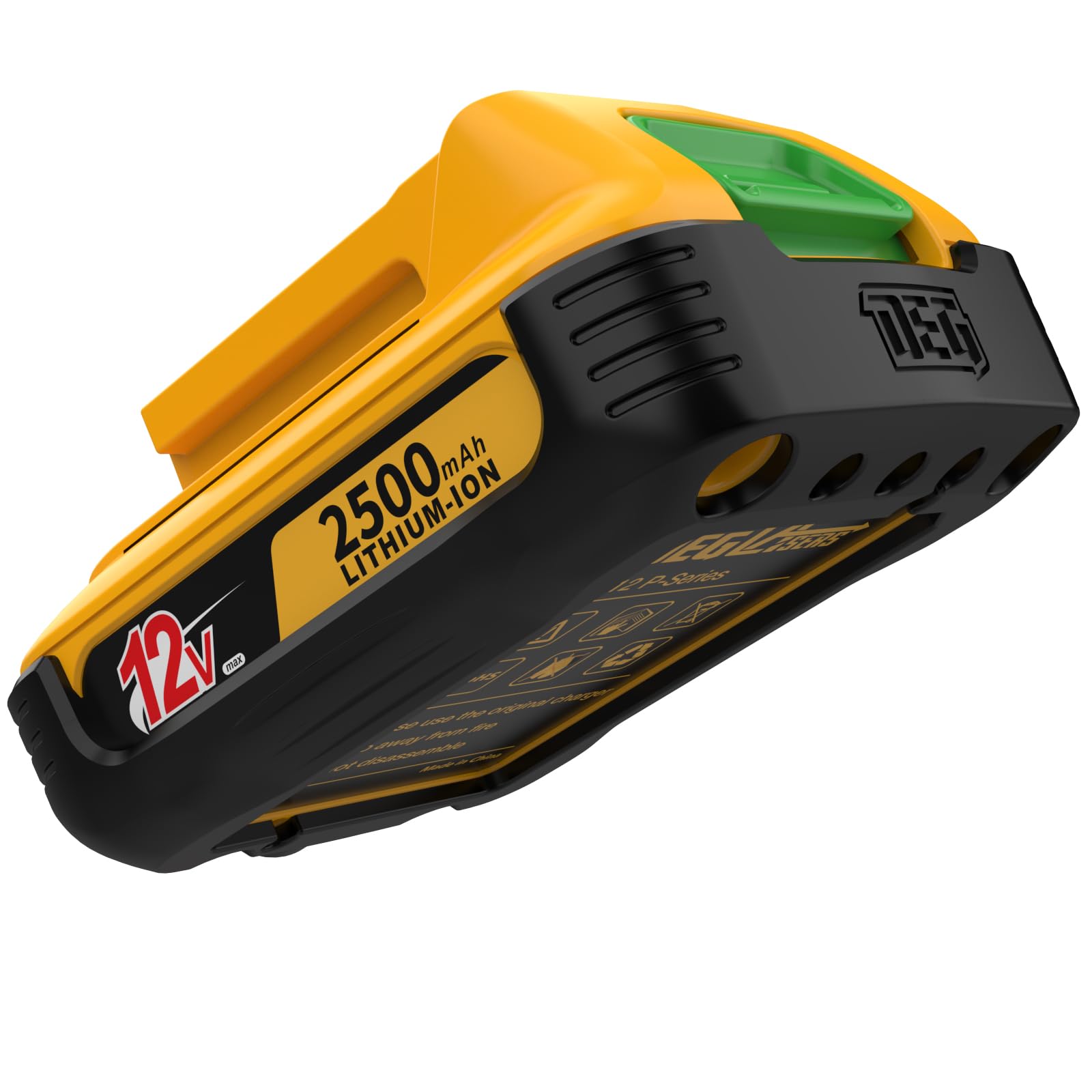
Image: The DegLasers 12V 2500mAh Lithium-Ion Battery, showing its compact design and power terminals.
Setup and Installation
To install the battery into your compatible DegLasers cordless tool:
- Ensure the tool is turned off and disconnected from any power source.
- Align the battery with the battery slot on the tool. The battery typically slides into a designated compartment at the base of the tool.
- Push the battery firmly until it clicks into place. A click indicates that the battery is securely locked.
To remove the battery:
- Ensure the tool is turned off.
- Locate the battery release button(s) on the tool. Press and hold the button(s).
- Slide the battery out of the tool.

Image: A DegLasers laser level with the battery installed, alongside other accessories including a charger, demonstrating typical tool compatibility.
Charging Instructions
Always use a compatible DegLasers 12V lithium-ion battery charger. Refer to your charger's manual for specific instructions.
- Remove the battery from the tool.
- Connect the charger to a standard power outlet.
- Insert the battery into the charger, ensuring proper alignment.
- The charger's indicator light will typically show the charging status (e.g., red for charging, green for fully charged).
- Once fully charged, remove the battery from the charger and disconnect the charger from the power outlet.
Important: Do not leave the battery on the charger for extended periods after it is fully charged. Do not charge damaged batteries.
Operating Instructions
Once the battery is fully charged and securely installed in your compatible DegLasers 4D01-H or 4D01-I cordless tool, you can operate the tool according to its specific user manual. The battery provides the necessary power for the tool's functions.
- Ensure the battery is fully charged for optimal performance.
- Monitor the tool's power indicator (if available) to know when the battery needs recharging.
- Avoid completely draining the battery frequently, as this can reduce its overall lifespan.
Maintenance
Proper maintenance extends the life of your battery:
- Cleaning: Keep the battery terminals clean and free of dust and debris. Use a dry cloth to wipe the battery. Do not use liquids or solvents.
- Storage: Store the battery in a cool, dry place, away from direct sunlight and extreme temperatures. For long-term storage, it is recommended to store the battery with a partial charge (around 50%).
- Avoid Deep Discharge: Do not allow the battery to completely discharge for extended periods. Recharge it periodically if not in use.
Troubleshooting
| Problem | Possible Cause | Solution |
|---|---|---|
| Battery not charging | Charger not plugged in; faulty charger; battery too hot/cold; damaged battery. | Check charger connection; try another outlet; allow battery to reach room temperature; inspect battery for damage. If damaged, replace. |
| Tool not powering on with charged battery | Battery not fully inserted; battery faulty; tool faulty. | Ensure battery is clicked into place; try another charged battery; consult tool's manual for troubleshooting. |
| Battery not holding charge | Battery nearing end of life; improper charging/storage. | Ensure proper charging and storage; if battery is old, consider replacement. |
Specifications
- Battery Type: Lithium Polymer
- Voltage: 12 Volts
- Capacity: 2500 mAh (Milliamp Hours)
- Reusability: Rechargeable
- Weight: 230 Grams
- Compatible Tools: DegLasers 4D01-H, 4D01-I Cordless Drill/Impact Driver
- UPC: 798439688714
- ASIN: B0BXL2YW59
Warranty and Support
This DegLasers 12V 2500mAh Lithium-Ion Battery comes with a 1-year warranty from the date of purchase. This warranty covers defects in materials and workmanship under normal use.
For warranty claims, technical support, or any questions regarding your battery, please contact DegLasers customer service. Please have your purchase receipt and product information available when contacting support.
You can visit the official DegLasers store for more information and support: DegLasers Store on Amazon