
CREAUV 6c3f3804-5bce-40ce-b3dc-6f1ba2b7fb3a
CREAUV Smart Fitness Tracker Watch User Manual
Model: 6c3f3804-5bce-40ce-b3dc-6f1ba2b7fb3a
1. Introduction
This manual provides detailed instructions for the setup, operation, and maintenance of your CREAUV Smart Fitness Tracker Watch. This device is designed to assist you in monitoring various health metrics and enhancing your fitness activities. Please read this manual thoroughly before using the watch to ensure proper function and longevity.

Figure 1.1: Front view of the CREAUV Smart Fitness Tracker Watch. The watch features a rectangular black casing with a black silicone strap, and its display shows time, date, heart rate, and step count.
2. Package Contents
Upon opening the package, verify that all items listed below are present and in good condition:
- CREAUV Smart Fitness Tracker Watch (with Watch Band attached)
- Charging Cable
- User Manual (this document)
3. Setup
3.1 Charging the Device
Before initial use, fully charge your Smart Fitness Tracker Watch. Connect the magnetic charging cable to the charging contacts on the back of the watch. Plug the USB end of the cable into a standard USB power adapter (not included) or a computer's USB port.

Figure 3.1: The watch connected to its magnetic charging cable, with a battery icon indicating charging status on the screen.
3.2 Installing the Companion App and Pairing
To unlock the full functionality of your watch, you need to install the dedicated companion application on your smartphone. The watch is compatible with both Android and iOS devices.
- Download the App: Scan the QR code provided in the quick start guide (if available) or search for the official app name (usually mentioned on the watch packaging or display) in your phone's app store (Google Play Store for Android, Apple App Store for iOS).
- Create Account/Log In: Follow the on-screen instructions to create a new user account or log in if you already have one.
- Enable Bluetooth: Ensure Bluetooth is enabled on your smartphone.
- Pair the Watch: Open the app, navigate to the device pairing section, and select your watch from the list of available devices. Confirm the pairing request on both your phone and the watch if prompted.
- Complete Setup: Follow any remaining prompts in the app to complete the initial setup, including personal profile information and notification permissions.
4. Operating Instructions
Your Smart Fitness Tracker Watch offers a variety of features to support your health and fitness journey.
4.1 Basic Navigation
The watch features a 1.69-inch display. Swipe left/right or up/down to navigate through different screens and menus. Tap to select an option. The side button typically serves as a back button or to return to the main watch face.
4.2 Health Monitoring
The watch continuously monitors key health metrics:
- Heart Rate Monitoring: Provides real-time heart rate data.
- Blood Oxygen Level Monitoring: Measures your SpO2 levels.
- Sleep Tracking: Analyzes your sleep patterns, including light and deep sleep stages, to help you understand and improve sleep quality.
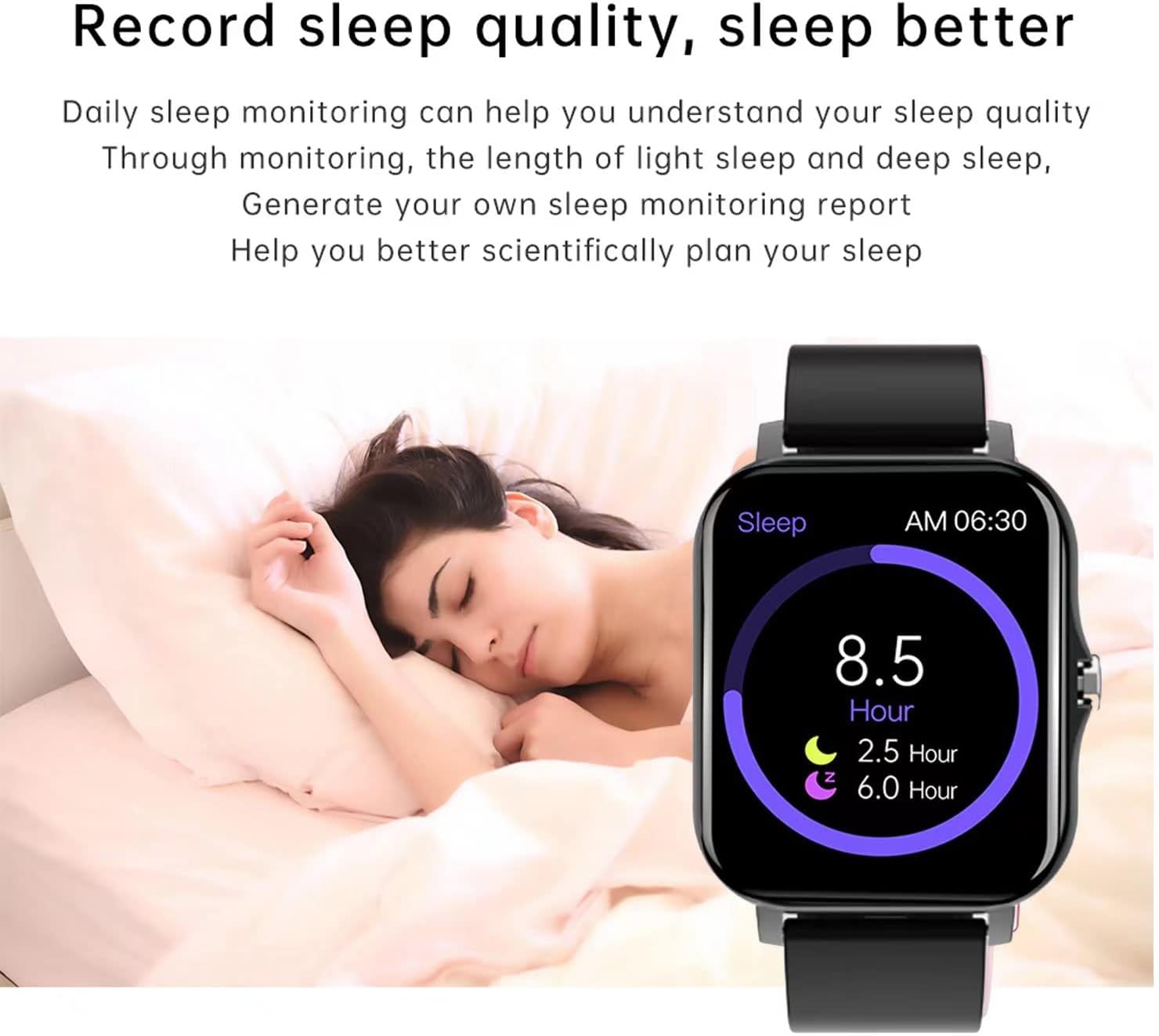
Figure 4.1: The watch screen showing sleep duration and quality metrics, indicating 8.5 hours of sleep with breakdowns for light and deep sleep.
4.3 Sports Modes
The watch includes 8 pre-set sports modes to accurately track your workouts. Select the appropriate mode before starting your activity for precise data collection.
- Walking
- Running
- Cycling
- Skipping
- Badminton
- Basketball
- Football
- Swimming

Figure 4.2: A collage showing the watch's interface with icons for different sports modes (walking, running, cycling, skipping, badminton, basketball, football, swimming) alongside images of individuals performing these activities.
4.4 Breath Training
Utilize the breath training feature to manage stress and anxiety. Follow the on-screen prompts for guided breathing exercises.
4.5 Weather Updates
Once connected to your smartphone, the watch can display real-time weather updates, helping you plan your outdoor activities.
4.6 Smart Notifications
Receive notifications for incoming calls, messages, and app alerts directly on your watch when paired with your smartphone.

Figure 4.3: The watch screen showing an incoming call from 'Juliana', mirroring the call display on a nearby smartphone.
4.7 Intelligent Voice Assistant
After connecting to your mobile phone's Bluetooth, long press the side button on the standby interface to activate the voice assistant. This allows you to play music, make calls, and issue other commands hands-free.

Figure 4.4: A composite image showing the watch's voice assistant interface and music playback controls, along with examples of making calls and playing music.
4.8 Camera Control
The watch may offer a remote camera control feature, allowing you to trigger your phone's camera shutter from your wrist. Refer to the app settings for activation.
5. Maintenance
5.1 Waterproof Rating
The CREAUV Smart Fitness Tracker Watch has an IP68 waterproof rating, meaning it is resistant to dust and can withstand immersion in water up to 1.5 meters for 30 minutes. It is suitable for showering, swimming, and daily use. However, avoid prolonged exposure to hot water, steam, or corrosive liquids.
5.2 Cleaning and Care
- Wipe the watch and strap regularly with a soft, damp cloth.
- Avoid using harsh chemicals, abrasive cleaners, or solvents.
- Ensure the charging contacts are clean and dry before charging.
- Store the watch in a cool, dry place when not in use.
6. Troubleshooting
If you encounter issues with your watch, refer to the following common solutions:
- Watch not turning on: Ensure the watch is fully charged. Connect it to the charger for at least 30 minutes.
- Cannot pair with phone:
- Ensure Bluetooth is enabled on your phone and the watch is within range.
- Restart both your phone and the watch.
- Check if the companion app is updated to the latest version.
- Forget the device in your phone's Bluetooth settings and try pairing again.
- Inaccurate health data: Ensure the watch is worn snugly on your wrist, about one finger's width above the wrist bone. Keep the sensor clean.
- Notifications not appearing: Check app permissions on your phone to ensure the companion app has access to notifications. Verify notification settings within the watch app.
- Screen unresponsive: Try restarting the watch by pressing and holding the side button. If unresponsive, allow the battery to drain completely and then recharge.
If the problem persists, contact customer support for further assistance.
7. Specifications
| Feature | Specification |
|---|---|
| Brand | CREAUV |
| Model Number | 6c3f3804-5bce-40ce-b3dc-6f1ba2b7fb3a |
| Color | Black |
| Screen Size | 1.69 Inches |
| Display Type | Standing screen display size: 1.69 Inches |
| Operating System Compatibility | Android, iOS |
| Connectivity Technology | Bluetooth |
| Wireless Communication Standard | Bluetooth |
| Special Features | Heart Rate Monitor, Blood Oxygen Monitor, Sleep Tracking, 8 Sports Modes, Breath Training, Weather Updates |
| Water Resistance | IP68 Waterproof Rating |
| GPS | No GPS |
| Item Weight | 1.44 ounces |
| Package Dimensions | 6.1 x 3.5 x 1.26 inches |
8. Warranty and Support
Information regarding product warranty and customer support was not available in the provided data. Please refer to the product packaging or the seller's website for warranty details and contact information for technical support.
Ask a question about this manual
Ask about setup, troubleshooting, compatibility, parts, safety, or missing instructions. Manuals+ will review the question and use this page’s manual context to help answer it.