
1. Introduction
This instruction manual provides essential information for the proper installation, operation, and maintenance of your EONON V0051 12/24V Full-Seg 4x4 Digital TV Tuner. Please read this manual thoroughly before using the product to ensure safe and optimal performance. Keep this manual for future reference.
2. Safety Information
- Ensure the product is installed by a qualified professional to prevent damage to the vehicle or the tuner.
- Do not attempt to disassemble or modify the unit. This may void the warranty and cause malfunction.
- Keep the unit away from water, moisture, and extreme temperatures.
- Use only the provided accessories or approved replacements.
- Always ensure the vehicle's power is off before making any electrical connections.
3. Package Contents
Verify that all items listed below are included in your package:
- EONON V0051 Digital TV Tuner Unit (1)
- Remote Control (1) (Batteries not included)
- Infrared (IR) Receiver Cable (1)
- Antennas (4)
- Power AV Cable (1)
- Mini B-CAS Card (1)
- Cable Clamps (4)
- Instruction Manual (Japanese) (1)
- Warranty Card (1)

4. Product Overview
The EONON V0051 is a high-performance digital terrestrial TV tuner designed for in-vehicle use. It supports both 12V and 24V systems, making it suitable for a wide range of vehicles including passenger cars, trucks, and buses. Featuring 4x4 antenna input, it ensures stable reception even at high speeds. The tuner is compatible with Full-Seg and One-Seg broadcasts, offering high-definition viewing with automatic switching based on signal conditions.


5. Specifications
| Feature | Specification |
|---|---|
| Model Number | V0051 |
| Reception Signal | ISDB-T Full-Seg / One-Seg |
| Reception Frequency Range | 170~770MHz (UHF) |
| HDTV Signal Sensitivity | 95dB |
| SDTV Signal Sensitivity | 85dB |
| Antenna Input | 4x4 Design (SMA terminals) |
| Max Reception Speed | 150 km/h |
| HDMI Output | Version 1.4 or lower compatible |
| AV Output | 1x RCA Video, 1x RCA Audio (R&L) |
| Power Input | DC 9V ~ DC 40V |
| EPG Support | Yes |
| Subtitle Display | Yes |
| Menu Language | Japanese / English |
| Firmware Update | USB / SD compatible |
| Dimensions (L x W x H) | 142 x 87 x 26 mm |
| Weight | 950g |
| Color | Black |
6. Setup
6.1 Antenna Installation
The EONON V0051 features a 4x4 antenna input design for enhanced reception. Install the four included antennas in locations that provide the best possible signal reception, typically on the vehicle's windows or roof, ensuring they are spaced appropriately for optimal performance. Connect each antenna to the corresponding SMA terminal on the tuner unit.

6.2 Power Connection
Connect the provided power AV cable to the tuner unit and to your vehicle's power supply. The EONON V0051 supports a wide power input range from DC 9V to 40V, making it compatible with various vehicle types, including passenger cars, trucks, and buses.

6.3 Video Output Connection
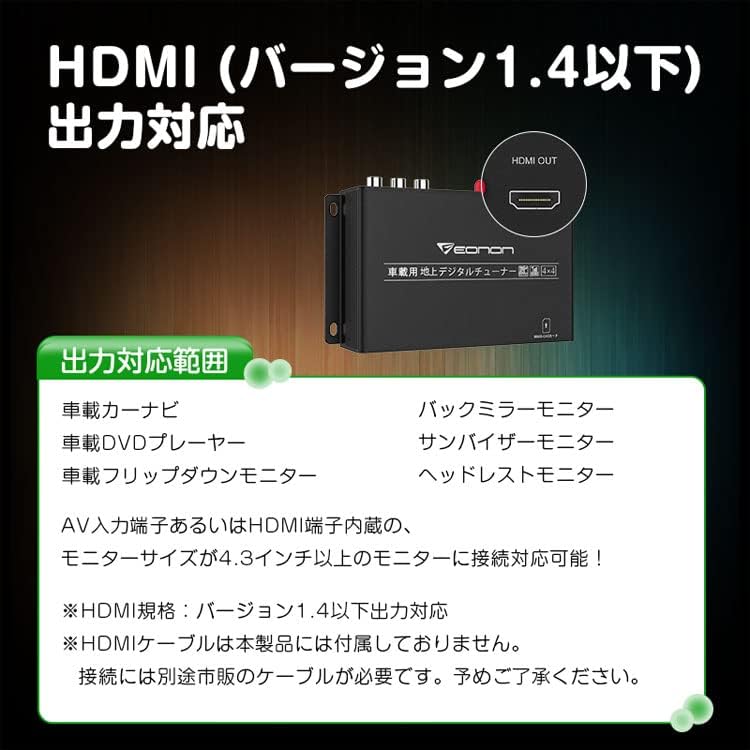
Connect the tuner to your display device (e.g., car navigation, monitor) using either an HDMI cable (not included) or the RCA AV output. The HDMI output supports version 1.4 or lower. Ensure your monitor is 4.3 inches or larger for optimal viewing.
- HDMI Output: For high-definition video and audio. Compatible with car navigation systems, flip-down monitors, etc.
- RCA AV Output: For standard definition video and audio, compatible with older monitors or systems.
6.4 Mini B-CAS Card Insertion
Carefully insert the provided Mini B-CAS card into the designated slot on the tuner unit. Ensure the card is inserted in the correct orientation as indicated on the unit.
7. Operating Instructions
7.1 Power On/Off
Turn on your vehicle's ignition. The tuner will power on automatically. Use the remote control to turn the tuner on or off as needed.
7.2 Channel Scan
After initial setup or if you move to a new area, perform a channel scan to find available TV stations.
- Navigate to the 'Settings' menu using the remote control.
- Select 'Channel Scan' or 'Auto Scan'.
- Choose 'Automatic Scan' or 'Manual Scan' as desired. Automatic scan is recommended for initial setup.
7.3 Full-Seg / One-Seg Automatic Switching
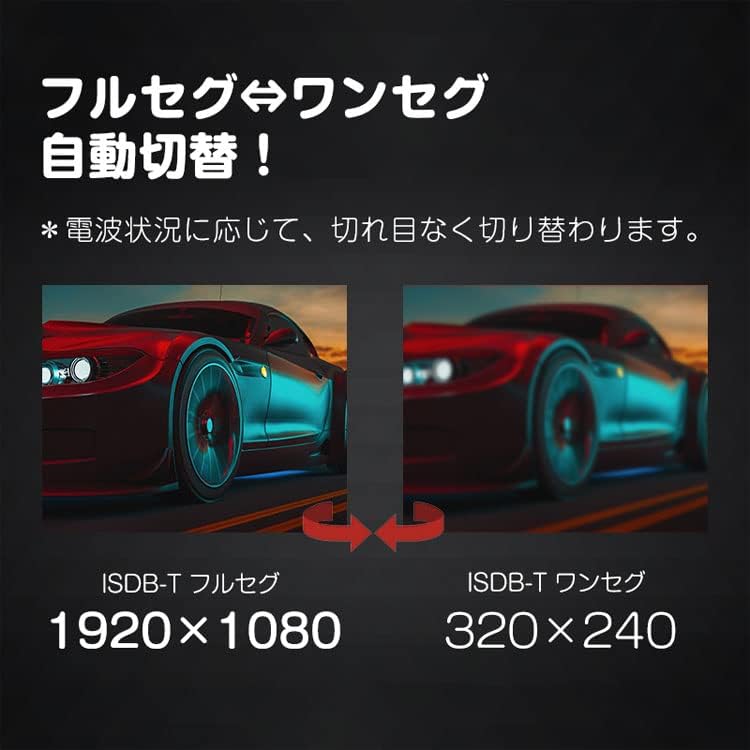
The tuner automatically switches between Full-Seg (high definition) and One-Seg (standard definition) broadcasts based on signal strength. This ensures continuous viewing even in areas with fluctuating signal conditions.

7.4 Power Memory Function
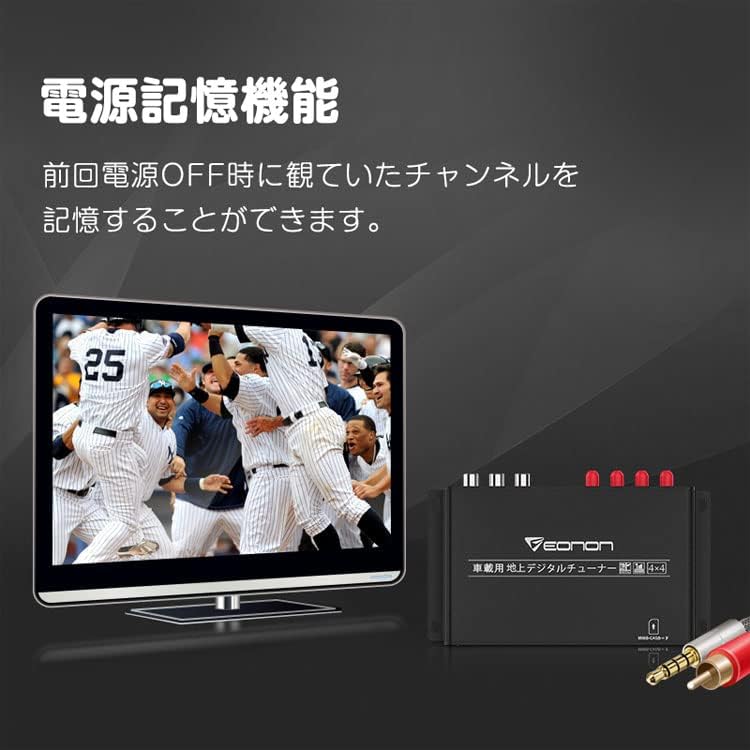
The tuner is equipped with a power memory function. It will remember the last viewed channel when the power is turned off and automatically resume playing that channel upon restart.
7.5 Subtitle Display
The tuner supports subtitle broadcasting. You can enable or disable subtitles through the menu settings using the remote control.
7.6 Remote Control Usage
Use the provided remote control to navigate menus, change channels, adjust volume, and access other functions. Refer to the remote control diagram in the Japanese instruction manual for specific button functions.
8. Maintenance
- Clean the unit with a soft, dry cloth. Do not use liquid cleaners or abrasive materials.
- Ensure all cables are securely connected and free from damage.
- Periodically check antenna connections for corrosion or looseness.
9. Troubleshooting
| Problem | Possible Cause | Solution |
|---|---|---|
| No picture or sound | Loose power/AV cables; Tuner not powered on; No signal. | Check all connections; Ensure tuner is powered on; Perform a channel scan. |
| Poor reception quality | Weak signal; Antenna placement; Interference. | Adjust antenna positions; Re-scan channels; Move to an area with better signal. |
| Remote control not working | Dead batteries; IR receiver blocked; Remote out of range. | Replace batteries; Ensure IR receiver is unobstructed; Point remote directly at the receiver. |
| Tuner does not turn on | No power supply; Blown fuse in vehicle. | Check power cable connection; Verify vehicle's power supply and fuses. |
10. Firmware Updates
The EONON V0051 supports firmware updates via USB or SD card. Periodically check the official EONON website for available updates to ensure your tuner has the latest features and performance enhancements. Follow the instructions provided with the firmware update package carefully.
11. Warranty and Support
This product comes with a warranty as detailed on the included warranty card. Please retain your proof of purchase for warranty claims.
Please note: Support for installation and usage methods is not provided by the manufacturer. Due to manufacturing variations, the appearance and specifications (stated values) of the product may be subject to minor changes without prior notice. Your understanding is appreciated.